Printer 710-810 v9 ProFlow ATX.pdf - 第36页
PROFLOW ATX REPLACEMENT PROCEDURES 12.36 Technical Reference Manual Chapter Issue 6, Jan 16 4. Pull the lever arm toward s the left side o f the machine. 5. Rotate the p rint medium cartridge anti-clockwise 90°. NOTE Dur…
PROFLOW ATX
REPLACEMENT PROCEDURES
Chapter Issue 6, Jan 16 Technical Reference Manual 12.35
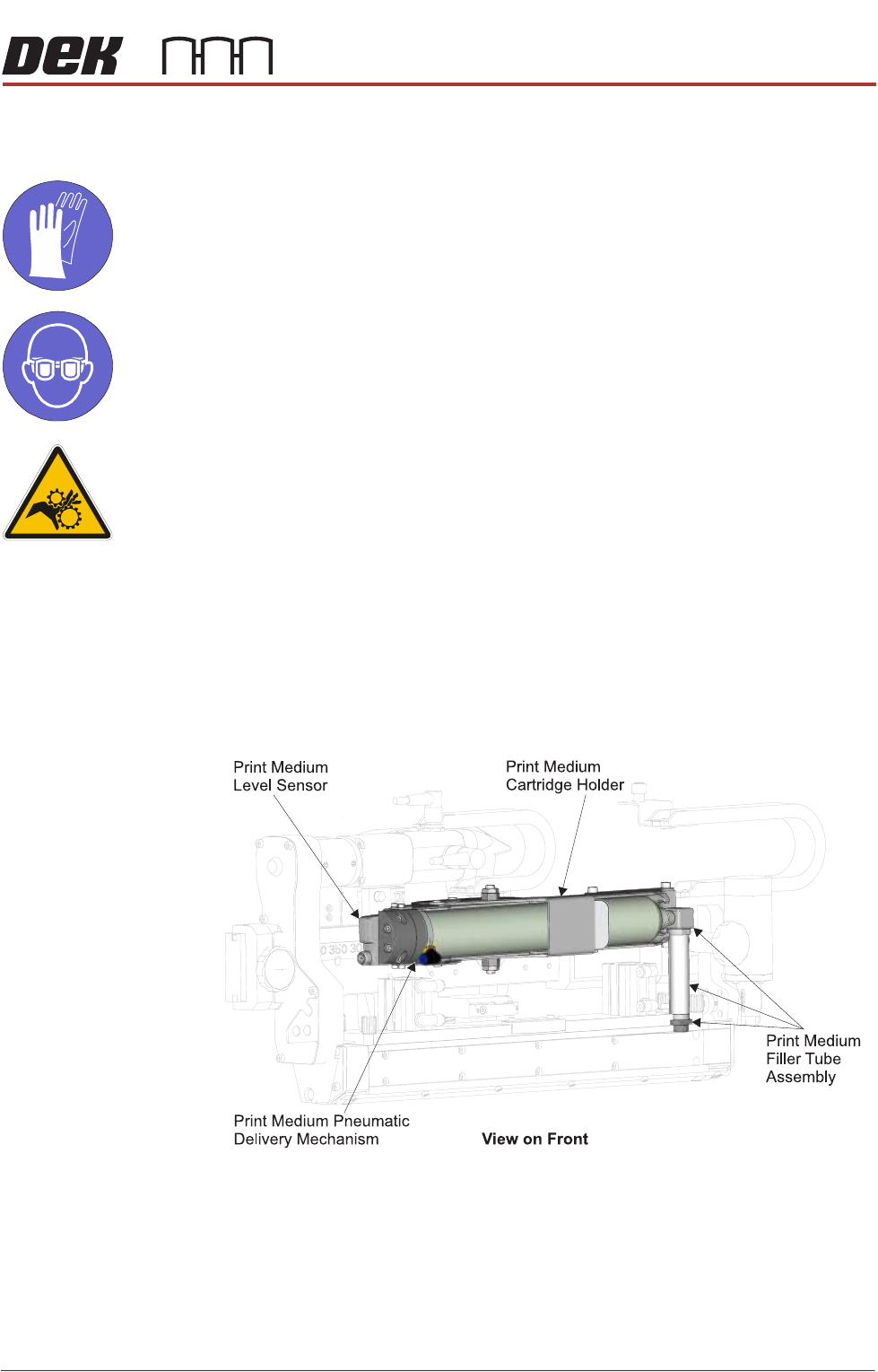
Fitting the Print
Medium Cartridge
MANDATORY
TOXIC CHEMICALS MAY BE PRESENT. SAFETY GLOVES MUST BE WORN.
MANDATORY
TOXIC CHEMICALS MAY BE PRESENT. EYE PROTECTION MUST BE WORN.
WARNING
MOVING PARTS. MOVING PARTS ARE PRESENT IN THE VICINITY OF THIS
WARNING LABEL, THESE PARTS HAVE THE POTENTIAL TO CAUSE INJURY.
NOTE
The following procedure assumes that an empty cartridge is fitted; if this is not
the case, open the lever arm (step 4) and begin the procedure at step 9 - “Fit
the new print medium cartridge to the filler tube assembly”.
To fit a new print medium cartridge to the ProFlow ATx system, carry out the
following:
1. Select Open Cover Commands.
2. Select Carriage to Front.
3. Open the machine cover.
PROFLOW ATX
REPLACEMENT PROCEDURES
12.36 Technical Reference Manual Chapter Issue 6, Jan 16
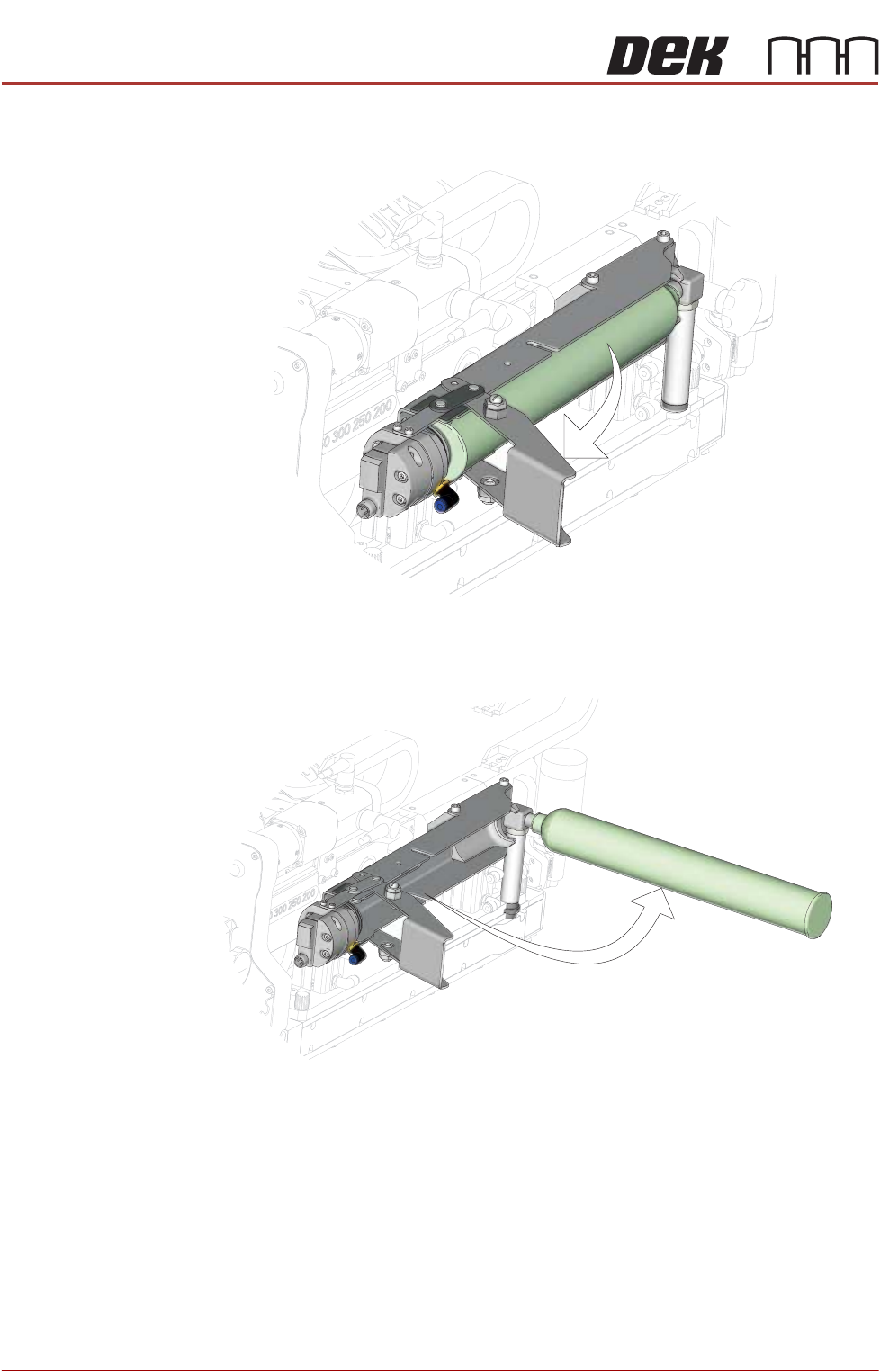
4. Pull the lever arm towards the left side of the machine.
5. Rotate the print medium cartridge anti-clockwise 90°.
NOTE
During removal of the print medium cartridge, the filler tube assembly
remains attached to the nozzle of the cartridge. You cannot remove the print
medium cartridge from the cartridge holder assembly until the cartridge has
been fully rotated 90° and the filler tube adaptor has reached the unlocked
position.
View on Left Front of ProFlow ATx System
View on Left Front of ProFlow ATx System
PROFLOW ATX
REPLACEMENT PROCEDURES
Chapter Issue 6, Jan 16 Technical Reference Manual 12.37
6. Remove the empty print medium cartridge and filler tube assembly.
NOTE
The filler tube assembly consists of the filler tube, the elbow fitting, and the
filler tube adaptor; these are removed as a single assembly.
7. Unscrew the print medium cartridge from the filler tube assembly.
8. Dispose of the used print medium cartridge in accordance with any National,
Federal, or local waste disposal or recycling regulations.
9. Fit the new print medium cartridge to the filler tube assembly.
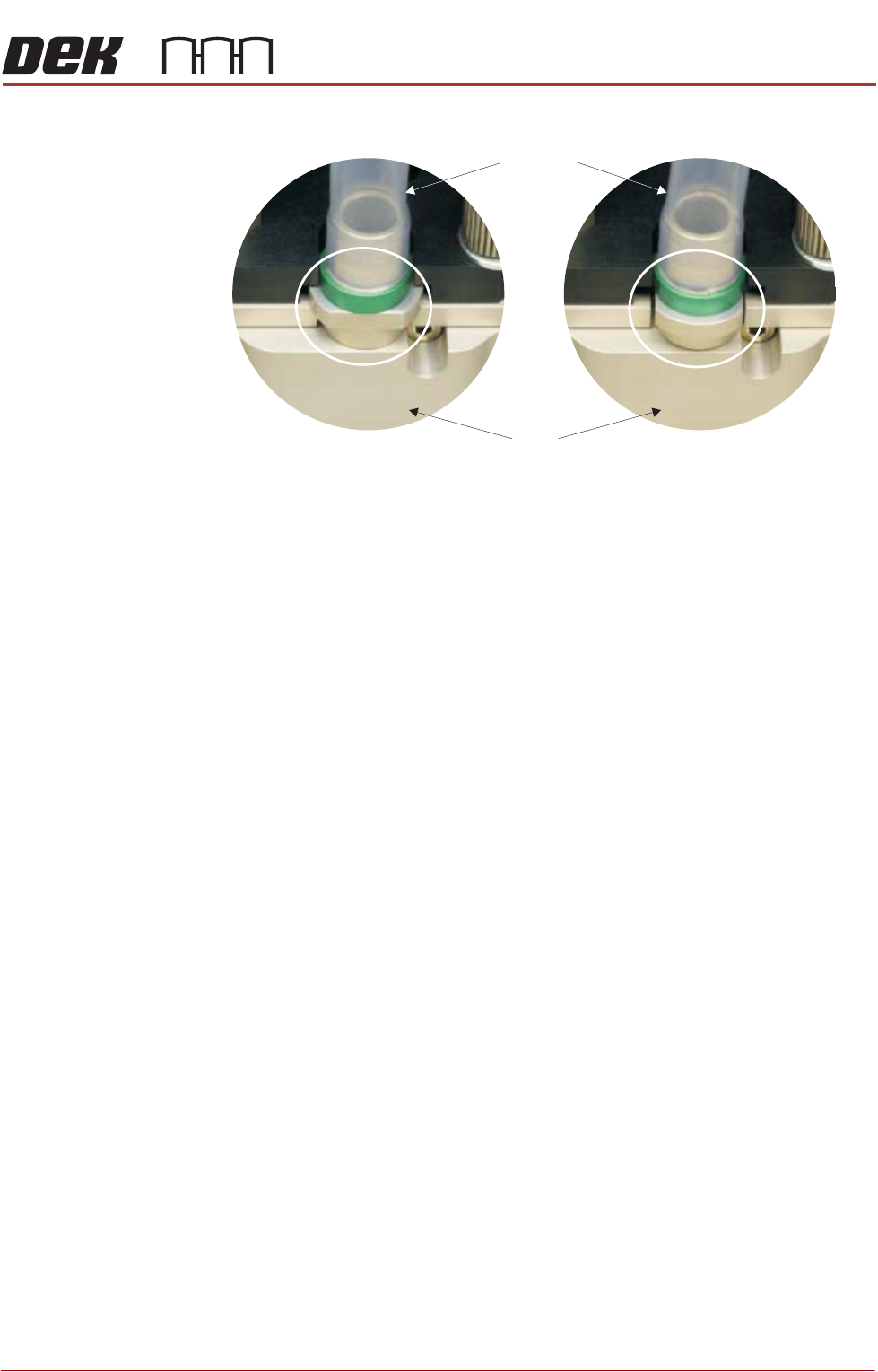
10. Fit the filler tube assembly to the transfer head.
11. Rotate the print medium cartridge clockwise 90° towards the ProFlow ATx
mount to lock the filler tube assembly into place.
NOTE
Ensure the print medium filler tube assembly rotates with the cartridge to its
locked position.
12. Close the print medium cartridge holder lever.
13. Close the machine cover.
The ProFlow ATx system is now ready to print.
View on Print Medium Filler Tube Assembly
Locked Position
Transfer
Head
Filler Tube
Assembly
Unlocked Position