Printer 710-810 v9 ProFlow ATX.pdf - 第38页
PROFLOW ATX REPLACEMENT PROCEDURES 12.38 Technical Reference Manual Chapter Issue 6, Jan 16 Removing the T ransfer Head MANDA TOR Y T OXIC CHEMICALS MAY BE PRESENT. SAFETY GLOVES MUST BE WORN. MANDA TOR Y T OXIC CHEMICAL…
PROFLOW ATX
REPLACEMENT PROCEDURES
Chapter Issue 6, Jan 16 Technical Reference Manual 12.37
6. Remove the empty print medium cartridge and filler tube assembly.
NOTE
The filler tube assembly consists of the filler tube, the elbow fitting, and the
filler tube adaptor; these are removed as a single assembly.
7. Unscrew the print medium cartridge from the filler tube assembly.
8. Dispose of the used print medium cartridge in accordance with any National,
Federal, or local waste disposal or recycling regulations.
9. Fit the new print medium cartridge to the filler tube assembly.
10. Fit the filler tube assembly to the transfer head.
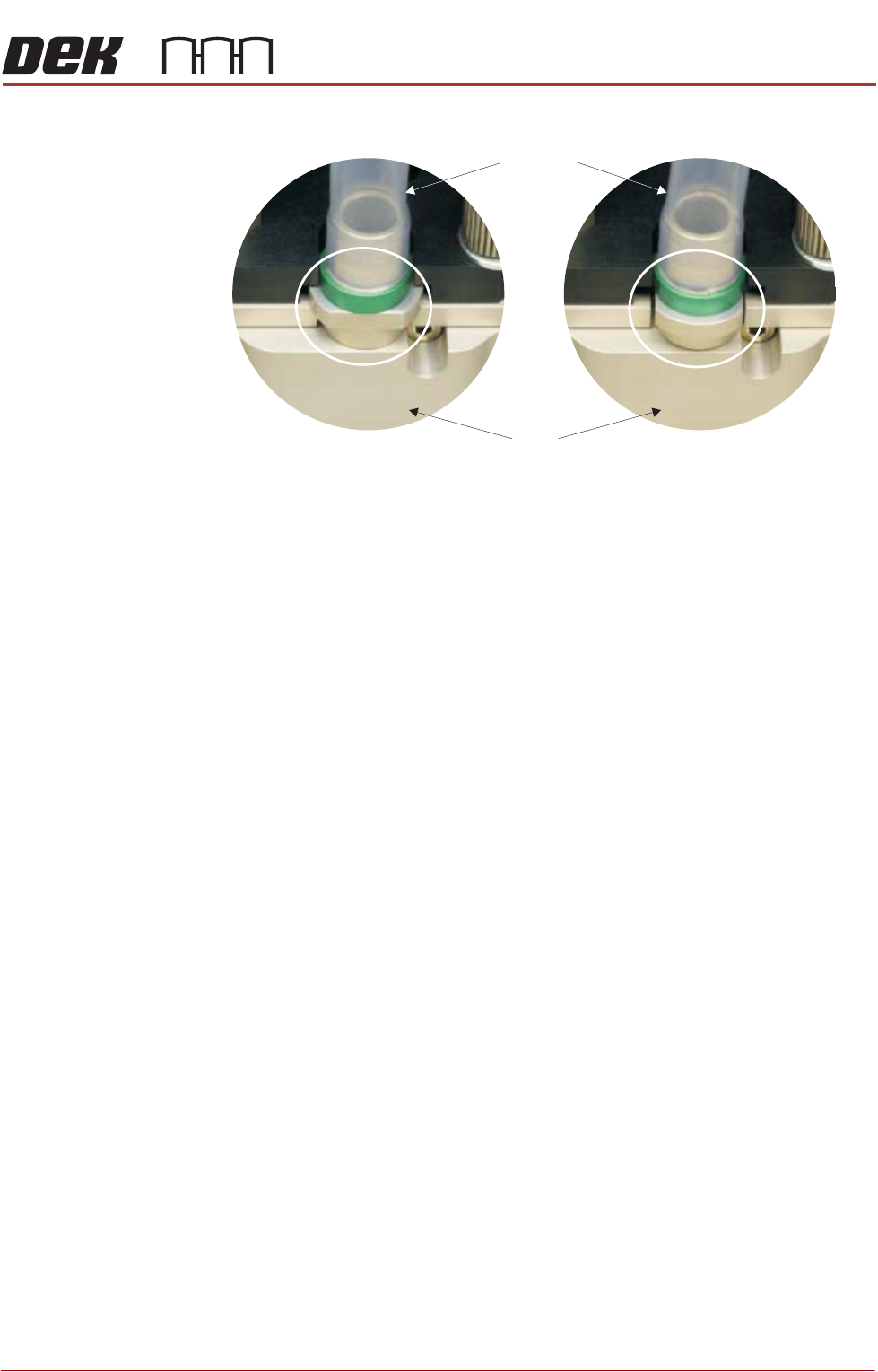
11. Rotate the print medium cartridge clockwise 90° towards the ProFlow ATx
mount to lock the filler tube assembly into place.
NOTE
Ensure the print medium filler tube assembly rotates with the cartridge to its
locked position.
12. Close the print medium cartridge holder lever.
13. Close the machine cover.
The ProFlow ATx system is now ready to print.
View on Print Medium Filler Tube Assembly
Locked Position
Transfer
Head
Filler Tube
Assembly
Unlocked Position

PROFLOW ATX
REPLACEMENT PROCEDURES
12.38 Technical Reference Manual Chapter Issue 6, Jan 16
Removing the Transfer Head
MANDATORY
TOXIC CHEMICALS MAY BE PRESENT. SAFETY GLOVES MUST BE WORN.
MANDATORY
TOXIC CHEMICALS MAY BE PRESENT. EYE PROTECTION MUST BE WORN.
To remove a transfer head, carry out the following:
1. Select Setup Product.
2. Select ProFlow.
3. Select Raise ProFlow; the ProFlow ATx system returns to the Home
position after it performs the shake-off procedure.
4. Select Back.
5. Select Back.
6. Select Open Cover Commands.
7. Select Carriage To Front.
8. Open the machine cover.
9. Remove the print medium cartridge and filler tube assembly.
10. Disconnect the transfer head’s two piston air feeds and the print medium
demand sensor (9PL106) from the ProFlow ATx mount left hand side.
11. Fit the base cover to the transfer head.
12. Fit the transfer head sealing plug.
13. While supporting the transfer head, loosen the right hand side thumbscrew
and pull the thumbscrew so it clears the hole in the mount beam.
14. Slide the right hand side mount bracket to the right to release the right hand
side locator dowel on the transfer head.
15. Slide the transfer head to the right to free it from the vertical mount pin hook
and the left hand side mount bracket.
16. Remove the transfer head.
PROFLOW ATX
REPLACEMENT PROCEDURES
Chapter Issue 6, Jan 16 Technical Reference Manual 12.39
Replacing the Print
Medium Type
Indicator
The print medium type indicator helps to identify different print mediums used if
multiple heads are being used for different products. Three colours are pro-
vided with the ProFlow ATx system; Green, Blue and Red.
To change the colour, carry out the following:
1. Select Open Cover Commands.
2. Select Carriage to Front.
3. Open the machine cover.
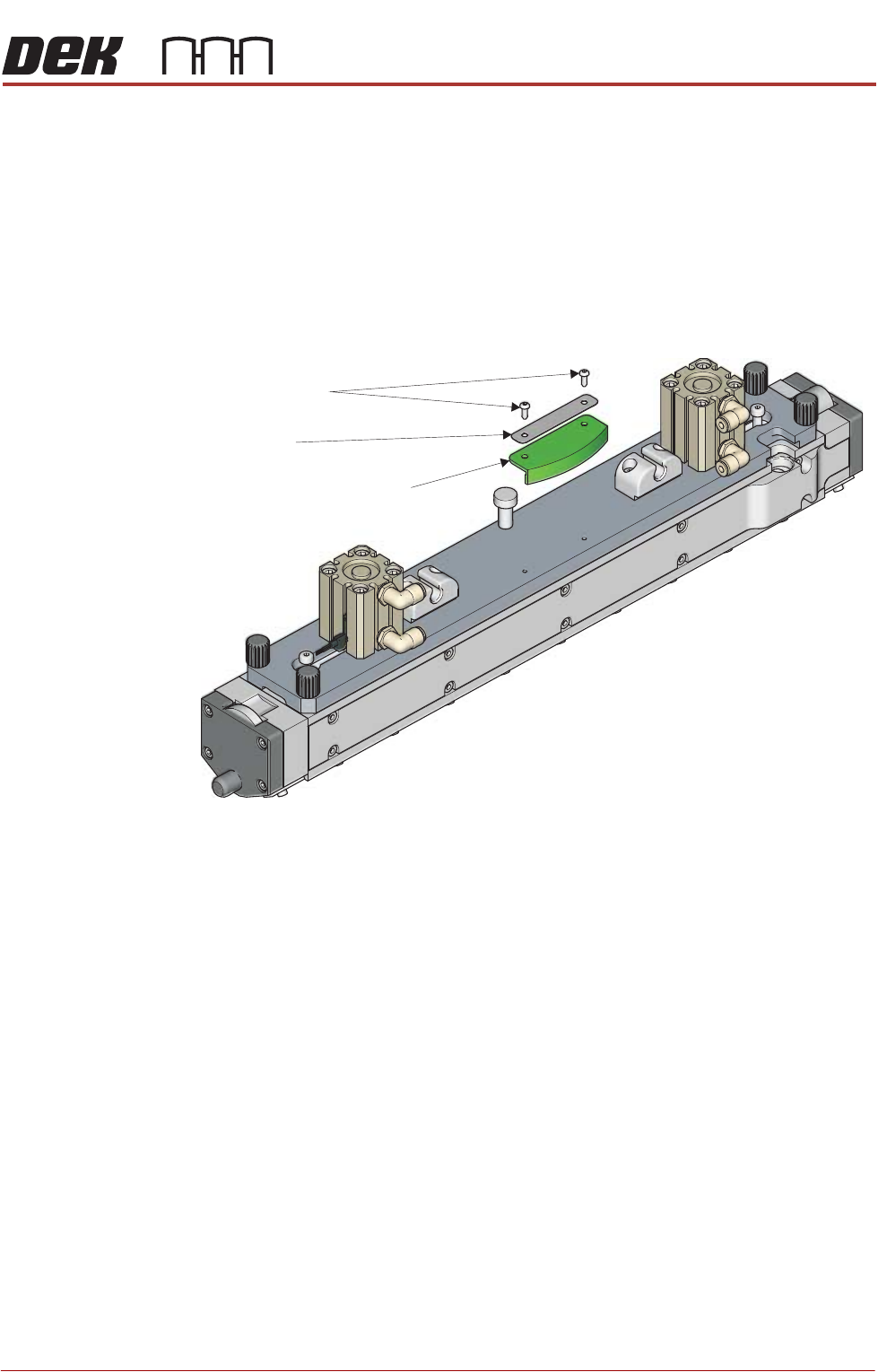
4. Using a 2mm Allen key, remove the two securing screws.
5. Remove the name plate.
6. Remove the type indicator.
7. Fit the new type indicator to the transfer head, ensuring the holes are
aligned.
8. Place the name plate on the type indicator, ensuring the holes are aligned.
9. Refit the securing screws.
Print Medium Type Indicator
Securing Screws
Name Plate
View on top of the Transfer Head