Printer 710-810 v9 ProFlow ATX.pdf - 第50页
PROFLOW ATX REPLACEMENT PROCEDURES 12.50 Technical Reference Manual Chapter Issue 6, Jan 16 13. Refit the drive belt cover . NOTE Ensure the electrical cabling and air feed pipes fit into the slot on the mounting block a…
PROFLOW ATX
REPLACEMENT PROCEDURES
Chapter Issue 6, Jan 16 Technical Reference Manual 12.49
7. Remove the cover; the cover should slide downwards and away from the
mount assembly.
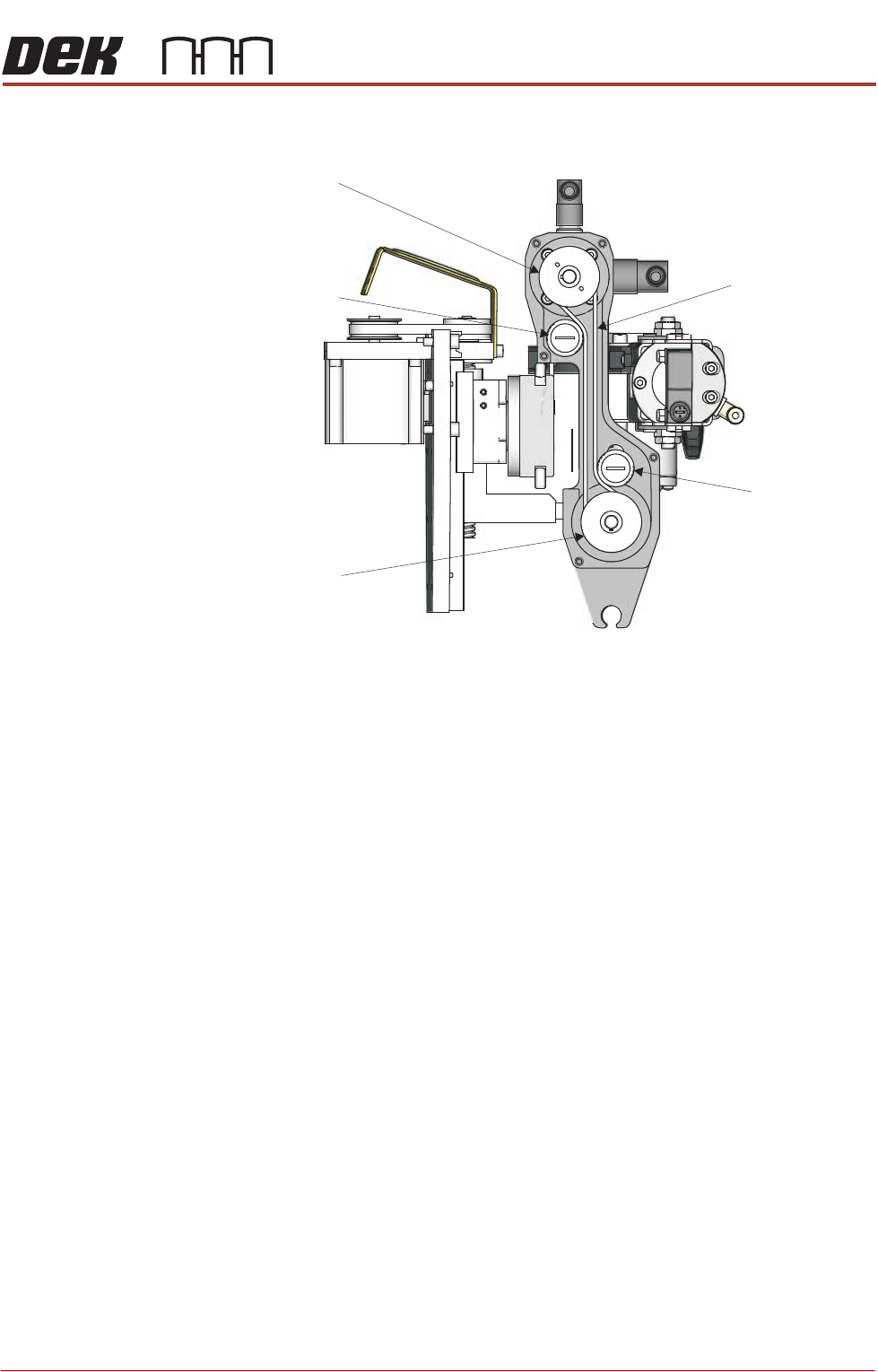
8. Release the tension on the drive belt:
a. Fit a 17mm spanner to the nut on the rear of the belt tensioner.
b. Hold the tensioner steady, using a flat bladed screwdriver.
c. Turn the spanner anti-clockwise to loosen the tensioner.
d. Slide the tensioner up, away from the conditioning grid drive belt.
9. Remove the drive belt.
NOTE
The tensioner may have to be removed to allow for the removal of the drive
belt.
10. Fit a new drive belt; ensure it follows the path shown in the graphic at Step 7.
11. Fit the tensioner if it was removed at Step 9.
12. Turn the tensioner clockwise to take up any slack in the new drive belt, using
the flat bladed screwdriver.
View on Left Side (Left Thumbscrew Assembly Removed)
Conditioning Grid
Motor Pulley
Conditioning Grid
Drive Belt
Drive Belt Guide
Belt Tensioner
Conditioning Grid
Drive Pulley
PROFLOW ATX
REPLACEMENT PROCEDURES
12.50 Technical Reference Manual Chapter Issue 6, Jan 16
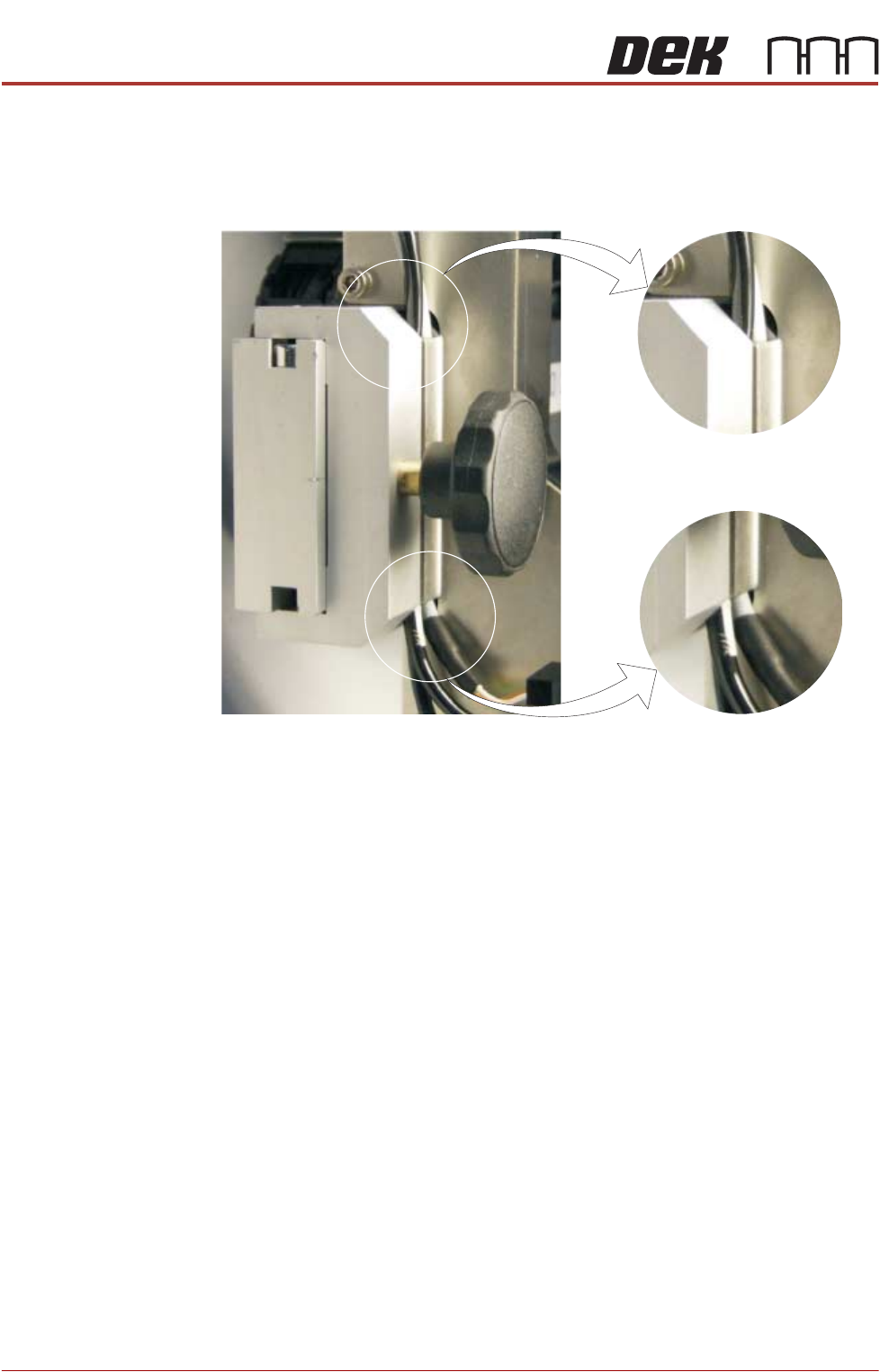
13. Refit the drive belt cover.
NOTE
Ensure the electrical cabling and air feed pipes fit into the slot on the
mounting block and are not damaged by the cover.
14. Refit and tighten the five securing screws.
View on Left Side of ProFlow ATx Mount
Transfer Head Cable and
Air Feeds Secured Behind
Conditioning Grid Drive Cover
PROFLOW ATX
CALIBRATIONS
Chapter Issue 6, Jan 16 Technical Reference Manual 12.51
CALIBRATIONS
Print Carriage Home Position
WARNING
BOARD CLAMPS. EXTREME CARE MUST BE EXERCISED WHEN WORKING IN
THE TOOLING AREA OF THE MACHINE TO AVOID INJURY. THE FOILS ON THE
FRONT AND REAR BOARD CLAMPS ARE VERY SHARP.
1. Select Maintenance.
2. Select Diagnostics.
3. Select Print Carriage.
4. Select Select Module.
5. Select Home Print Carriage.
6. Select Run Diagnost.
7. Select Set Print Carriage Home Offset.
8. Select Run Diagnost.
9. Select Move.
10. Open the machine cover.
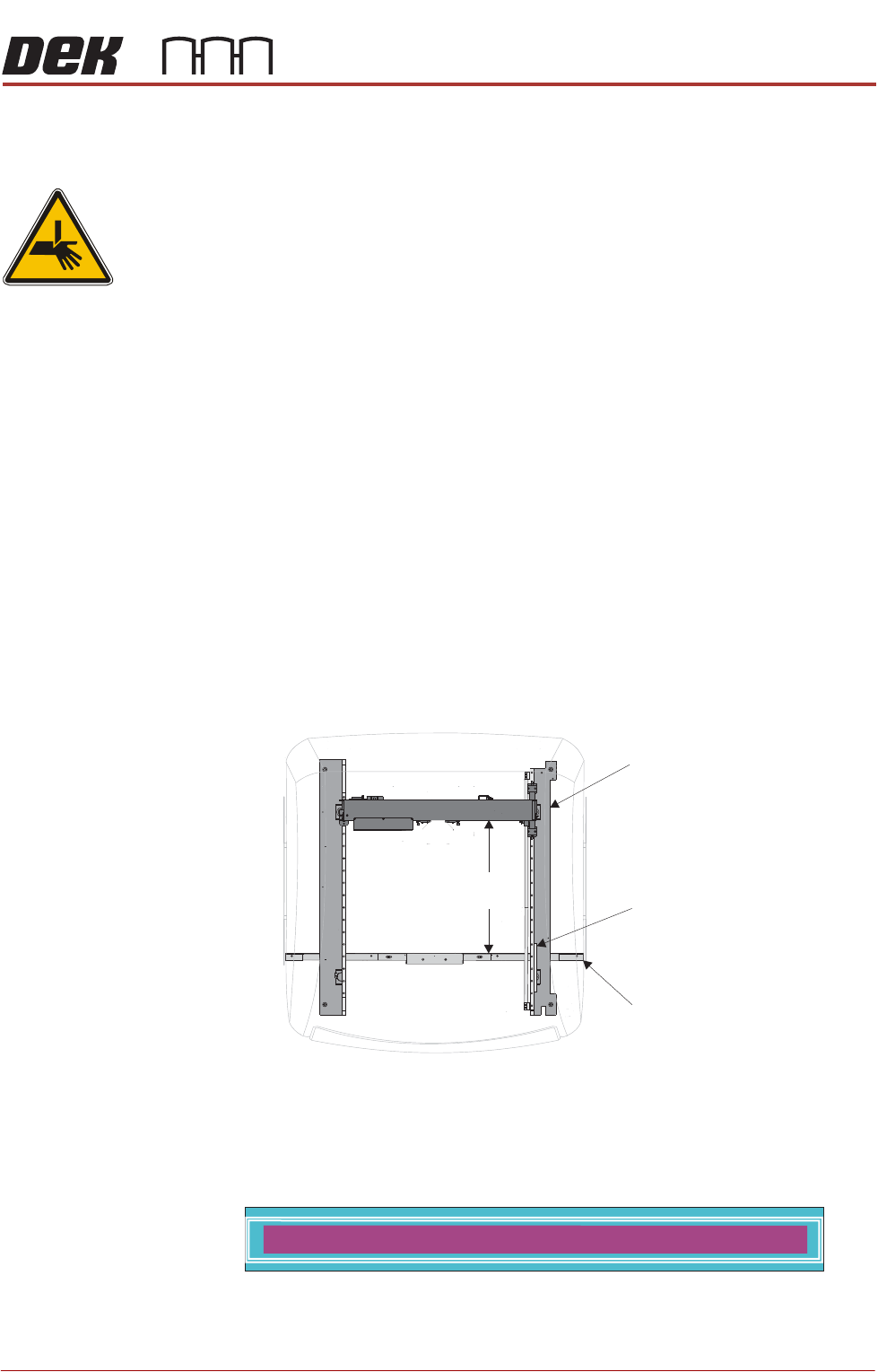
11. Measure the horizontal distance between the inside face of the front rail belt
support plate, and the machined face of the print carriage (the squeegee/
ProFlow interface area); the correct setting is 612.0mm +/-2.0mm.
12. If the adjustment is correct, go to Step 17.
13. Remove the measuring equipment, and close the machine cover.
14. Press the System button. The following window and menu bar is displayed:
15. Enter a new value for the Home Offset; a positive value drives the print
carriage towards the rear of the machine, a negative value brings the print
carriage to the front of the machine.
Machine Plan View
612mm
+/- 2.0mm
Right Hand Printhead
ProFlow ATx Home
Sensor Vane
Front Rail
HOME OFFSET 10.0 mm