Printer 710-810 v9 ProFlow ATX.pdf - 第27页
PROFLOW ATX REPLACEMENT PROCEDURES Chapter Issue 6, Jan 16 Technical Reference Manual 12.27 3. Locate the two locator dowel holes on the front face of the print carriage. 4. Fit the ProFlow A Tx mount mechanism to the pr…
PROFLOW ATX
REPLACEMENT PROCEDURES
12.26 Technical Reference Manual Chapter Issue 6, Jan 16
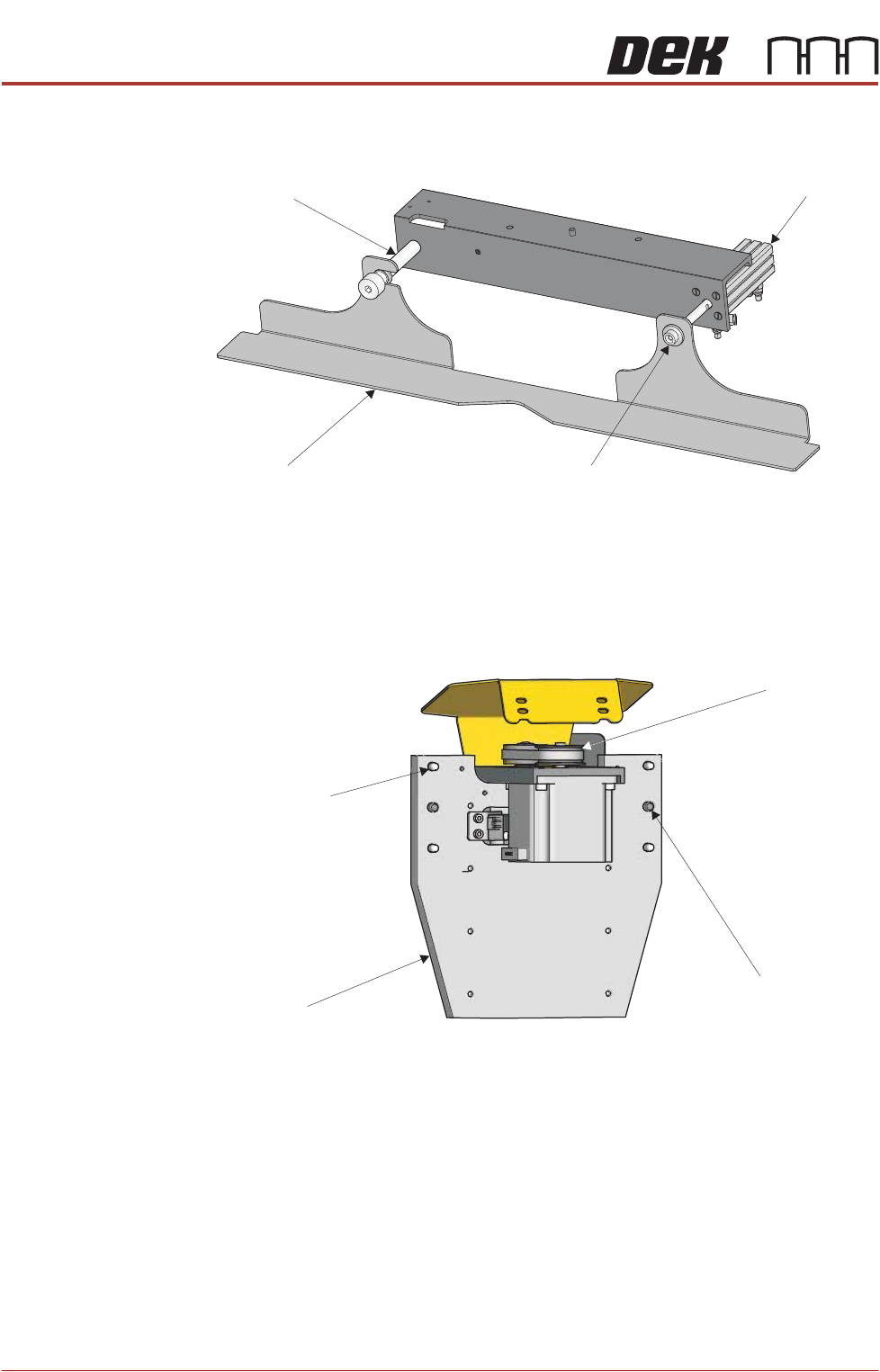
11. If the squeegee drip tray is fitted, remove the securing screw which attaches
the drip tray to the actuator piston.
12. Slide the drip tray off the drip tray guide shaft.
13. Using a 6mm Allen key and a 17mm spanner, remove the drip tray guide
shaft.
Fitting the ProFlow
ATx Mount
1. Locate the four captive mount screws and two locator dowels on the rear
mount plate of the ProFlow ATx mount assembly.
2. Lower the ProFlow ATx mount beam by manually turning the Z-axis motor
pulley counter-clockwise. This action reveals the four captive screw heads
located on the front face of the mount plate.
NOTE
The captive screws may be hidden behind the components on the front of
the mount assembly. Move the beam down until they are fully revealed.
Drip Tray
Drip Tray Guide Shaft
Securing Screw
Actuator Piston
View on Rear of ProFlow Mount
Mount Plate
Captive Mount
Screw (4 Positions)
Locator Dowel
(2 Positions)
Z-Axis Motor
Pulley
PROFLOW ATX
REPLACEMENT PROCEDURES
Chapter Issue 6, Jan 16 Technical Reference Manual 12.27
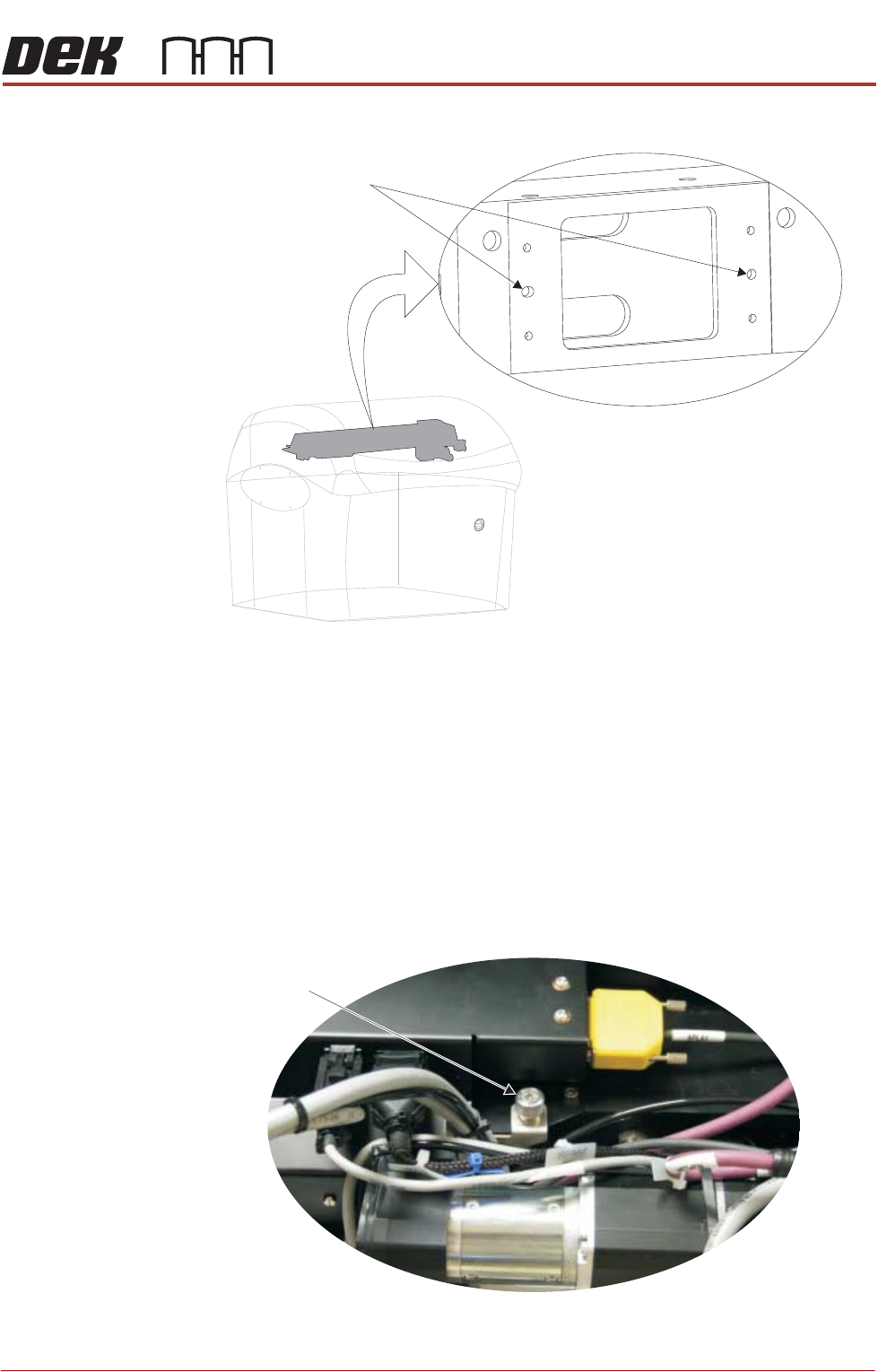
3. Locate the two locator dowel holes on the front face of the print carriage.
4. Fit the ProFlow ATx mount mechanism to the print carriage, ensuring that
both locating dowels fit into the locator dowel holes.
NOTE
Ensure the cables and air feed lines are free from moving parts that may
prevent the ProFlow ATx mount from being secured to the print carriage.
5. Secure the ProFlow ATx mount to the print carriage; tighten the four captive
screws on the mount plate, using the 4mm T-bar Allen key supplied
(205973).
6. Using a crosshead screwdriver, attach the drag chain carrying the left hand
side cable and air feed connectors to the left hand side of the print carriage.
Locator Dowel Holes
View on Front Left Corner
View on Print Carriage Top Face
Left Side Drag
Chain Screw
PROFLOW ATX
REPLACEMENT PROCEDURES
12.28 Technical Reference Manual Chapter Issue 6, Jan 16
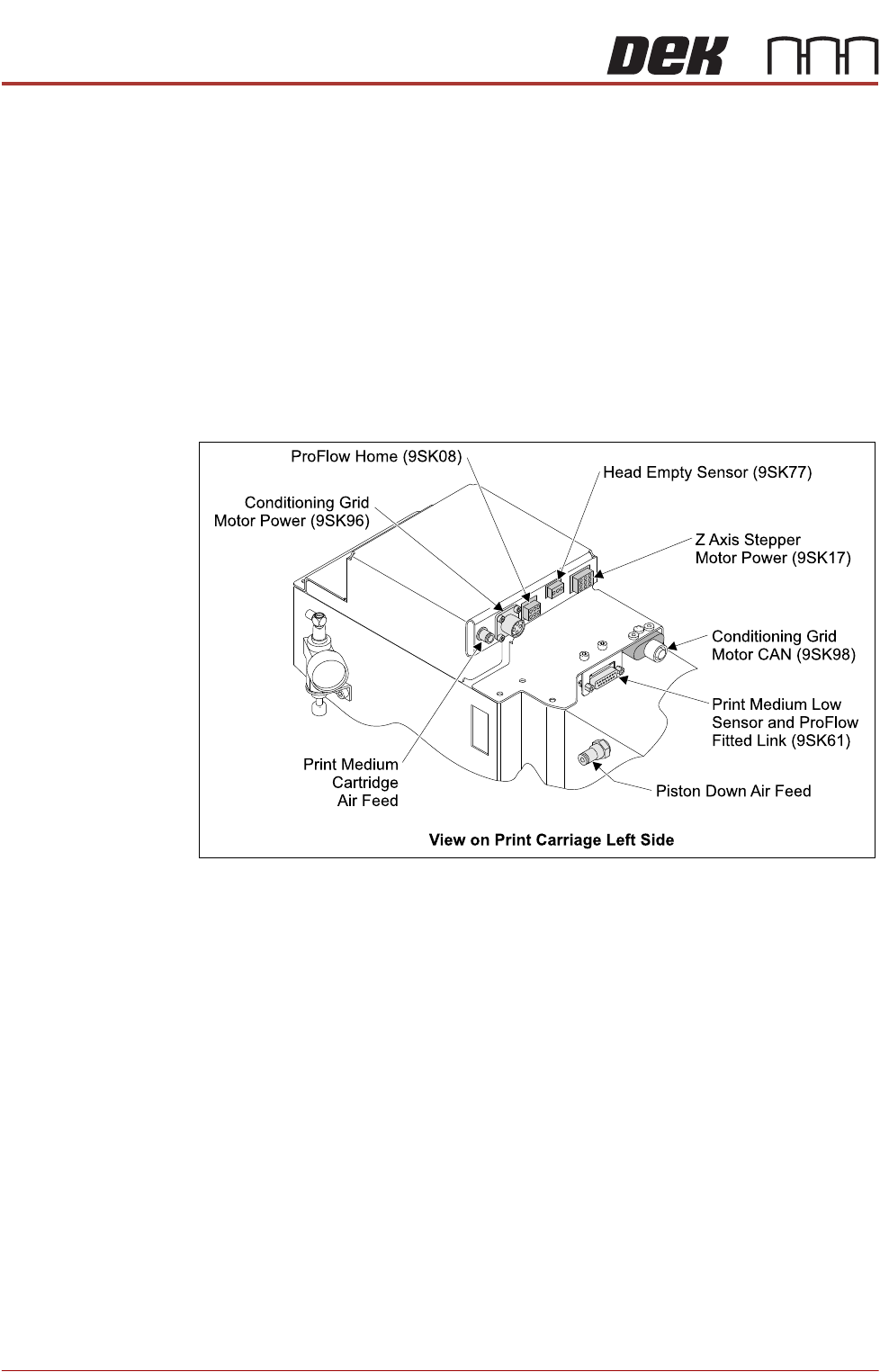
7. Connect the following to the ProFlow ATx connections on the left hand side
of the print carriage:
• Conditioning Grid Motor Power (9PL96)
• Head Empty Sensor (9PL77)
• Print Medium Cartridge Air Feed
• ProFlow Home (9PL08)
• Z-axis Stepper Motor Power (9PL17)
• Print Medium Low Sensor and ProFlow Fitted Link (9PL61)
• Conditioning Grid Motor CAN (9PL98)
• Piston Down Air Feed