Printer 710-810 v9 ProFlow ATX.pdf - 第22页
PROFLOW ATX REPLACEMENT PROCEDURES 12.22 Technical Reference Manual Chapter Issue 6, Jan 16 REPLACEMENT PROCE DURES T ransfer Head Base Cover MANDA TOR Y T OXIC CHEMICALS MAY BE PRESENT. SAFETY GLOVES MUST BE WORN. MANDA…
PROFLOW ATX
ADJUSTMENTS & SETTINGS
Chapter Issue 6, Jan 16 Technical Reference Manual 12.21
recharges.
NOTE
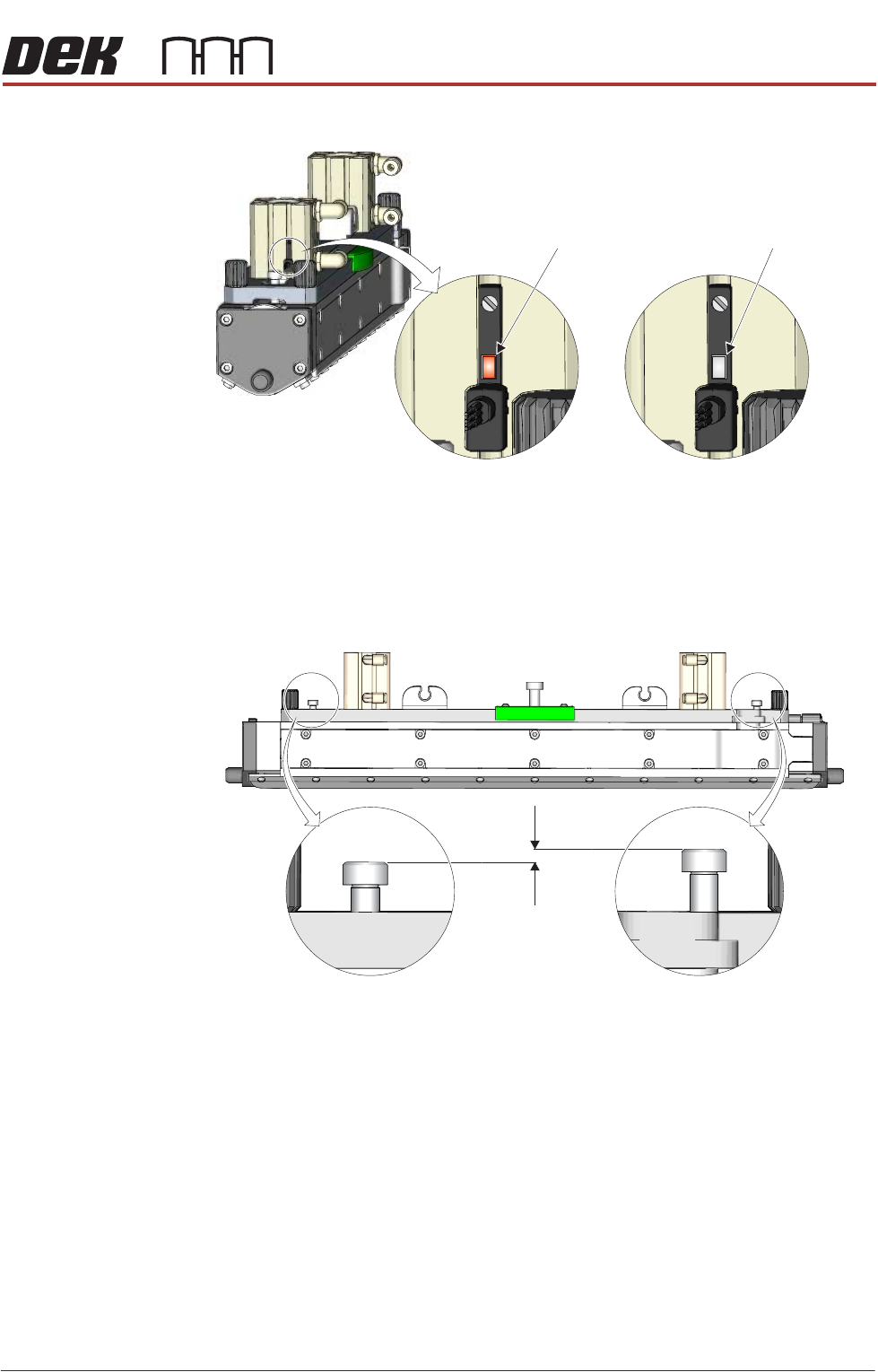
When full the maximum allowable height difference between the left and
right hand Print Medium Level Indicator Pins is 3mm for a 300mm wide head
and 5mm for a 400mm wide head.
17. After the head is filled, set the Grid Speed Coefficient to 30%.
View on Print Medium Demand Sensor
Indicator -
Print Medium
Required
Indicator -
Head Full
Dimension - 3mm Maximum (300mm Head)A
5mm Maximum (400mm Head)
A
Print Medium Level Indicator Pins - Maximum Allowable Height Difference
PROFLOW ATX
REPLACEMENT PROCEDURES
12.22 Technical Reference Manual Chapter Issue 6, Jan 16
REPLACEMENT PROCEDURES
Transfer Head Base Cover
MANDATORY
TOXIC CHEMICALS MAY BE PRESENT. SAFETY GLOVES MUST BE WORN.
MANDATORY
TOXIC CHEMICALS MAY BE PRESENT. EYE PROTECTION MUST BE WORN.
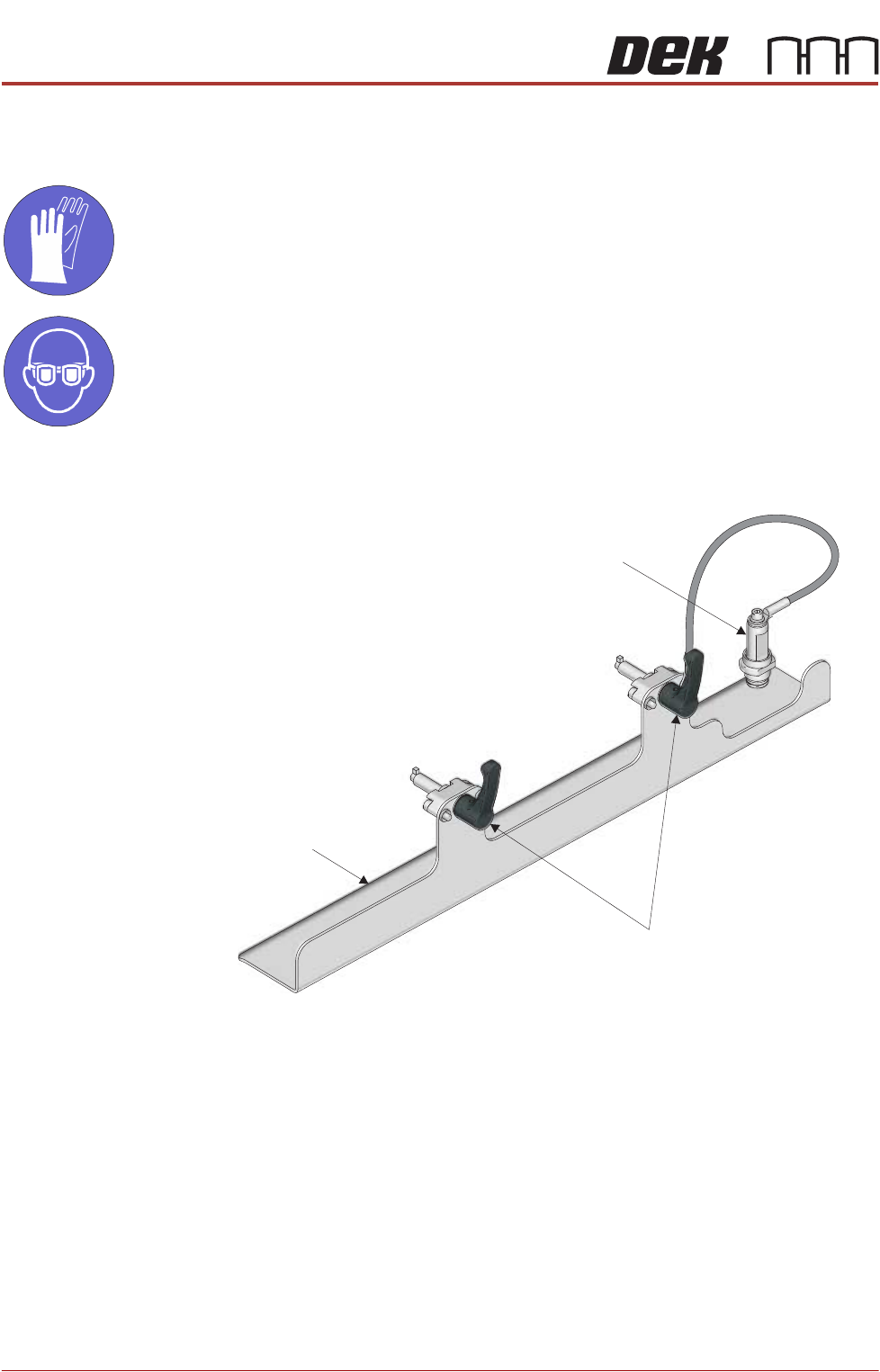
Fitting 1. Ensure the two locking clips on the base cover are unlocked; in the up
position.
View on Left Hand Front Corner
Base Cover
Locking Clips
Transfer Head Sealing Plug
PROFLOW ATX
REPLACEMENT PROCEDURES
Chapter Issue 6, Jan 16 Technical Reference Manual 12.23
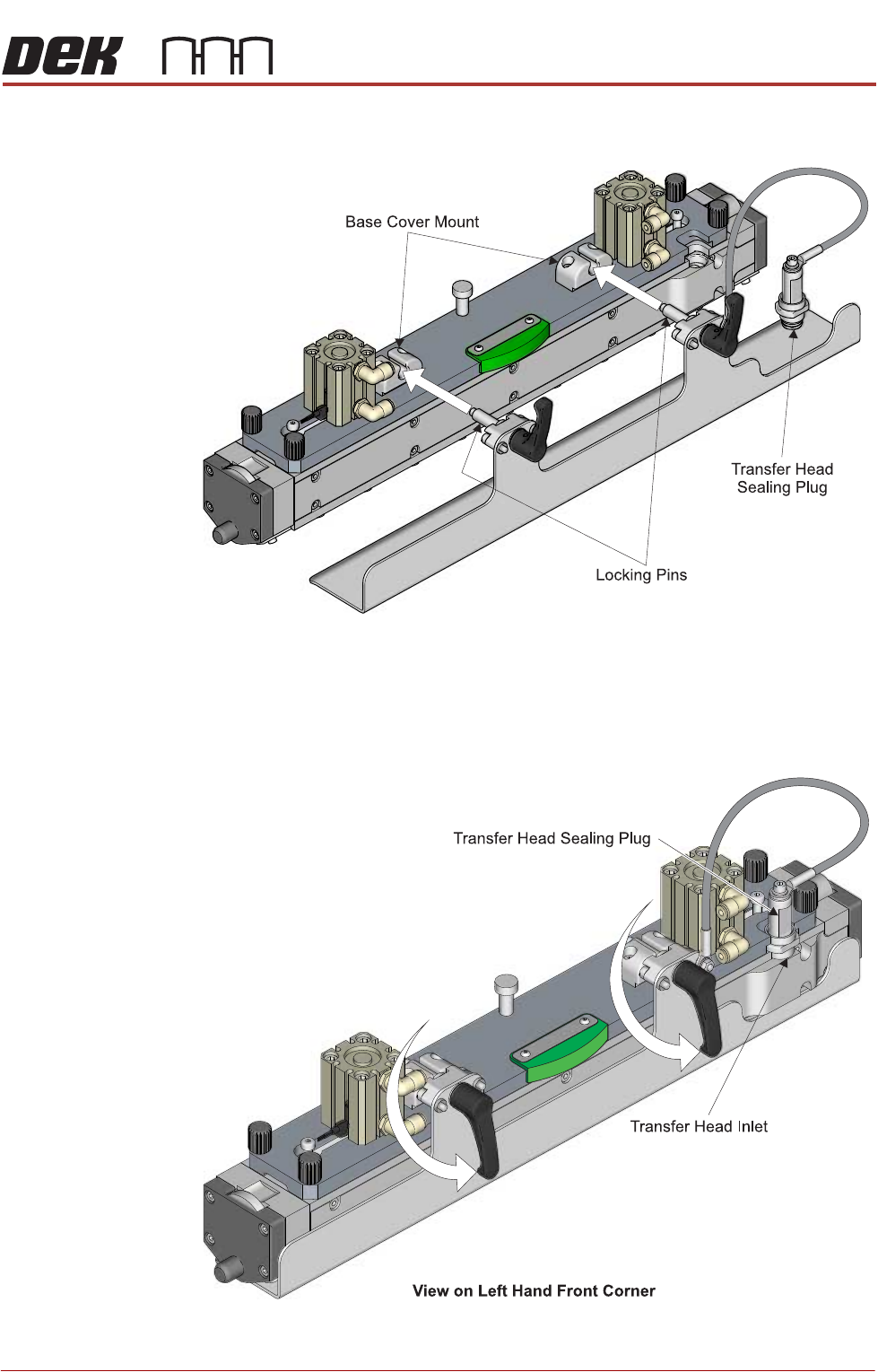
2. Fit the base cover to the transfer head by inserting the locking pins into the
two base cover mounts located on the top of the transfer head.
3. Rotate the locking clips to the down position to lock the base cover in place.
NOTE
The locking pins are off-centre (eccentric) to the locking clips. In the locked
position, the base cover is lifted upwards creating a tight fit to the base of
the transfer head.