OM-1461-001_w.pdf - 第13页
10 4. Installation Position 0712-001 4. Installation Position A multi-functional head can be attached to any beam to replace a high-speed head. Also, a multi-functional head can be combined with a high-speed head in a si…
9
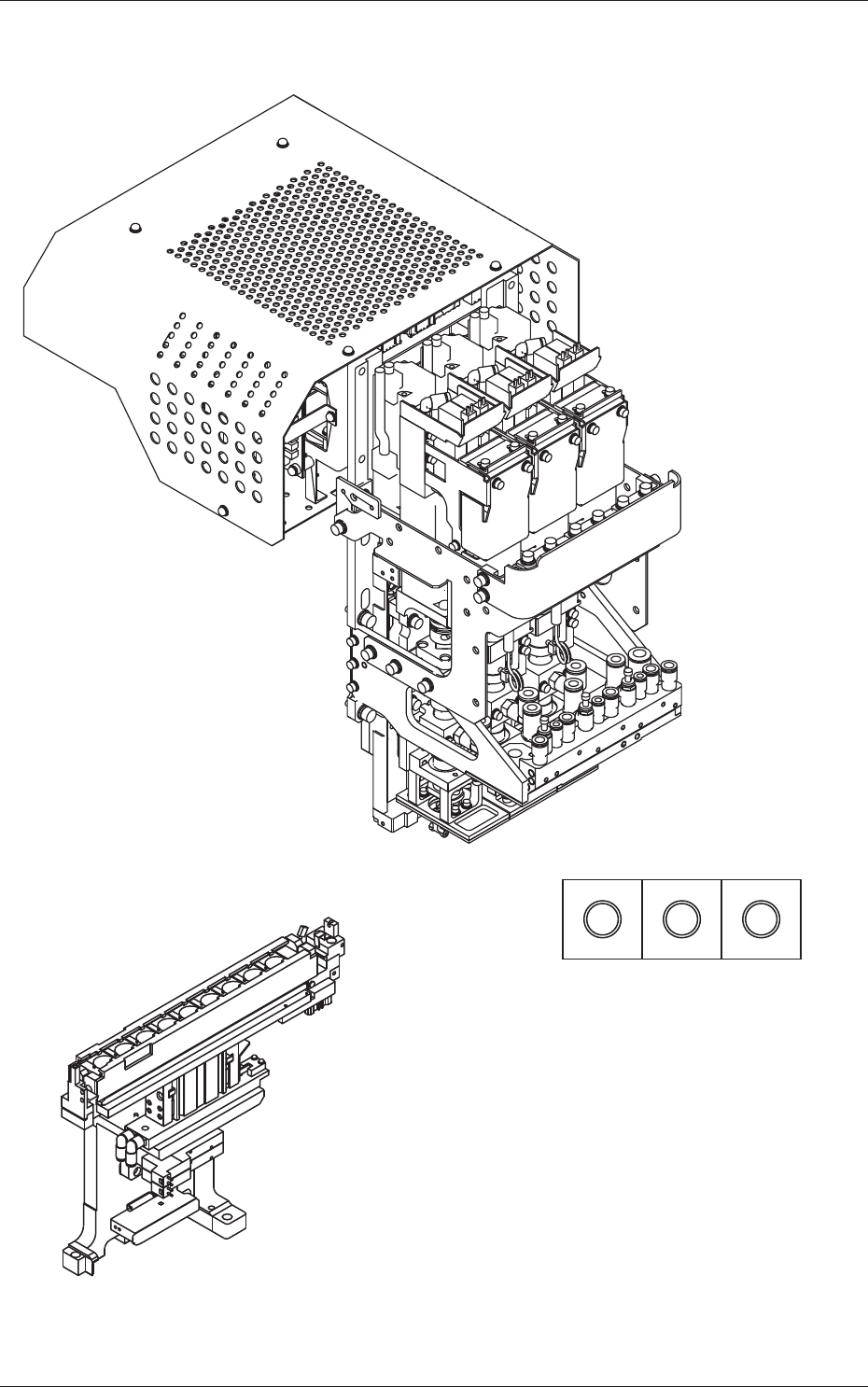
3. Rough View
0712-001
3. Rough View
Nozzle Arrangement on Head
(Three nozzles connected in series)
Fig. 1
10
4. Installation Position
0712-001
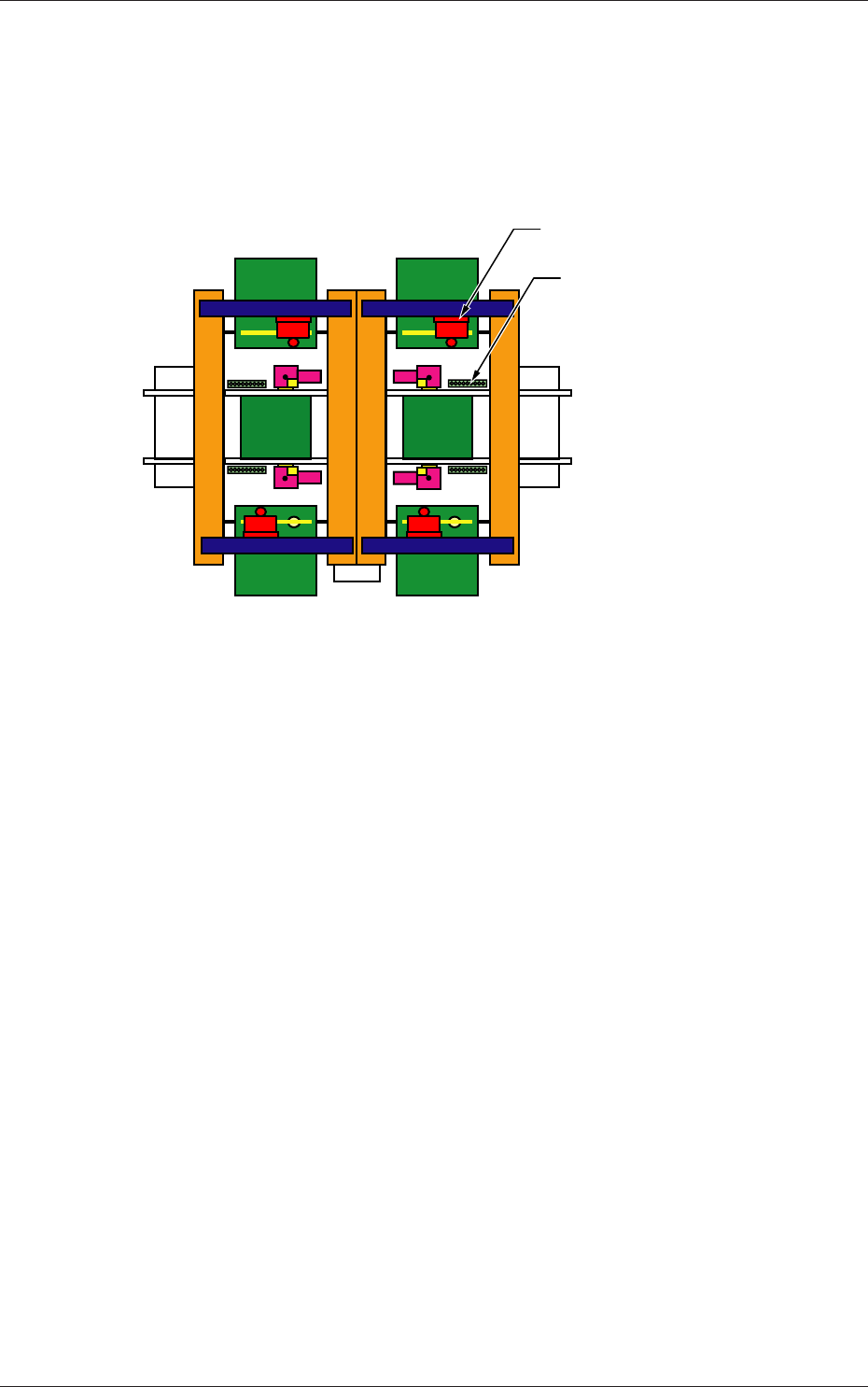
4. Installation Position
A multi-functional head can be attached to any beam to replace a high-speed
head.
Also, a multi-functional head can be combined with a high-speed head in a
single stage.
(Front Side of Machine)
(Rear Side of Machine)
Nozzle Stocker
Multi-Functional Head
Fig. 2
110712-001
5. Nozzle Change in the "Set-up" Operation
5. Nozzle Change in the "Set-up" Operation
(1) Check the nozzles to be used in the placement head/nozzle data of the
pattern program for the production model.
(2) Check the placement head/nozzle data (nozzle stockers) in the "Nozzle
Data" window.
Note
When the nozzles to be used are not registered, search them in the
list of nozzle types and register them.
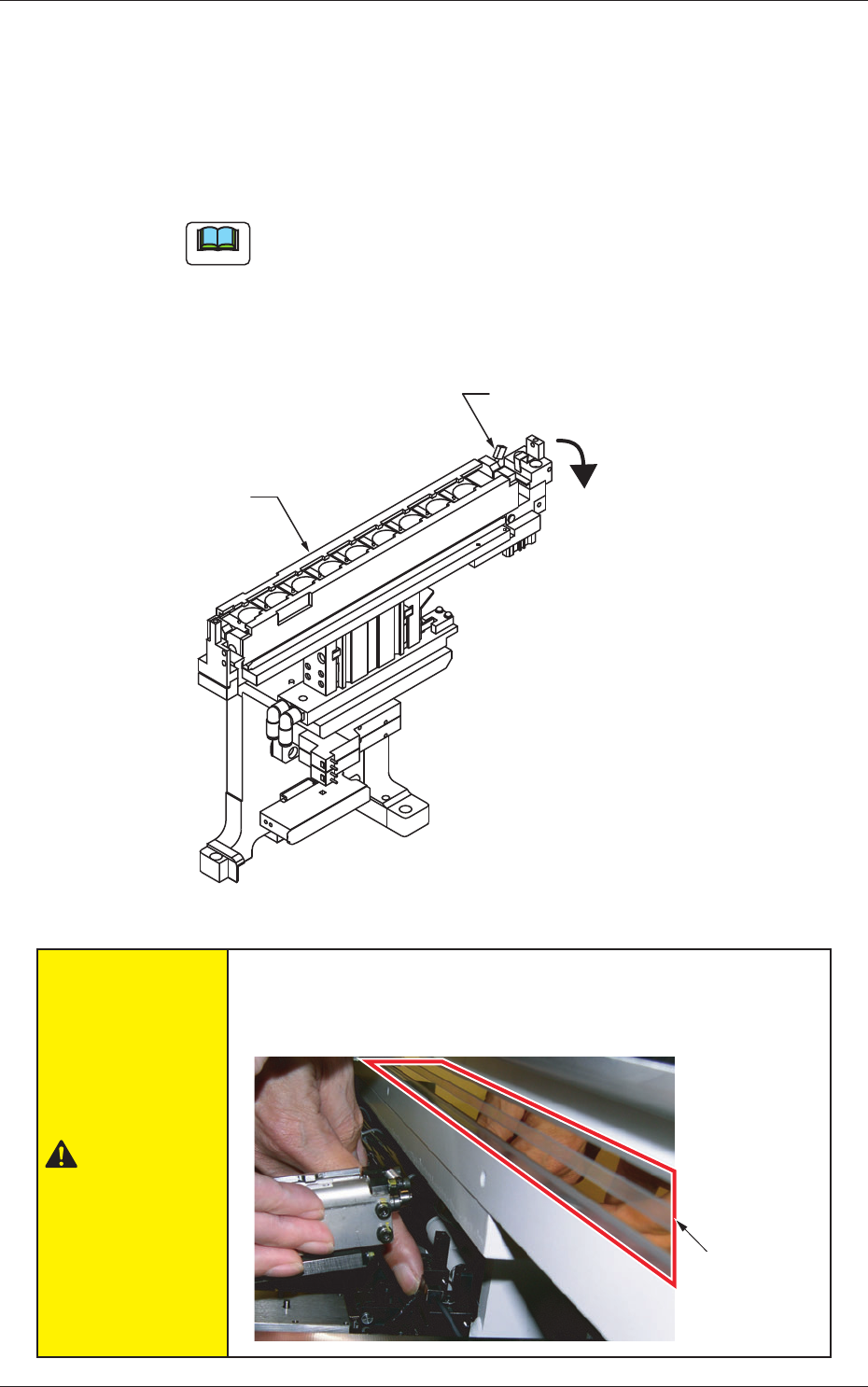
(3) While holding the nozzle stocker by hand, push down the lever of the
nozzle stocker section and detach the nozzle stocker from the nozzle
stocker section.
Nozzle Stocker
Lever
Push down the lever.
Fig. 3
CAUTION
Takecaresothatyourngerorthenozzlestockerdoesnot
touch the linear scale when the nozzle stocker is removed or
attached, because it might cause system breakdown or injury.
Linear Scale
.