OM-1461-001_w.pdf - 第34页
31 0712-001 9. Periodic Maintenance 9. Periodic Maintenance 9.1 Precautionary Items before Maintenance This session describes how to perform inspections, cleaning, lubrication, and adjustment to keep the machine in good …

300712-001
[5] [Noz exchange] Button
When this button is pressed, the "Noz Exchange" window appears.
Reference
Refer to Chapter 4, 4.2 "Nozzle Change" Window in the main
machine instruction manual, for the details of the Nozzle Exchange
Window.
•
Teaching Jig
For the teaching of the head nozzle inclination offsets, the QFP Glass Plate
Jig JG-0188 is used.
•
Jig Pick-up Nozzle
For picking up the QFP Glass Plate Jig, the jig nozzle (standard accessory) or
usual vacuum nozzle FA06 is used.
•
Teaching Procedure
Procedure
(1) Before the teaching, change the nozzle to the jig nozzle and
place the QFP Glass Plate Jig on the jig storage space on the
component recognition camera.
Place the QFP Glass Plate Jig with its printed surface turned
down.
(2) Select the head (1 or 2) and nozzle for which the Head Nozzle
Inclination Teaching is performed.
(3) Press the [Teach Start] button.
The head nozzle inclination offset teaching will be performed.
•
When the teaching is performed, the start-up conditions are
checked.
•
If any recognition error occurs in the course of the teaching,
or the [STOP] button is pressed on the operation panel, the
operation is paused. From this condition, re-start is available.
•
In the pause condition, any other menu can not be selected.
When the teaching is completed, the designated head is returned
to the origin automatically. The teaching results are displayed in
the "Head Nozzle Inclination Offset" display section.
(4) Repeat the Step (1) through (3) and teach the necessary nozzles.
(5) When the teaching is completed, remove the QFP Glass Plate Jig.
8.4 Head Nozzle Inclination Offset
310712-001
9. Periodic Maintenance
9. Periodic Maintenance
9.1 Precautionary Items before Maintenance
This session describes how to perform inspections, cleaning, lubrication, and
adjustment to keep the machine in good shape.
It is recommended that periodic maintenance of the machine should be
ensured.
WARNING
• Onlyqualiedpersonnelshouldperformthemaintenance
work carefully for the machine in compliance with the
speciedinstructions.
• Before performing any maintenance work, be sure to lock
the power breaker and the air source with padlocks.
Power Breaker : Set the power breaker to the "OFF" side
and lock it with a padlock.
Air Source : Stop the air supply and set the main
valve to the "EXH." side. After that, be
sure to lock it with a padlock.
• Designate a person who can have charge of the padlock
key.
• If the provided padlock is lost or damaged, purchase its
substitute.
320712-001
9.2 Preparation for Maintenance
9.2 Preparation for Maintenance
9.2.1 Preparation for Cleaning
Prepare the following items.
• Rag
Use a rag made of such material as cotton, etc., that produces as less waste
thread as possible.
Notice
Ifanyberisleft,itmightcausethesystembreakdown.
• Oiled Rag
Use a rag made of such material as cotton, etc., that produces as less waste
thread as possible.
Too much grease should not be applied and any different type of grease
shouldnotbemixedintothespeciedone.
Notice
Ifanyberisleft,itmightcausethesystembreakdown.
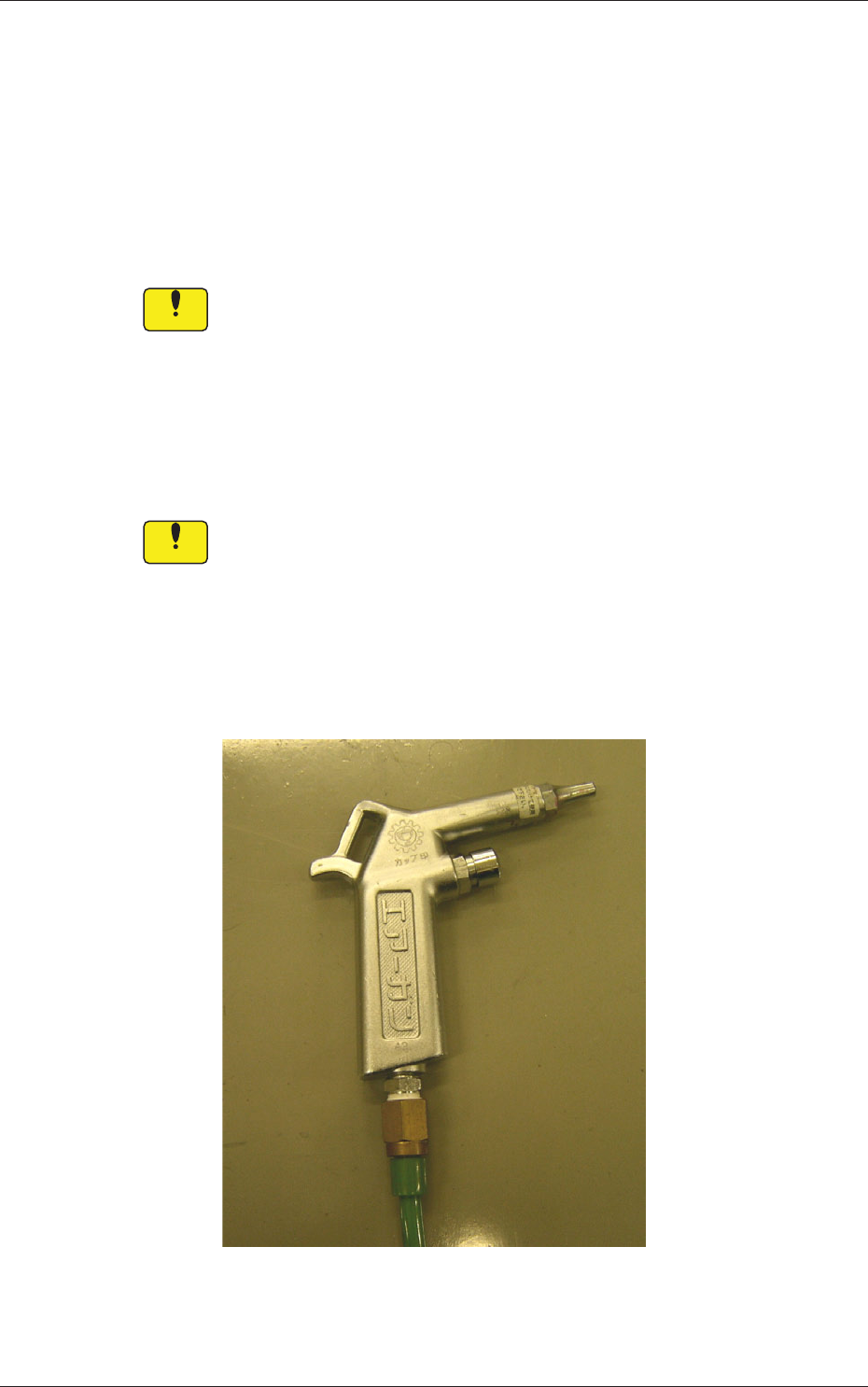
• Air Gun
Donotusetheairgunforanyspotsthanthespeciedones.
If dirt and dust are dispersed, they may adhere to the sensors and moving
mechanisms, causing the machine to break down.
Fig. 8