00194655-01.pdf - 第70页
Service Manual: Replacement of ball screw for SIPLACE MTC2 lifting axis 05/2005 Edition 70 : Measure the dist ance between the pinion and the motor in order to be able to set the new pin- ion to the same dist ance. : Loo…
Service Manual: Replacement of ball screw for SIPLACE MTC2 lifting axis
05/2005 Edition
69
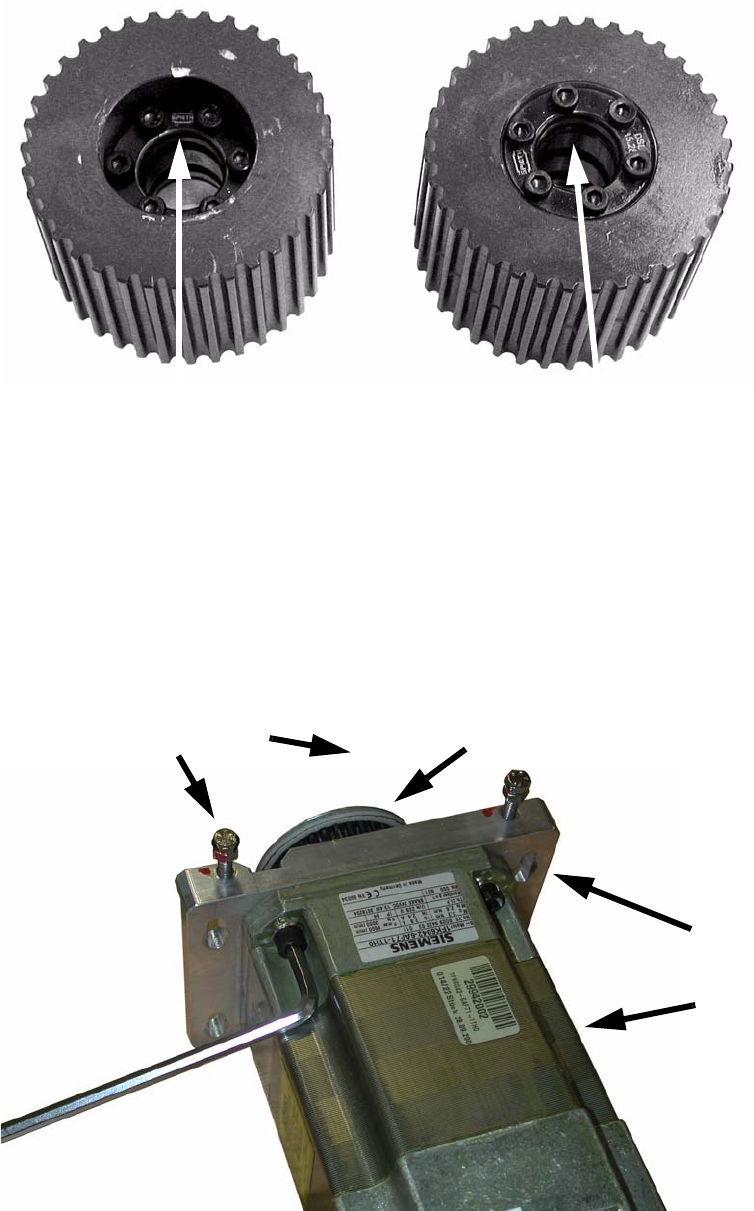
: Remove the old version of the thrust sleeve if it is fitted:
2
: In this case, place the new sleeve on the spindle.
: Tighten the screws evenly using a diagonal sequence to avoid stresses.
2
: Remove the motor support from the motors (4 screws) and screw on the new one (see photo-
graph).
: Replace the belt tension adjusting screws with longer ones.
2
Thrust sleeve, old version (DSK 15.28) Thrust sleeve, new version DSL 15.28
Motor support
Motor
Adjusting screws
Motor pinion
Service Manual: Replacement of ball screw for SIPLACE MTC2 lifting axis
05/2005 Edition
70
: Measure the distance between the pinion and the motor in order to be able to set the new pin-
ion to the same distance.
: Loosen the six screws on the clamping ring and remove the motor pinion.
: Attach the new pinion.
: Insert the new thrust sleeve and tighten the six screws.
: Check whether the pinion is at the same distance from the motor as the old pinion.
2
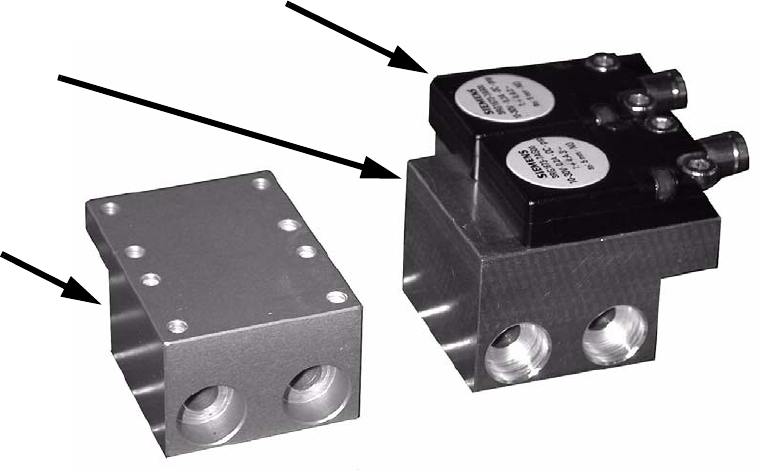
: Remove the belt tension sensors from the old supports and screw them onto the new supports.
2
2
2
2
2
2
2
2
2
2
Belt tension sensors
Old support
New support
Service Manual: Replacement of ball screw for SIPLACE MTC2 lifting axis
05/2005 Edition
71
2.7 Final tasks
: Reverse the above sequence to fit, and do the same for all panels, doors and earth bonding.
2
: Dock the MTC2 into the placement machine again.
: Connect it to the power supply.
2
2
2
2