00195988-02_IM_SWS-Software-2.1_DE_EN.pdf - 第102页
Installation Manual SIPLACE SWS Software 2.1 Edition 05/2014 102
Installation Manual SIPLACE SWS Software 2.1
Edition 05/2014
101
Starting the setup tool 2
Continue with Enter.
2
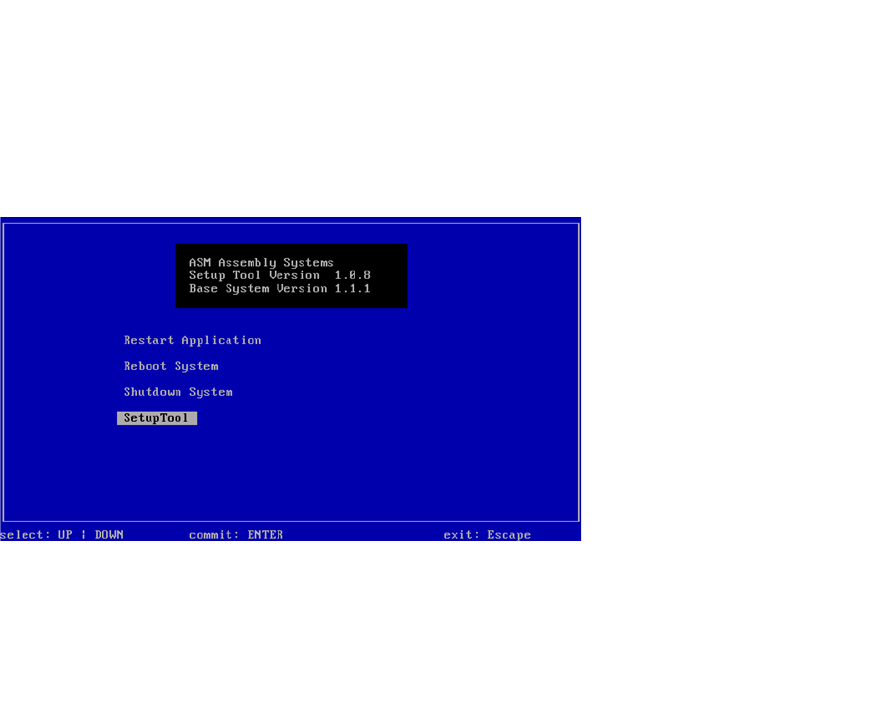
Fig. 25 Start window
– The start window will open.
Importing the backup (see “Einspielen der Backups” auf Seite 52). 2
Continue with CTRL + ALT + X:

Installation Manual SIPLACE SWS Software 2.1
Edition 05/2014
102
Installation Manual SIPLACE SWS Software 2.1
Edition 05/2014
103
3 Installation of the SWS Software
3
3.1 Basic Installation
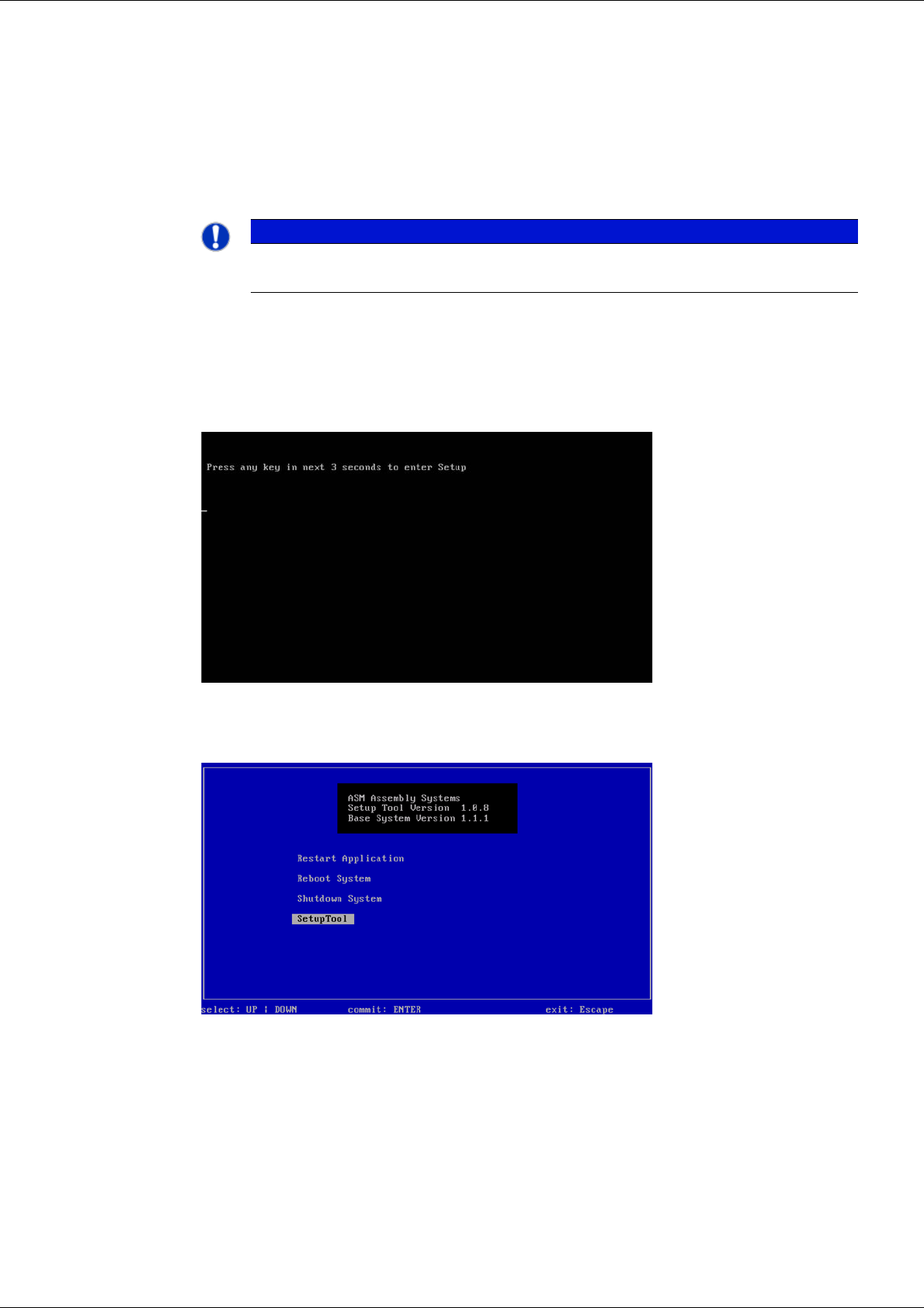
Press any button to access the start window.
3
Fig. 26 Pressing any button to access the start window.
Use the arrow keys to navigate to the Setup Tool.
3
Fig. 27 Start window
Confirm the SetupTool with Enter.
PLEASE NOTE
You can choose between two options for the installation.
Use the arrow keys on your keyboard to select the required option.