00195988-02_IM_SWS-Software-2.1_DE_EN.pdf - 第39页
Installationsanleitung SIPLACE SWS Software 2.1 Ausgabe 05/2014 39 3 Abb. 54 Menü Network Interfaces Bestätigen Sie SWS & St ation Network Interface mit Enter . 3 Abb. 55 SWS & St ation Network Interface Nehm…
Installationsanleitung SIPLACE SWS Software 2.1
Ausgabe 05/2014
38
3
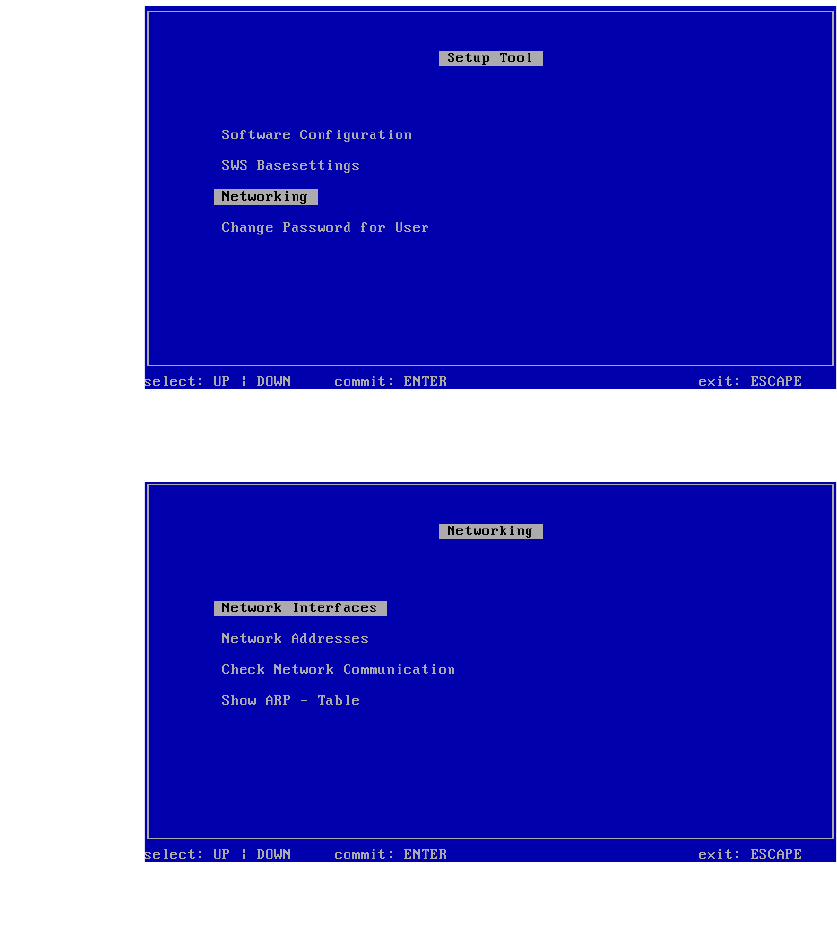
Abb. 52 Menü des Setup Tools
Bestätigen Sie Networking mit Enter.
3
Abb. 53 Menü Networking
Bestätigen Sie Network Interfaces mit Enter.
Installationsanleitung SIPLACE SWS Software 2.1
Ausgabe 05/2014
39
3
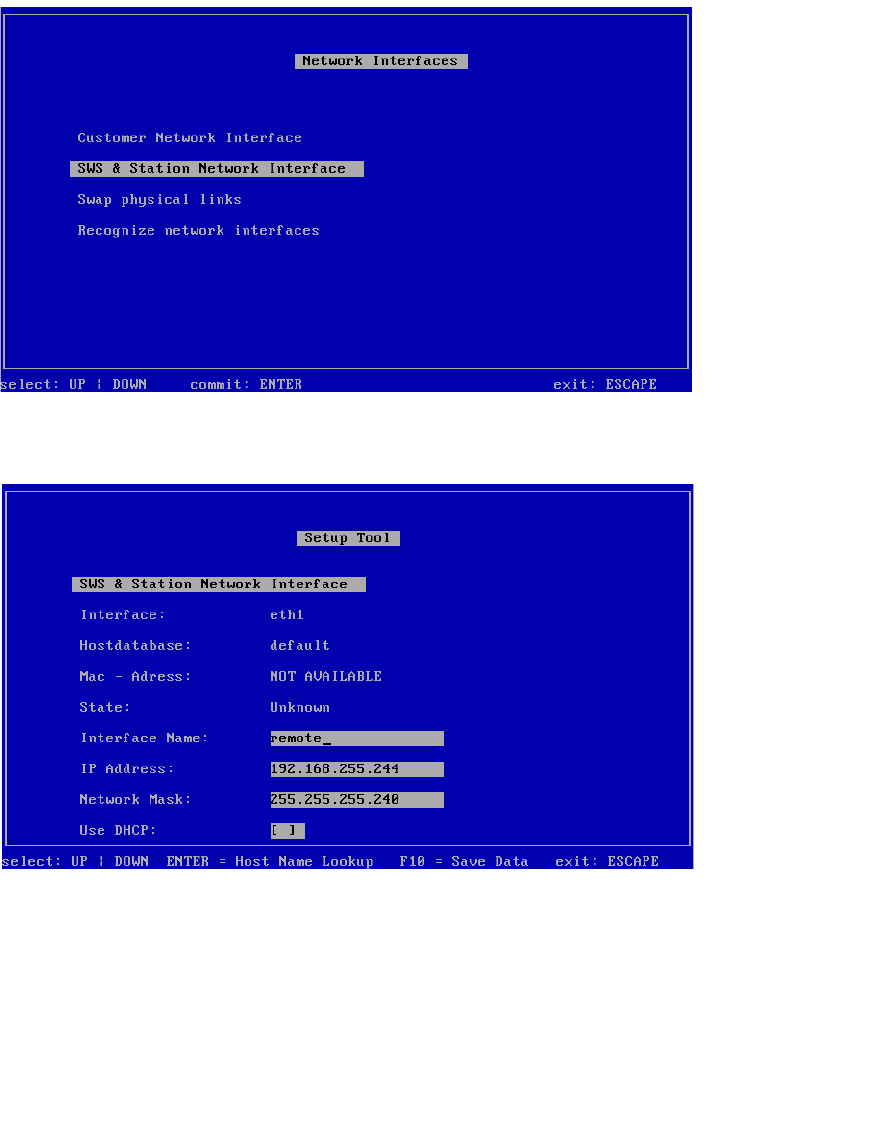
Abb. 54 Menü Network Interfaces
Bestätigen Sie SWS & Station Network Interface mit Enter.
3
Abb. 55 SWS & Station Network Interface
Nehmen Sie die Einstellungen der Verbindung vom SWS zu Station vor.
– SWS auf Stellplatz 1 – IP-Adresse 192.168.255.241
– SWS auf Stellplatz 2 – IP-Adresse 192.168.255.242
– SWS auf Stellplatz 3 – IP-Adresse 192.168.255.243
– SWS auf Stellplatz 4 – IP-Adresse 192.168.255.244
Speichern Sie die Eingaben mit F10.
Installationsanleitung SIPLACE SWS Software 2.1
Ausgabe 05/2014
40
3
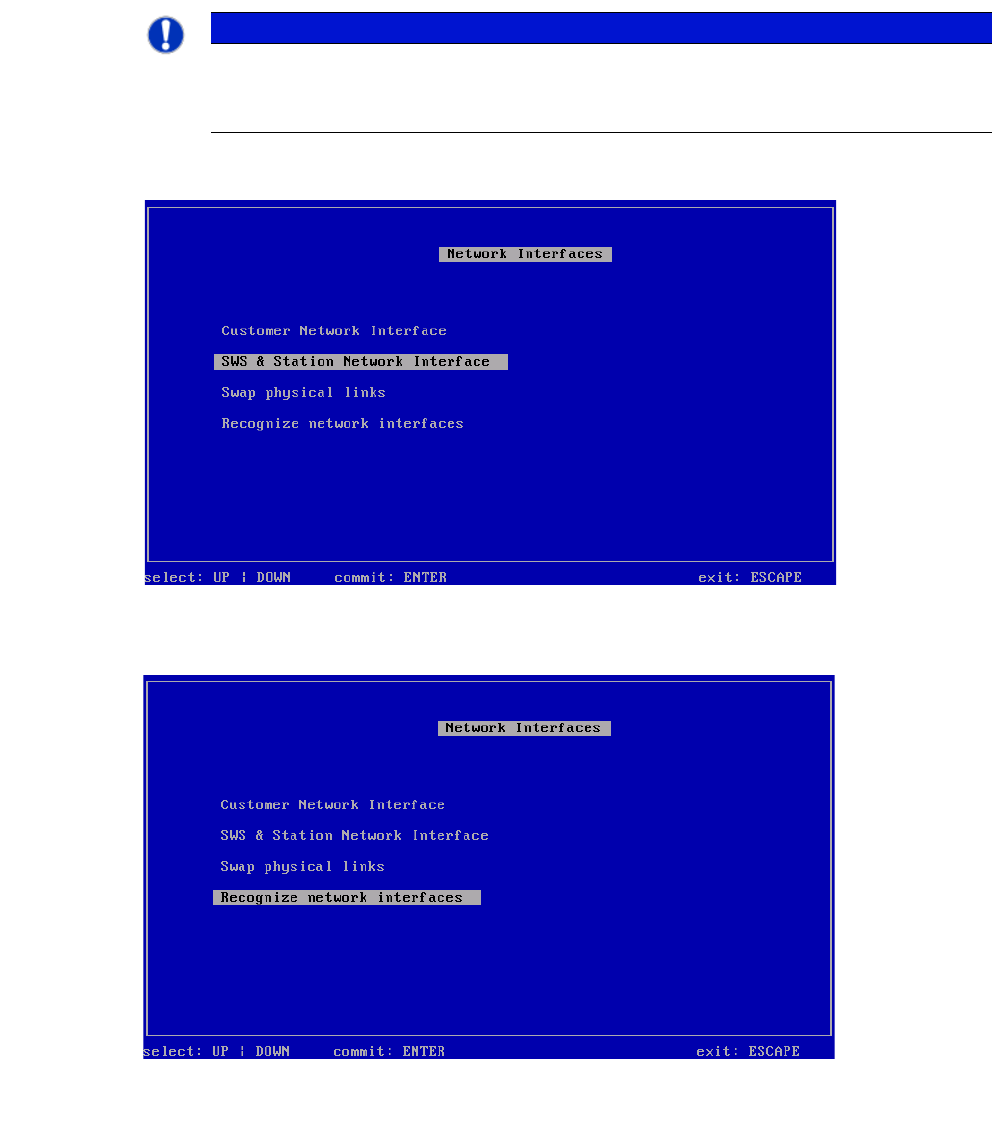
Drücken Sie ESC.
3
Abb. 56 Menü Network Interfaces
Wählen Sie Recognize network interfaces und bestätigen Sie mit Enter.
3
Abb. 57 Menü Recognize network interfaces
Bestätigen Sie Recognize network interfaces mit Enter.
HINWEIS
Einstellungen übernehmen
Die Einstellungen werden erst in einem späteren Schritt unter Reconize Network Inter-
faces oder nach einem Neustart des Rechners übernommen.