00195988-02_IM_SWS-Software-2.1_DE_EN.pdf - 第113页
Installation Manual SIPLACE SWS Software 2.1 Edition 05/2014 113 3 Fig. 46 Entry of capwd Press and hold the CTRL + SHIFT keys and enter the followin g: capwd 3 Fig. 47 Entry of password Enter your password. Confir…
Installation Manual SIPLACE SWS Software 2.1
Edition 05/2014
112
3.2.2 Installation
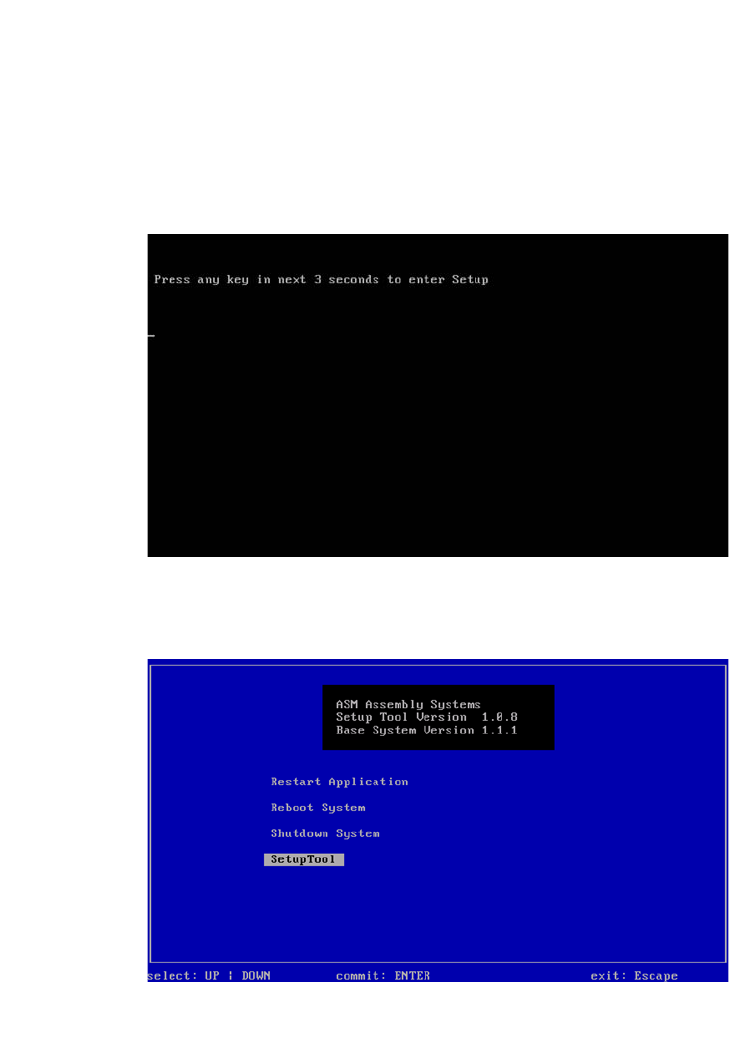
Press any button to access the start window.
3
Fig. 44 Pressing any button to access the start window.
Use the arrow keys to navigate to the Setup Tool.
3
Fig. 45 Start window
Confirm the SetupTool with Enter.
Installation Manual SIPLACE SWS Software 2.1
Edition 05/2014
113
3
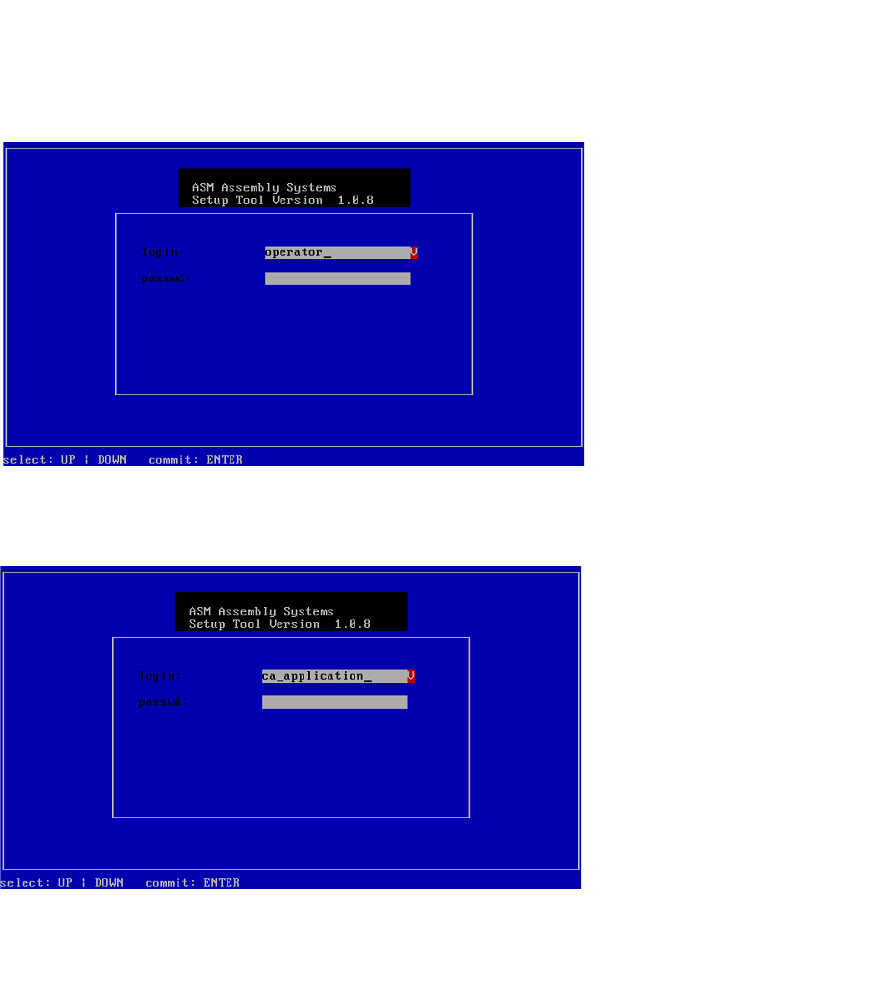
Fig. 46 Entry of capwd
Press and hold the CTRL + SHIFT keys and enter the following: capwd
3
Fig. 47 Entry of password
Enter your password.
Confirm with Enter.
Installation Manual SIPLACE SWS Software 2.1
Edition 05/2014
114
3
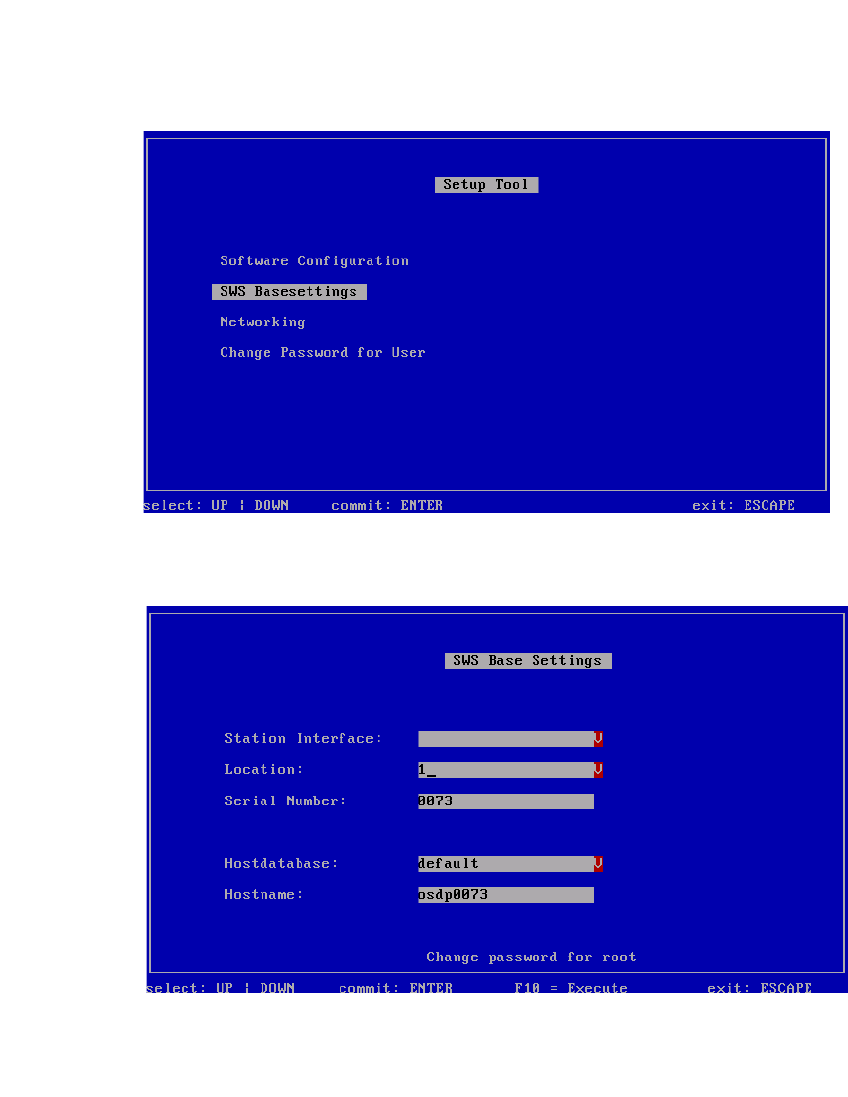
Fig. 48 Setup tool menu - SWS base settings
Confirm the SWS Basesettings with Enter.
3
Fig. 49 Location number
Select the Location.
Confirm with Enter.