00195988-02_IM_SWS-Software-2.1_DE_EN.pdf - 第73页
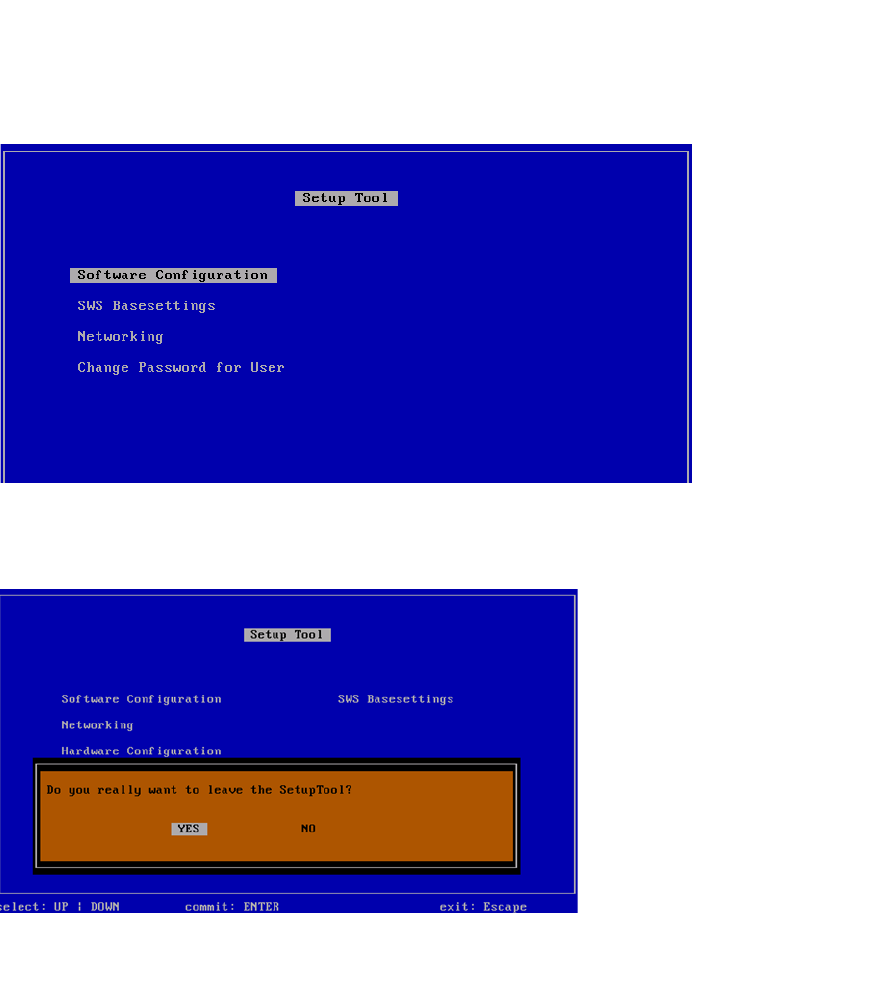
Installationsanleitung SIPLACE SWS Software 2.1 Ausgabe 05/2014 73 4 Abb. 1 16 Menü des Setup T ools Drücken Sie Esc. 4 Abb. 1 17 Meldung: Verlassen des SetupT ools Bestätigen Sie YES mit Ente r .
Installationsanleitung SIPLACE SWS Software 2.1
Ausgabe 05/2014
72
4
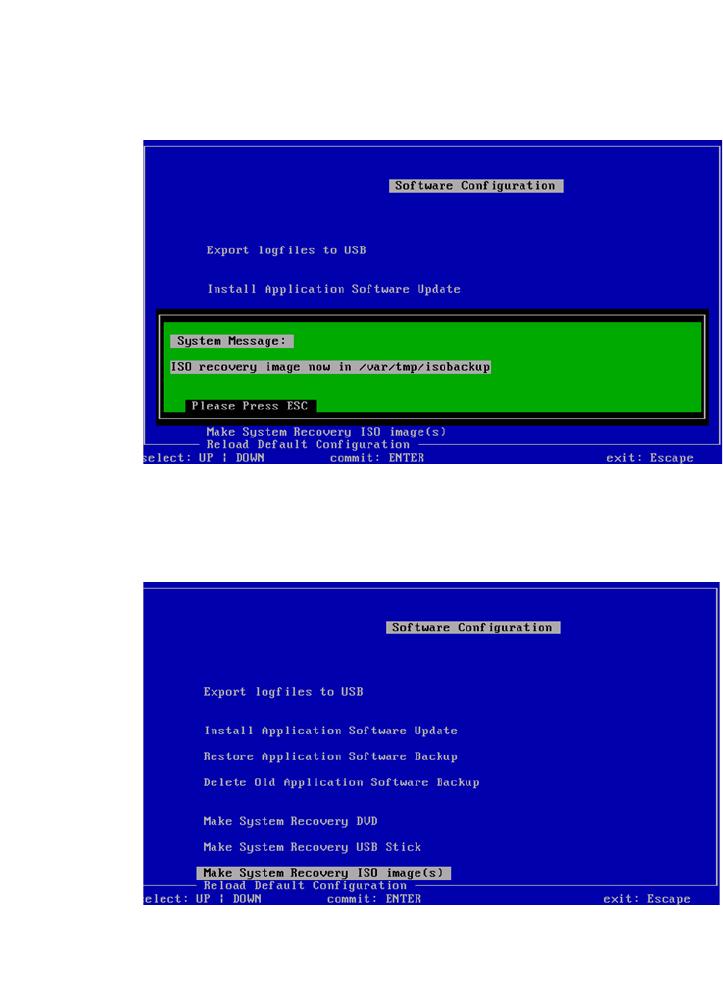
Abb. 114 Verzeichnis des erstellten ISO images
Drücken Sie Esc.
4
Abb. 115 Menü der Software Configuration
Drücken Sie Esc.
Installationsanleitung SIPLACE SWS Software 2.1
Ausgabe 05/2014
73
4
Abb. 116 Menü des Setup Tools
Drücken Sie Esc.
4
Abb. 117 Meldung: Verlassen des SetupTools
Bestätigen Sie YES mit Enter.
Installationsanleitung SIPLACE SWS Software 2.1
Ausgabe 05/2014
74
4
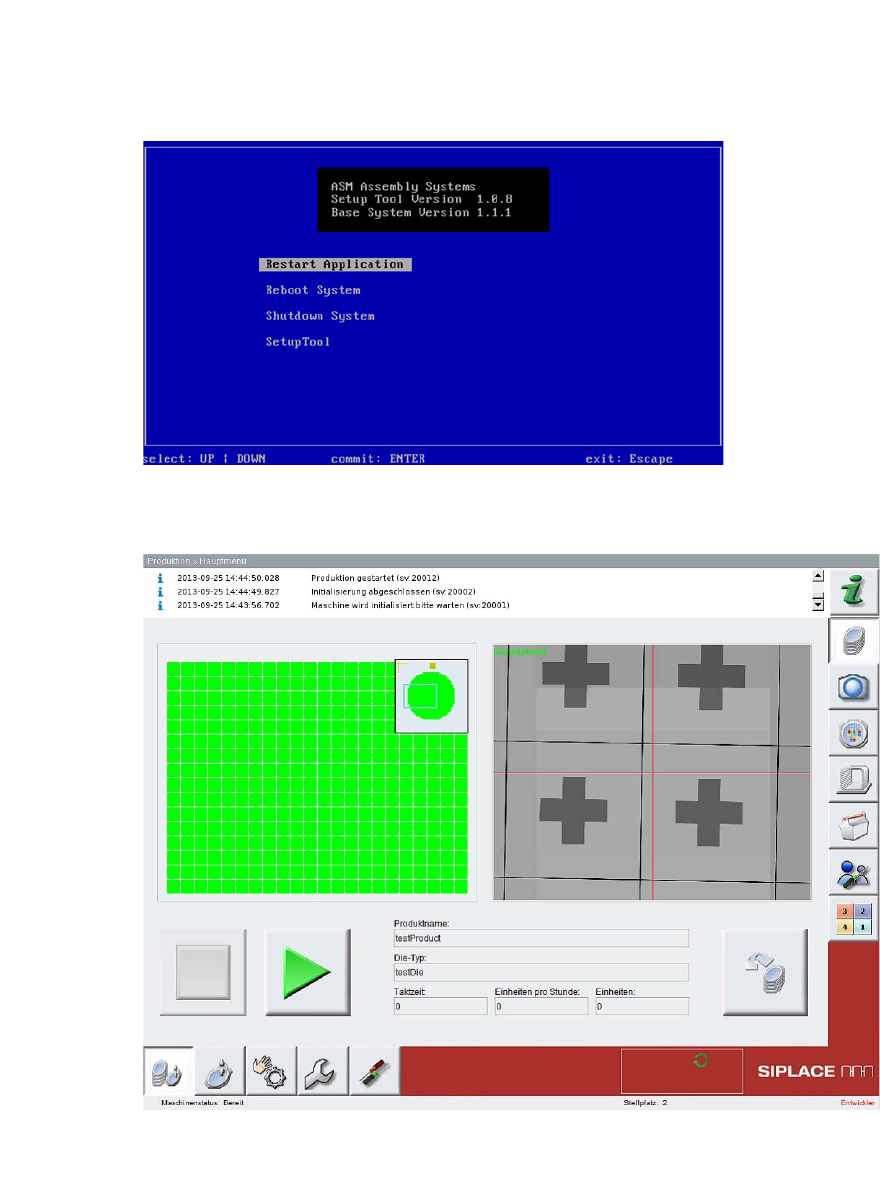
Abb. 118 Startfenster
Bestätigen Sie Restart Application mit Enter.
4
Abb. 119 Startseite der SWS-Software
– Die SWS-Software wird gestartet.