00195988-02_IM_SWS-Software-2.1_DE_EN.pdf - 第144页
Installation Manual SIPLACE SWS Software 2.1 Edition 05/2014 144 4 Fig. 105 St art window Confirm Restart Application with Enter . 4 Fig. 106 St art window for SWS software – The SWS software will start.
Installation Manual SIPLACE SWS Software 2.1
Edition 05/2014
143
4
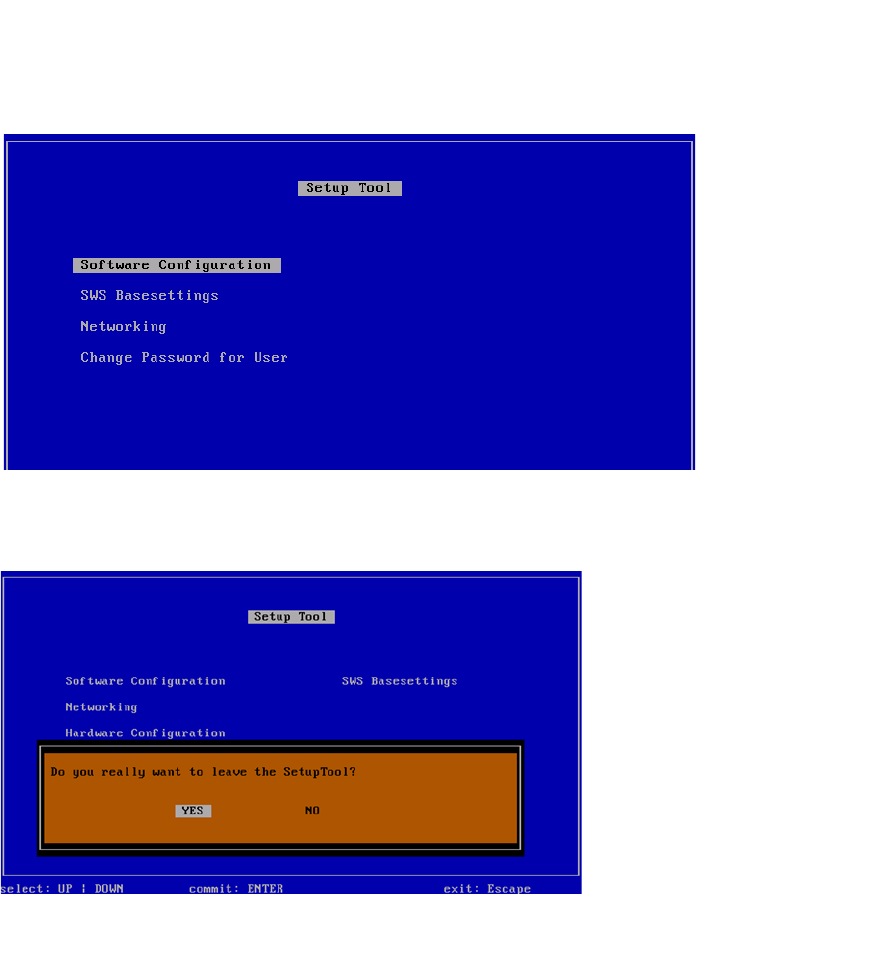
Fig. 103 Setup tool menu
Press ESC.
4
Fig. 104 Notification: Exiting the setup tool
Confirm YES with Enter.
Installation Manual SIPLACE SWS Software 2.1
Edition 05/2014
144
4
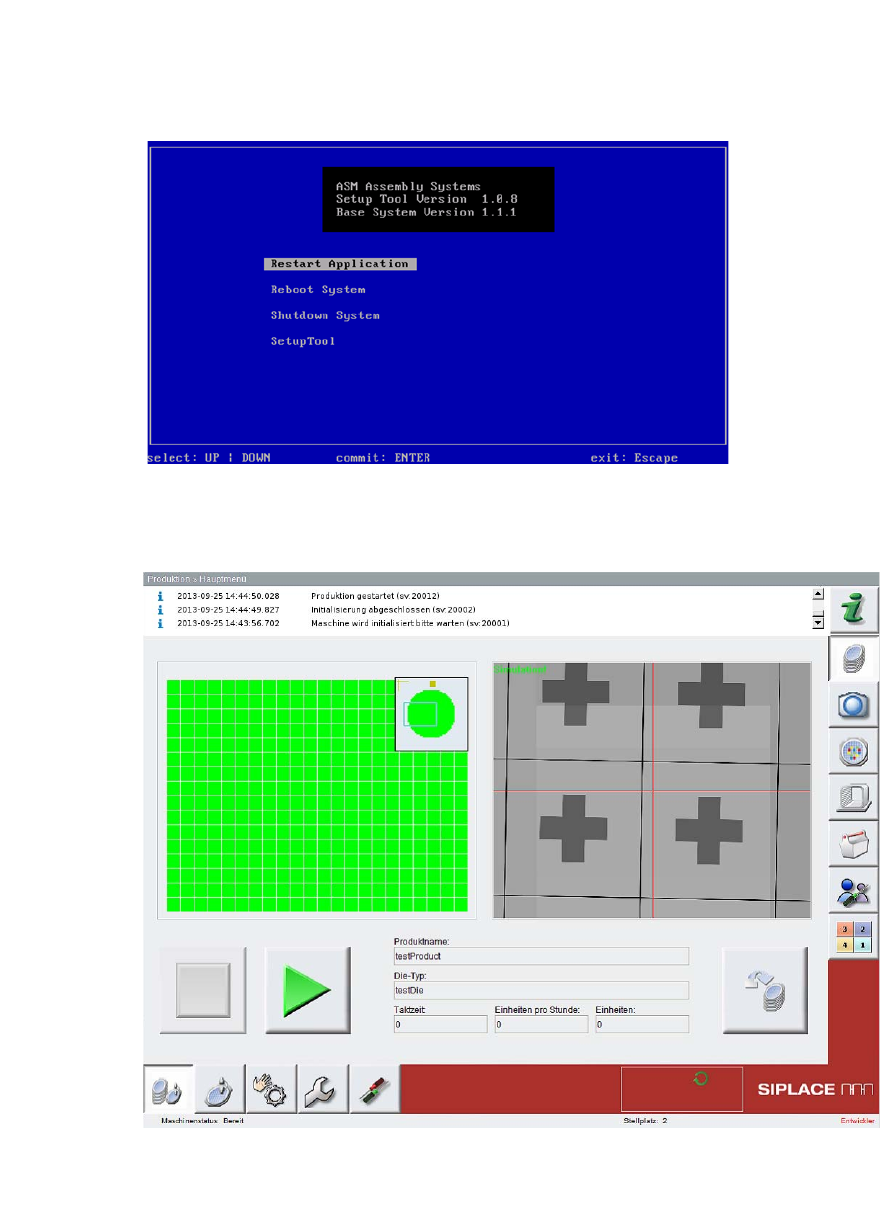
Fig. 105 Start window
Confirm Restart Application with Enter.
4
Fig. 106 Start window for SWS software
– The SWS software will start.
Installation Manual SIPLACE SWS Software 2.1
Edition 05/2014
145
4.2 Backup of Operating System and SWS Software
4
4
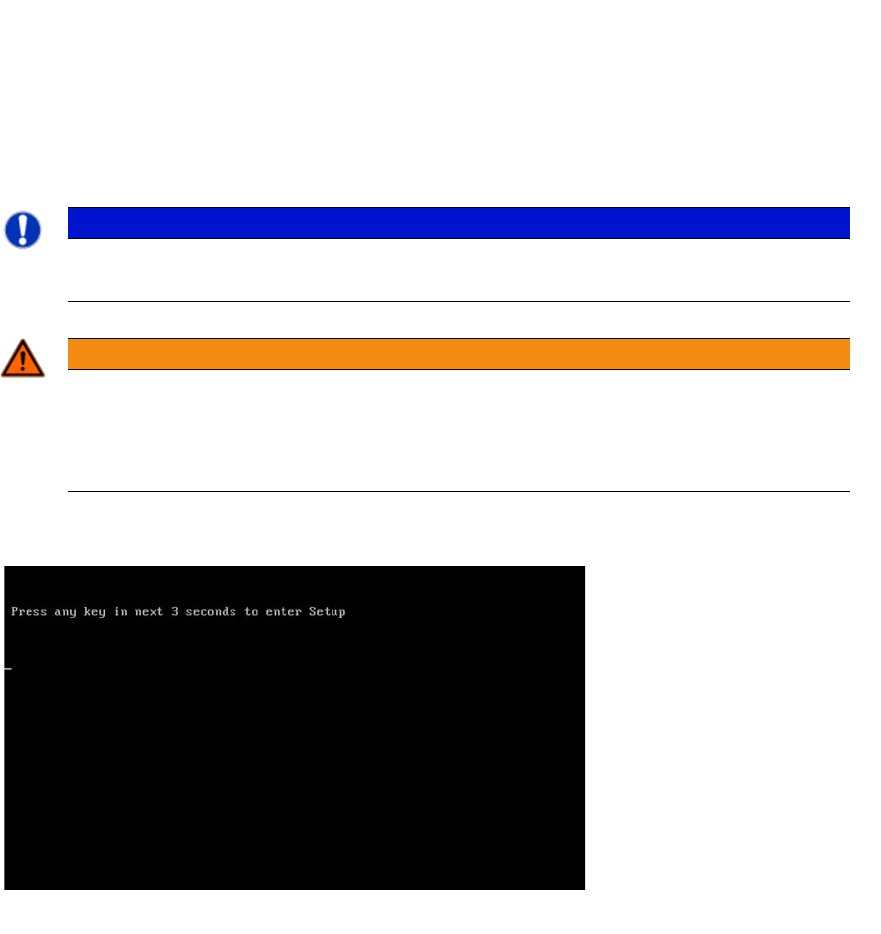
Press any button to access the start window.
4
Fig. 107 Pressing any button to access the start window.
PLEASE NOTE
You can choose between various options for the backup.
Use the arrow keys on your keyboard to select the required option.
WARNING
No CD/DVD or USB medium in the computer
Make sure that there is no CD/DVD medium in the drive or USB medium on the comput-
er.
Remove the CD/DVD from the drive and unplug the USB media from the computer.