00195988-02_IM_SWS-Software-2.1_DE_EN.pdf - 第37页
Installationsanleitung SIPLACE SWS Software 2.1 Ausgabe 05/2014 37 3 Abb. 50 Nummer des Stellplatzes einstellen Wählen unter Locat ion die Nummer des jeweiligen S tellplatzes (1-4). – Hier im Beispiel SWS auf S tellpla…
Installationsanleitung SIPLACE SWS Software 2.1
Ausgabe 05/2014
36
3
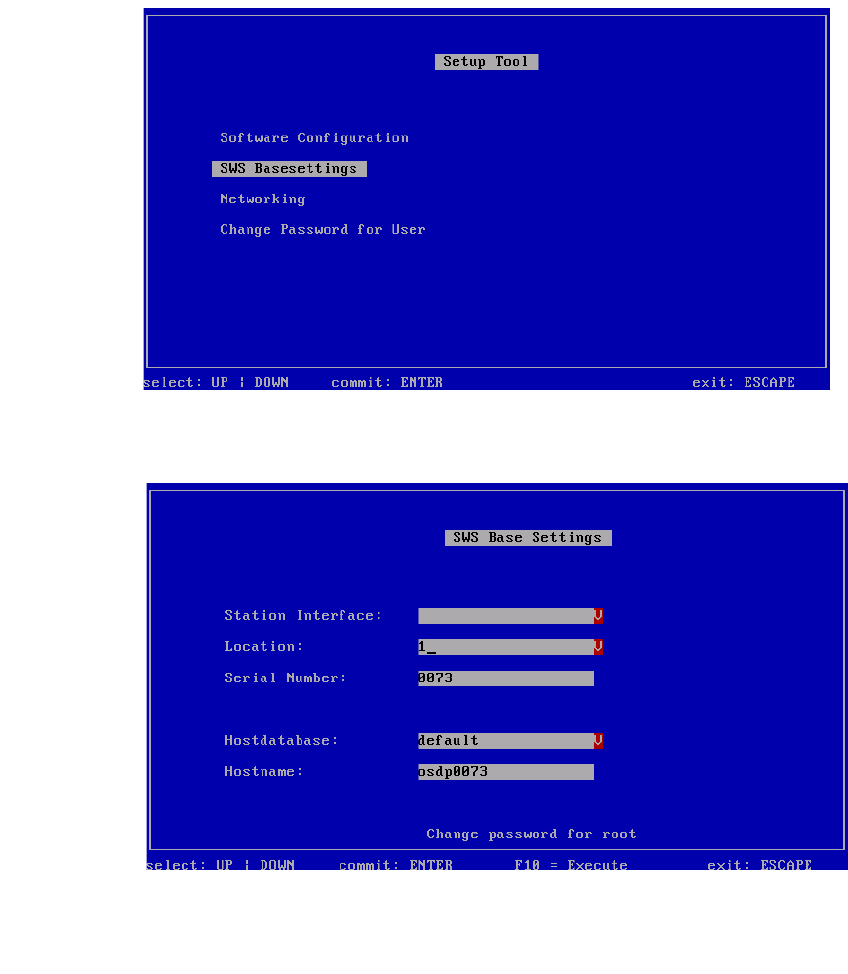
Abb. 48 Menü des Setup Tools - SWS Basesettings
Bestätigen Sie SWS Basesettings mit Enter.
3
Abb. 49 Nummer des Stellplatzes
Wählen Sie Location.
Bestätigen Sie mit Enter.
Installationsanleitung SIPLACE SWS Software 2.1
Ausgabe 05/2014
37
3
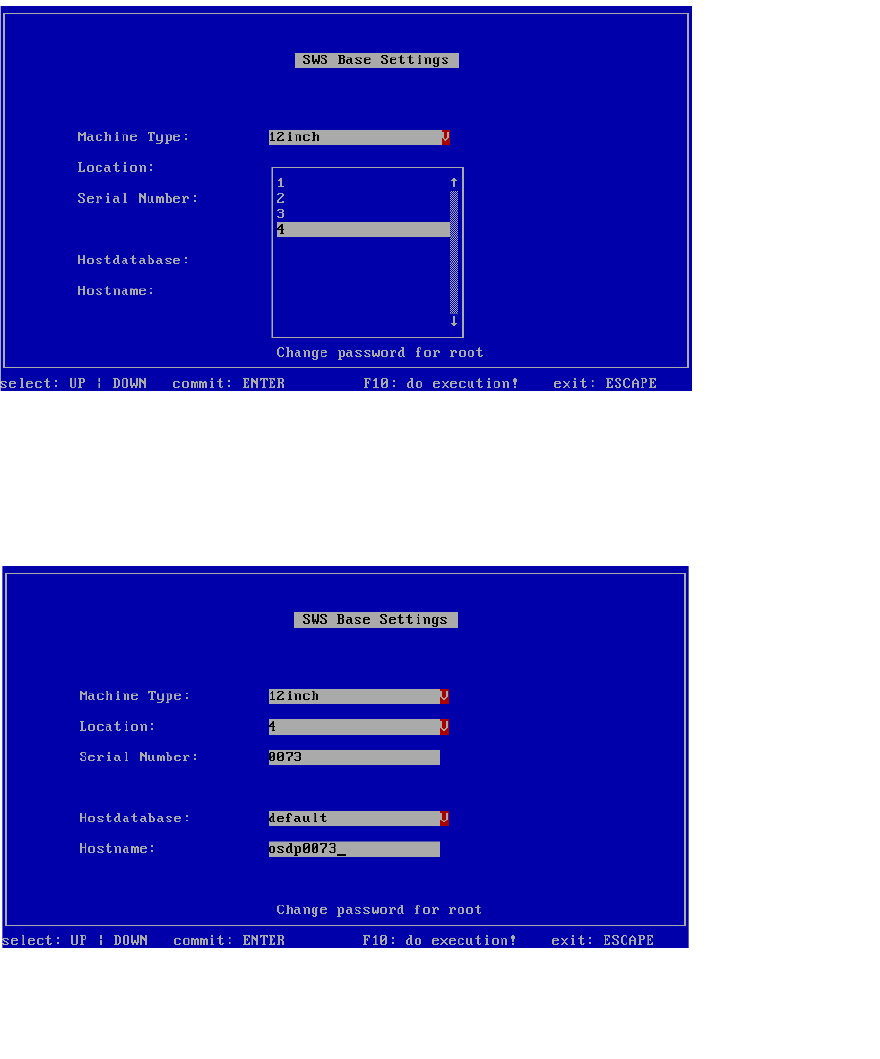
Abb. 50 Nummer des Stellplatzes einstellen
Wählen unter Location die Nummer des jeweiligen Stellplatzes (1-4).
– Hier im Beispiel SWS auf Stellplatz 4.
Bestätigen Sie mit Enter.
3
Abb. 51 Nummer des Stellplatzes eingestellt
– Die Nummer des Stellplatzes ist eingestellt.
Drücken Sie ESC.
Installationsanleitung SIPLACE SWS Software 2.1
Ausgabe 05/2014
38
3
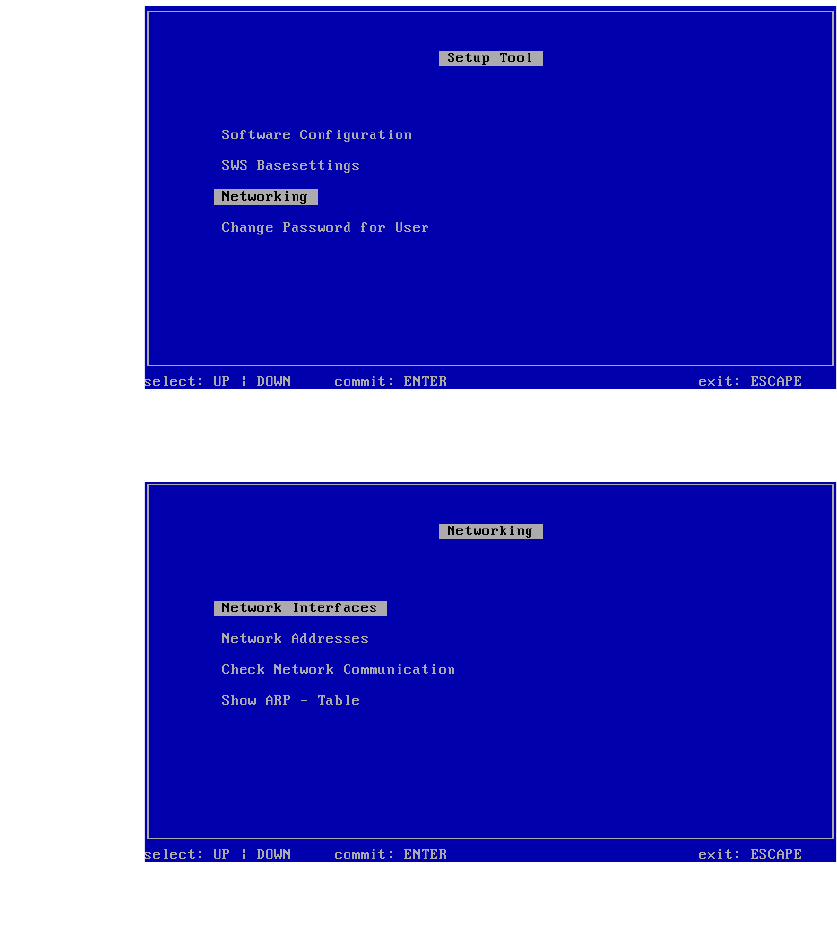
Abb. 52 Menü des Setup Tools
Bestätigen Sie Networking mit Enter.
3
Abb. 53 Menü Networking
Bestätigen Sie Network Interfaces mit Enter.