00195988-02_IM_SWS-Software-2.1_DE_EN.pdf - 第155页
Installation Manual SIPLACE SWS Software 2.1 Edition 05/2014 155 4 Fig. 127 Setup tool menu Confirm the Sof tware Configu ration with Enter . 4 4 Fig. 128 Software configuration menu Confirm the Restore Application Sof…
Installation Manual SIPLACE SWS Software 2.1
Edition 05/2014
154
4
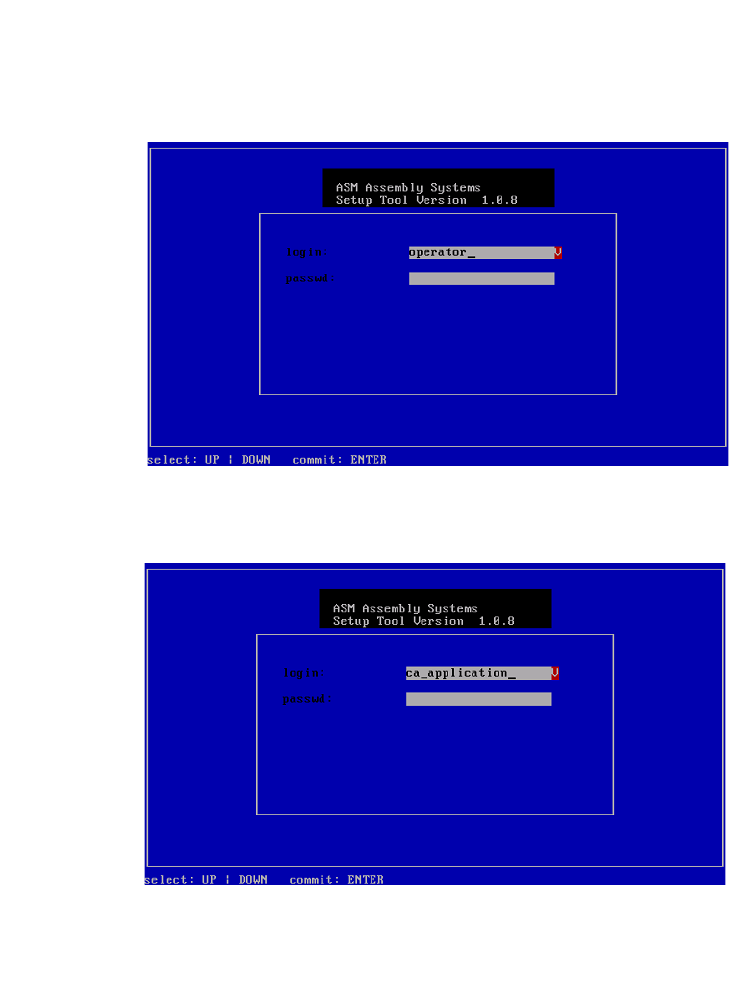
Fig. 125 Entry of capwd
Press and hold the CTRL + SHIFT keys and enter the following: capwd
4
Fig. 126 Entry of password
Enter your password.
Confirm with Enter.
Installation Manual SIPLACE SWS Software 2.1
Edition 05/2014
155
4
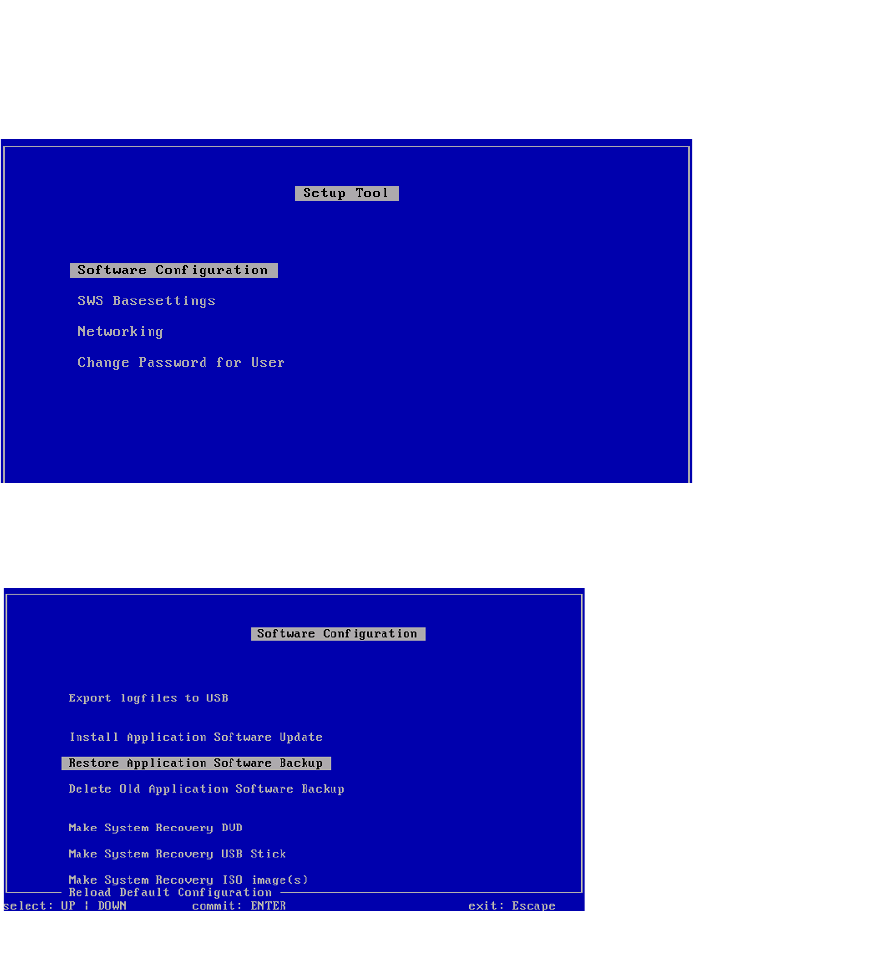
Fig. 127 Setup tool menu
Confirm the Software Configuration with Enter. 4
4
Fig. 128 Software configuration menu
Confirm the Restore Application Software Backup with Enter.
Installation Manual SIPLACE SWS Software 2.1
Edition 05/2014
156
4
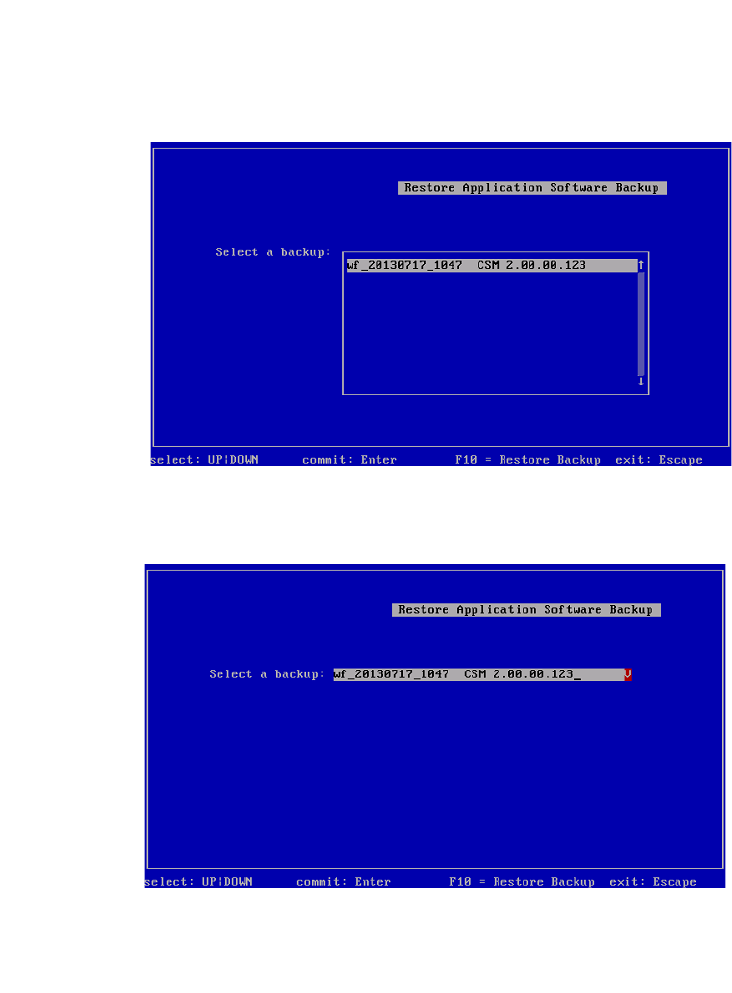
Fig. 129 Selecting the required backup
Select the required backup and confirm with Enter.
4
Fig. 130 Selected backup
Press F10.
Wait until the backup has been restored.