00195988-02_IM_SWS-Software-2.1_DE_EN.pdf - 第107页
Installation Manual SIPLACE SWS Software 2.1 Edition 05/2014 107 3 Fig. 34 Selecting the installation type Select Inst all and confirm with Enter . Use the arrow keys to navigate t o Install File and confirm with Ent…
Installation Manual SIPLACE SWS Software 2.1
Edition 05/2014
106
3
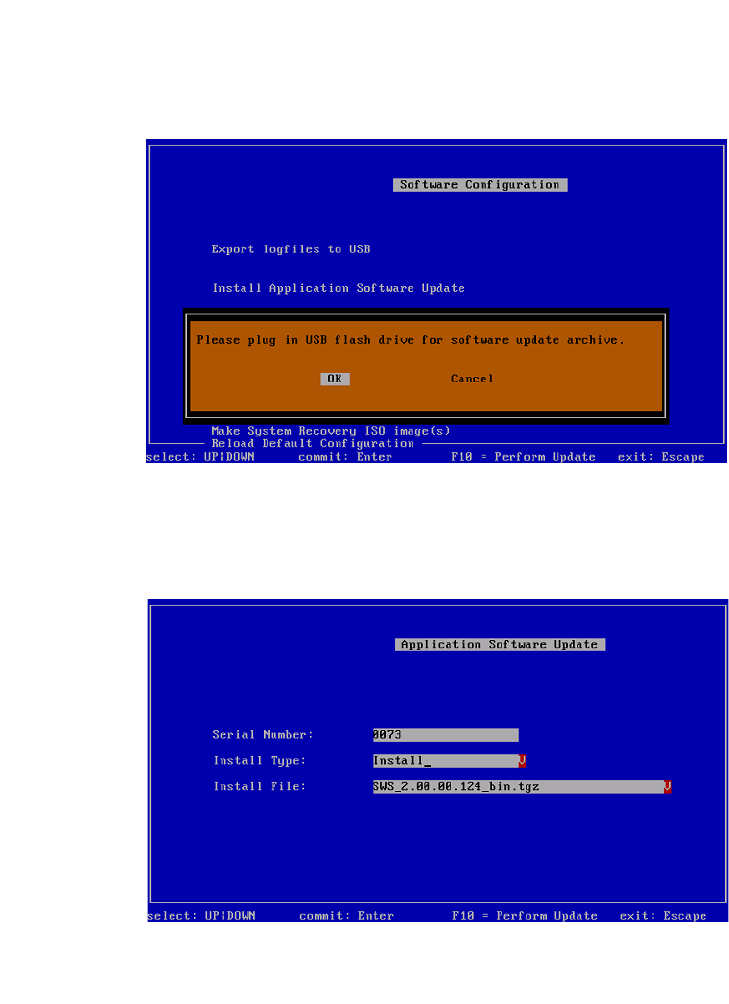
Fig. 32 Notification: Connecting the USB stick
Confirm OK with Enter.
Connect a USB stick to the USB slot on the keyboard of your computer.
3
Fig. 33 Updating the software application
3
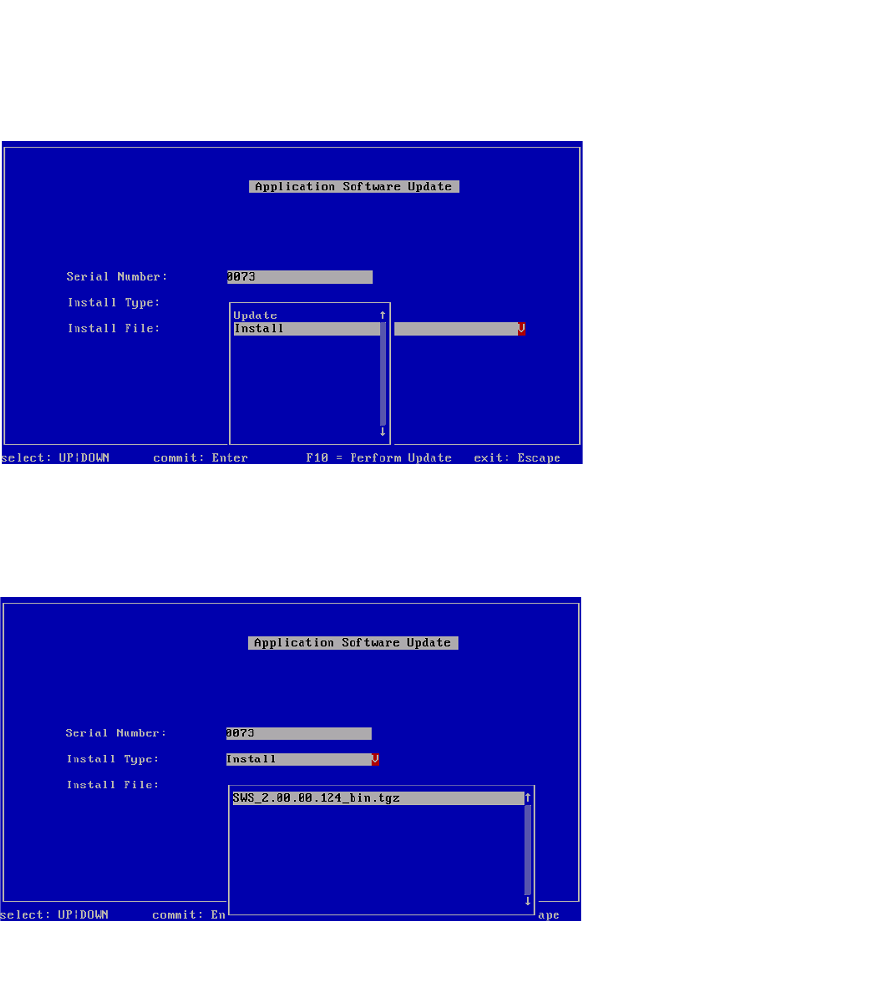
Use the arrow keys to navigate to Install Type and confirm with Enter.
Installation Manual SIPLACE SWS Software 2.1
Edition 05/2014
107
3
Fig. 34 Selecting the installation type
Select Install and confirm with Enter.
Use the arrow keys to navigate to Install File and confirm with Enter.
3
Fig. 35 Selecting the software package
Select the required software package and confirm with Enter.
Installation Manual SIPLACE SWS Software 2.1
Edition 05/2014
108
3
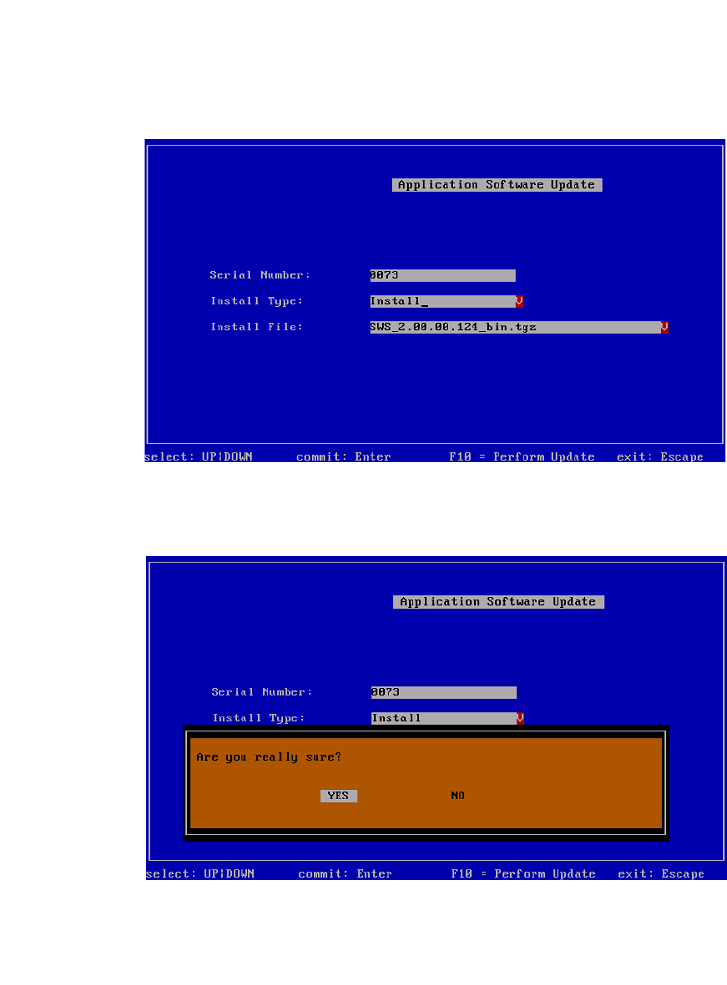
Fig. 36 Selected software package
Press F10.
3
Fig. 37 Notification: Installation of the software
Confirm YES with Enter.
Wait until the installation has finished.