00195988-02_IM_SWS-Software-2.1_DE_EN.pdf - 第151页
Installation Manual SIPLACE SWS Software 2.1 Edition 05/2014 151 4 Fig. 1 18 S tart window Confirm Rest art Application with Enter. 4 Fig. 1 19 S tart window for SWS software – The SWS software will start.
Installation Manual SIPLACE SWS Software 2.1
Edition 05/2014
150
4
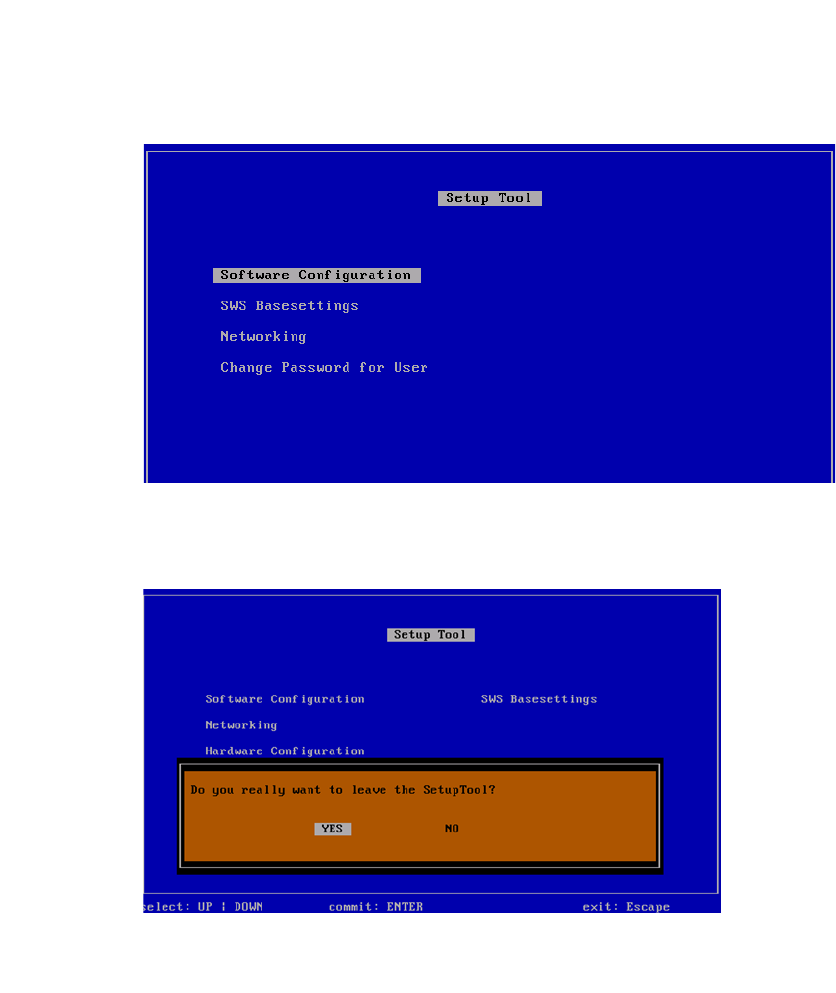
Fig. 116 Setup tool menu
Press Esc.
4
Fig. 117 Notification: Exiting the setup tool
Confirm YES with Enter.
Installation Manual SIPLACE SWS Software 2.1
Edition 05/2014
151
4
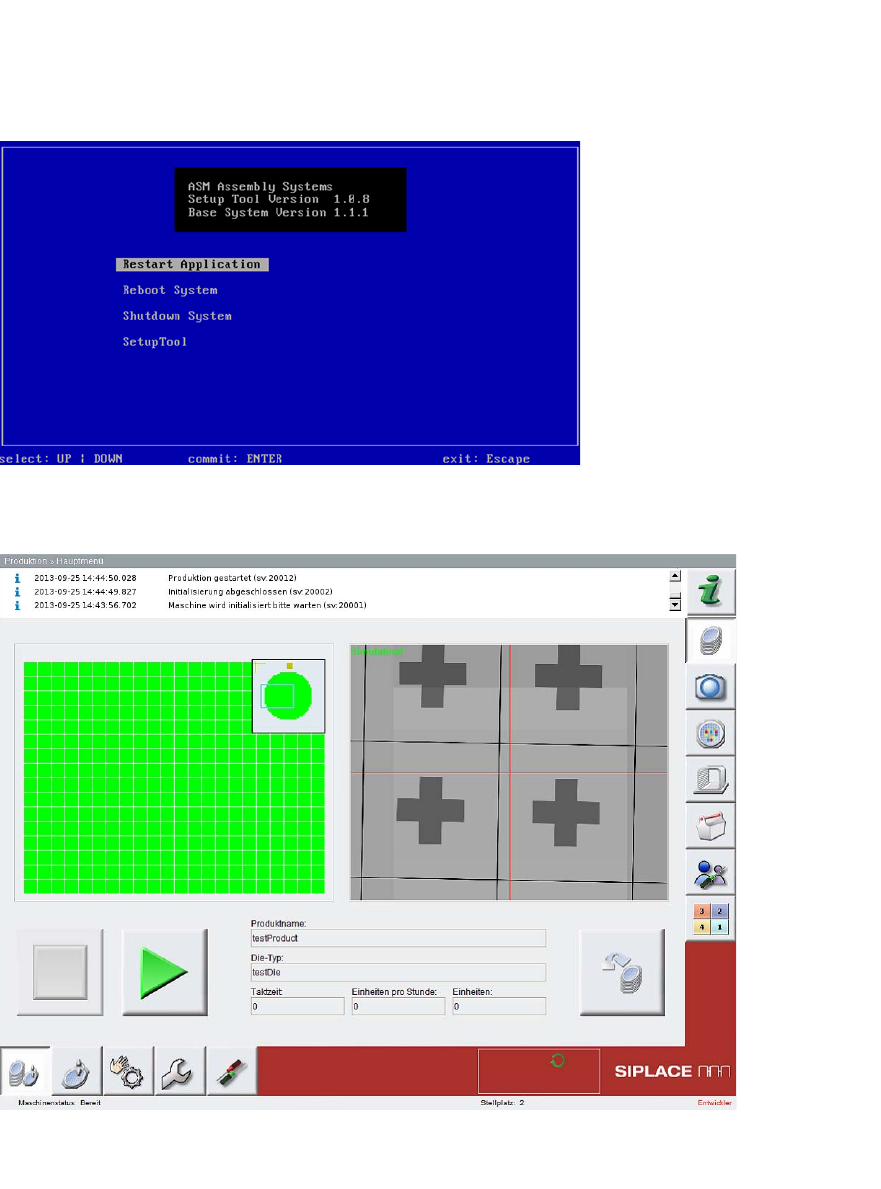
Fig. 118 Start window
Confirm Restart Application with Enter.
4
Fig. 119 Start window for SWS software
– The SWS software will start.
Installation Manual SIPLACE SWS Software 2.1
Edition 05/2014
152
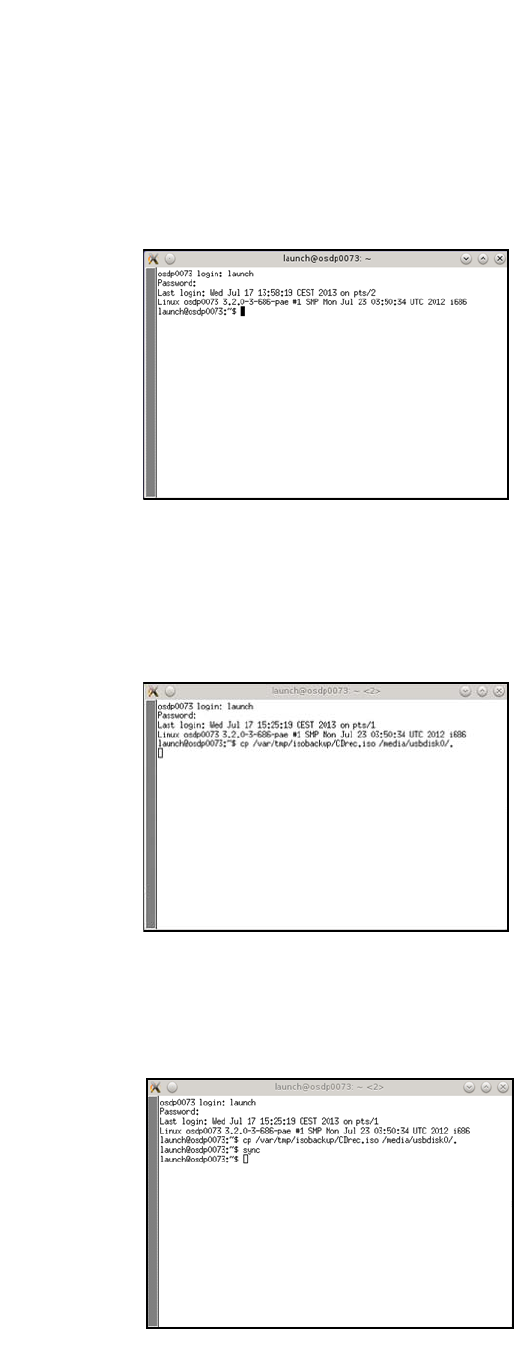
Open the terminal with CTRL + ALT + X.
Enter the following: super user
Enter your password.
4
Fig. 120 Entry of launch and password
Connect the storage medium (USB stick or USB hard drive) to the computer.
Enter the following move command:
mv /var/tmp/isobackup/CDrec.iso /media/usbdisk0/. 4
4
Fig. 121 Entry of mv /var/tmp/isobackup/CDrec.iso /media/usbdisk0/.
Wait until the ISO image has been copied to the storage medium.
To prepare the storage medium for removal, enter the following: sync
4
Fig. 122 Entry of sync