00195988-02_IM_SWS-Software-2.1_DE_EN.pdf - 第72页
Installationsanleitung SIPLACE SWS Software 2.1 Ausgabe 05/2014 72 4 Abb. 1 14 Verzeichnis des erstellten ISO images Drücken Sie Esc. 4 Abb. 1 15 Menü der Software Configuration Drücken Sie Esc.
Installationsanleitung SIPLACE SWS Software 2.1
Ausgabe 05/2014
71
4
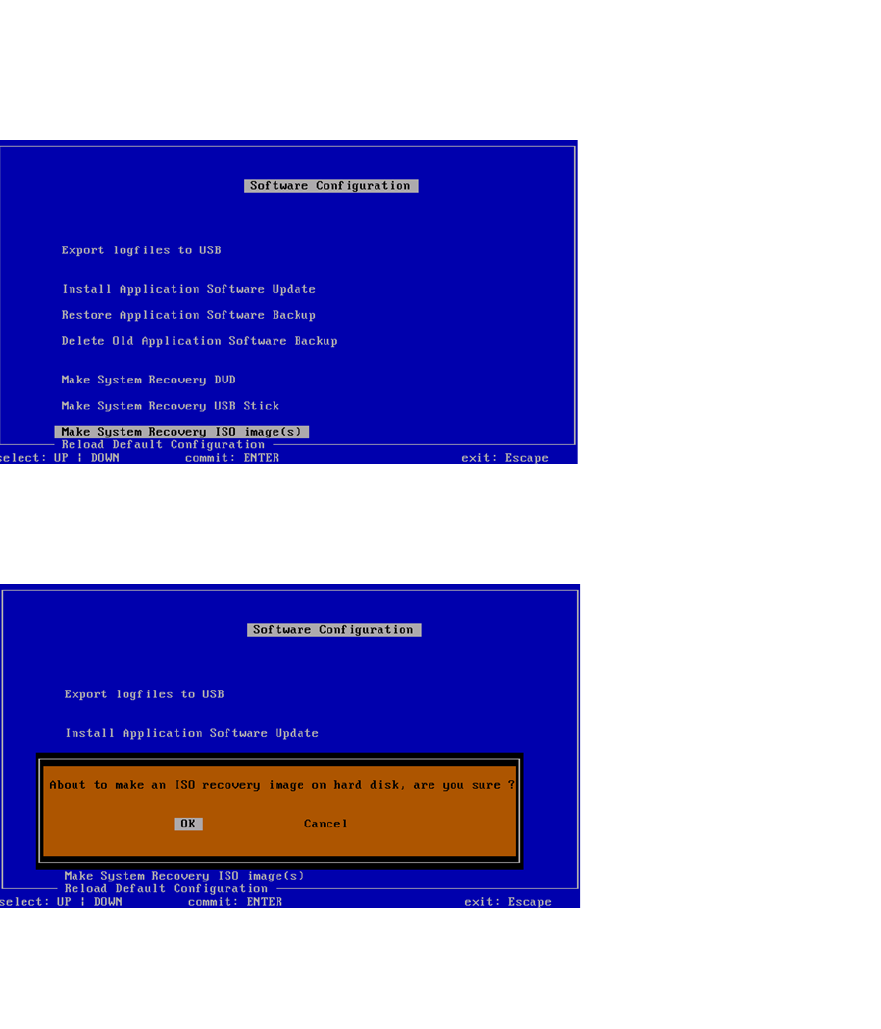
Abb. 112 Menü der Software Configuration
Bestätigen Sie Make System Recovery ISO image(s) mit Enter.
4
Abb. 113 Meldung: Erstellung eines ISO image auf Disk
Bestätigen Sie OK mit Enter.
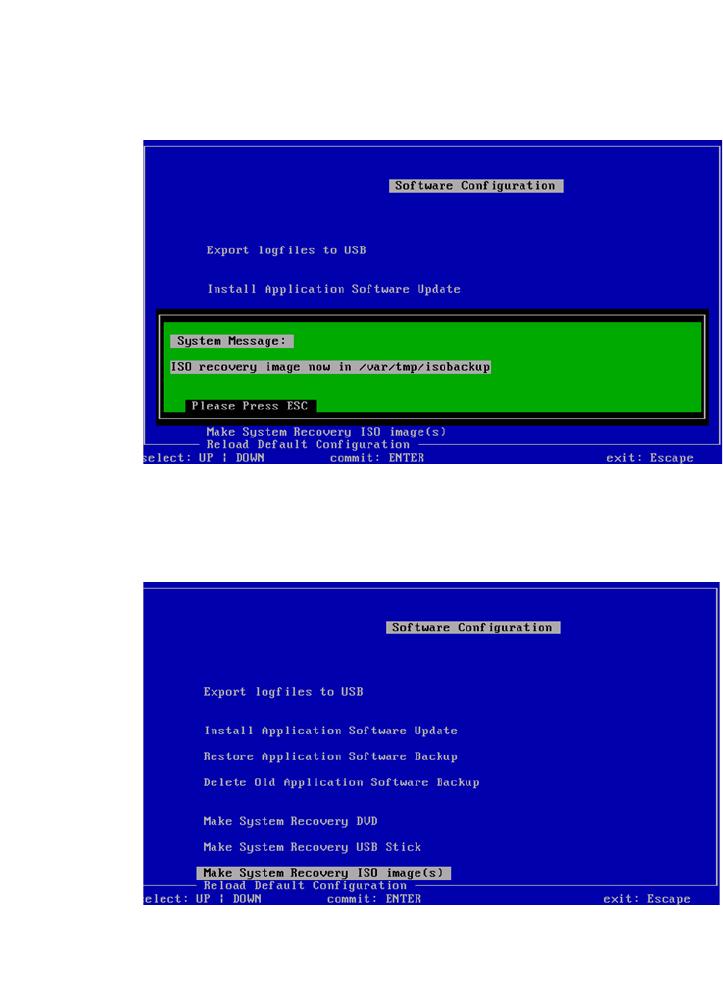
Warten Sie, bis das ISO image erstellt wurde.
Installationsanleitung SIPLACE SWS Software 2.1
Ausgabe 05/2014
72
4
Abb. 114 Verzeichnis des erstellten ISO images
Drücken Sie Esc.
4
Abb. 115 Menü der Software Configuration
Drücken Sie Esc.
Installationsanleitung SIPLACE SWS Software 2.1
Ausgabe 05/2014
73
4
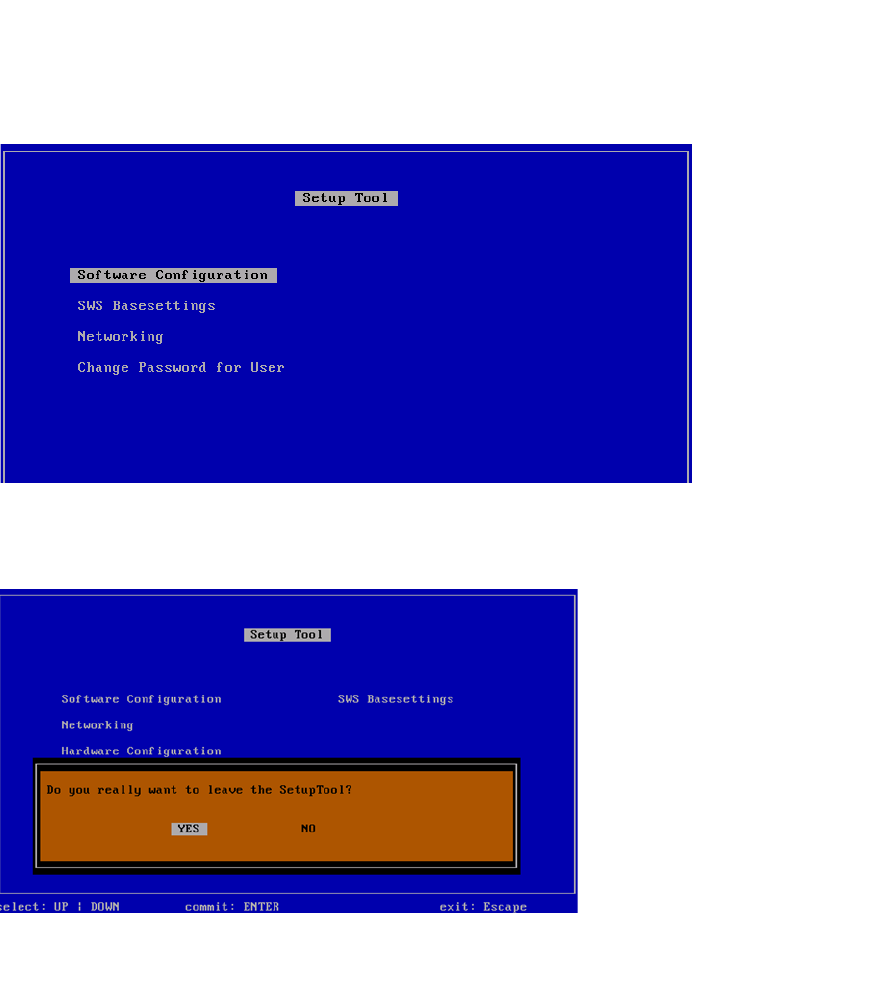
Abb. 116 Menü des Setup Tools
Drücken Sie Esc.
4
Abb. 117 Meldung: Verlassen des SetupTools
Bestätigen Sie YES mit Enter.