00195988-02_IM_SWS-Software-2.1_DE_EN.pdf - 第110页
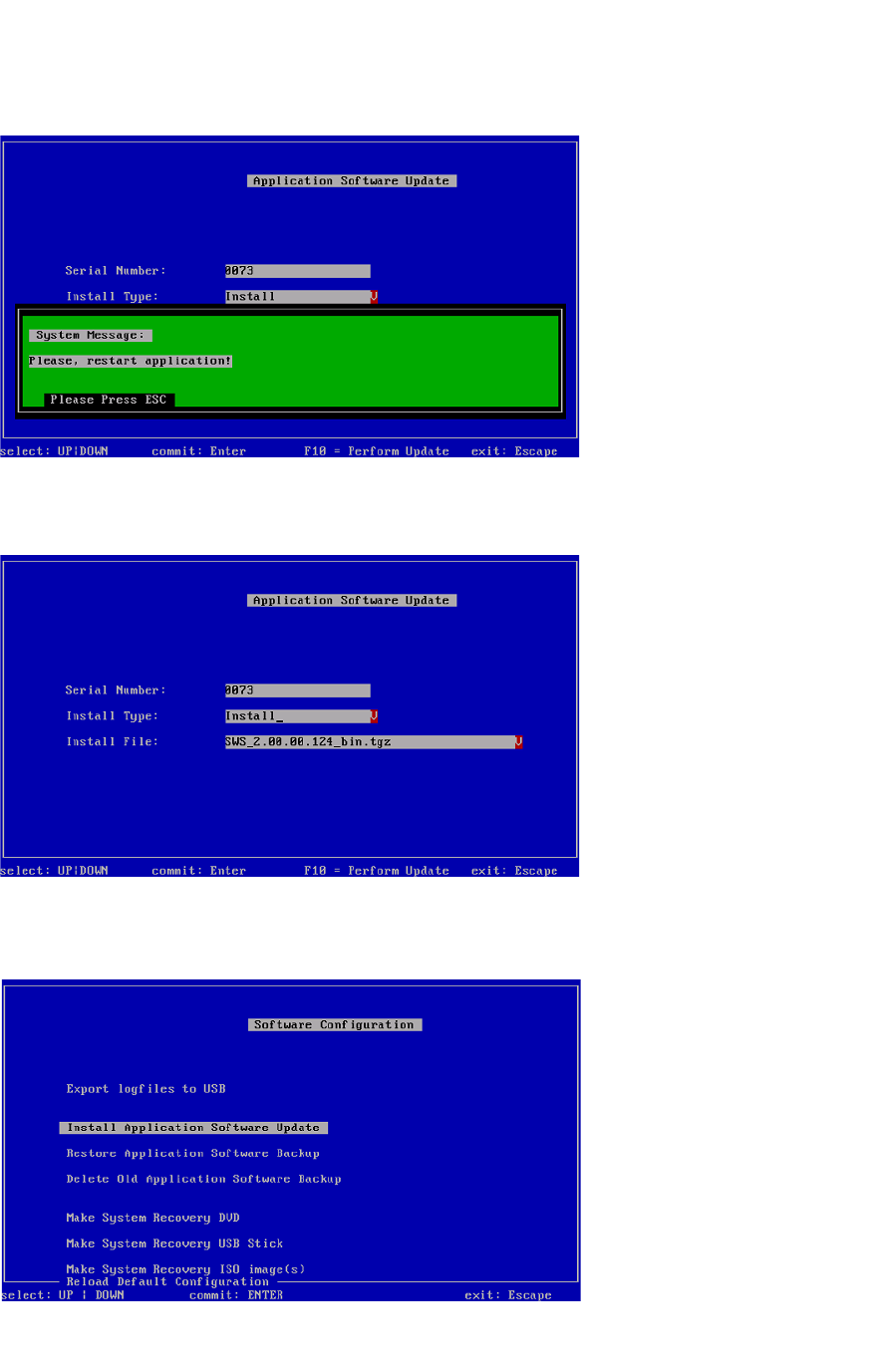
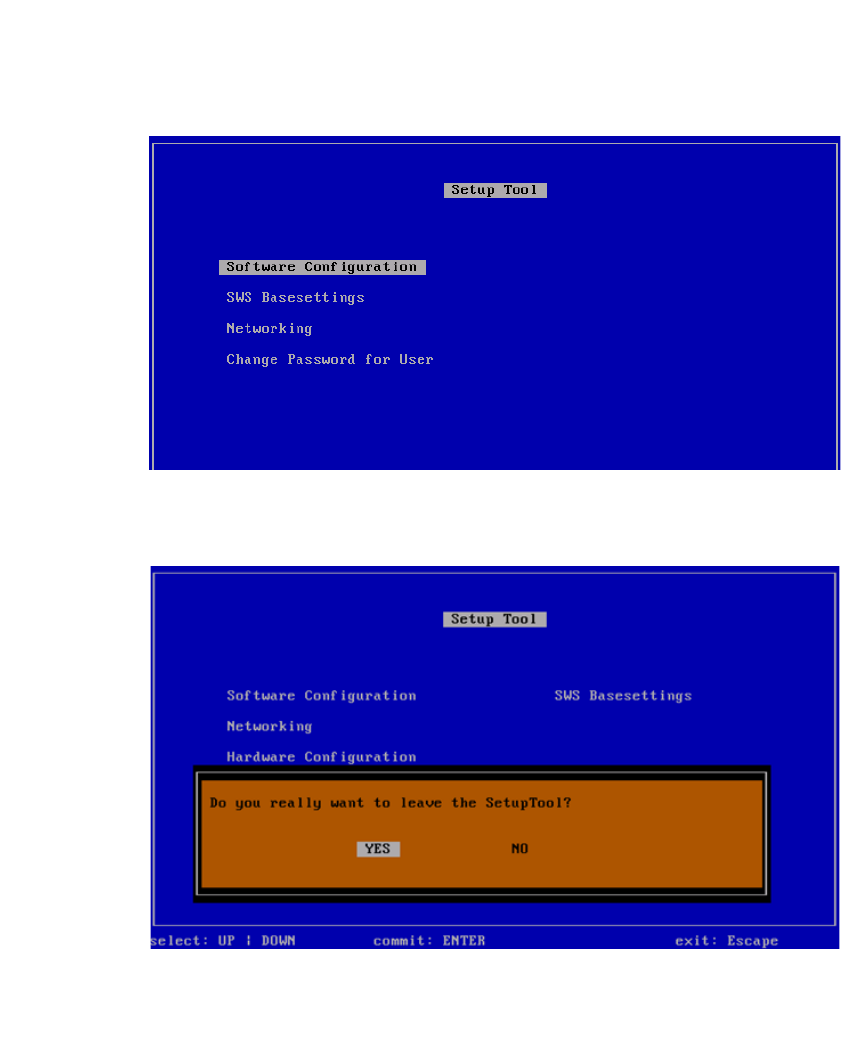
Installation Manual SIPLACE SWS Software 2.1 Edition 05/2014 110 3 Fig. 41 Setup tool menu Press ESC. 3 Fig. 42 Notification: Exiting the setup tool Confirm YES with Enter . Restart th e application. See "Rest…
Installation Manual SIPLACE SWS Software 2.1
Edition 05/2014
109
3
Fig. 38 Restarting the application
Press ESC.
3
Fig. 39 Software application menu
Press ESC.
3
Fig. 40 Software configuration menu
Press ESC.
Installation Manual SIPLACE SWS Software 2.1
Edition 05/2014
111
3.2 Installation with Network Configuration and Location Assign-
ment
Perform the installation with the network configuration for the SIPLACE machine and assignment
of the location number. 3
3.2.1 General
3
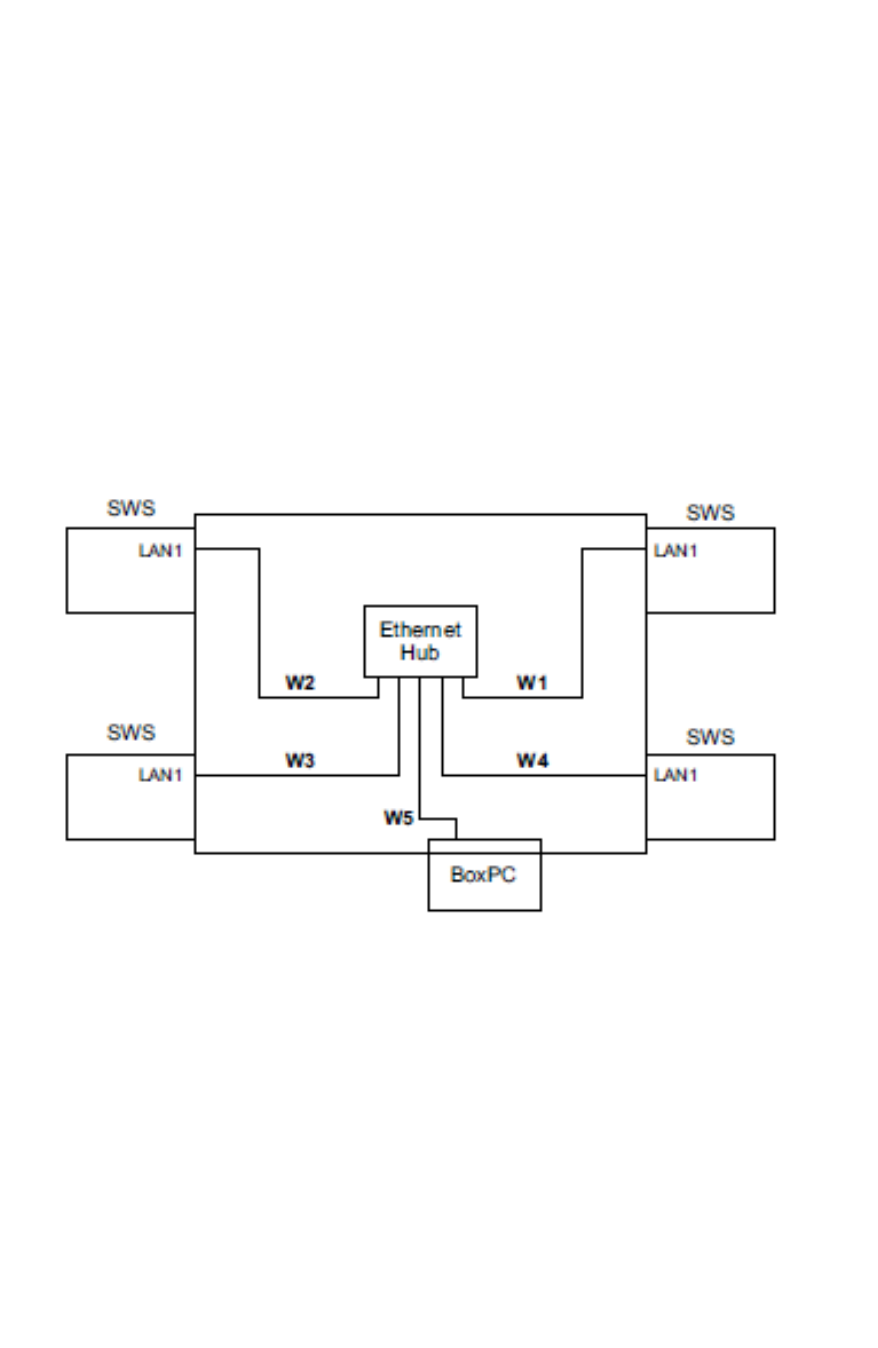
Fig. 43 Network overview and IP addresses for SWS for the station
Fixed IP addresses for the SWS modules correspond with the respective location in the
SIPLACE machine. 3
– Location 1 – IP address 192.168.255.241
– Location 2 – IP address 192.168.255.242
– Location 3 – IP address 192.168.255.243
– Location 4 – IP address 192.168.255.244
The location number can be found on a label attached to the respective cover on the SIPLACE
machine. 3
The LAN1 slot is at the top. 3