00195988-02_IM_SWS-Software-2.1_DE_EN.pdf - 第82页
Installationsanleitung SIPLACE SWS Software 2.1 Ausgabe 05/2014 82 – Die SWS-Software wird gest artet. 4 Abb. 137 St artseite der SWS-Sof tware 4
Installationsanleitung SIPLACE SWS Software 2.1
Ausgabe 05/2014
81
4
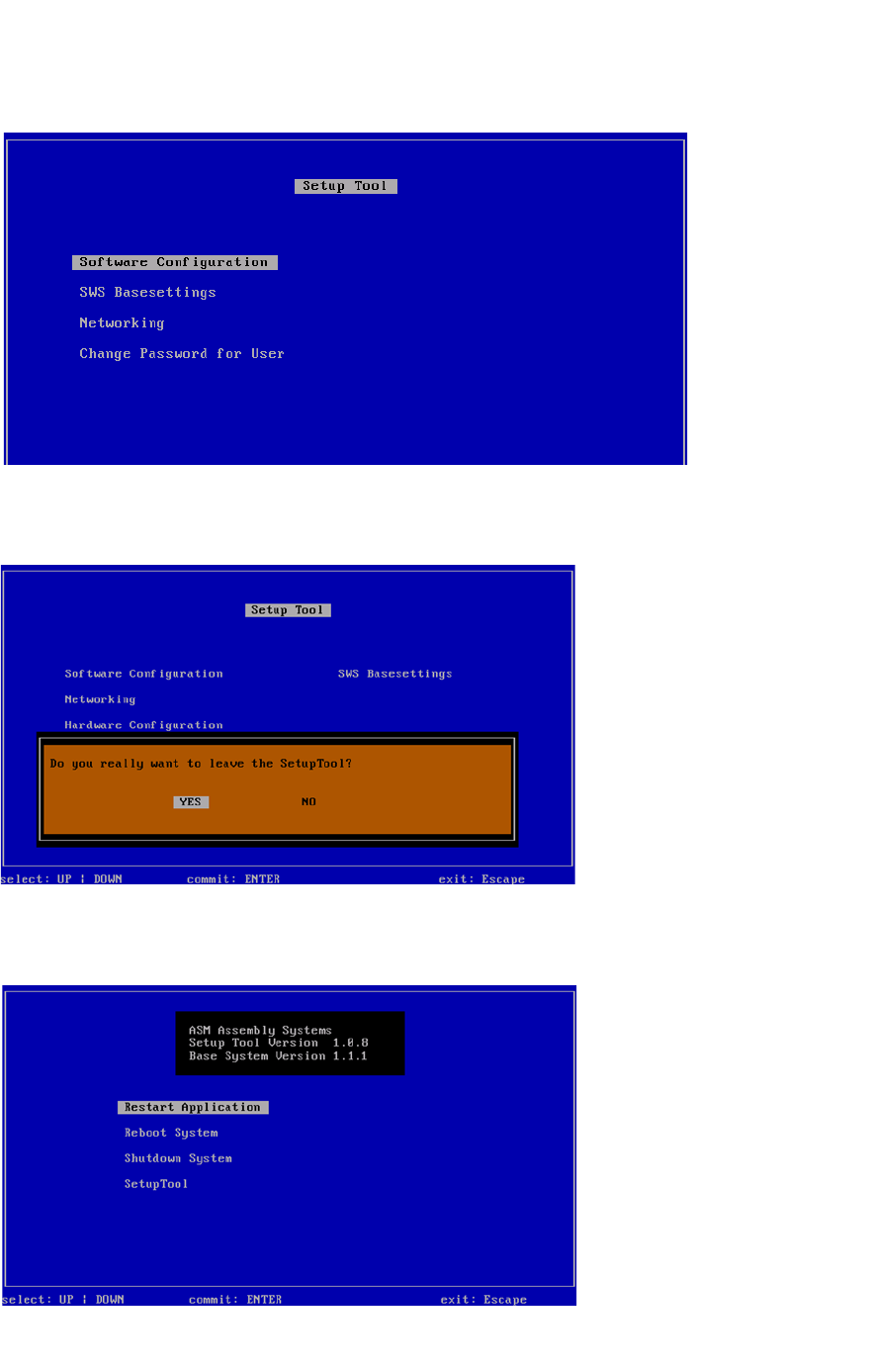
Abb. 134 Menü des Setup Tools
Drücken Sie ESC.
4
Abb. 135 Meldung: Verlassen des Setup Tools
Bestätigen Sie YES mit Enter.
4
Abb. 136 Startfenster
Bestätigen Sie Restart Application mit Enter.
Installationsanleitung SIPLACE SWS Software 2.1
Ausgabe 05/2014
82
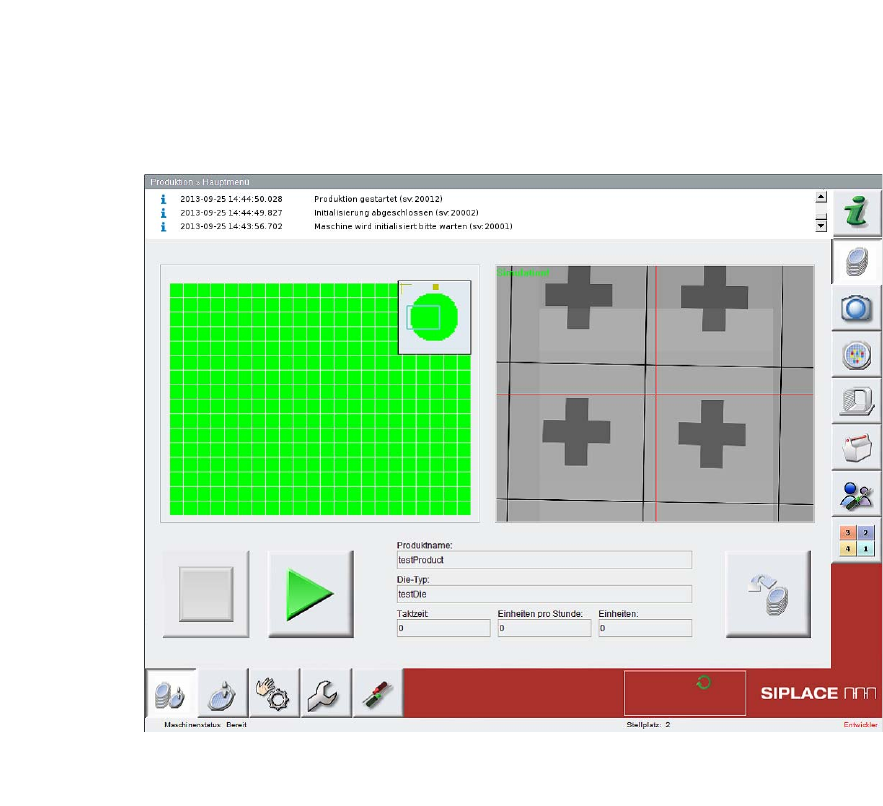
– Die SWS-Software wird gestartet.
4
Abb. 137 Startseite der SWS-Software
4
Installationsanleitung SIPLACE SWS Software 2.1
Ausgabe 05/2014
83
5 Troubleshooting
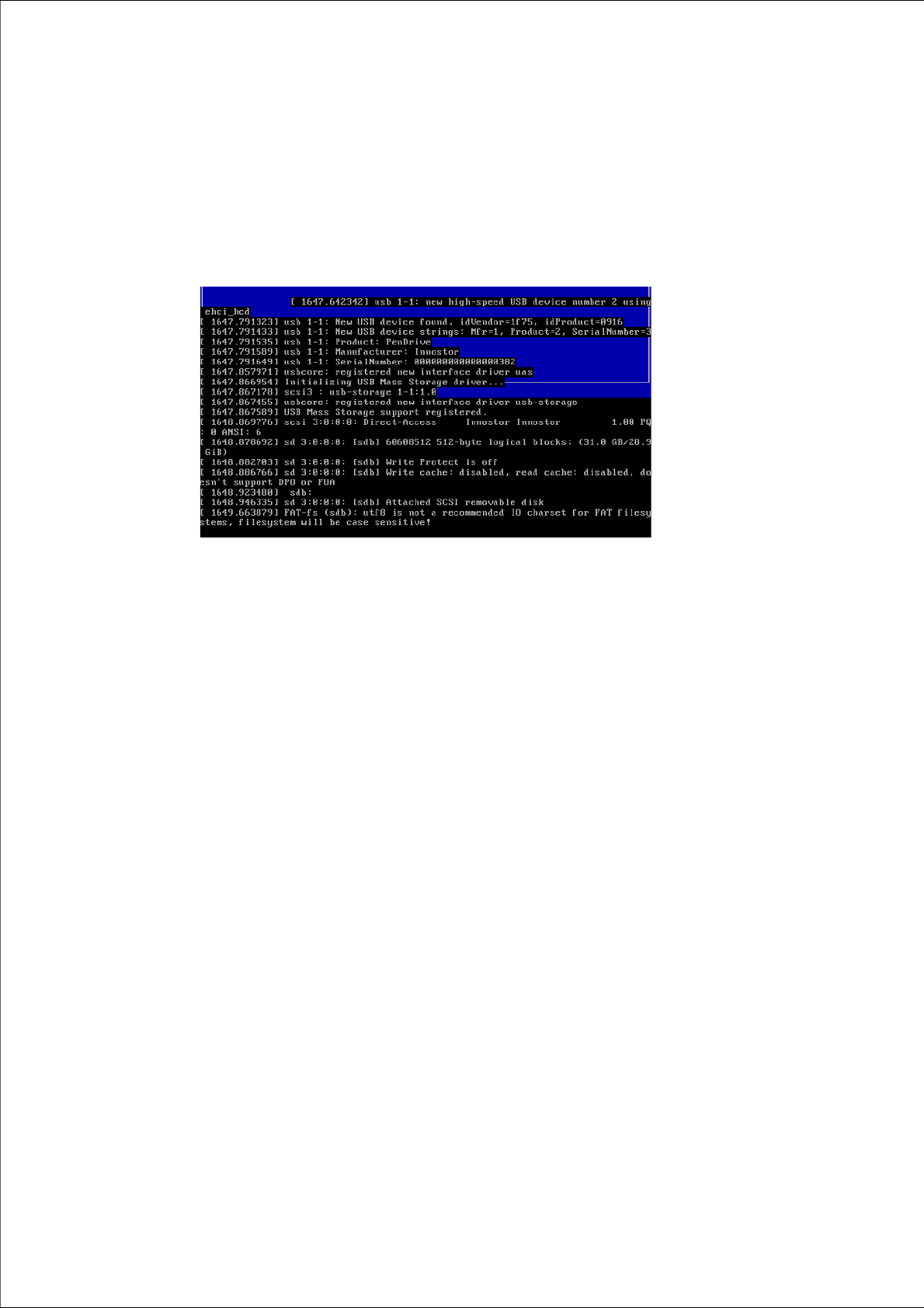
Ursache: Ausgaben an der Konsole 5
Konsequenz/Fehlerart: Anzeige des Setup Tools zerstört 5
5
Abb. 138 Anzeige des Setup Tools zerstört
Lösung: 5
Drücken Sie CTRL + L.
– Die aktuelle Seite des Setup Tools wird neu aufgebaut.