00195988-02_IM_SWS-Software-2.1_DE_EN.pdf - 第103页
Installation Manual SIPLACE SWS Software 2.1 Edition 05/2014 103 3 Inst allation of the SWS Sof tware 3 3.1 Basic Inst allation Press any button to access the st art window . 3 Fig. 26 Pressing any button to access the…

Installation Manual SIPLACE SWS Software 2.1
Edition 05/2014
102
Installation Manual SIPLACE SWS Software 2.1
Edition 05/2014
103
3 Installation of the SWS Software
3
3.1 Basic Installation
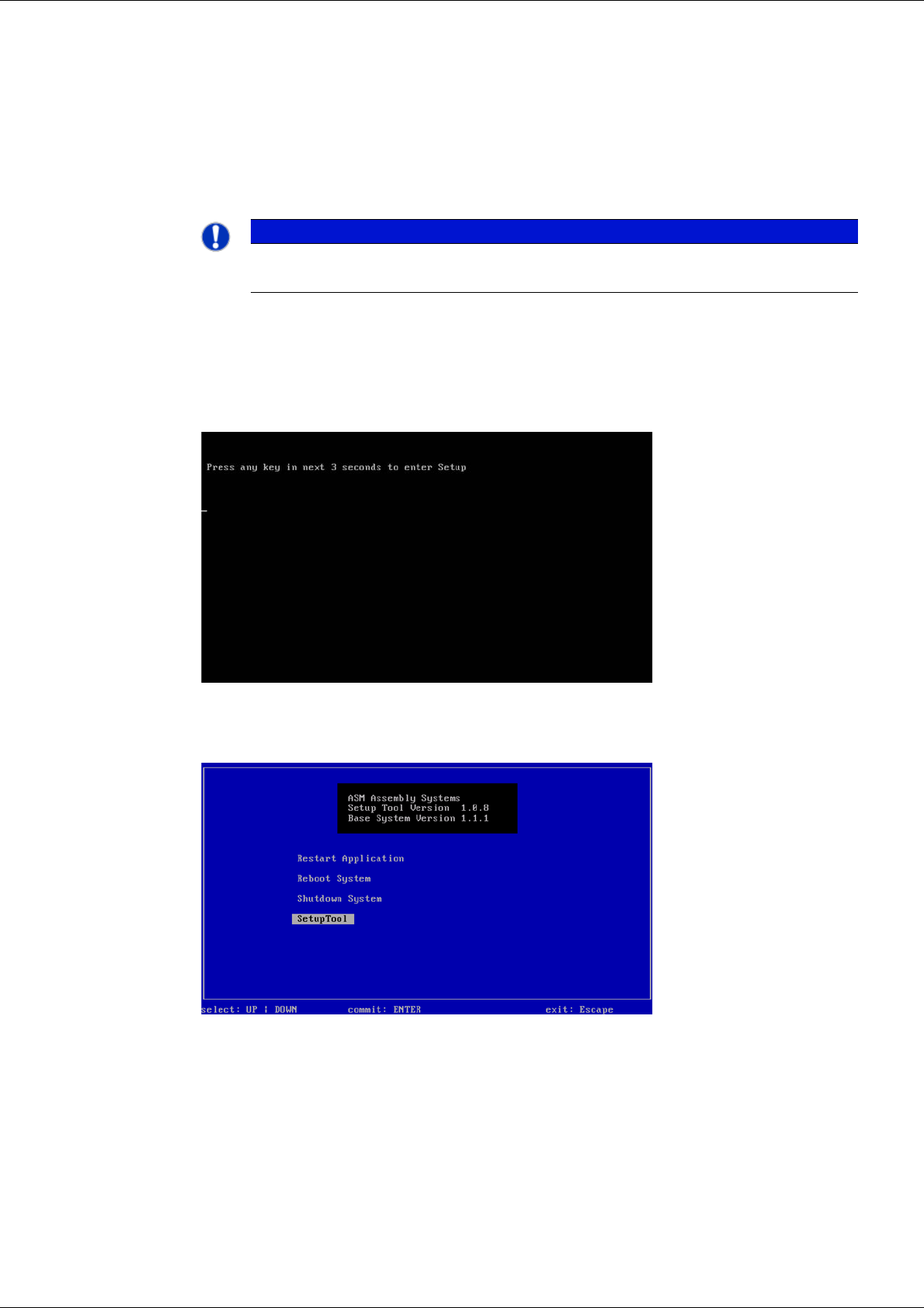
Press any button to access the start window.
3
Fig. 26 Pressing any button to access the start window.
Use the arrow keys to navigate to the Setup Tool.
3
Fig. 27 Start window
Confirm the SetupTool with Enter.
PLEASE NOTE
You can choose between two options for the installation.
Use the arrow keys on your keyboard to select the required option.
Installation Manual SIPLACE SWS Software 2.1
Edition 05/2014
104
3
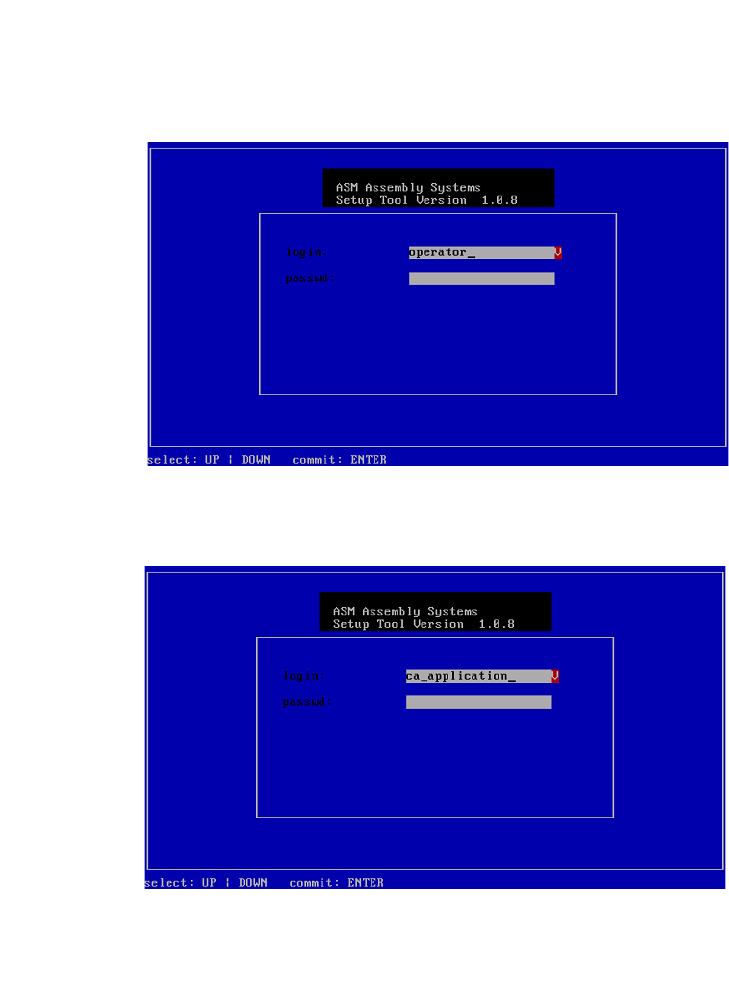
Fig. 28 Entry of capwd
Press and hold the CTRL + SHIFT keys and enter the following: capwd
3
Fig. 29 Entry of password
Enter your password.
Confirm with Enter.