00195988-02_IM_SWS-Software-2.1_DE_EN.pdf - 第126页
Installation Manual SIPLACE SWS Software 2.1 Edition 05/2014 126 3 Fig. 70 Customer Network Interface menu Confirm Customer Netwo rk Interface with Enter . 3 Fig. 71 Customer Network Interface Define the settings for…
Installation Manual SIPLACE SWS Software 2.1
Edition 05/2014
125
3
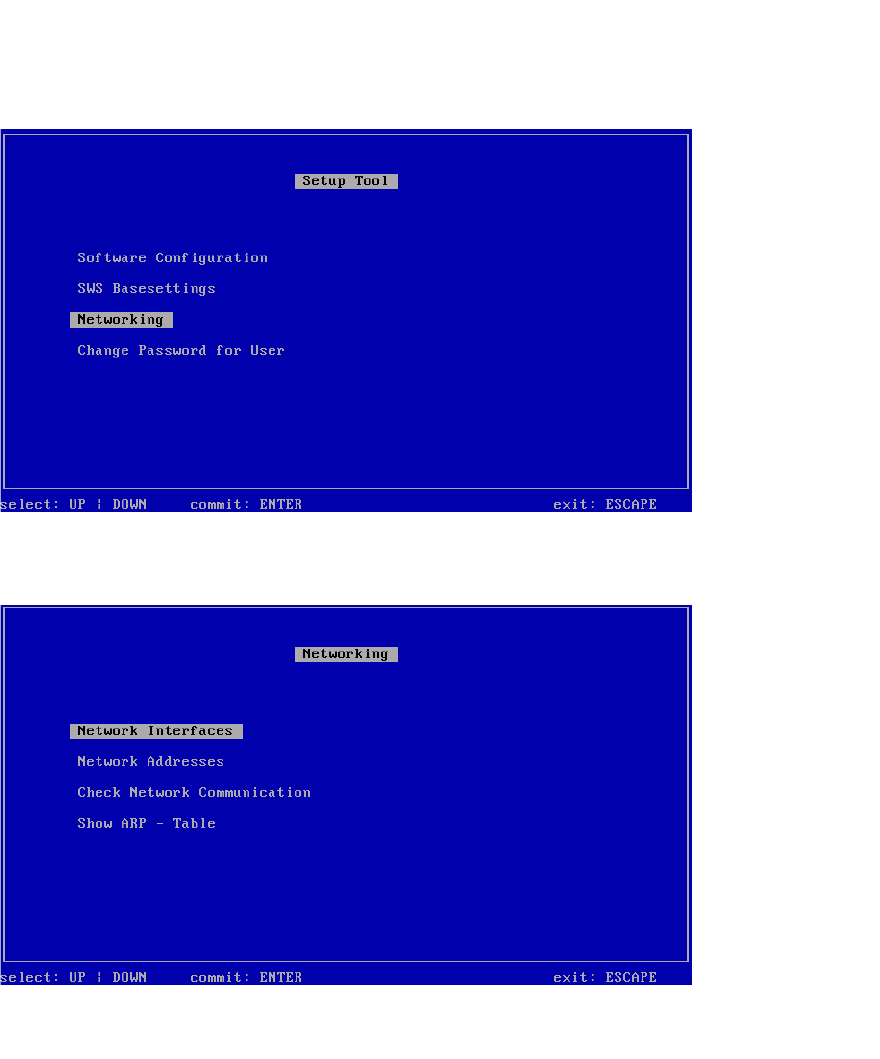
Fig. 68 Setup tool menu
Confirm Networking with Enter.
3
Fig. 69 Networking menu
Confirm the Network Interfaces with Enter.
Installation Manual SIPLACE SWS Software 2.1
Edition 05/2014
126
3
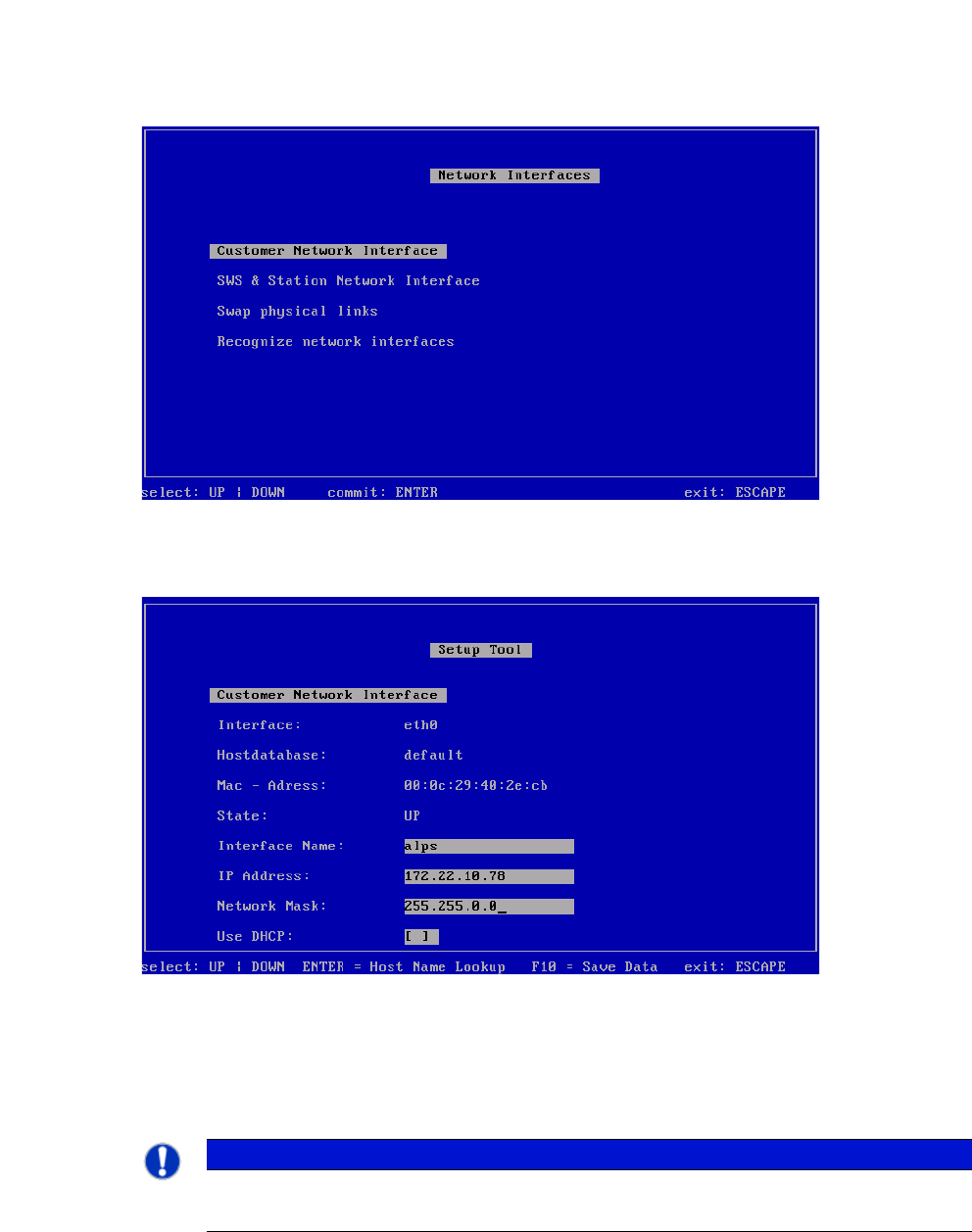
Fig. 70 Customer Network Interface menu
Confirm Customer Network Interface with Enter.
3
Fig. 71 Customer Network Interface
Define the settings for the connection to the wafer map server.
Please ask your administrator for the wafer map server settings.
Save the entries with F10.
3
PLEASE NOTE
Applying settings
The settings are applied in a later step, at Recognize Network Interfaces.
Installation Manual SIPLACE SWS Software 2.1
Edition 05/2014
127
Press ESC.
3
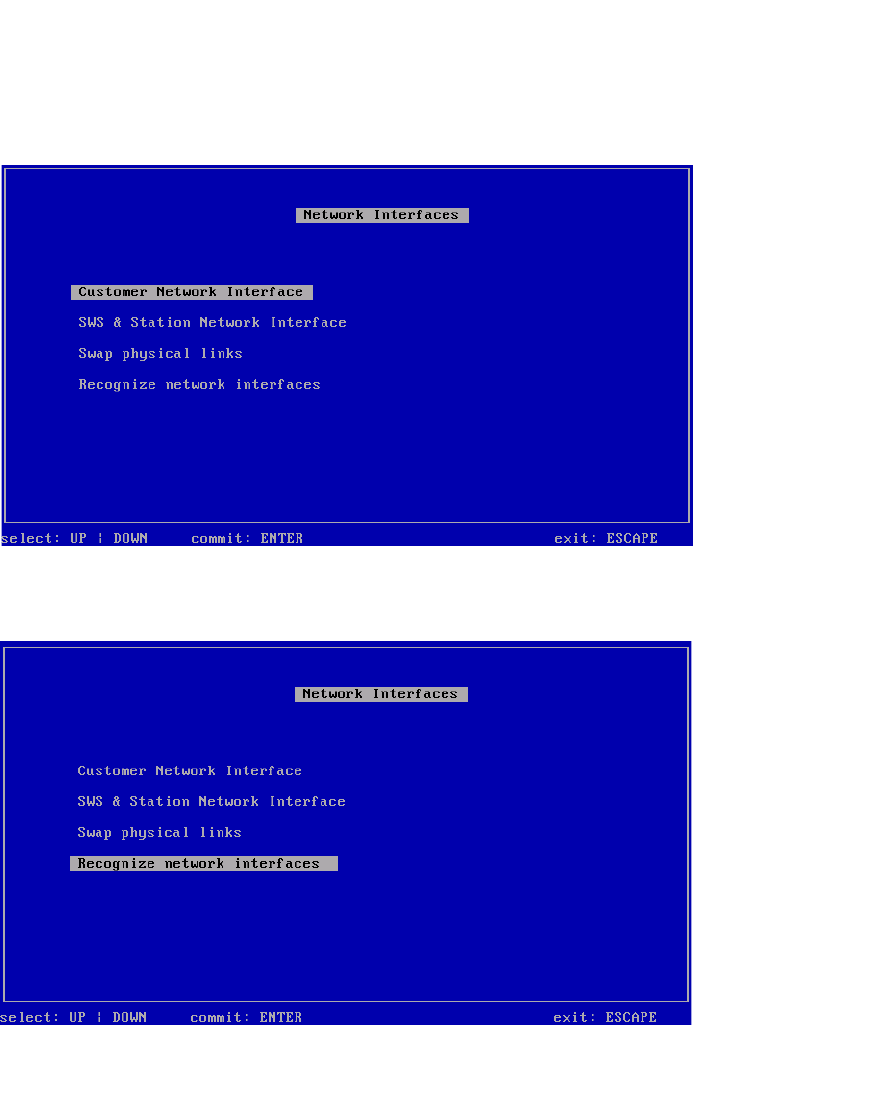
Fig. 72 Customer Network Interfaces menu
Select Recognize network interfaces and confirm with Enter.
3
Fig. 73 Recognize network interfaces menu
Confirm Recognize network interfaces with Enter.