00195988-02_IM_SWS-Software-2.1_DE_EN.pdf - 第98页
Installation Manual SIPLACE SWS Software 2.1 Edition 05/2014 98 2 Fig. 19 Reformatting the disk Select the following: Y Confirm with Enter . 2 Fig. 20 Process start for disk Select the following: Y Confirm with E…
Installation Manual SIPLACE SWS Software 2.1
Edition 05/2014
97
2
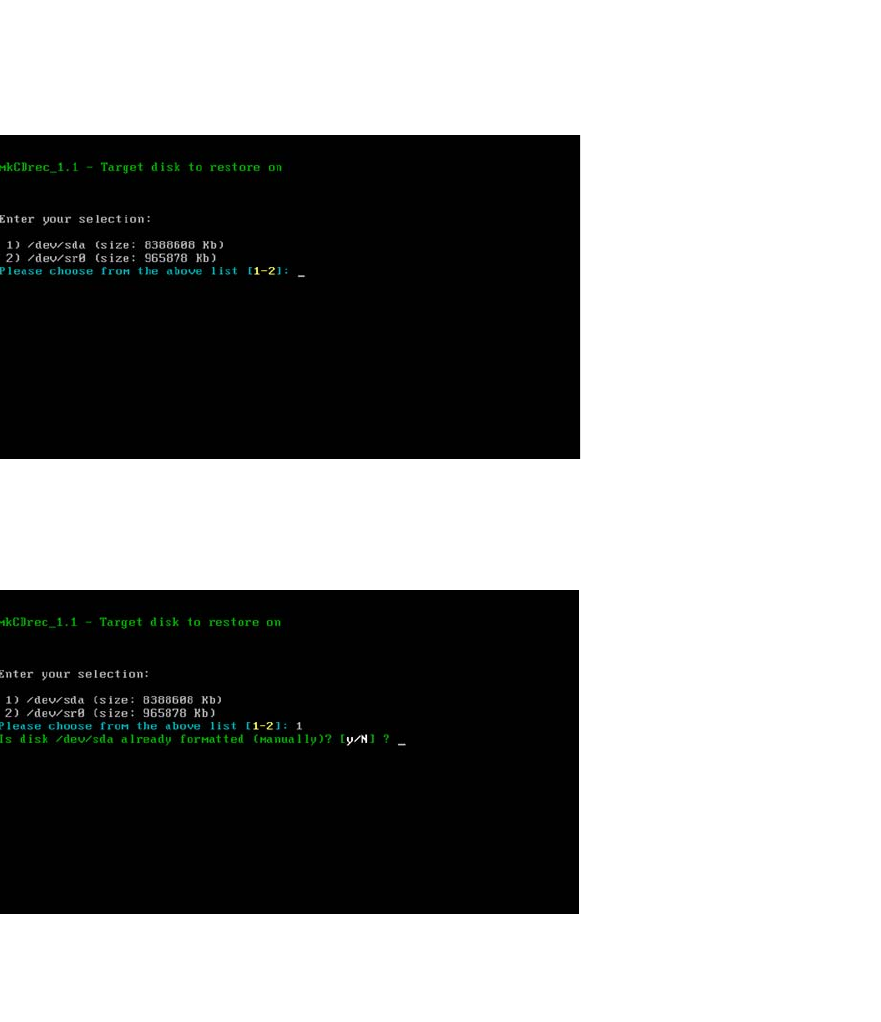
Fig. 17 Backup target disk
Enter the following: 1
Confirm with Enter.
2
Fig. 18 No manual formatting of disk
Select the following: N
Confirm with Enter.
Installation Manual SIPLACE SWS Software 2.1
Edition 05/2014
98
2
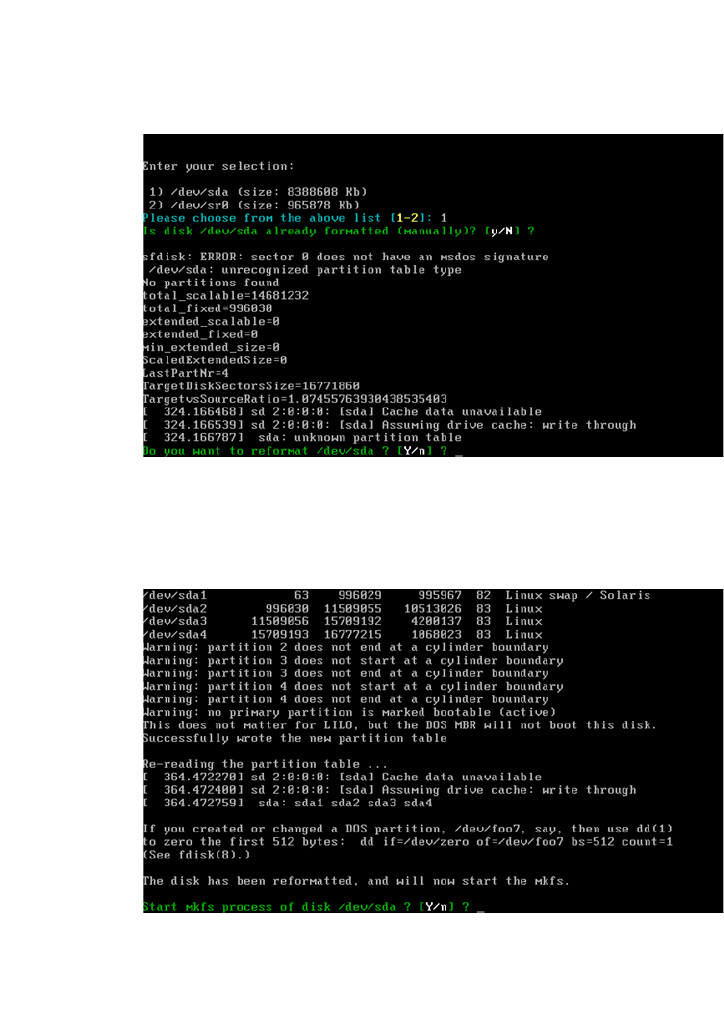
Fig. 19 Reformatting the disk
Select the following: Y
Confirm with Enter.
2
Fig. 20 Process start for disk
Select the following: Y
Confirm with Enter.
2
Installation Manual SIPLACE SWS Software 2.1
Edition 05/2014
99
2
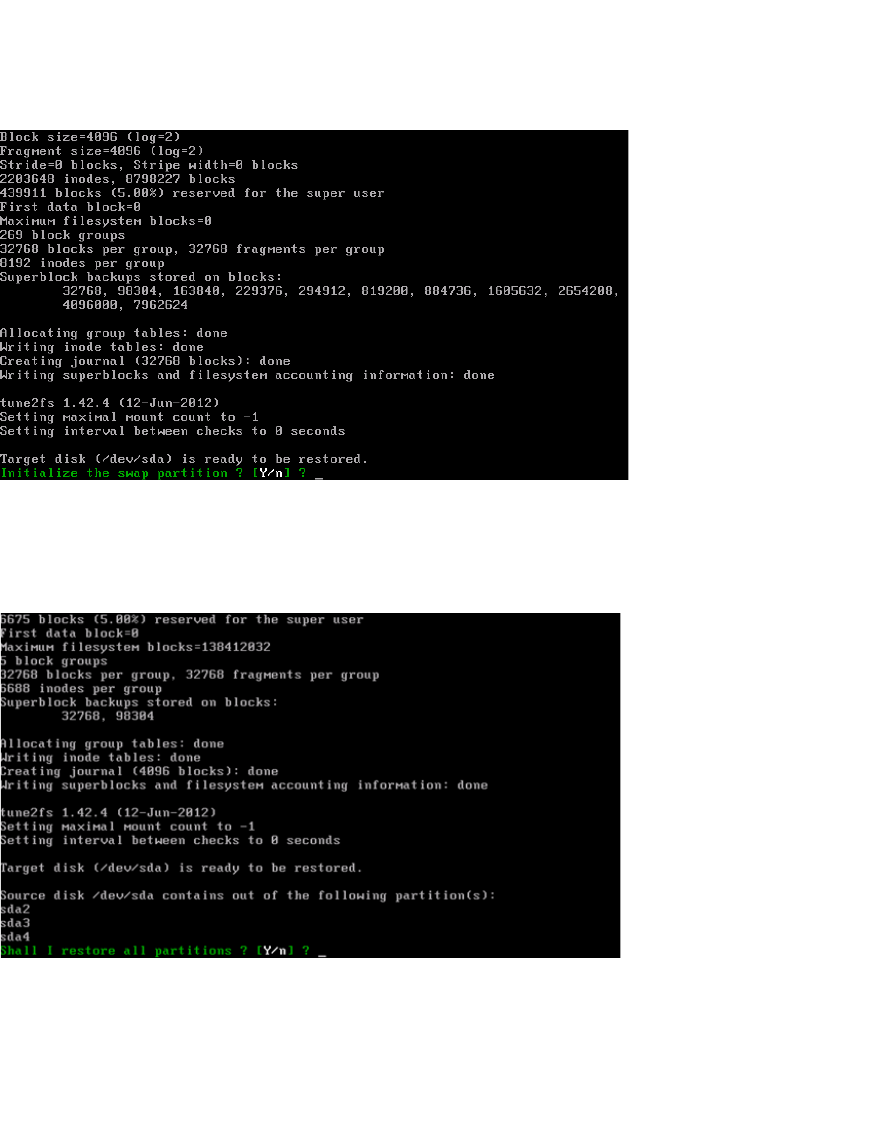
Fig. 21 Initializing the swap partition
Select the following: Y
Confirm with Enter.
2
Fig. 22 Restoring the entire disk
Select the following: Y
Confirm with Enter.
Wait until the disk has been formatted and installed.
Remove the CD/DVD from the computer drive.