00195655-04_SM_X-Series_FSE_en.pdf - 第47页
Service Work 3.3.3 Replacing Gantries Gantries Service Manual (internal ver sion) SIPLACE HF and X Series 47 3.3.3 3 . 3 . 3 R e p la c in g G a n t r ie s Replacing Gantries Overview of gantry versions ▪ SIPLACE HF to M…
Service Work
Gantries 3.3.2 Replacing the Guide Trolley [00386872-xx]
46 Service Manual (internal version) SIPLACE HF and X Series
3.3.2.3
3.3.2.3 Removing the Guide Trolley
Removing the Guide Trolley
3.3.2.4
3.3.2.4 Fitting the Guide Trolley
Fitting the Guide Trolley
► Now fit the X motor or the head mount with all the relevant connection leads.
► Fit the limit switch – if present (no longer necessary from A364).
► Dismantle the X incremental encoder.
► Install the PCB camera.
► Fit the placement head.
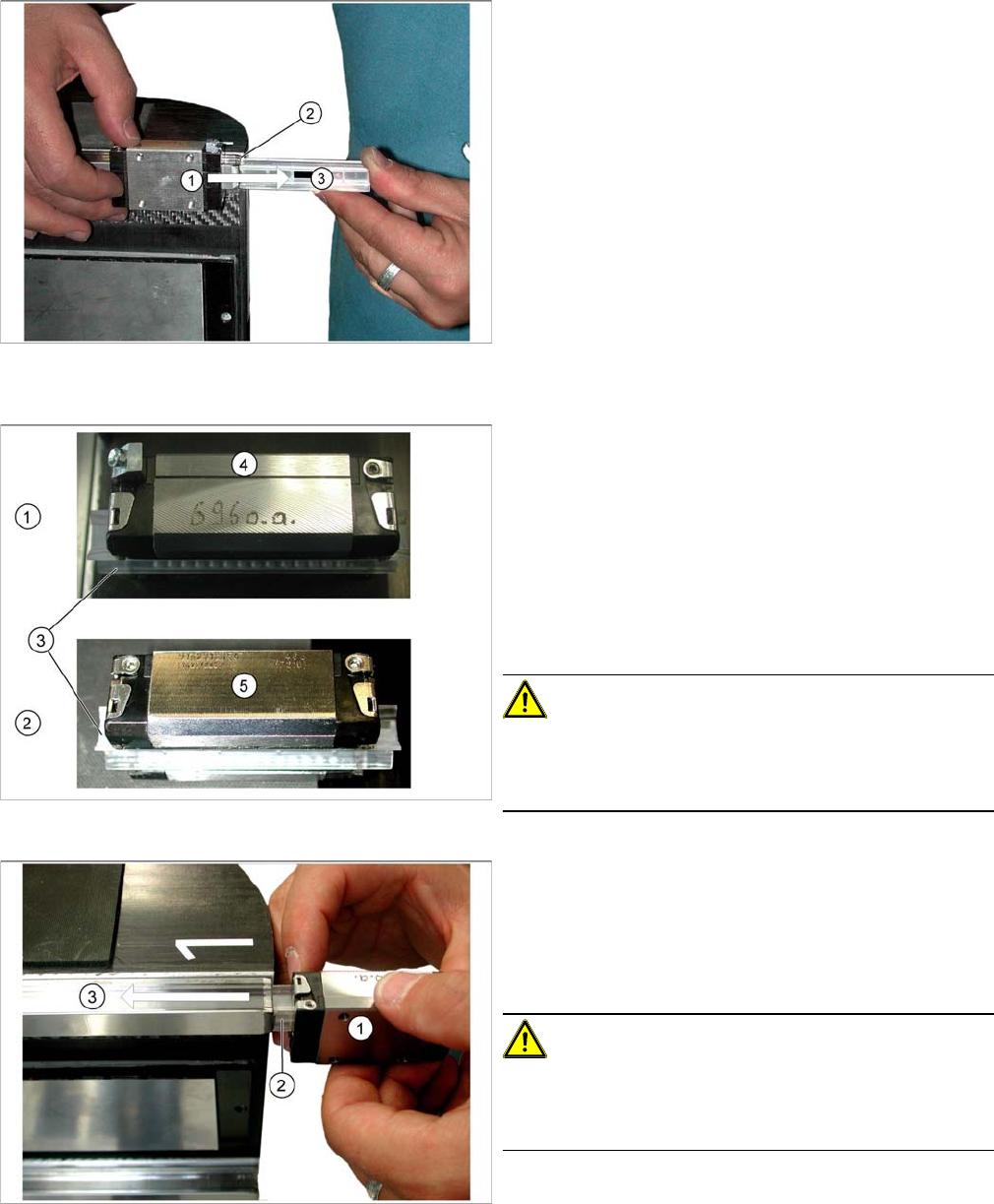
The spare parts kit includes 4 insertion tools, which
should be used to help you remove the guide trolley.
These should ensure that the guide trolley is sent back for
quality analysis in its "installation state".
Removal is identical for all guide trolleys (1).
► Dismantle the two stoppers on the X guide rails.
► Position the insertion tool (3) exactly on the linear
guide rails (2).
► Push the guide trolley onto the insertion tool (3).
All guide trolleys have an upper side (1) and an underside
(2).
▪ The upper side (1) has a smoothed stopper edge (4).
Ensure that this side always points upwards in all in
-
stallation positions.
▪ The underside (2) has just been mill cut (5) and has
no stopper edge.
▪ All guide trolleys are supplied with an insertion tool
(3).
CAUTION!
Do not pull out the insertion tool!
Never pull out the insertion tool before fitting the guide
trolley.
Installation is identical for all guide trolleys (1).
► Position the insertion tool (3) exactly on the linear
guide rails (2).
► Push the guide trolley off the insertion tool (3) and
onto the linear guide rail.
CAUTION!
Do not damage it!
Make sure that the guide trolley is not damaged when you
push it.
Service Work
3.3.3 Replacing Gantries Gantries
Service Manual (internal version) SIPLACE HF and X Series 47
3.3.3
3.3.3 Replacing Gantries
Replacing Gantries
Overview of gantry versions
▪ SIPLACE HF to Ma. No. A219: [03020302Sxx]
▪ SIPLACE HF from Ma. No. A220: [03025822Sxx]
▪ SIPLACE X-Series to Ma, No. B078: [03025822Sxx]
▪ SIPLACE X-Series from Ma. No. B079: [03039725-xx]
▪ SIPLACE D3, SIPLACE X4i gantry 2+4: [03039725-xx]
▪ SIPLACE X4I gantry 1+3: [03027255-xx]
Preparation
► Dismantle the placement head.
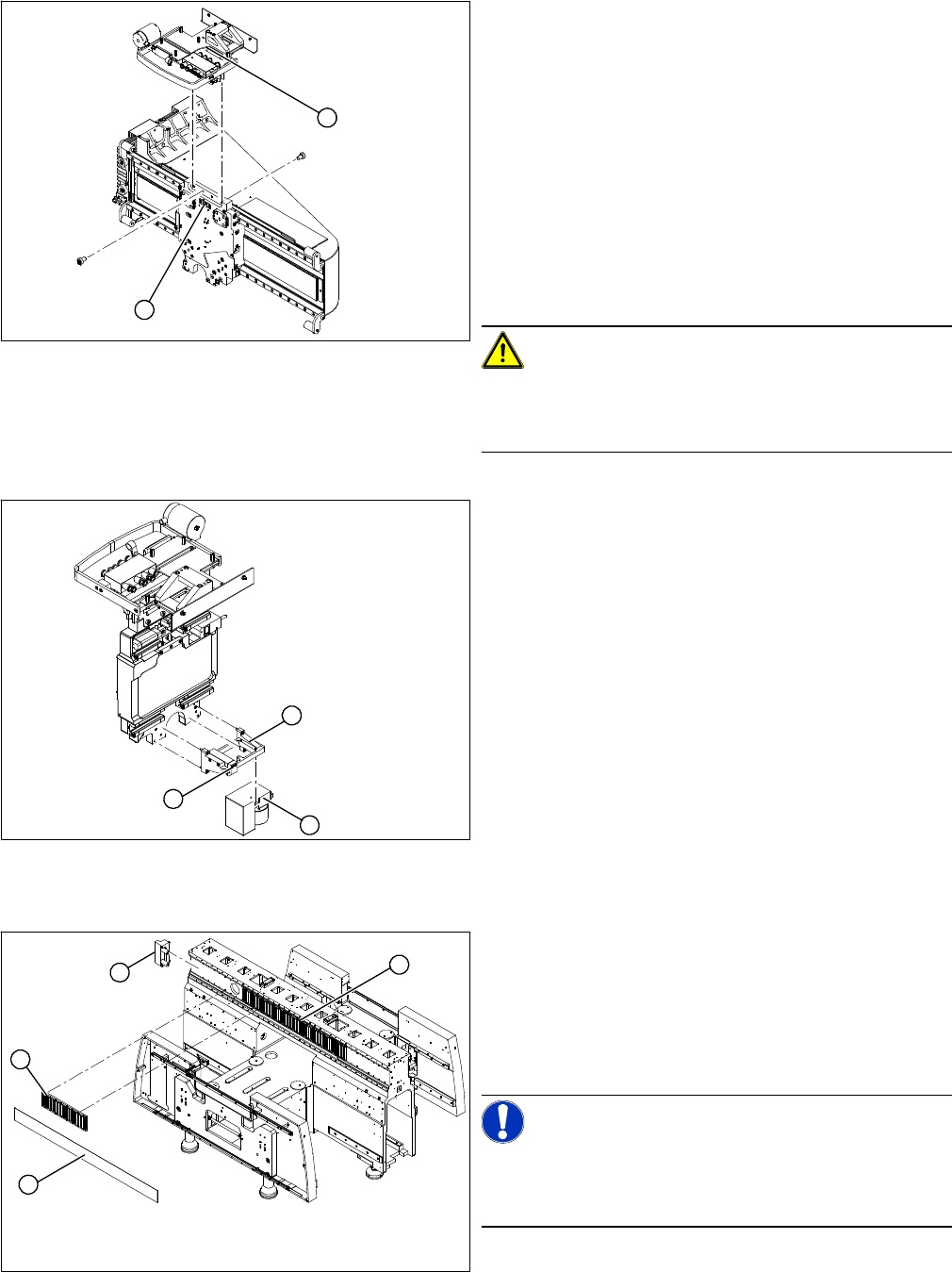
► Remove the head adapter board (3). The X mount fixtures (2) are now accessible.
► Unplug the following cables from the head board (5) and remove them from the X mount (2):
▪ X motor cable
▪ The Y axis incremental encoder
▪ Temperature sensor (if supplied).
Tools and equipment
▪ Blue covers [00355787-xx]
▪ Torque wrench [00376625-xx]
▪ Set of socket wrenches [00376516-xx]
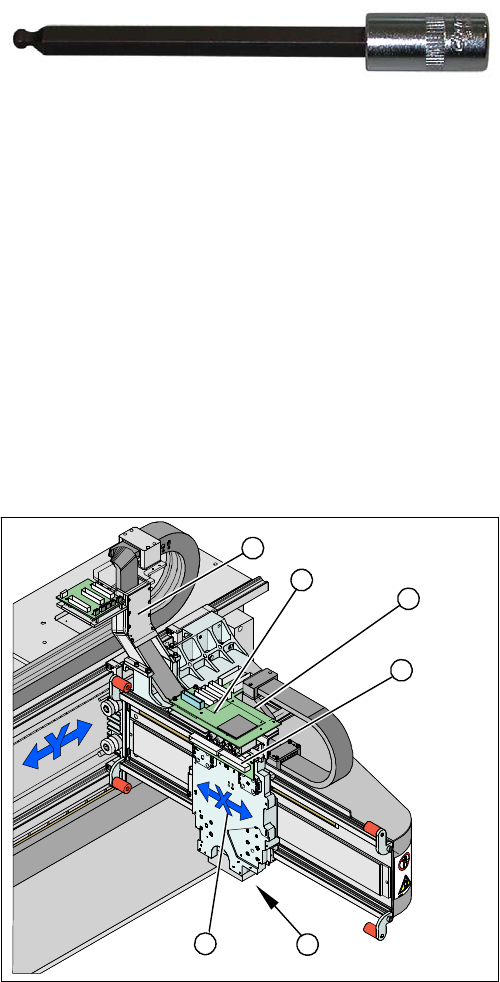
▪ Hexagonal ball-head insert ¼" size 5 100 mm
[00386341-xx]
see adjacent photo.
Depending upon the configuration of the machine, you
will need to remove the relevant assemblies, covers and
cover plates before you can dismantle the gantry.
1. X drive (primary) with head mount
2. X mount with trailing cable
3. Head adapter board
4. Mount with PCB camera
5. Head board
6. Trailing cable console
5
5
6
1 4
3
2
Service Work
Gantries 3.3.3 Replacing Gantries
48 Service Manual (internal version) SIPLACE HF and X Series
Dismantling the Magnet Cover and the Magnetic Strip
► Remove the long magnetic strip (4).
► Close the magnet cover plate and fix it to the machine base.
► Unplug the proximity switch cable (2) and pull it for
-
wards, out of the head mount.
► Undo the 8 screws (4 x at front/ 4x at back) fastening
the X mount (1) and pull these up and out, together
with the trailing cable.
► Loosen the two trailing cable pressure plates on the
X gantry.
► Remove the trailing cable as far as the trailing cable
console (see "3.3.1.7 Replacing the Trailing Cable
(IGUS) for D3/X4I/X Series from B-079 [03021065-
xx]" [ ➙ 36]).
► Fasten the X mount at a suitable point.
CAUTION!
Make sure that the flat ribbon cable and the pneumatic
hoses are not rubbed against any parts or folded. Look
out for sharp edges.
► Undo the 4 screws fastening the PCB camera mount
(1). Remove the complete unit, including PCB cam
-
era (3) and damping bracket (2).
► Remove the connection cable fixtures from the gan
-
try.
► For strain-relief purposes, fix the mount (1) to a suit
-
able place. Take care not to damage the camera.
2
1
1
3
2
► Lift the magnet cover plate (1) at the side with the
long magnetic strip and then fix the end of the cover
plate to the X gantry with adhesive tape. You can now
access the long magnetic strip.
► Lever up the blue covers and loosen the 16 screws
fastening the long magnetic strip (4).
NOTICE!
If the blue cover is damaged (kinks, cracks etc.), replace
it during reinstallation. White or pale patches in the plastic
indicate areas of damage.
1
4
3
2