00195655-04_SM_X-Series_FSE_en.pdf - 第93页
Service Work 3.5.2 Settings the C&P20 (FSE) Jaws C&P20 Placement Head Service Manual (internal ver sion) SIPLACE HF and X Series 93 Final work ► Attach the two new dead indexing plates (not the ones you remov ed,…
Service Work
C&P20 Placement Head 3.5.2 Settings the C&P20 (FSE) Jaws
92 Service Manual (internal version) SIPLACE HF and X Series
Setting the jaws
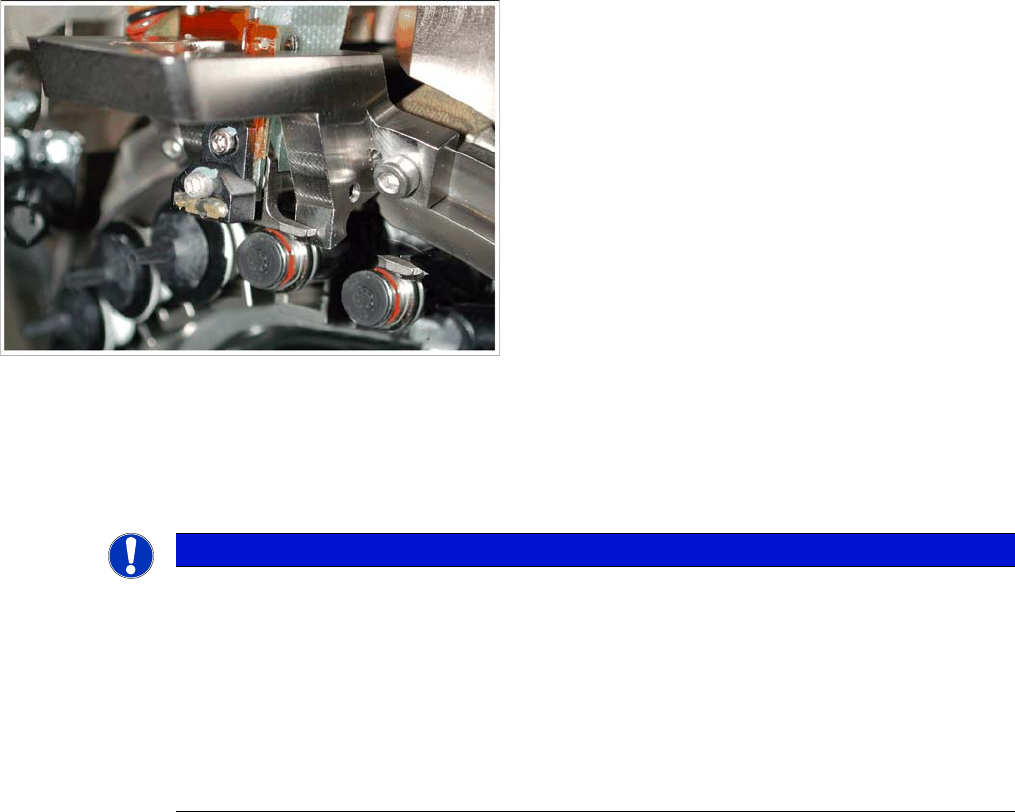
► Make sure that the Z axis is located between the two segments without dead indexing plates and
that you can see the Phillips screw.
Fitting the setting gauge onto the C&P20 head
NOTICE
If
► The side stopper (stop pin) of the gauge presses against the jaws so that these can not be
moved.
Procedure: if it is not possible to push the 0.04 feeler gauge between the jaws and the stop
pin of the gauge, make sure that the jaws lie flat against contact surfaces 2a and 2b of the
gauge.
► The jaws can not be pressed against the side stop (stop pin) of the gauge.
Procedure: In this case, push the jaws as far as possible towards the stop pin. Do not push
the jaws with force against the stop pin of the gauge.
Service Work
3.5.2 Settings the C&P20 (FSE) Jaws C&P20 Placement Head
Service Manual (internal version) SIPLACE HF and X Series 93
Final work
► Attach the two new dead indexing plates (not the ones you removed, these could be damaged). At
-
tach nozzles, if required.
► Remove the hose piece from the return unit.
► Fit the remaining parts and install the head in the machine.
► Connect all cables and hoses.
► Switch the placement machine on.
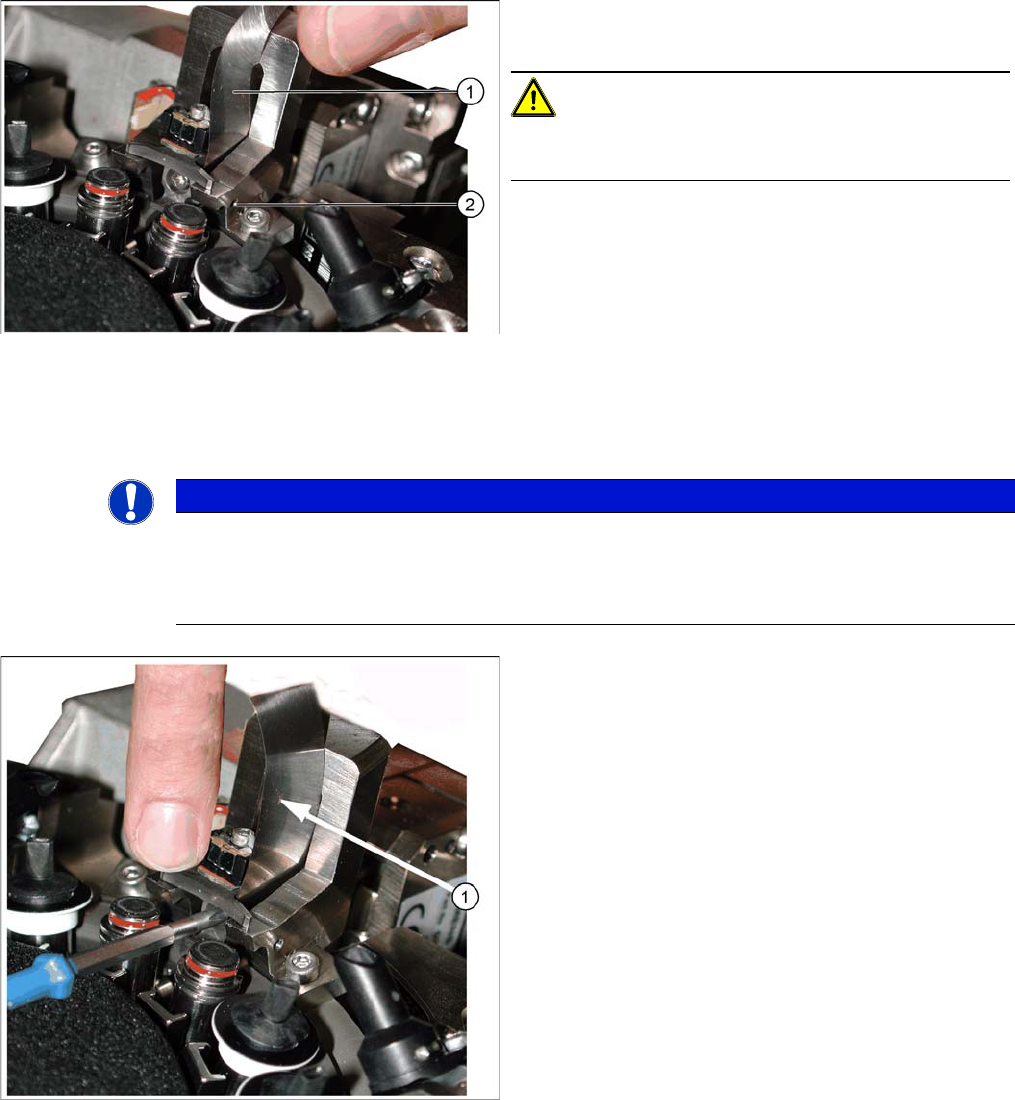
Correct setting with feeler gauge
1. Feeler gauge 0.04 mm
2. Stop pin (drilling for pin, view from outside)
CAUTION!
The stop pin is fixed with adhesive. Do not adjust the stop
pin.
► Place a 0.04 mm feeler gauge between the jaws and
the side stop in the setting gauge.
► Move the jaws so that they are against the two con
-
tact surfaces and the side stop (stop pin) + feeler
gauge.
► Hold the jaws in this position and tighten the Phillips
screw with the torque wrench (torque 35 Ncm) (see
next diagram).
NOTICE
Snap jaws
Make sure that the jaws lie flat against the contact surfaces and the side stop and do not turn.
Use the 0.01 feeler gauge to check that the jaws are really against the contact surfaces of the
gauge (through own weight).
Tightening the screws fastening the jaws
► Pull out the feeler gauge (1) and test with the 0.01
feeler gauge. This should fit easily between the stop
pin and the jaws.
► Carefully tip the setting gauge to remove it, without
hitting the jaws.
► Feed the segment ball bearing back into the Z axis
jaws.
Service Work
C&P20 Placement Head 3.5.2 Settings the C&P20 (FSE) Jaws
94 Service Manual (internal version) SIPLACE HF and X Series
Determining the zero point correction value for the star and Z axis
The menu for determining the zero point correction value is only accessible with the SIPLACE SERVICE
password!
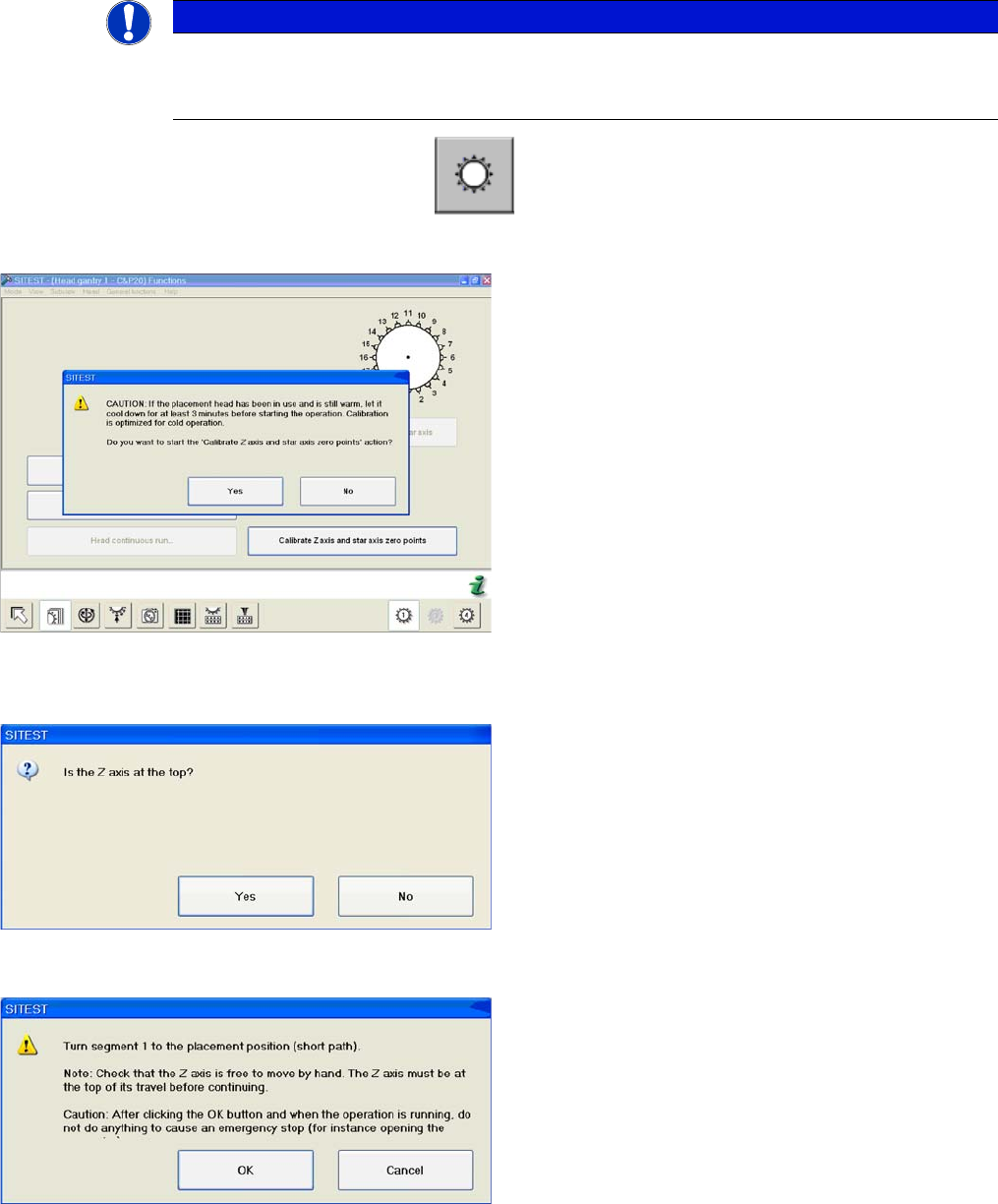
► Start SITEST --> Head Functions .
► Click on the Calibrate Z axis and star axis zero points button.
The calibration process will begin and the new Z axis and star axis zero point correction values will be
stored in the Achs_ver.ma and on the head EPROM.
NOTICE
Calibration
The function Calibrate zero point correction should be carried out after service work to the
C&P20 head.
Calibrating the Z axis and star axis zero point correction
values
► You may need to wait 3 minutes, until the head has
cooled down.
► Confirm the question shown with YES.
Z axis up request for confirmation
► Check the position of the Z axis and click on YES.
Turning segment 1 manually into the placement position
► Switch the Z axis off at the axis card.
► Rotate the star with segment 1 by the shortest route,
into the placement position.
► When the segment is moved out (Z axis down), check
that the segment ball bearing is in the center of the
jaws.
► Switch the Z axis back on at the axis card.
► Press the Start button on the machine.
► Click on OK on your screen.