00195813-08_IM_605_03_SP4_DE EN.pdf - 第31页
Station S oftware 60 5.03 SP4 / Ins tallation M anual Ausgabe 04/2013 E dition 31 5.4.1 Language Selection ► Sel ect the lang uage to be used duri ng install ation. You can c hoose bet ween German (Germ any) and English …
Station Software 605.03 SP4 / Installation Manual Ausgabe 04/2013 Edition
30
5.4 Installing the SIPLACE Software (Station Software 605.03 SP4)
NOTICE
The installation requires approx. 30 minutes.
If a predecessor version of the station software is already installed on the station
computer, it need not be uninstalled before installing the new version; it can instead be
removed during the installation procedure (see section 5.4.3).
For uninstalling the SIPLACE software manually see chapter 6.
► Switch on the SIPLACE placement machine.
► Log in to the station computer as Administrator.
(Keep the Shift key pressed as soon as the Windows XP logo appears)
► Insert the installation CD in the drive.
► Open the Explorer and start "setup.exe" under drive E: by double clicking it.
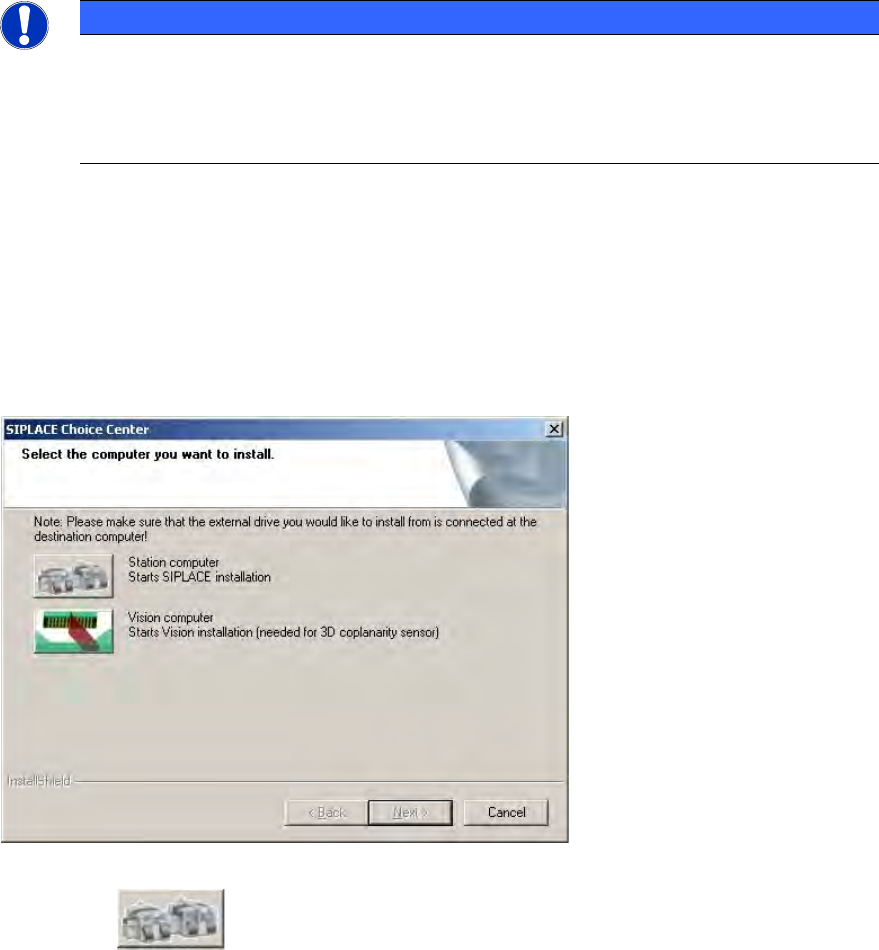
The "SIPLACE Choice Center" dialog box is opened.
Figure 5-16: "SIPLACE Choice Center" dialog box
► Click the "Station computer" button.
A check is carried out to determine whether a predecessor version of the station software is
installed. If this is the case, the routine for uninstalling the predecessor version is called before
actual installation starts (see chapter 6).
Installation of the station software continues with the selection of the language.
Station Software 605.03 SP4 / Installation Manual Ausgabe 04/2013 Edition
31
5.4.1 Language Selection
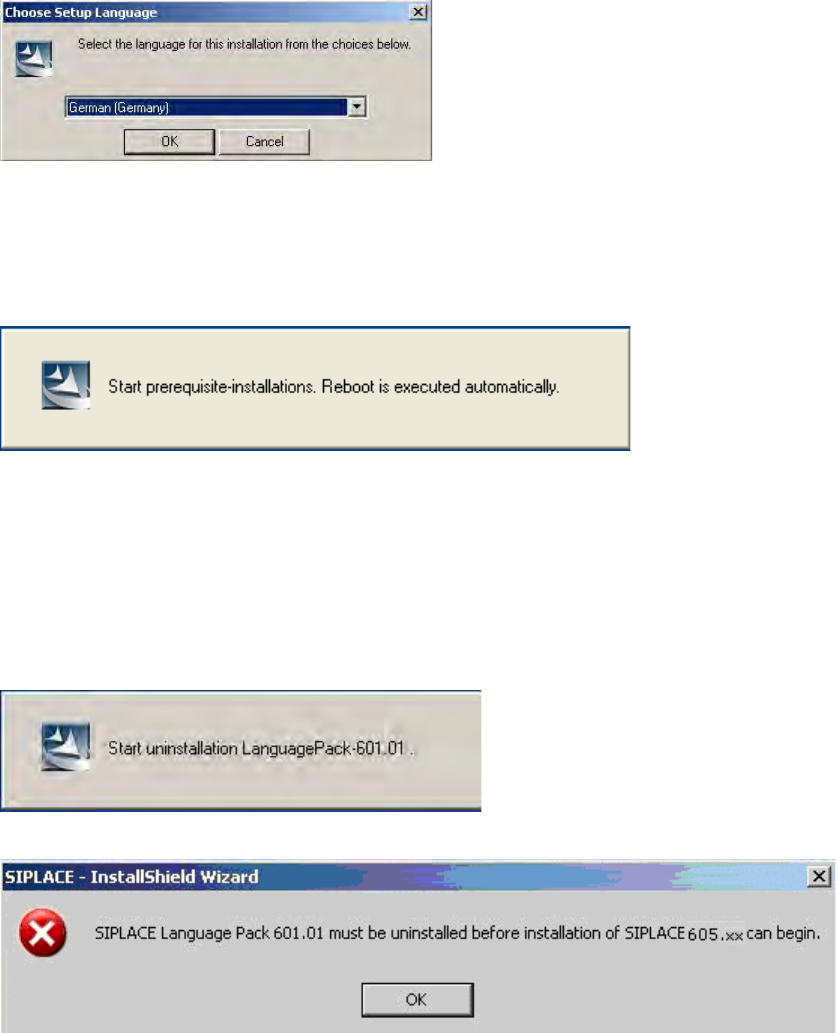
► Select the language to be used during installation.
You can choose between German (Germany) and English (United States).
Figure 5-17: Language selection
► Click the OK button.
5.4.2 Installing the System Files
The necessary system files are installed if they are not already on the station computer. The station
computer is rebooted automatically after installation. You are automatically logged in as
administrator.
5.4.3 Uninstalling Language Pack of a Previous Version (If Installed)
If a Language Pack of a previous version is still installed on the computer, uninstallation is started
automatically.
If uninstallation of the Language Pack is cancelled, the following error message appears::
► Click the OK button.
Installation of the station software is canceled and must be restarted.
Installation of the station software continues with the welcome screen.
Station Software 605.03 SP4 / Installation Manual Ausgabe 04/2013 Edition
32
5.4.4 Welcome Screen
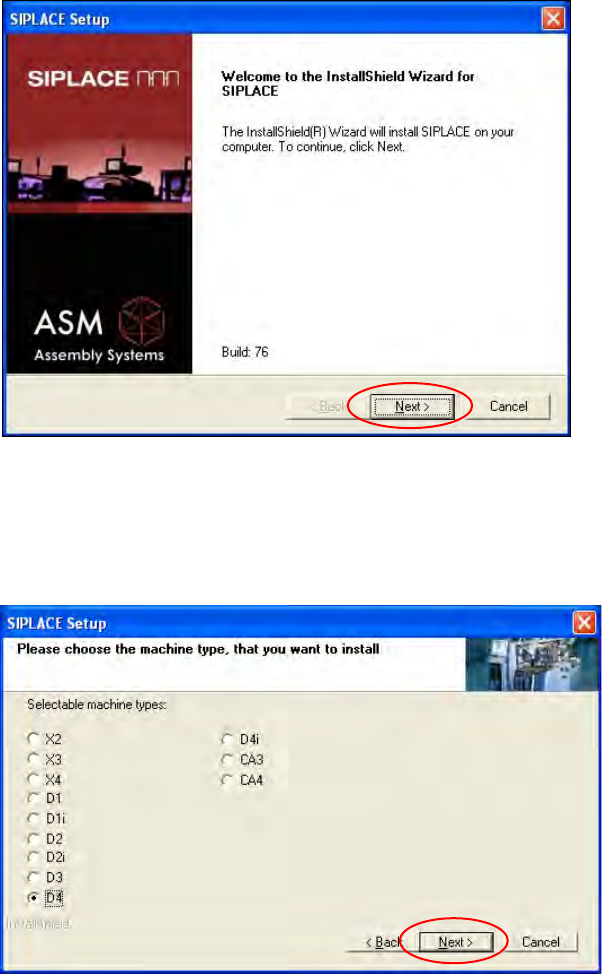
Figure 5-18: Welcome screen
► Click the Next button
5.4.5 Selecting the Machine Type
Figure 5-19: Selecting the machine type
► Select the option for the machine type for which the software is to be configured.
► Click the Next button