00197184-03_IM_Celsius_W520LLC_Windows7_EN.pdf - 第23页
Celsius W 520 w ith W indows 7 03/2014 Editio n 23 Figure 3- 29 : Keyboard Language Selection of Recovery Option ► Select th e languag e of your ke y board. ► Click the Nex t > button to continue . Figure 3- 30 : Logi…
Celsius W520 with Windows 7 03/2014 Edition
22
3.2 Before you continue
NOTICE
Additional Actions required
Please follow the steps in the chapter “After Installation
” before you continue preparing
your computer for the use with SIPLACE Software.
3.3 Resetting configuration to the original delivery state
The pre- installed Windows 7 installation has an option to revert back to the delivery state.
You can use this option if you run into problems with your current installation or you want to revert
all changes made to the system.
WARNING
Unsaved data will be lost
When you reset the system to the delivered state, all previous data on the hard disk will
be deleted. Please ensure you’ve backed up all important data to a different media.
To reset the system to the delivered state, you have to perform the following actions.
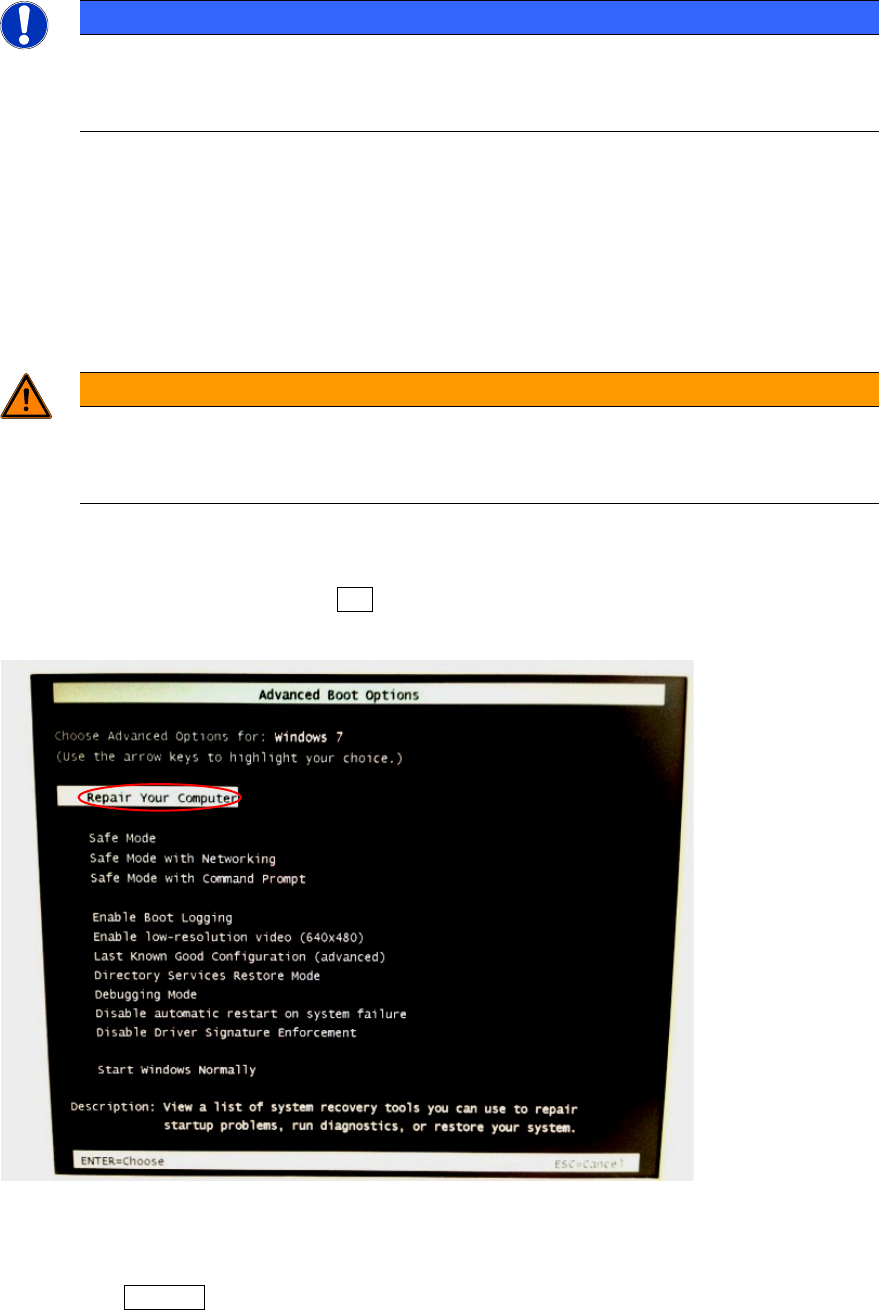
► Power on your system and hit the F8 key multiple times during the boot process.
The Windows 7 boot menu appears.
Figure 3-28: Windows 7 boot menu with Repair Option chosen
► Ensure the option "Repair Your Computer" is selected by hitting the appropriate arrow keys if
required.
► Press the ENTER key.
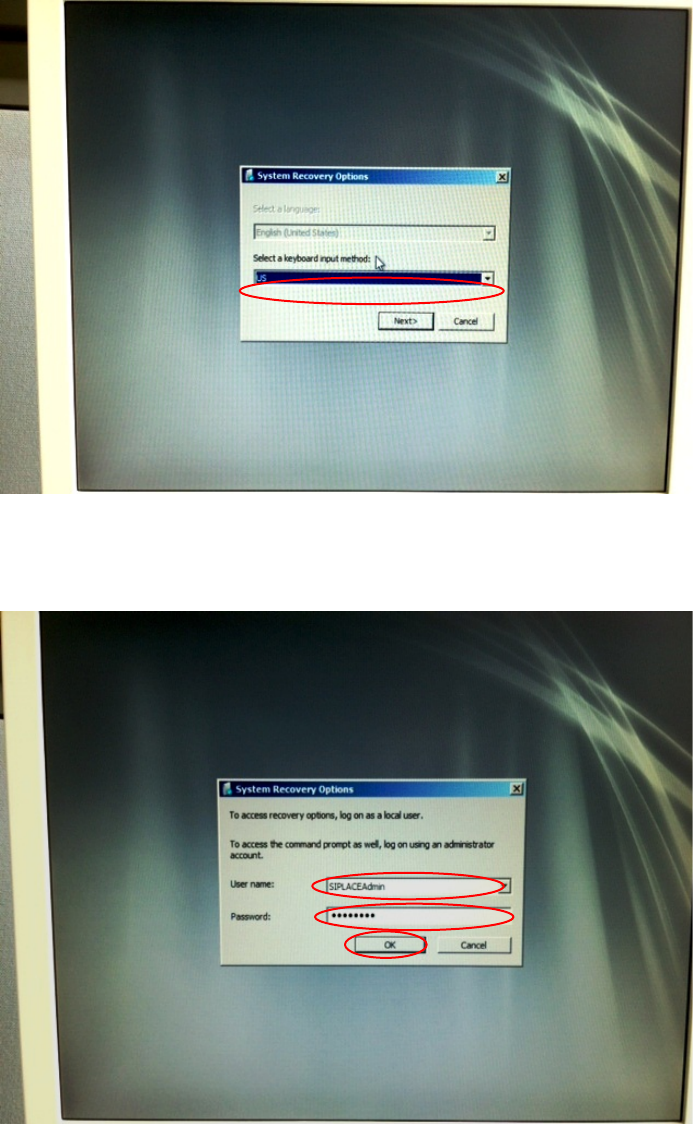
After a while, the following window will appear.
Celsius W520 with Windows 7 03/2014 Edition
23
Figure 3-29: Keyboard Language Selection of Recovery Option
► Select the language of your keyboard.
► Click the Next > button to continue.
Figure 3-30: Login for System Recovery Options
► Enter the user name of a valid administrative account, e.g. SIPLACEAdmin.
► Enter the appropriate password for the account.
► Click the OK button to continue.
Celsius W520 with Windows 7 03/2014 Edition
24
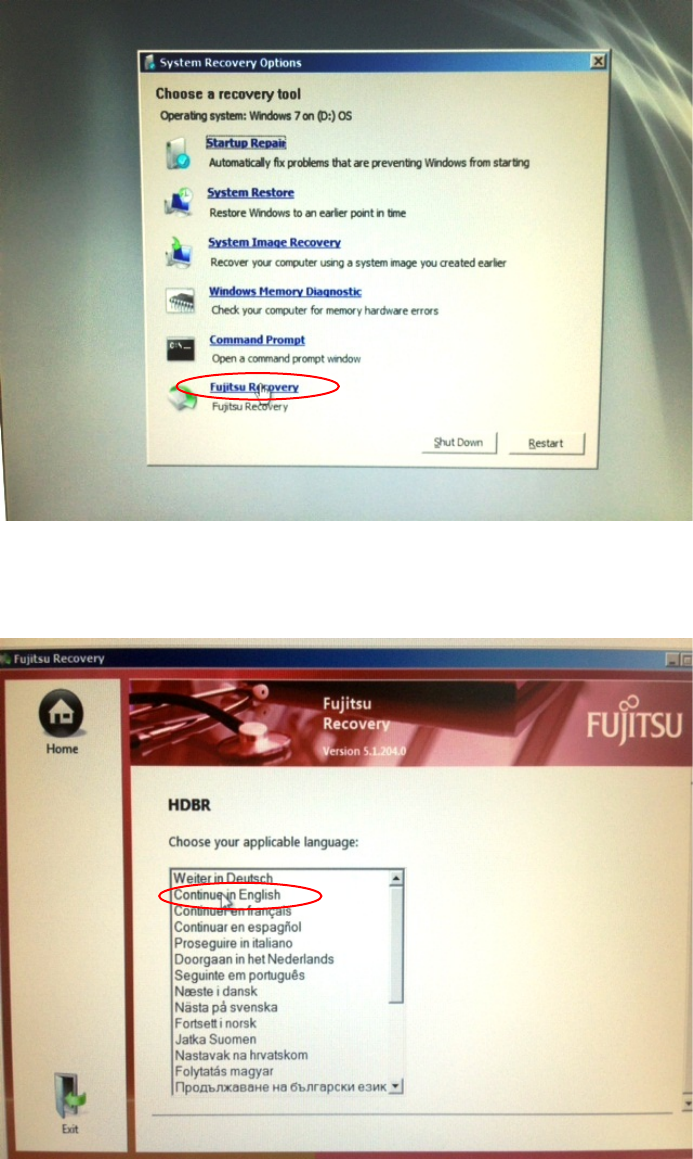
Figure 3-31: System Recovery Options selection
► Click the option "Fujitsu Recovery".
This will get you to the recovery of Fujitsu.
Figure 3-32: Recovery Options Language Choice
► Choose the language for recovery.
After you've chosen the language, an arrow button will be available.