00197184-03_IM_Celsius_W520LLC_Windows7_EN.pdf - 第24页
Celsius W 520 w ith W indows 7 03/2014 Editio n 24 Figure 3- 31 : System Recovery Options sel ection ► Click t he option " Fujitsu R e covery ". This will get you t o the reco very of F ujitsu. Figure 3- 32 : R…
Celsius W520 with Windows 7 03/2014 Edition
23
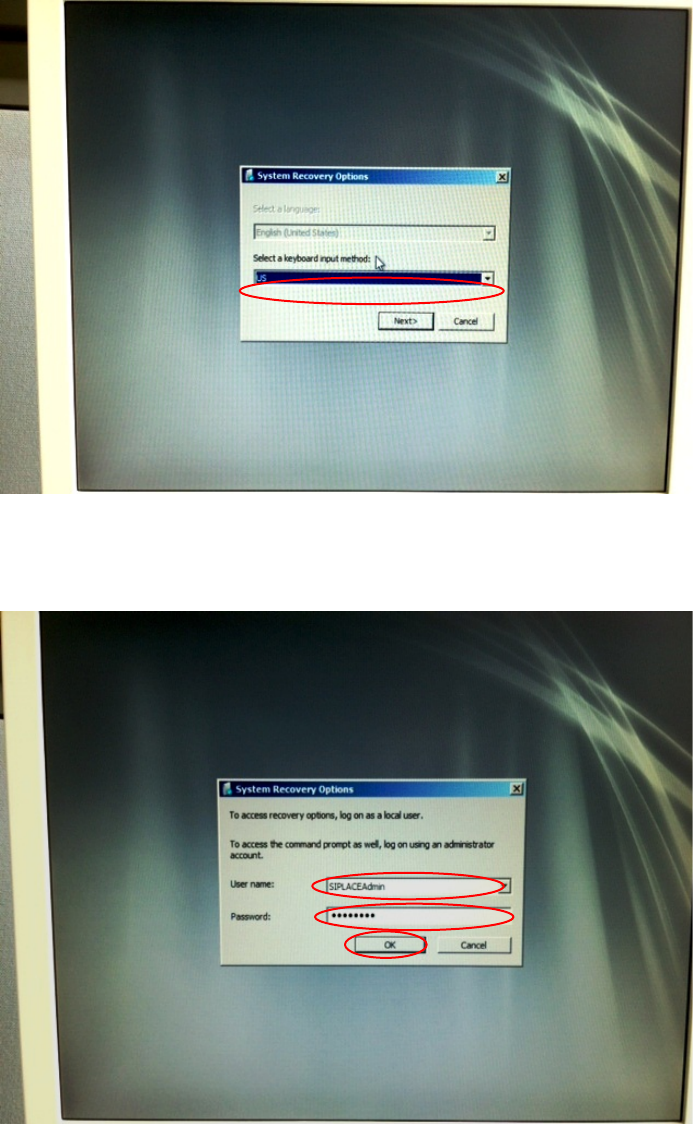
Figure 3-29: Keyboard Language Selection of Recovery Option
► Select the language of your keyboard.
► Click the Next > button to continue.
Figure 3-30: Login for System Recovery Options
► Enter the user name of a valid administrative account, e.g. SIPLACEAdmin.
► Enter the appropriate password for the account.
► Click the OK button to continue.
Celsius W520 with Windows 7 03/2014 Edition
24
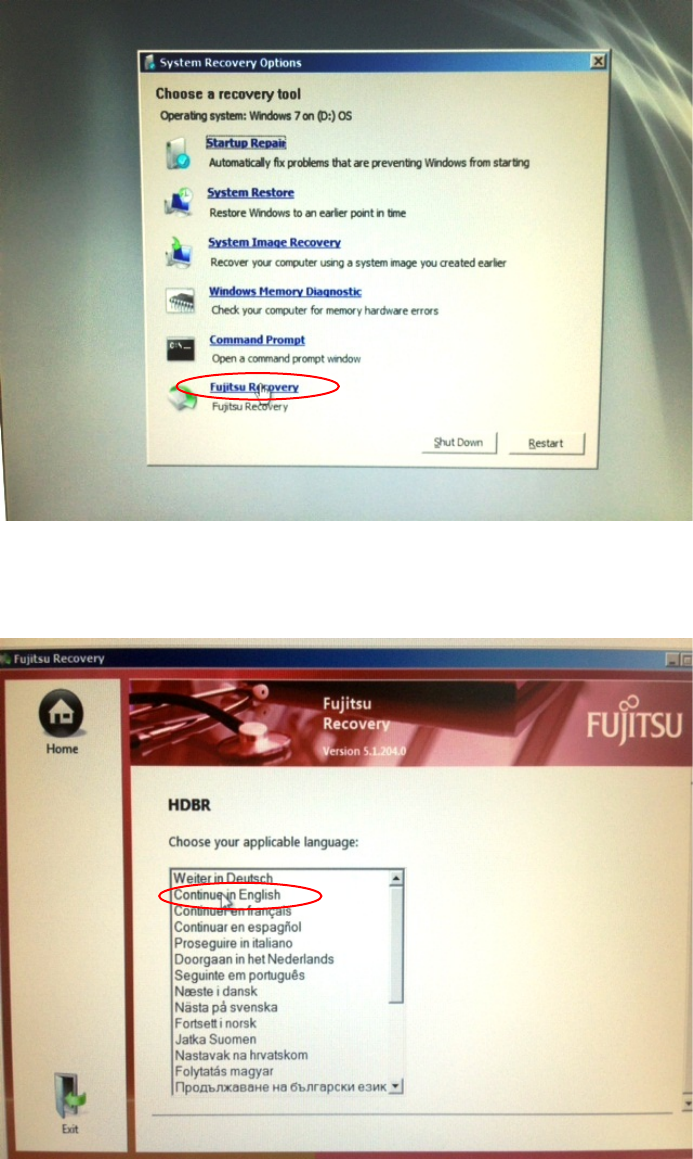
Figure 3-31: System Recovery Options selection
► Click the option "Fujitsu Recovery".
This will get you to the recovery of Fujitsu.
Figure 3-32: Recovery Options Language Choice
► Choose the language for recovery.
After you've chosen the language, an arrow button will be available.
Celsius W520 with Windows 7 03/2014 Edition
25
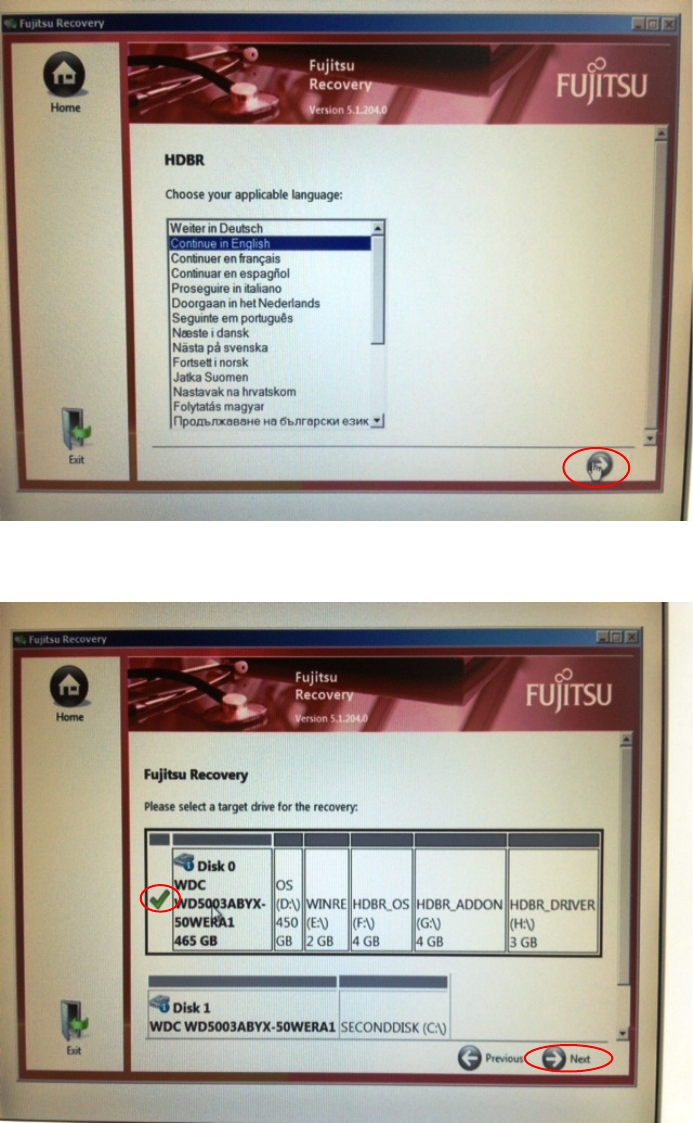
Figure 3-33: Recovery Options Language Choice with right arrow button
► Click the button with the arrow to the right to continue.
Figure 3-34: Recovery Options Target Drive Selection
► Ensure the first hard disk is selected as target.
► Click the button with the arrow to the right with the text "Next" to continue.