00197184-03_IM_Celsius_W520LLC_Windows7_EN.pdf - 第31页
Celsius W 520 w ith W indows 7 03/2014 Editio n 31 After a c ouple of seconds, t he follo wing mes sage appear s. Figure 4-4 : “Press any key” message ► Press an y ke y to boot from the DVD. WARNING Ensure boote d from D…
Celsius W520 with Windows 7 03/2014 Edition
30
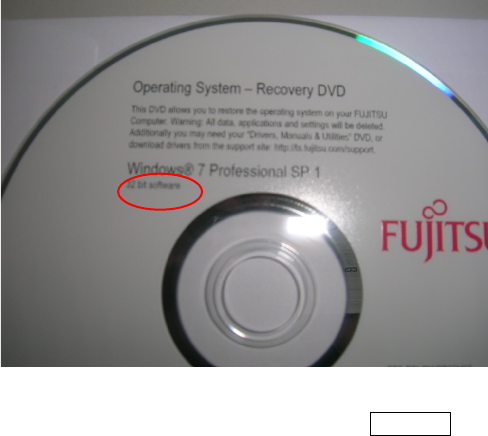
Figure 4-3: Windows 7 Professional, 32 bit DVD
► Insert the appropriate DVD and press the ENTER key.
Celsius W520 with Windows 7 03/2014 Edition
31
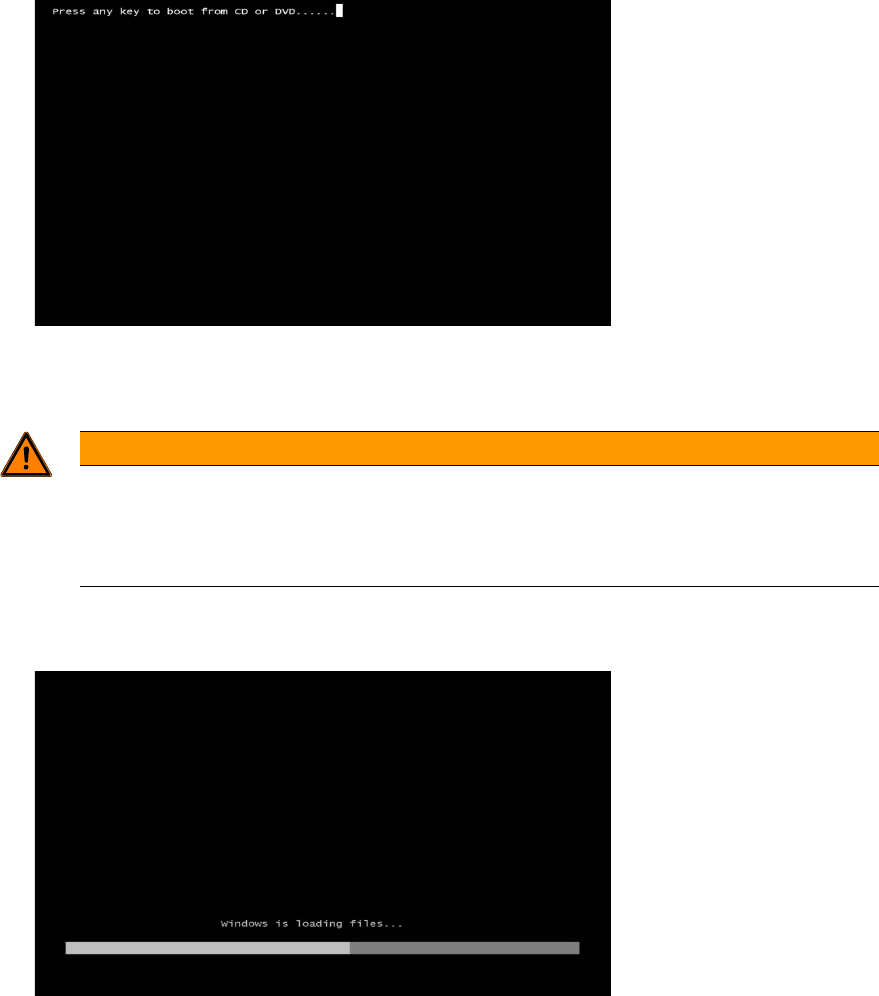
After a couple of seconds, the following message appears.
Figure 4-4: “Press any key” message
► Press any key to boot from the DVD.
WARNING
Ensure booted from DVD
Assuming that the hard disk already contains data / a previous installation, the
Press any
key message should appear. Ensure you don't confuse the DVD-based setup with the
pre-installed Windows Setup.
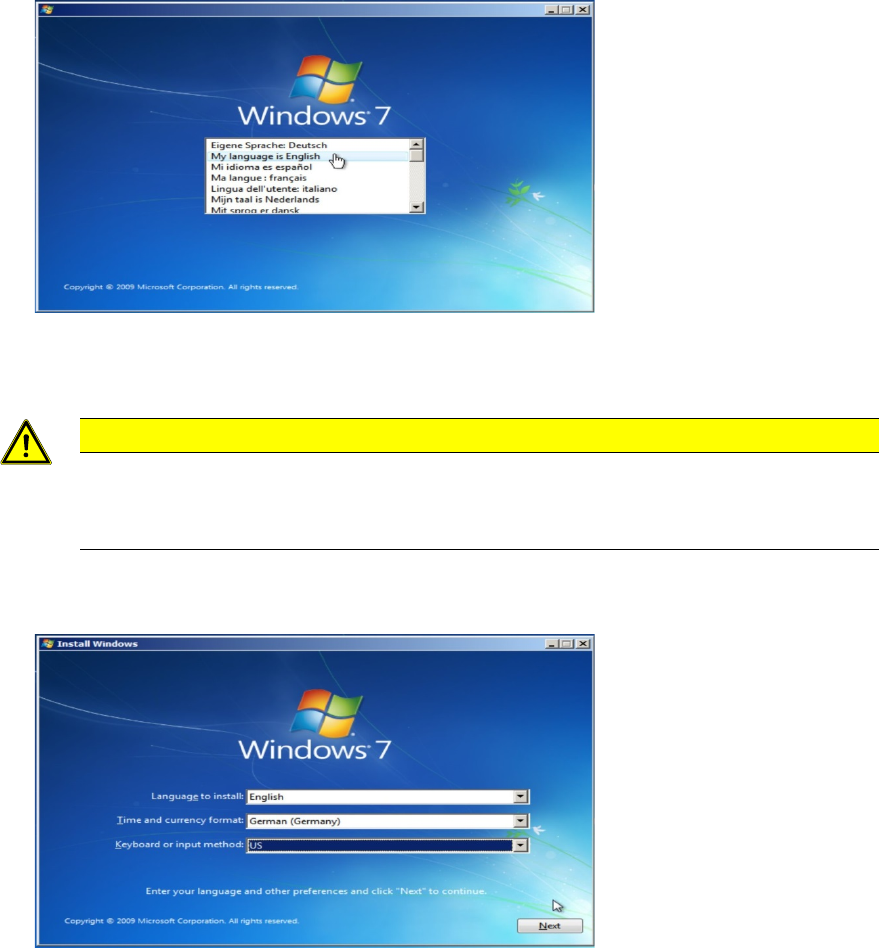
Windows will load some files from the DVD as shown in the following screenshot.
Figure 4-5: Windows is loading files
Celsius W520 with Windows 7 03/2014 Edition
32
After a while, the following dialog will appear.
Figure 4-6: Language selection
► Select the My language is English entry.
CAUTION
Click carefully
After clicking at one entry in this step, you can’t go back! If you clicked at the wrong
entry, you have to power off the computer and restart the whole procedure again!
The following window appears.
Figure 4-7: Regional settings
► Select English besides Language to install.
► Select the appropriate time and currency format.
► Select the appropriate keyboard layout. For SIPLACE Line Computers, the default is US.
► Click the Next button to continue.