00197184-03_IM_Celsius_W520LLC_Windows7_EN.pdf - 第49页
Celsius W 520 w ith W indows 7 03/2014 Editio n 49 Figure 4- 41 : Performance Information and T ools Window ► Click the " Rat e this c omputer " button . Figure 4- 42 : Windows measuring the System Performance …
Celsius W520 with Windows 7 03/2014 Edition
48
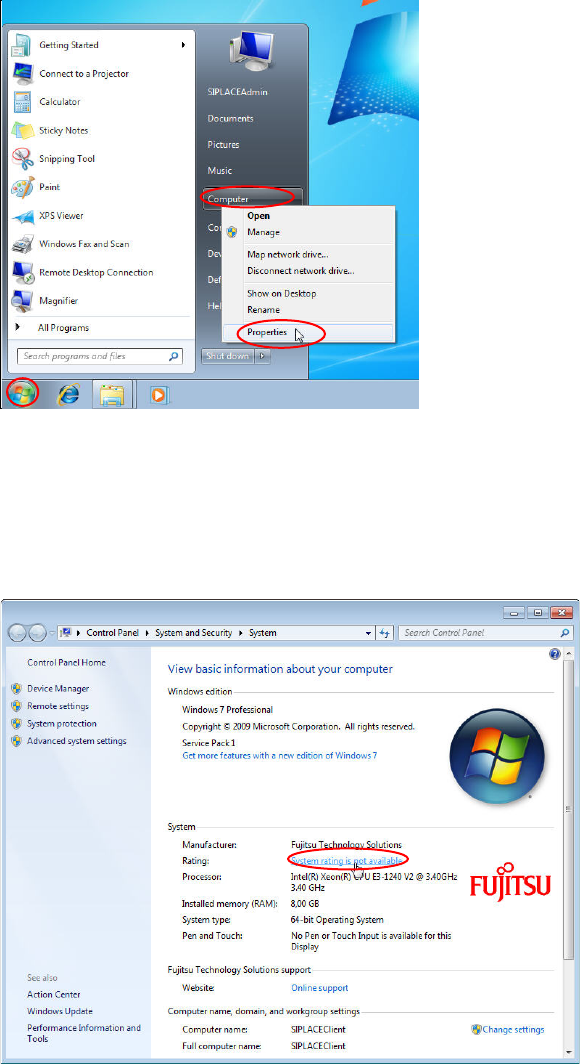
Figure 4-39: Opening System Settings
► Click the Windows button.
► Right- click at "Computer".
► Select "Properties".
The System Settings Window opens.
Figure 4-40: System Settings Window
► Click at "System rating is not available".
Celsius W520 with Windows 7 03/2014 Edition
49
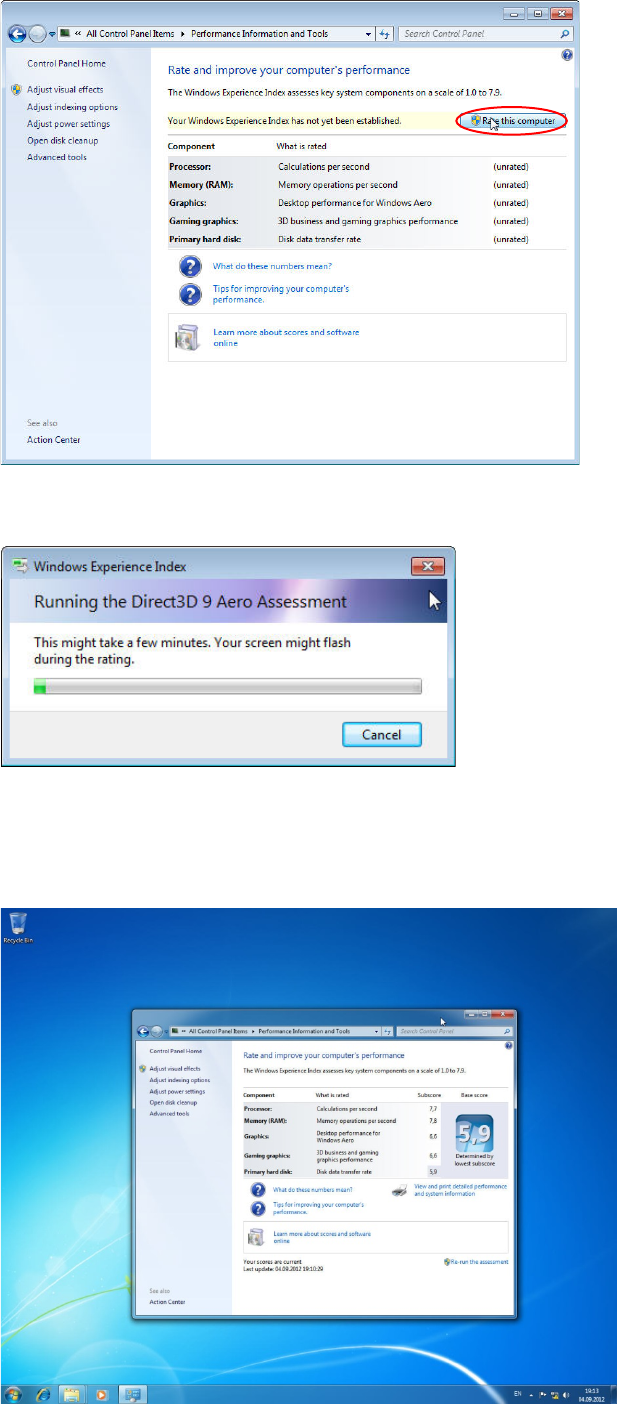
Figure 4-41: Performance Information and Tools Window
► Click the "Rate this computer" button.
Figure 4-42: Windows measuring the System Performance
► Wait while Windows measures the System Performance.
When done, Windows should have detected the graphics card being good enough for Aero and
should have activated Aero automatically.
Figure 4-43: Windows Performance measuring completed with Aero activated
