00197184-03_IM_Celsius_W520LLC_Windows7_EN.pdf - 第26页
Celsius W 520 w ith W indows 7 03/2014 Editio n 26 Figure 3- 35 : Recovery Options Data Delet e Warnin g WARNING Unsaved d ata will b e lost As m entioned befor e, all un saved dat a will be lost. Ple ase ensure you’ve b…
Celsius W520 with Windows 7 03/2014 Edition
25
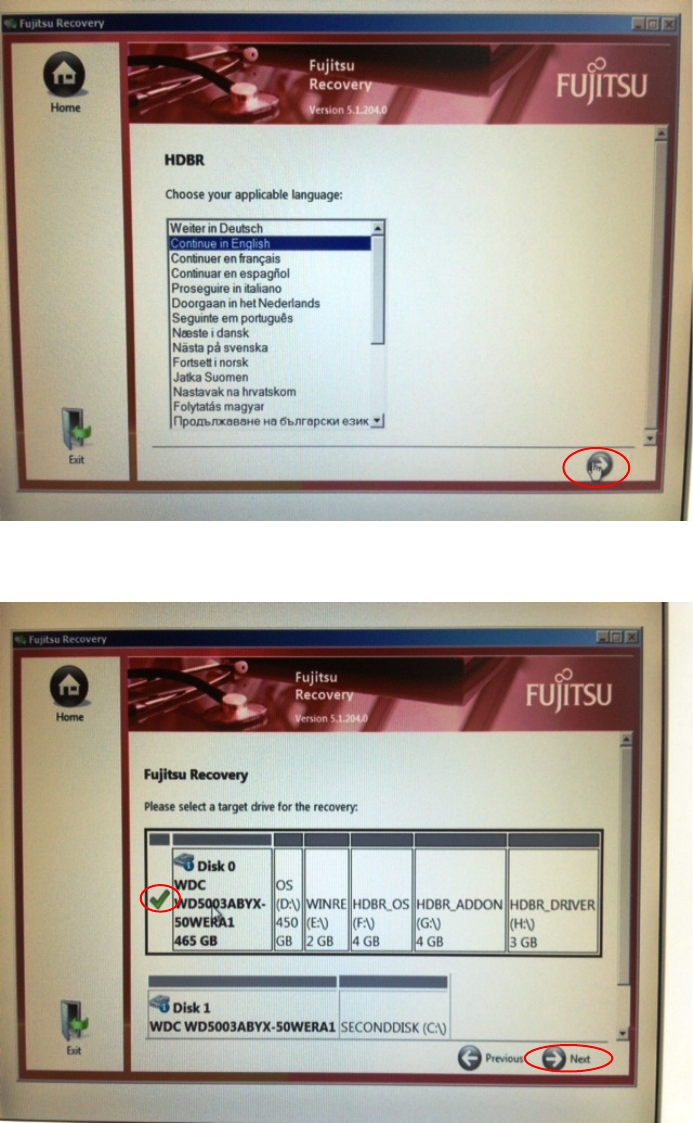
Figure 3-33: Recovery Options Language Choice with right arrow button
► Click the button with the arrow to the right to continue.
Figure 3-34: Recovery Options Target Drive Selection
► Ensure the first hard disk is selected as target.
► Click the button with the arrow to the right with the text "Next" to continue.
Celsius W520 with Windows 7 03/2014 Edition
26
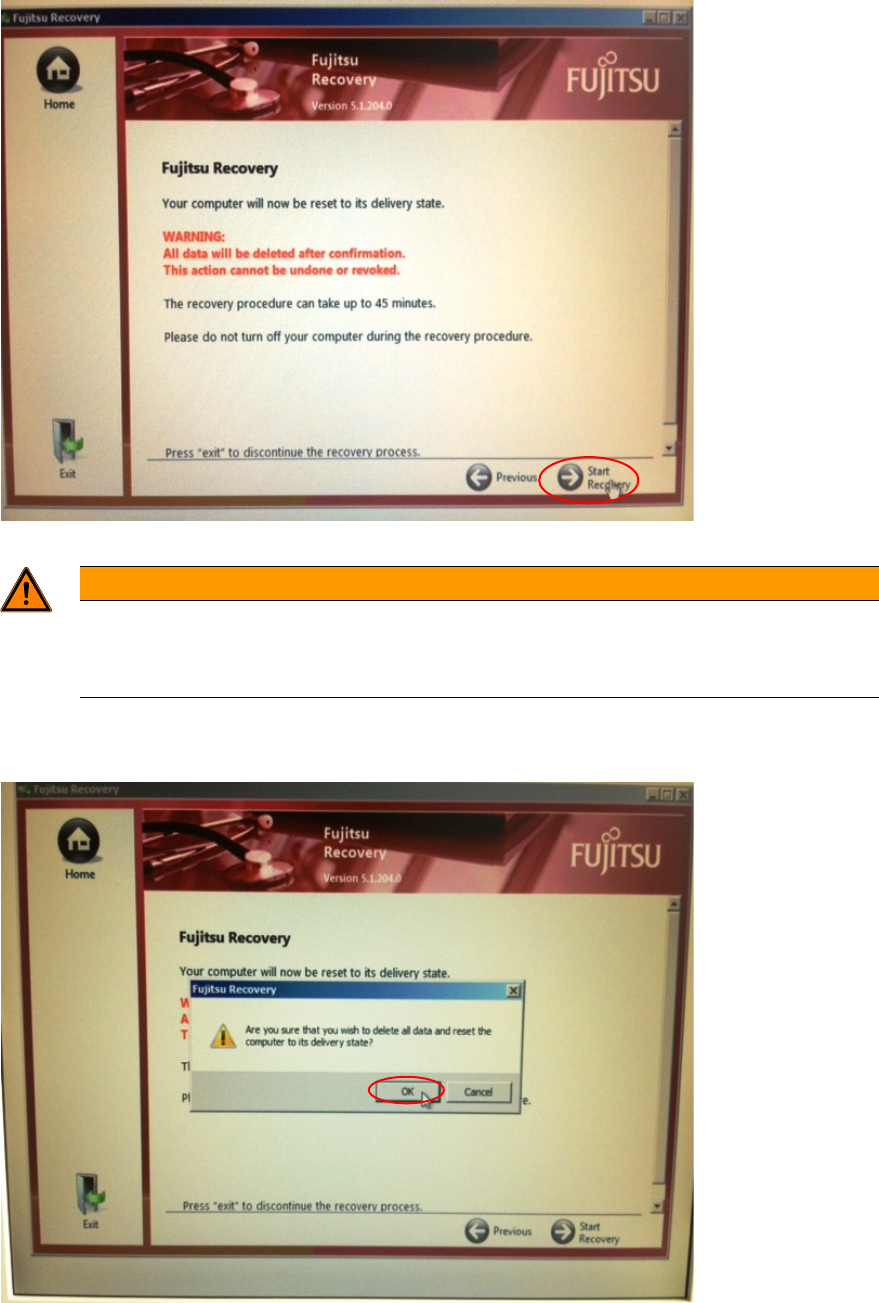
Figure 3-35: Recovery Options Data Delete Warning
WARNING
Unsaved data will be lost
As mentioned before, all unsaved data will be lost. Please ensure you’ve backed up all
important data to a different media before you continue.
► Click the button with the arrow to the right with the text "Start Recovery".
Again, a warning message will be displayed.
Figure 3-36: Recovery Options Data Delete Warning #2
► After you've ensured all important data has been backed up click the OK button to continue.
The system will now restore to the delivery state which takes a couple of minutes.
Celsius W520 with Windows 7 03/2014 Edition
27
► Proceed with the steps in chapter "Finishing the pre-installed Windows 7 (64 Bit) Installation".
► When asked to restore previously backed up data, you can choose cancel and restore the data
later manually (depending on the backup method you’ve used before).