00197184-03_IM_Celsius_W520LLC_Windows7_EN.pdf - 第50页
Celsius W 520 w ith W indows 7 03/2014 Editio n 50 4.4 Before y ou c ontin ue NOTICE A dditional Acti ons requ ired Please f ollow the st eps in t he chapter " After Insta llation " before you con tinue prepar …
Celsius W520 with Windows 7 03/2014 Edition
49
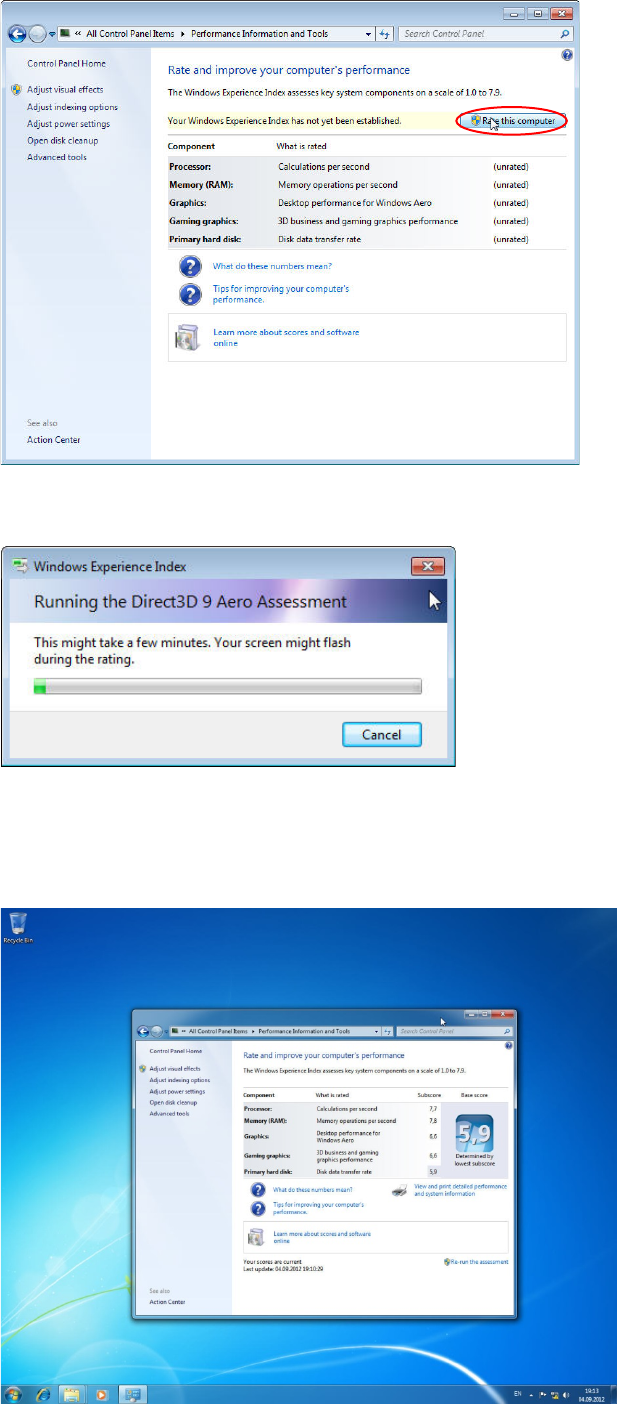
Figure 4-41: Performance Information and Tools Window
► Click the "Rate this computer" button.
Figure 4-42: Windows measuring the System Performance
► Wait while Windows measures the System Performance.
When done, Windows should have detected the graphics card being good enough for Aero and
should have activated Aero automatically.
Figure 4-43: Windows Performance measuring completed with Aero activated

Celsius W520 with Windows 7 03/2014 Edition
51
5 After Installation
5.1 Partitioning the second and third hard disk
After installation of the Operating System, you might need to partition the second hard disk before
you are able to access it.
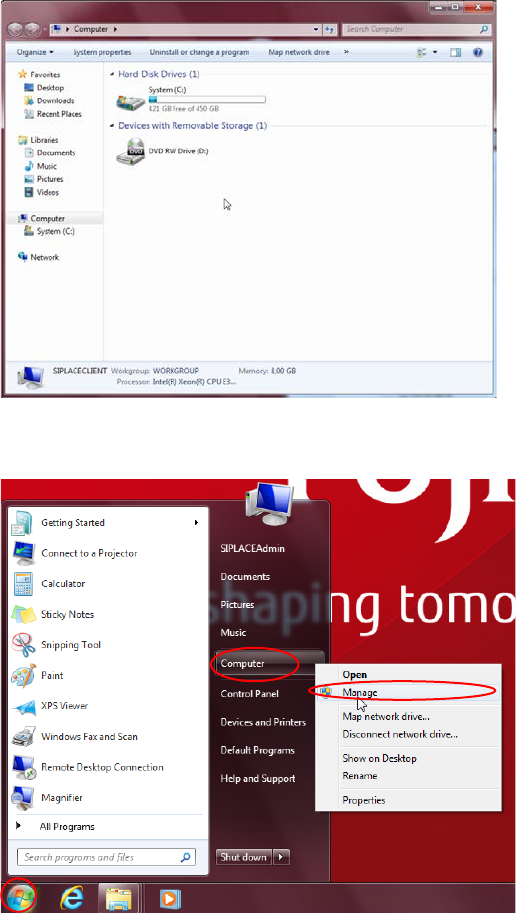
If you open Windows Explorer and only see a single logical drive (C: ), your second hard disk
requires partitioning.
Figure 5-1: Windows Explorer only showing a single Hard Disk Drive C:
To partition your second hard disk, you have to perform the following steps.
Figure 5-2: Opening the Computer Management
► Click the Windows button.
► Right- click at the "Computer" entry and select "Manage".
The Computer Management window opens.