F4000N_revD.pdf - 第47页
F4000N Series Operating Manual Section 5: Point T ype & Function Reference Part # 562187N - 1 Rev . D Sep 201 2 46 © 20 12 Fisnar Inc. 1.12.3 Brush Area: Rectan gle 1 Brush Area Rectangle 1 causes the tip to „paint‟ …
F4000N Series Operating Manual
Section 5: Point Type & Function Reference
Part # 562187N-1
Rev. D Sep 2012
45
© 2012 Fisnar Inc.
1.12.2 Brush Area: Circle
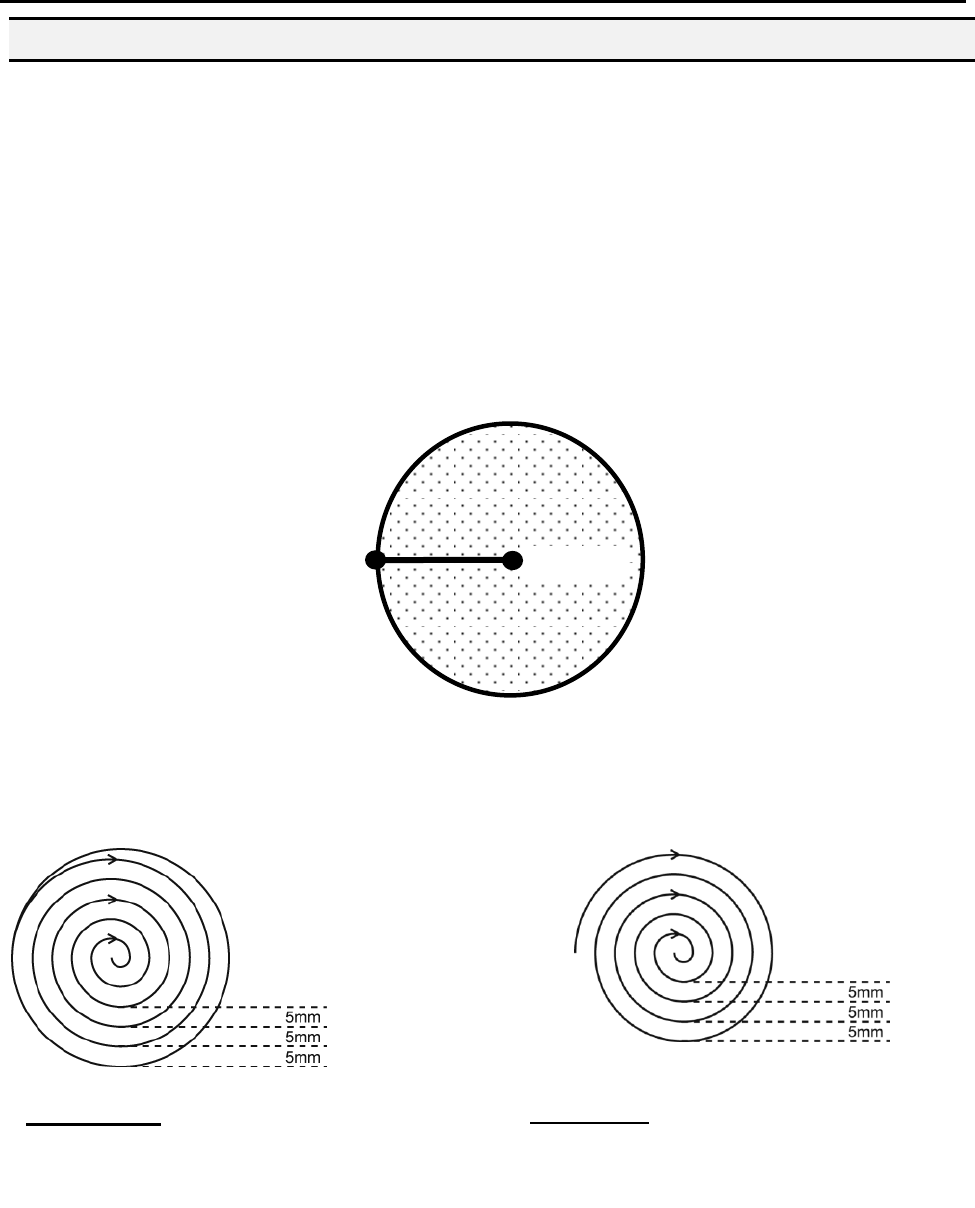
Brush Area Circle causes the tip to „paint‟ the defined area by following a spiral path from
the outside limit of the circle to the center of the circle. It works in reverse of the Circle 1
function.
After registering the Brush Area Circle command, jog the tip to a point on the outside limit
of the circle to be brushed and register that location as a Line Start point. Then jog the tip
directly across to the center of the circle and register that location as a Line End point (the
tip will not dispense a straight line between these two points):
If, for example, a brush width of 5 mm was used, the tip will take the following path when
the program is run:
An open or closed option is also available for this function. Selecting the Closed option will
make a whole circle first before making the spiral. Selecting the Open option will make the
spiral without closing the outer circle.
Closed Circle: Creates a circle first
then a spiral from the outside to the
center.
Line Start
Paint
Area
Line End
Open Circle:
Creates a spiral from the
outside to the center.
F4000N Series Operating Manual
Section 5: Point Type & Function Reference
Part # 562187N-1
Rev. D Sep 2012
46
© 2012 Fisnar Inc.
1.12.3 Brush Area: Rectangle 1
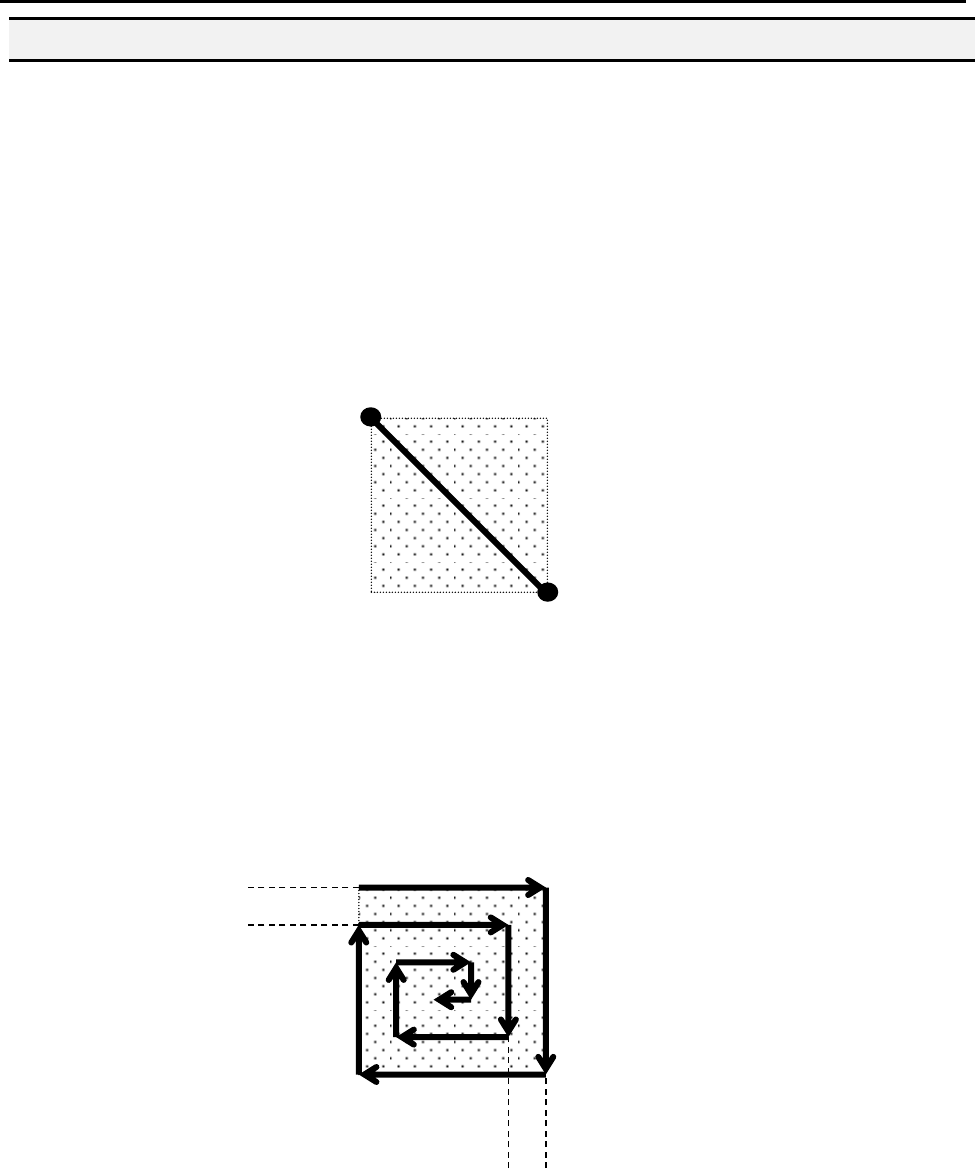
Brush Area Rectangle 1 causes the tip to „paint‟ the defined area by following a square
spiral path from the outside of the rectangle to the center.
After registering the Brush Area Rectangle 1 command, teach a Line Starting point at the
top left corner of the area to be brushed and a Line End point at the bottom right corner of
that area (the tip will not dispense a straight line between these two points):
If, for example, a brush width of 5 mm was used, the tip will take the following path when
the program is run:
Line Start
Line End
Paint
Area
5 mm
5mm
F4000N Series Operating Manual
Section 5: Point Type & Function Reference
Part # 562187N-1
Rev. D Sep 2012
47
© 2012 Fisnar Inc.
1.12.4 Brush Area: Rect. Band
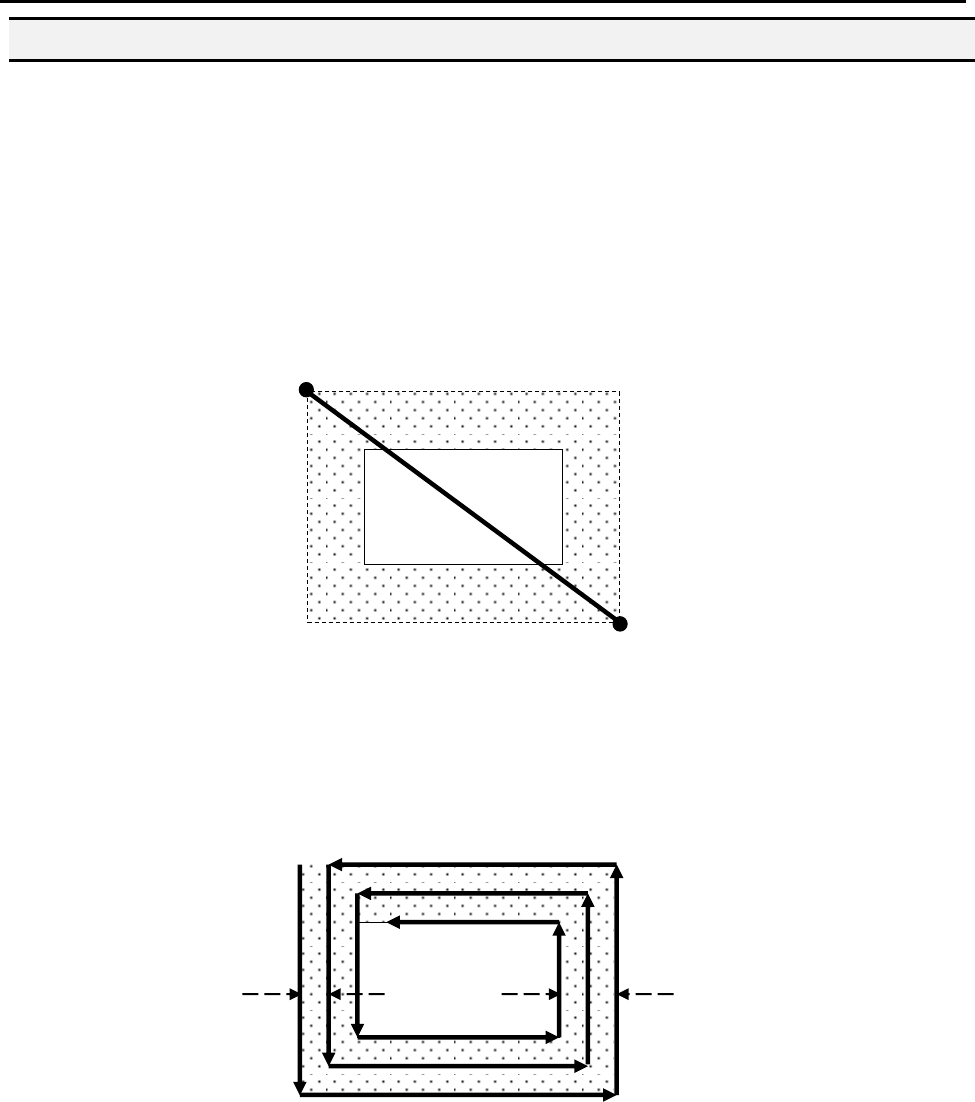
Brush Area Rect. Band causes the tip to „paint‟ a defined rectangular band area by
following a square spiral path from the outside of the rectangle to the center.
After registering the Brush Area Rect. Band command, teach a Line Start point at the top
left corner of the area to be brushed and a Line End point at the bottom right corner of that
area (the tip will not dispense a straight line between these two points):
If, for example, a brush width of 5 mm and band of 10mm was used, the tip will take the
following path when the program is run:
Band 10mm
Width 5mm
Line Start
Line End