F4000N_revD.pdf - 第72页
F4000N Series Operating Manual Section 5: Point T ype & Function Reference Part # 562187N - 1 Rev . D Sep 201 2 71 © 20 12 Fisnar Inc. Test Home Sensor Move Table by Hand ---------------------------- X: 0 0 Y: 0 0 Z:…
F4000N Series Operating Manual
Section 5: Point Type & Function Reference
Part # 562187N-1
Rev. D Sep 2012
70
© 2012 Fisnar Inc.
3.8 Key Beep
It allows you to turn on the key beep if you select the ENABLE option, and it will turn off if
you select the DISABLE option.
3.9 Test Function
The F4000N Series robots offer the convenience of the Test Function command.
The Test Function is a diagnostic command used for troubleshooting your robot easily
through the robot Teach Pendant.
Instructions
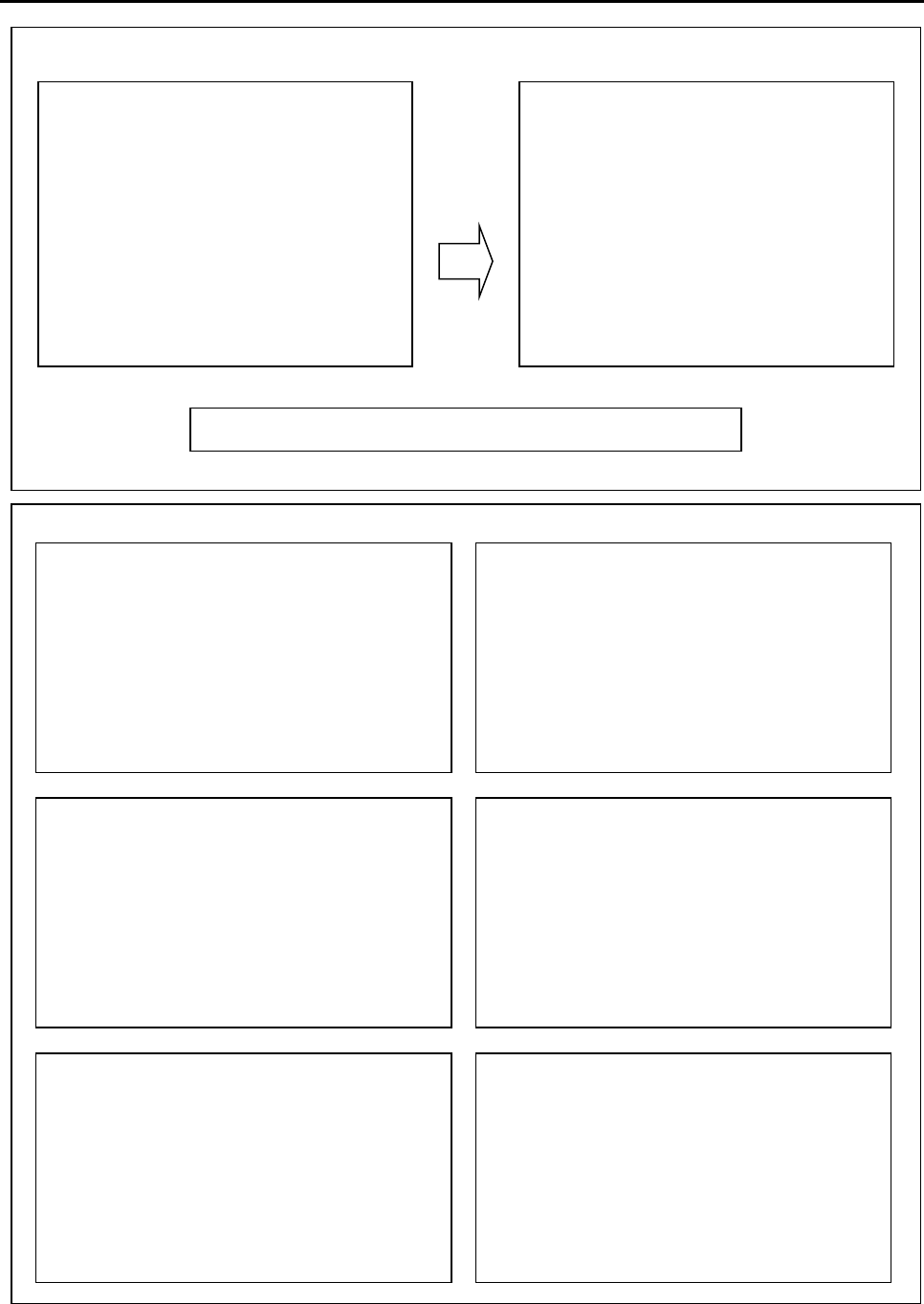
1) After initializing the robot, press the F2 button (MENU 1) on the Teach Pendant.
2) Select Utility Menu (see next page).
3) Select Test Function (see next page).
F4000N Series Operating Manual
Section 5: Point Type & Function Reference
Part # 562187N-1
Rev. D Sep 2012
71
© 2012 Fisnar Inc.
Test Home Sensor
Move Table by Hand
----------------------------
X: 0 0
Y: 0 0
Z: 0 0
Test Front Panel
Push the front panel button
START BUTTON : 1
TEACH BUTTON : 1
EMERGENCY STOP : 0
PROGRAM NUMBER : 1
Teach Pad Test
Press Key on Teachpad
----------------------------
SCANCODE:
RS232 Test
Cross RS232 Pin2 & Pin3
----------------------------
Send Char:
!!! NO RESPONSE !!!
Motor Test
Table go & back (10mm)
----------------------------
1. X
2. Y
3. Z
IO Test
----------------------------
IN: 1 1 1 1 1 1 1 1 1
OUT: 0 0 0 0 0 0 0 0 0
Press Key 1~8 Set Output
Press Key 9 Set Dispenser
[F2 (Menu 1)]
1/2
1) Group Edit
2) Ex. Step & Repeat
3) Program Name
4) Z Axis Limit (100)
5) Initial IO
6) Debug Speed (10)
7)*Utility Menu
[Utility] 1/1
1) Key Beep
2)*Test Function
F2 (Menu 1) >>> Utility Menu >>> Test

F4000N Series Operating Manual
Section 5: Point Type & Function Reference
Part # 562187N-1
Rev. D Sep 2012
72
© 2012 Fisnar Inc.
4. F3 (Menu 2)
4.1 Numerical Move
Allows the tip to be positioned numerically by entering a number for the X, Y and Z values.
4.2 Save Temp Point
Save Temp Point saves the current XYZ position in a temporary memory area numbered
(1 – 9). The save temp point function is also used with the Relocate Data function.
See SECTION 5:3.4 Relocate Data.
4.3 Move To Temp Point
Move To Temp Point retrieves a XYZ position, which was stored with Save Temp Point.
4.4 Undo Program
Cancels the last change to the program. Returns to the program state prior to the last
change.
4.5 Redo Program
Re-does the last change to the program, which was canceled with Undo.
4.6 Debug Program
Runs the program in Debug mode, using the speed set in Debug Speed starting at the
current point location.