F4000N_revD.pdf - 第85页
F4000N Series Operating Manual Section 5: Point T ype & Function Reference Part # 562187N - 1 Rev . D Sep 201 2 84 © 20 12 Fisnar Inc. The retract function requires the following parame ters: RETRACT LENGTH: the dist…
F4000N Series Operating Manual
Section 5: Point Type & Function Reference
Part # 562187N-1
Rev. D Sep 2012
83
© 2012 Fisnar Inc.
_______________________________________________________________________
_______________________________________________________________________
_______________________________________________________________________
_______________________________________________________________________
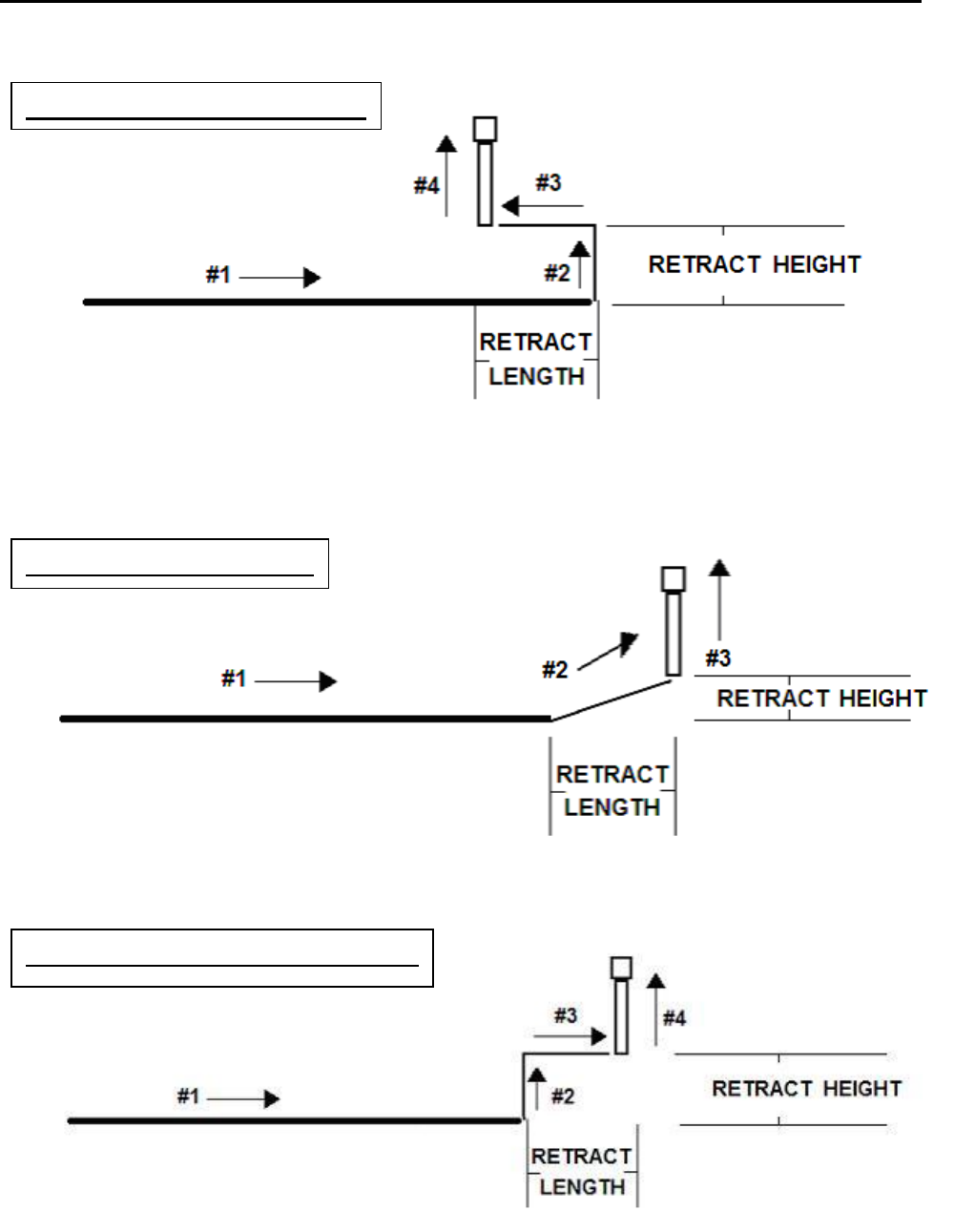
#2: RETRACT (SQUARE BACK)
#3: RETRACT (FORWARD)
#4: RETRACT (SQUARE FORWARD)

F4000N Series Operating Manual
Section 5: Point Type & Function Reference
Part # 562187N-1
Rev. D Sep 2012
84
© 2012 Fisnar Inc.
The retract function requires the following parameters:
RETRACT LENGTH: the distance to travel away from the line end point.
RETRACT HEIGHT: the distance to rise as the tip moves away from the line end
(must be smaller than the value of Z clearance in that point).
RETRACT SPEED: the speed at which the tip moves along the retract path.
RETRACT TYPE: 0. NORMAL
1. BACK
2. SQUARE BACK
3. FORWARD
4. SQUARE FORWARD
Retract values will be used for all lines from the current memory address forward until
another Retract instruction is found or the function is canceled.
5.11 Quickstep
This function causes the robot to move very fast from one point to another reducing the
time of the dispensing cycle.
F4000N Series Operating Manual
Section 5: Point Type & Function Reference
Part # 562187N-1
Rev. D Sep 2012
85
© 2012 Fisnar Inc.
5.12 Auto Purge Setup
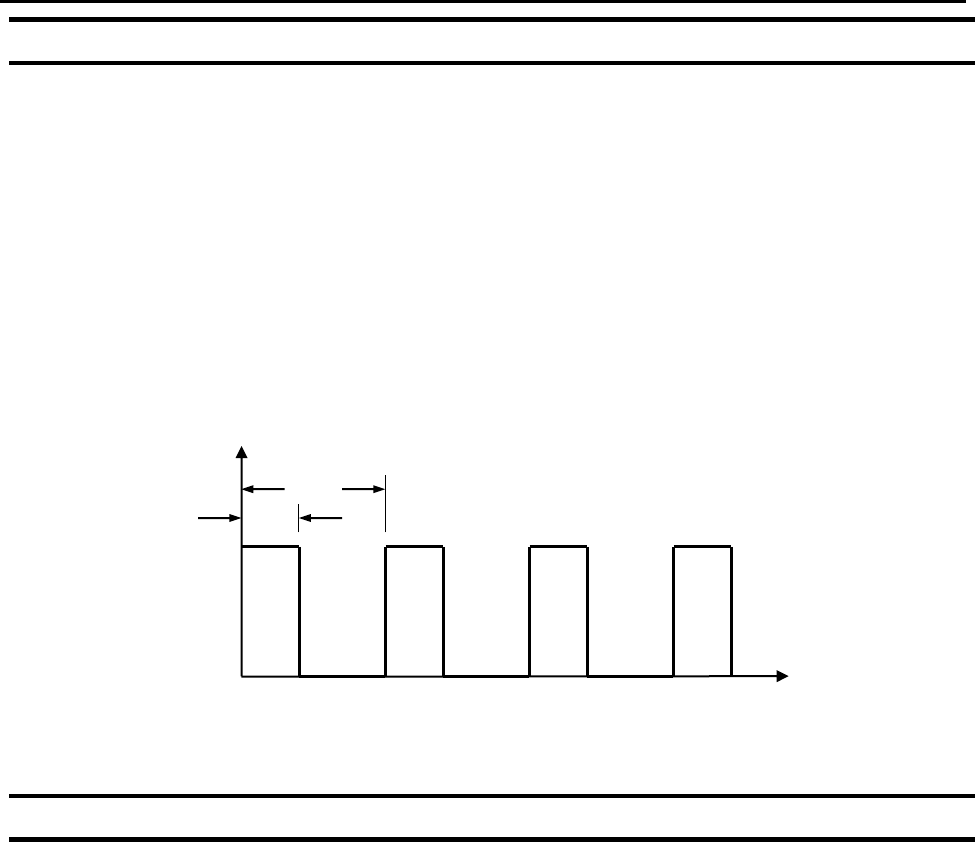
After the end of a program, the tip will go to the home position and material will be purged
in a continuous loop according to the parameters registered in the Auto Purge Setup
command.
This command is very useful for two part materials that have a very short pot life.
For example, if a Wait Time of 5s and a Purge Time of 2s is registered in the Auto Purge
Setup, the following chart shows the Purge pattern.
5.13 ESTOP Output Status
After receiving the emergency stop signal, the robot can set the status of all the outputs
as:
INITIAL: The status (On/Off) of the outputs is set as the initial status set by the
Initial IO command.
KEEP OUTPUT STATUS: The status (On/Off) of the outputs is left as it was before
the emergency signal.
Time (s)
Dispenser OFF
Dispenser ON
Wait
Purge
2
7
5
12
10
15