F4000N_revD.pdf - 第80页
F4000N Series Operating Manual Section 5: Point T ype & Function Reference Part # 562187N - 1 Rev . D Sep 201 2 79 © 20 12 Fisnar Inc. 5.8 Home Posit ion Setup Home Position Setup allows the user to change the lo cat…
F4000N Series Operating Manual
Section 5: Point Type & Function Reference
Part # 562187N-1
Rev. D Sep 2012
78
© 2012 Fisnar Inc.
Z Clearance = 10 mm ABSOLUTE:
Please see SECTION 6: Sample Programs for an example of the Z Clearance
instruction.
5.6 X/Y Move Speed
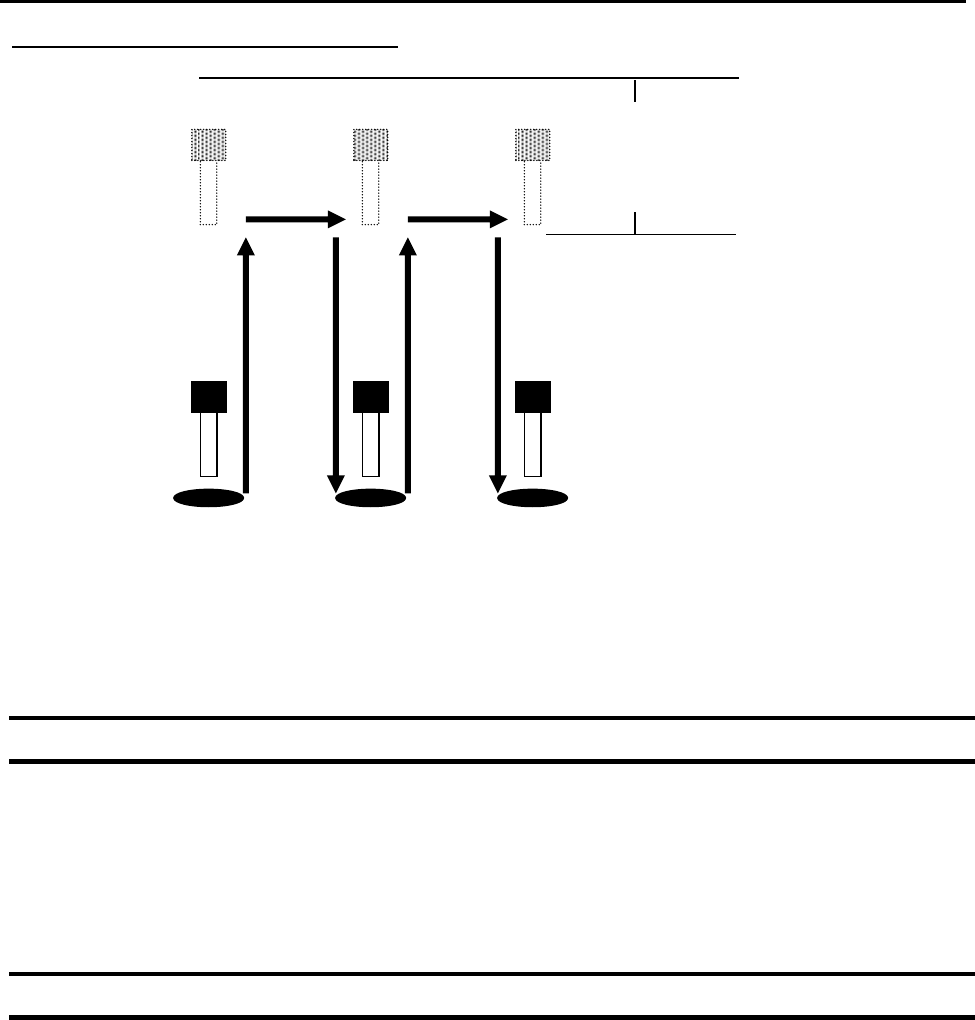
X/Y Move Speed sets default X and Y-axis movement speed as the tip moves between
figures in a program, such as from one dispense point to another or from the end of line
dispensing to the next start of line dispensing.
5.7 Z Move Speed
Z Move Speed sets default Z-axis movement speed as the tip moves between figures in a
program, such as from one dispense point to another or from the end of line dispensing to
the next start of line dispensing.
10 mm
Z = 0 mm
Z = 10 mm

F4000N Series Operating Manual
Section 5: Point Type & Function Reference
Part # 562187N-1
Rev. D Sep 2012
79
© 2012 Fisnar Inc.
5.8 Home Position Setup
Home Position Setup allows the user to change the location of the program home position.
The home position is the location to where the tip will move at the end of a program cycle
if the “End Program” or “Home Point” instruction is registered. The default home position
is (X=0, Y=0, Z=0).
To change the home position, jog the tip to the desired location for the new home position,
then press F4 (Setup)
Home Position Setup.
NOTE: When executing a program in TEACH MODE, the robot will move to the
mechanical home position (X=0, Y=0, Z=0) at the start of every program cycle. When
executing a program in RUN MODE, the robot will move to the home position set under
F4 (Setup)
Home Position Setup.

F4000N Series Operating Manual
Section 5: Point Type & Function Reference
Part # 562187N-1
Rev. D Sep 2012
80
© 2012 Fisnar Inc.
5.9 Adjust Position Setup
When the dispensing barrel or tip is removed and replaced, the new tip is often in a
slightly different XYZ position than the old tip was. The F4000N robot series has a
software utility to adjust a program‟s origin, thereby correcting the tip‟s offset problem.
A reference point should be chosen someplace on the work piece fixture or on the work
piece itself. The reference point must be registered in the program data. This only needs
to be done one time, such as when the program is originally created.
Instruction
Display Shows
1
Jog the tip to the reference point (i.e. X=10,
Y=20, Z=30)
Or if the reference point is an existing point in
your program, press the MOVE key to bring the
tip to that XYZ location.
2
Press the F4 (Setup) key, and go to page two
[SETUP] 2/3
1 Home Position Setup
2 Adjust Position Setup
.
.
7 Acceleration
Press 2 to Select Adjust Position Setup. The
current point will be saved automatically. (The
point will not be registered at any address in the
program, but it will be saved as a global variable
for the current program)
Set Adjust Position
-------------------
X: 10
Y: 20
Z: 30