F4000N_revD.pdf - 第7页
F4000N Series Operating Manual Section 1: Introductio n Part # 562187N - 1 Rev . D Sep 2012 6 © 20 12 Fisnar Inc. 2. Package Conten ts In addition to this operating manual, the follow ing items should be included with th…
F4000N Series Operating Manual
Section 1: Introduction
Part # 562187N-1
Rev. D Sep 2012
5
© 2012 Fisnar Inc.
1. Safety Precautions
1.1 Make sure the robot is connected to a properly grounded power source before
operating.
1.2 Keep away from any moving parts while the robot is running.
1.3 Loading and unloading of parts and material must only be done when the robot is at
a complete stop.
1.4 Changing of fixtures or tooling must be done with the power source disconnected.
1.5 The F4000N series robots should only be operated in an environment between 0 and
40 degrees Celsius with humidity of 20 to 95 percent and no visible condensation.
1.6 Do not store or setup the robot in an area where it is directly exposed to sunlight.
1.7 Do not operate the robot where electrical noise is present.
1.8 Only use a neutral chemical for cleaning the robot. Do not use alcohol, benzene or
thinner as it may damage the paint on the robot.
1.9 Due to the electronic nature of this equipment and the potential for a spark or
generation of heat, note that this equipment must NOT be used with any explosive
material or in an explosive type environment.
F4000N Series Operating Manual
Section 1: Introduction
Part # 562187N-1
Rev. D Sep 2012
6
© 2012 Fisnar Inc.
2. Package Contents
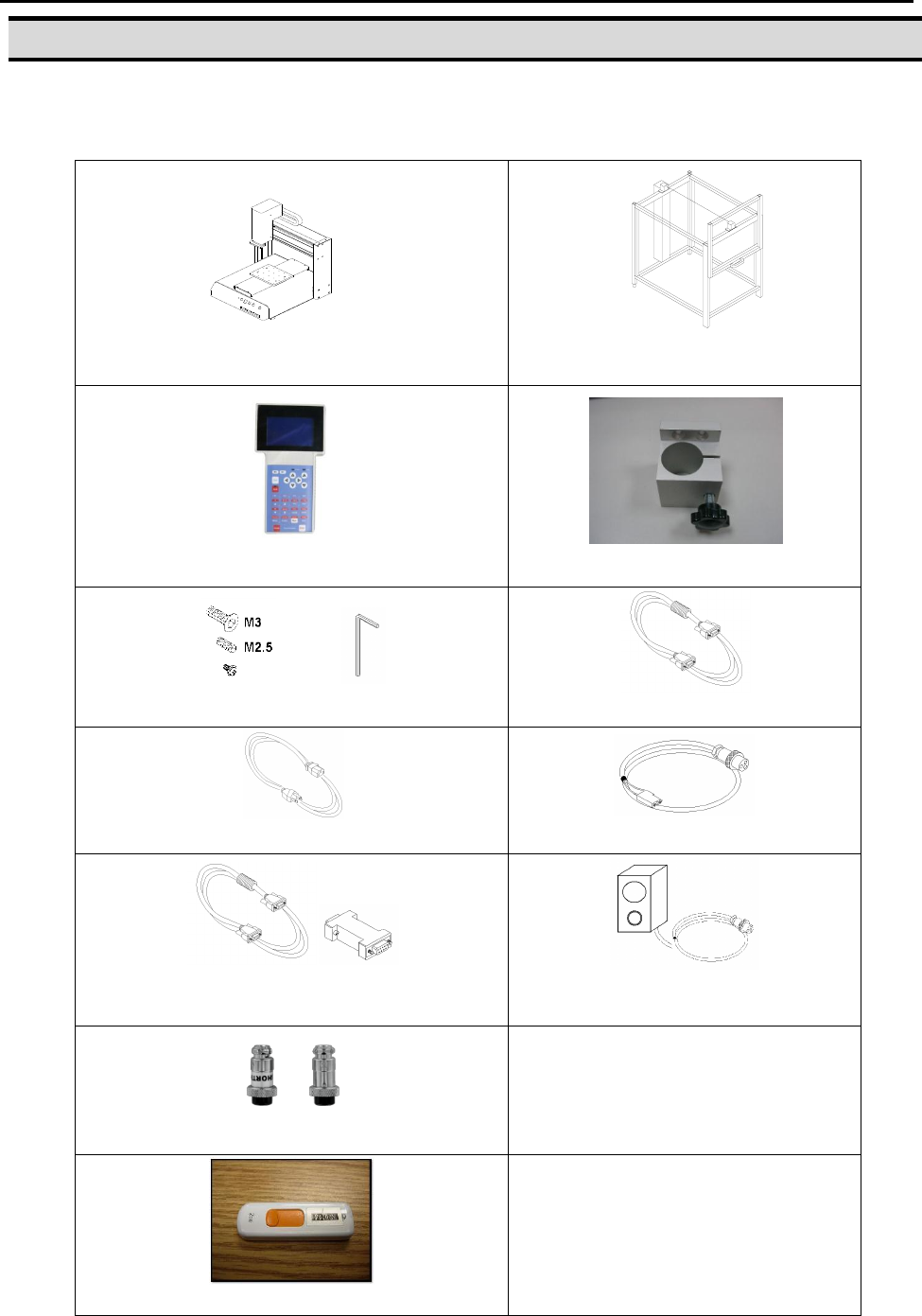
In addition to this operating manual, the following items should be included with the robot:
Main Unit
(F4000N)
Enclosure
(CE Units Only – Not Included)
Teach Pendant
Barrel Holder
Spare Screws and Hex Key
Teach Pendant Cable
Power Cord
Dispenser Cable
RS232 Cable and Null Modem Adapter
(optional)
Start / Stop Box
(optional)
- External Control Connector
- Spare Control Connector
- Barrel and Air Line
Shorted and Non-Shorted EMG Plugs
USB Drive – Special for this Robot
F4000N Series Operating Manual
Section 1: Introduction
Part # 562187N-1
Rev. D Sep 2012
7
© 2012 Fisnar Inc.
F4000N-USB Instructions
NOTICE: DO NOT LOSE THIS DRIVE
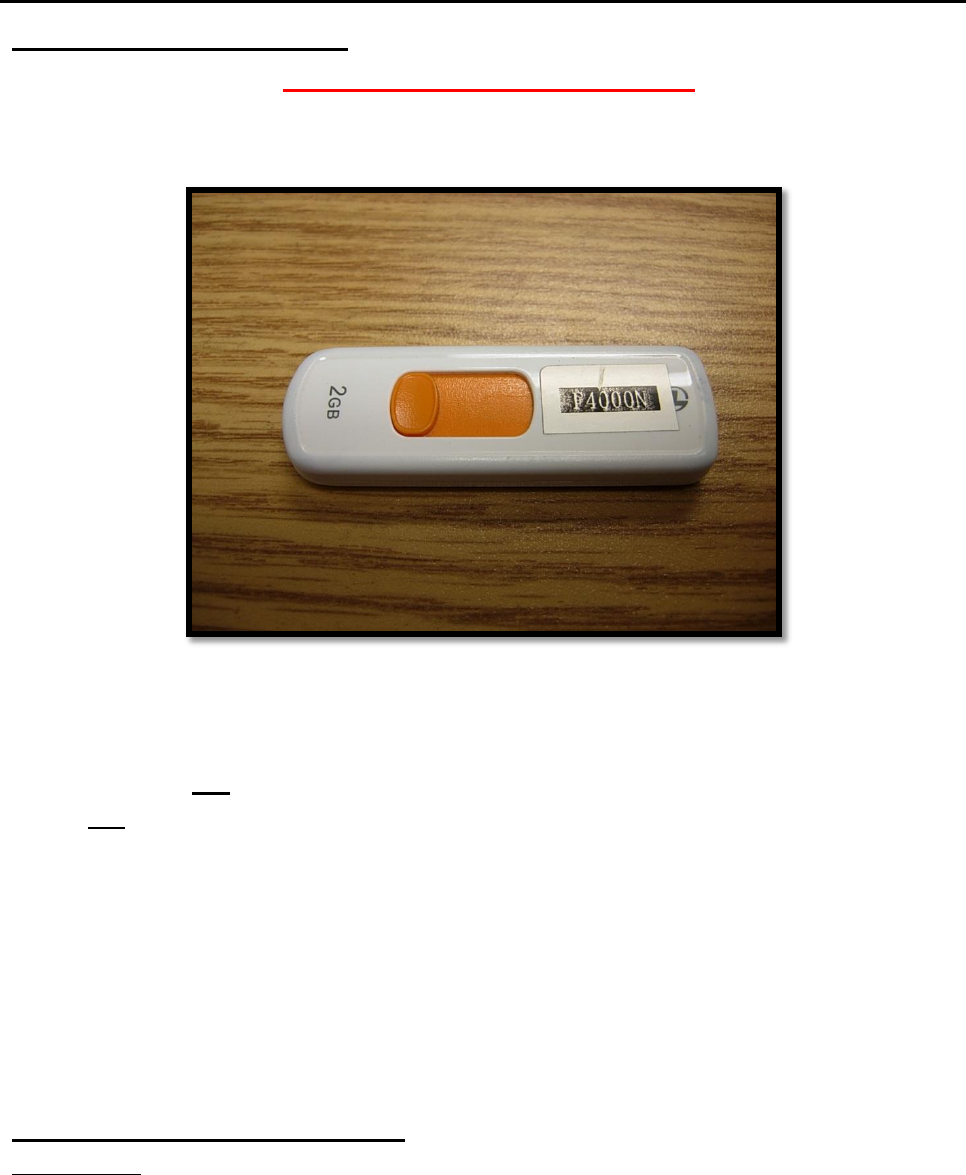
A USB flash drive (p/n: F4000N-USB) is included as part of the standard accessory kit for
the F4000N Series robot.
Saving and loading programs as well as updating the robot firmware can be done directly
with the flash drive provided.
Please note that not all commercially-available USB drives are compatible with the robot.
We do not recommend using any other USB drives other than the one provided.
Fisnar, Inc. will not be held liable for any issues arising from external hardware being
used with the robot without a written consent from Fisnar.
Caution: The instructions below are excerpts from the manual and are meant as
a quick reference guide here only. Please refer to the manual for
complete instructions.
Uploading/Downloading Programs
Instructions:
1) Turn the robot OFF. Connect the USB drive to Robot USB port and then turn the
robot ON.
2) Initialize the robot.
3) On the Setup Menu, select USB Up/Down Load.
All Data: Copies all program files.
Part Data: Allows the user to select which program files to be loaded / saved.