fx3r.pdf - 第101页
FX-3R Maintenance Guide 8-19 3) Adjust the height of the sensor you have replaced. Adjust the top surface of the EFDS bracket to a height of 128 ± 0.1 mm from the top surface of the bracket. However, the height differenc…
FX-3R Maintenance Guide
8-18
8-3-6. Replacing the ETF Incorrect Insertion Detection Sensor
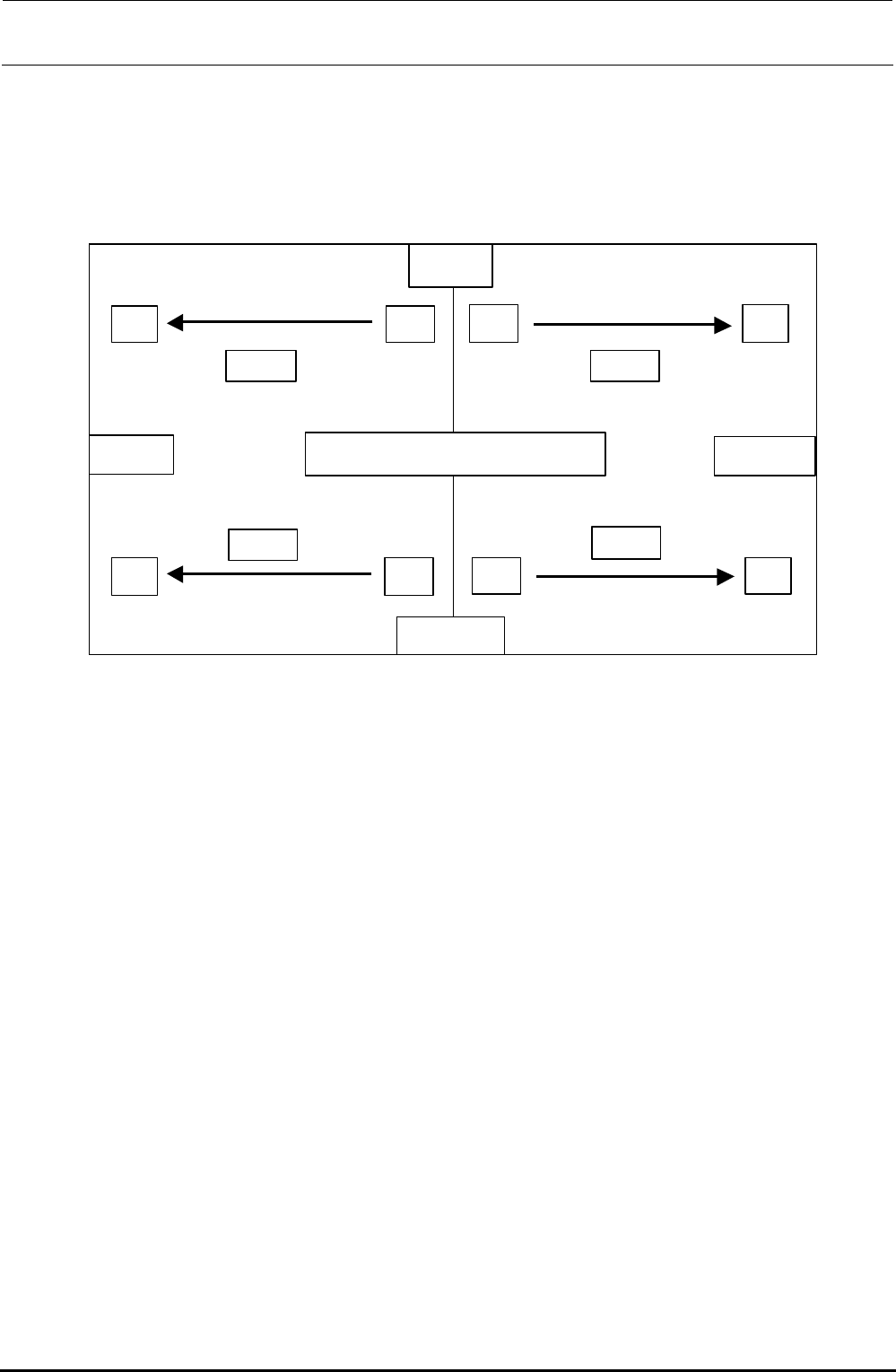
1) In the FX-3R, the sensors are arranged as shown in the Figure below.
To remove the sensor together with the bracket, the sensor height needs to be adjusted.
To replace only the sensor, start the work from step 4).
マウンタ上面図
LF
RF
RRLR
REAR
FRONT
LEFT
RIGHT
受投
受投
受 投
受 投
Rec.
Rec.
Rec.
Rec.
Emit Emit
Emit Emit
Top view of mounter
Figure 8-3-6-1 ETF Incorrect Insertion Detection Sensor Layout Drawing
2) Replace the sensor of the bracket assembly you have removed.
Rev. 1.00
FX-3R Maintenance Guide
8-19
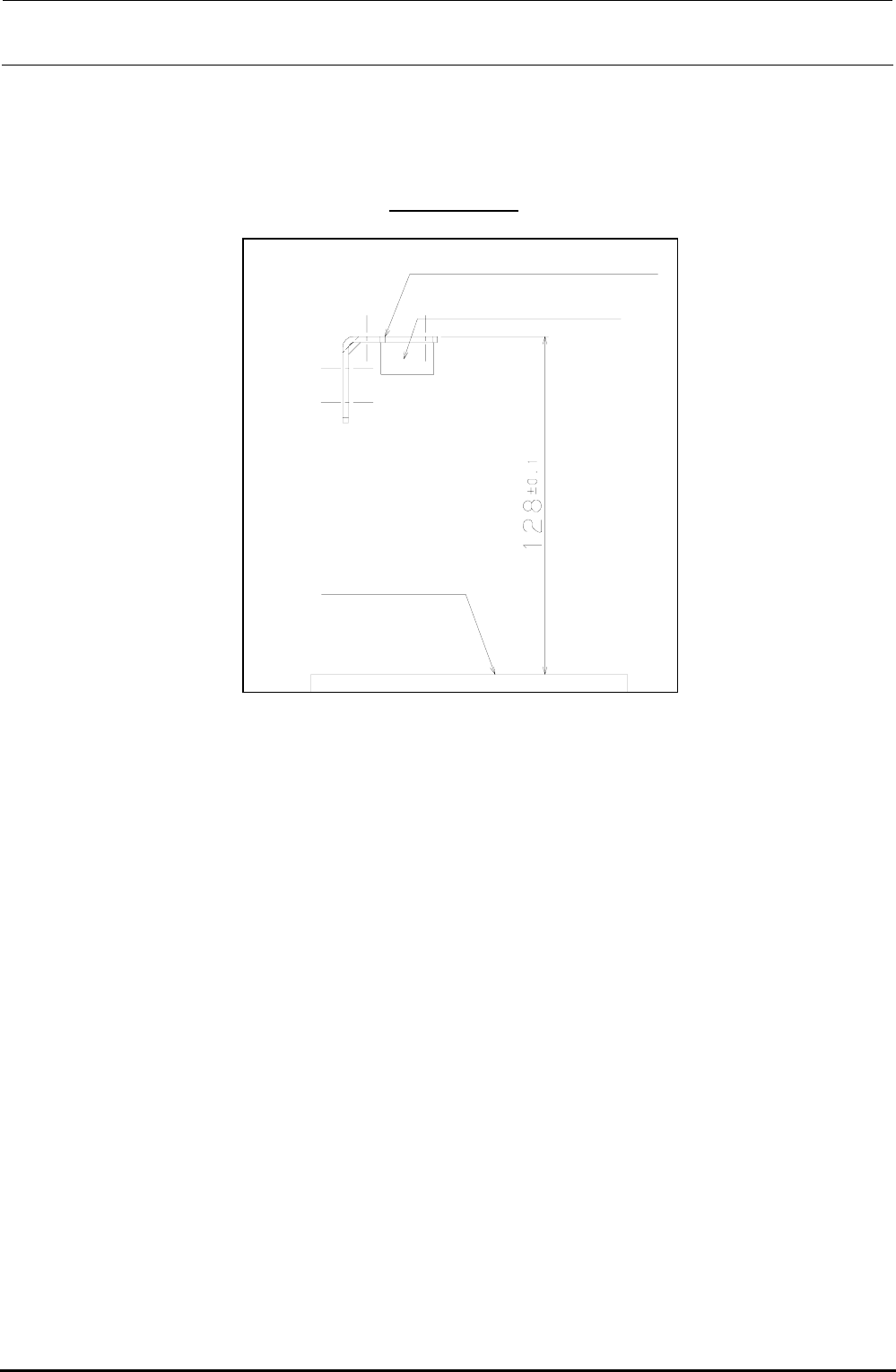
3) Adjust the height of the sensor you have replaced.
Adjust the top surface of the EFDS bracket to a height of 128 ± 0.1 mm from the top surface of
the bracket.
However, the height difference of the left and right EFDS brackets that become a pair (light
receiving and light emitting) must be
0.1 mm or less.
EFDS bracket L/R
ETF detection sensor
Top surface of bank
Figure 8-3-6-2 Height Adjustment of ETF Incorrect Insertion Detection Sensor
4) Adjust the optical axis.
c Connect the connector of each sensor to the specified position and turn ON the power to the
main unit.
d Move the sensor on the light emitting side or light receiving side to adjust the optical axis.
When the optical axis is adjusted correctly, both the red and green LEDs on the light
receiving side are lit.
(The red LED is the RUN indicator while the green LED is the STABILITY indicator.)
Rev. 1.00
FX-3R Maintenance Guide
8-20
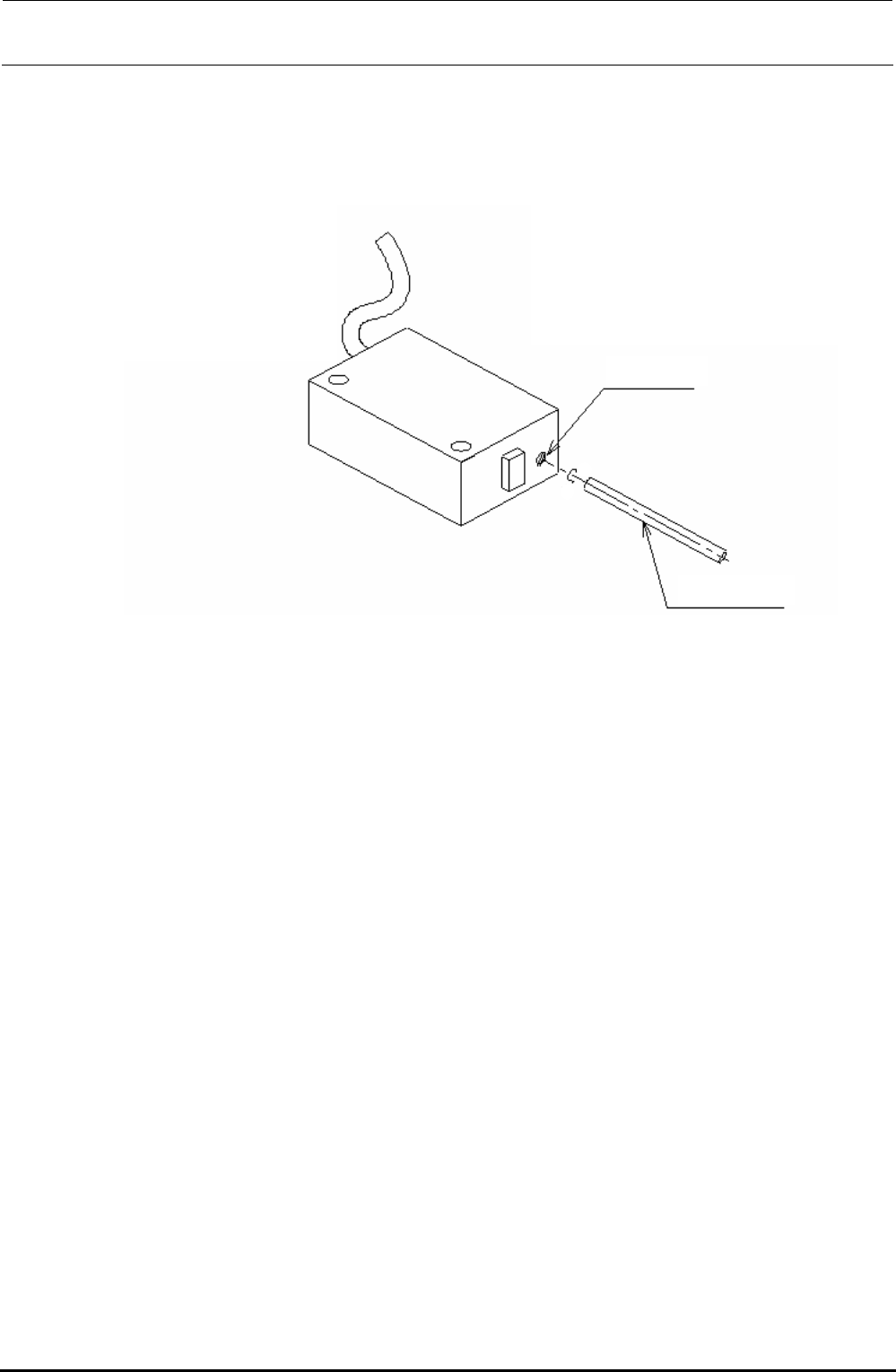
5) Adjust the potentiometer.
Adjust the potentiometer after the sensor mounting position, mounting position in the
Y-direction (sensor is secured to the center of the oval hole in the sensor BR), and optical axis
have been adjusted.
Figure 8-3-6-2 Adjustment of Potentiometer
Potentiometer
Precision screwdriver
Right
Left
c Turn the potentiometer on the light emitting side toward the Min. side (left side) to put the
sensor in the interruption status.
d Gradually turn the potentiometer toward the Max. side (right side) and stop turning at a
position where both the red and green lamps on the light receiving side are lit.
e Check that the ETF, which is placed on the guide rail and inserted, is detected.
Rev. 1.00