fx3r.pdf - 第37页
FX-3R Maintenance Guide 3-5 3-3-2. Adjusting the Senso r Height CA Lフ ゙ ロ ッ ク 上面 SEMS cap bolt M3 × 6 BMR lens bracket CAL block top surface Move the bad mark sensor to a point above the calibration block. Loosen the SEM…
FX-3R Maintenance Guide
3-4
3-3. Replacing the Bad Mark Sensor
3-3-1. Sensor Assembly
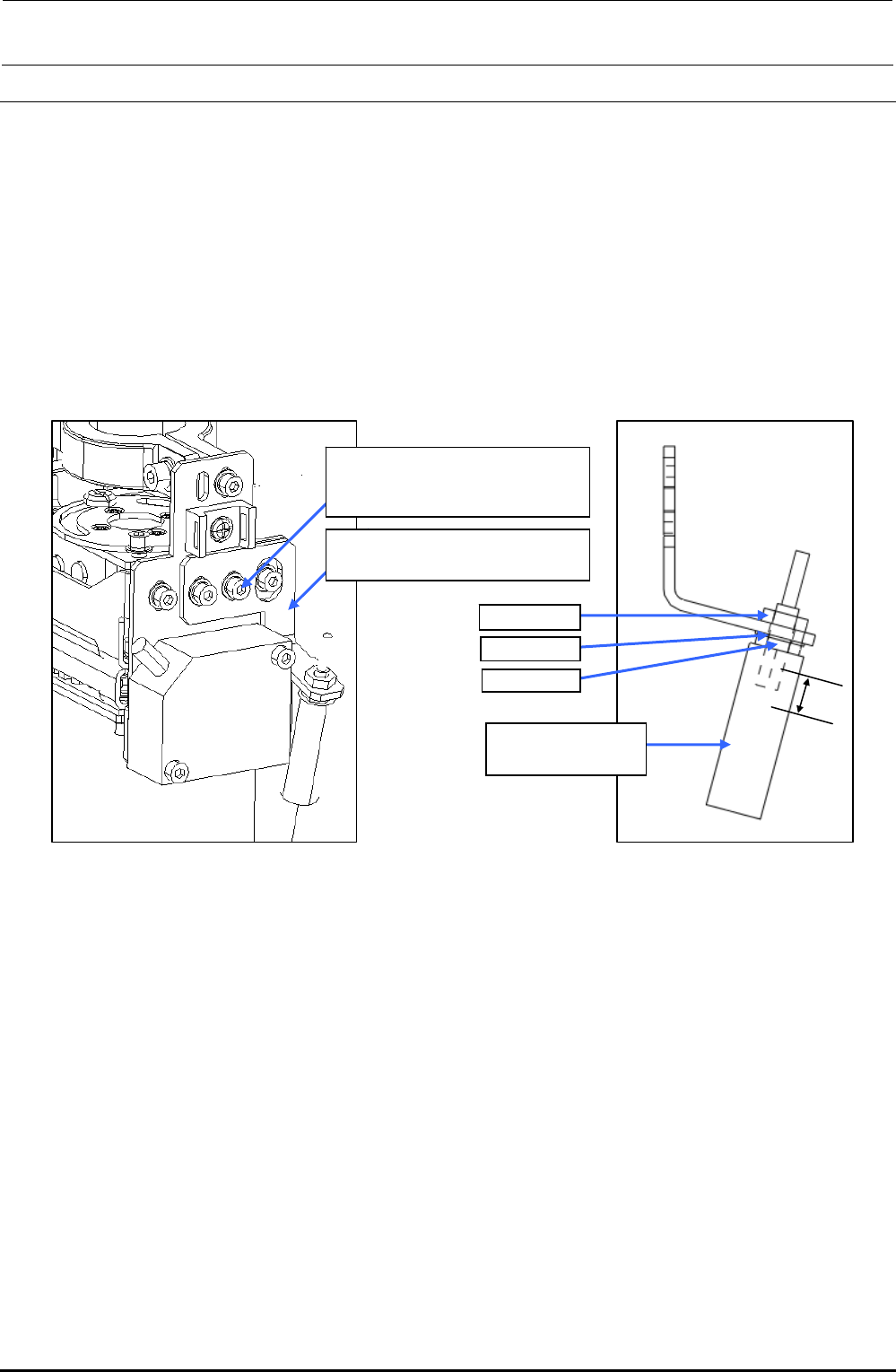
1) Remove the SEMS cap bolts c (×2) to detach the BMR lens bracket A (B). (The following
Figure shows the BM lens bracket A (for RR head).)
2) Remove the nut d and washer e to detach the lens f.
3) Reassemble the parts and components in the reverse order of disassembly.
In the same manner as described above, remove the BMR lens bracket B (for LR head).
∗ Nuts d (2 pcs.) and washer e are accessory parts supplied with the fiber unit.
c SL6030692TN
SEMS cap bolt with washer
M3×6
RR-head: BMR lens bracket A
LR-head: BMR lens bracket B
Nut d
Washer e
Nut d
f E9638729000
Fiber lens
7mm
Figure 3-3-1-1 Replacing the BMR Lens
Rev. 1.00
FX-3R Maintenance Guide
3-5
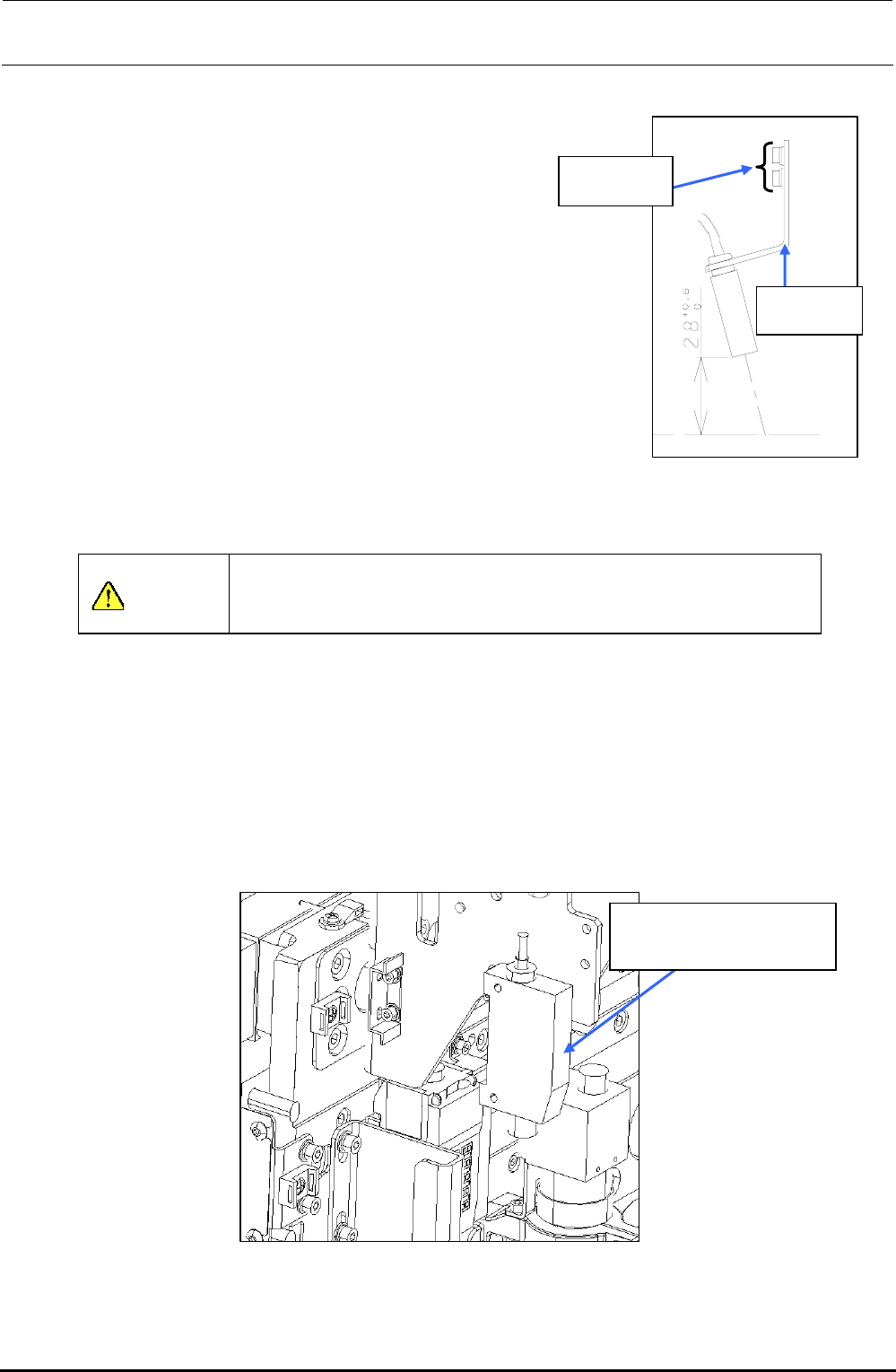
3-3-2. Adjusting the Sensor Height
CALブロック
上面
SEMS cap
bolt M3×6
BMR lens
bracket
CAL block
top surface
Move the bad mark sensor to a point above the calibration
block. Loosen the SEMS cap bolts at two places and move
the BMR lens bracket so that the distance between the
surface of the bad mark sensor and the top surface of the
calibration block becomes 28
0
+05
mm.
After the sensor height has been adjusted, secure the bad
mark sensor with SEMS cap bolts.
After the bad mark sensor has been mounted properly,
input the bad mark sensor offset of the MS parameters.
(For details about how to input MS parameters, see “MS
Parameters”.)
Figure 3-2-2-1 Adjusting the
Lens Height
CAUTION
To prevent any personal injury, do not put your hand inside the
machine or your face or head close to the machine during operation
of the touch panel and/or HOD.
3-3-3. Amplifier
1) Detach the amplifier while keeping the amplifier pushed downward. (The following Figure
shows the RR head.)
2) Reassemble the parts and components in the reverse order of disassembly. In the same
manner as described above, detach the amplifier from the LR head.
40047981
Bad mark fiber amplifier
assembly
Figure 3-3-3 Assembling the Amplifier
Rev. 1.00
FX-3R Maintenance Guide
3-6
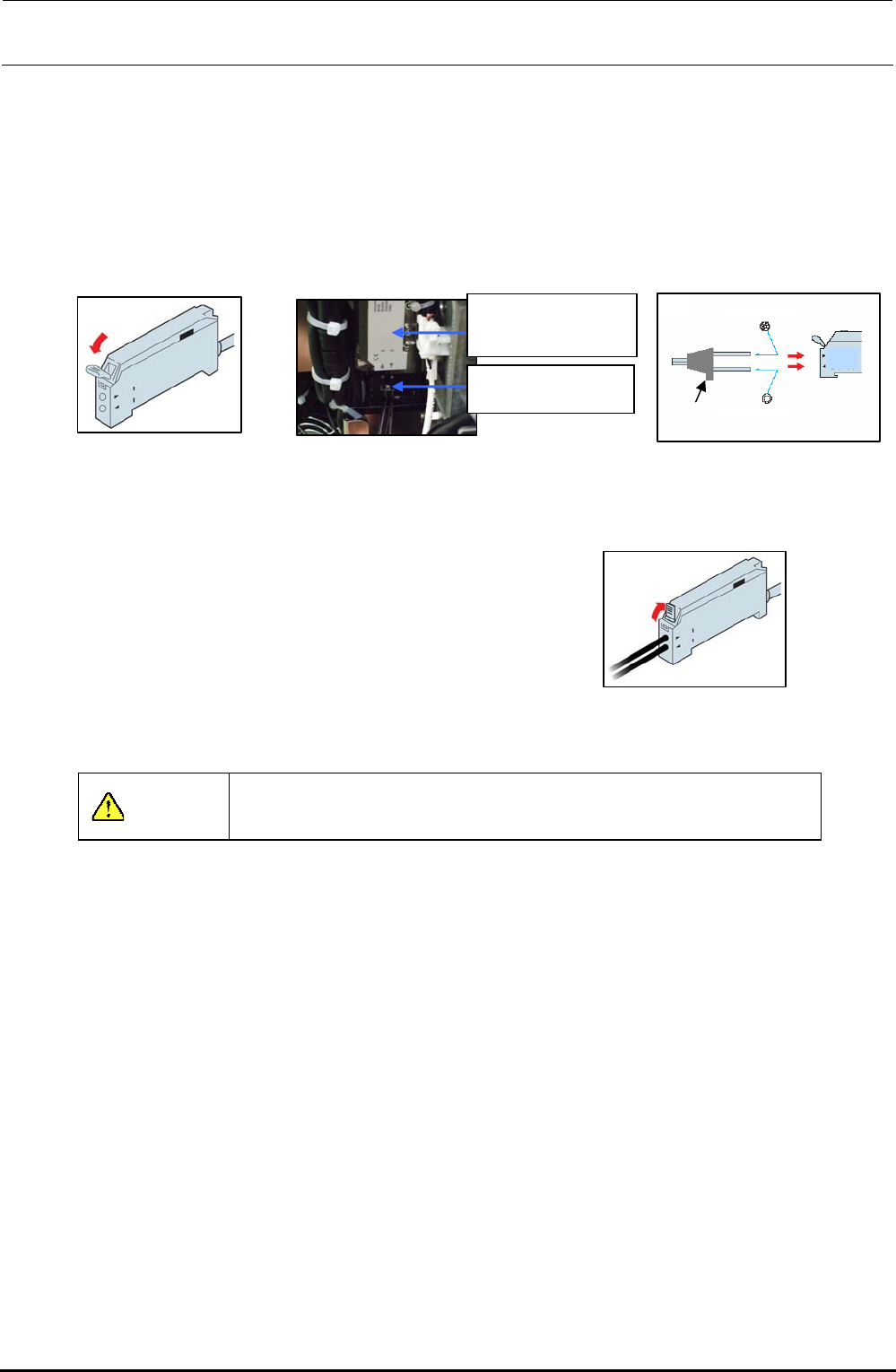
3-3-4. Assembling the Fiber Unit to the Amplifier
1) Open the case cover and flip down the one-touch lock lever.
2) Make the projection faced toward the side where there is no LED and insert the fiber into the
amplifier approx. 13 mm.
After the fiber has been inserted, flip up the lock lever and check that the fiber is not
disconnected. After that, close the case cover.
2)
Projection
Multi-core fibe
r
Single-core fiber
Light receiving side
Light emitting side
Figure 3-3-4-3
Inserting the Fiber
1
)
Figure 3-3-4-1 Amplifier
40047981
Bad mark fiber
amplifier assembly
HD001310030
Fiber unit
Figure 3-3-4-2
Assembling the Amplifier
3) Flip up the one-touch lock lever. Check that the fiber
is not disconnected.
3
)
Figure 3-3-4-4 Fixing the Fiber
CAUTION
Always carry out the wiring work with the power turned OFF.
Rev. 1.00