fx3r.pdf - 第193页
FX-3R Maintenance Guide 13-24 13-4-8. SUPERIMPOSE Board (40048082) [Functions] This SUPERIMPOSE board controls up to two superimpose screens from the CPU board through the RS-232C. Additionally, this board also captures …
FX-3R Maintenance Guide
13-23
[Replacement procedure]
c Before starting the replacement work, always turn OFF the main power, main circuit breaker,
and main switch.
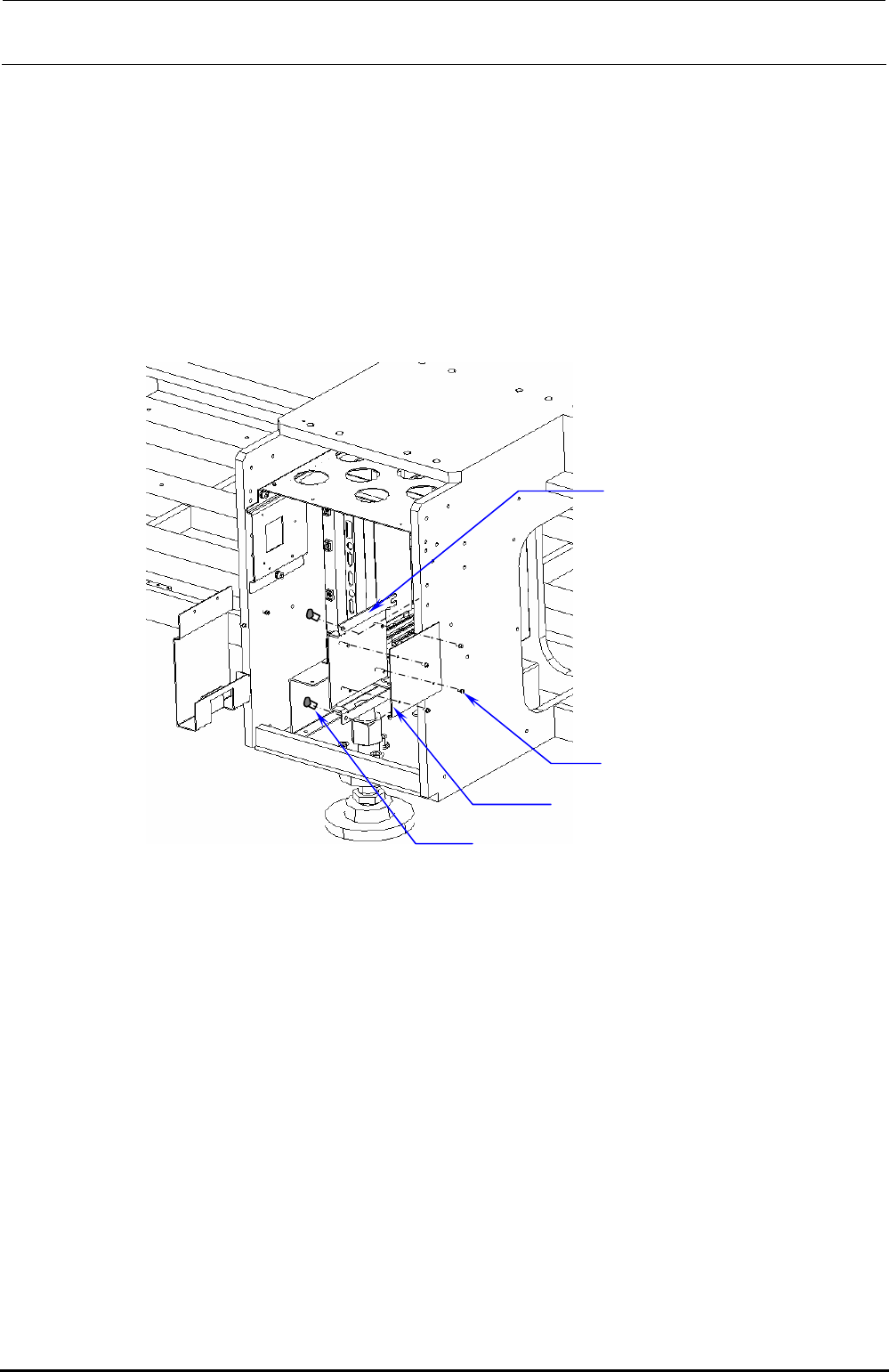
d Remove the bolts (SL6061292, 2 pcs.) to detach the MOUSE/KEYBOARD SELECTOR from
the MK_SELECTOR_BRACKET located on the right side of the control box and replace it
with a new one.
e After MK_SELECTOR_BRACKET has been taken out, remove SL4030691SC (4 pcs.) to
detach the KEYBOARD/MOUSE selector (40003281).
f Replace the detached MOUSE/KEYBOARD selector with a new one and reassemble the
parts and components in the reverse order of disassembly.
MK_SELECTOR_BRACKET
SL4030691SC ×4
SL6061292TN
×
2
MOUSE/KEYBOARD SELECTOR
Figure 13-4-7-2 Control Unit
Rev. 1.00
FX-3R Maintenance Guide
13-24
13-4-8. SUPERIMPOSE Board (40048082)
[Functions]
This SUPERIMPOSE board controls up to two superimpose screens from the CPU board
through the RS-232C. Additionally, this board also captures the touch panel signals through the
RS-232C.
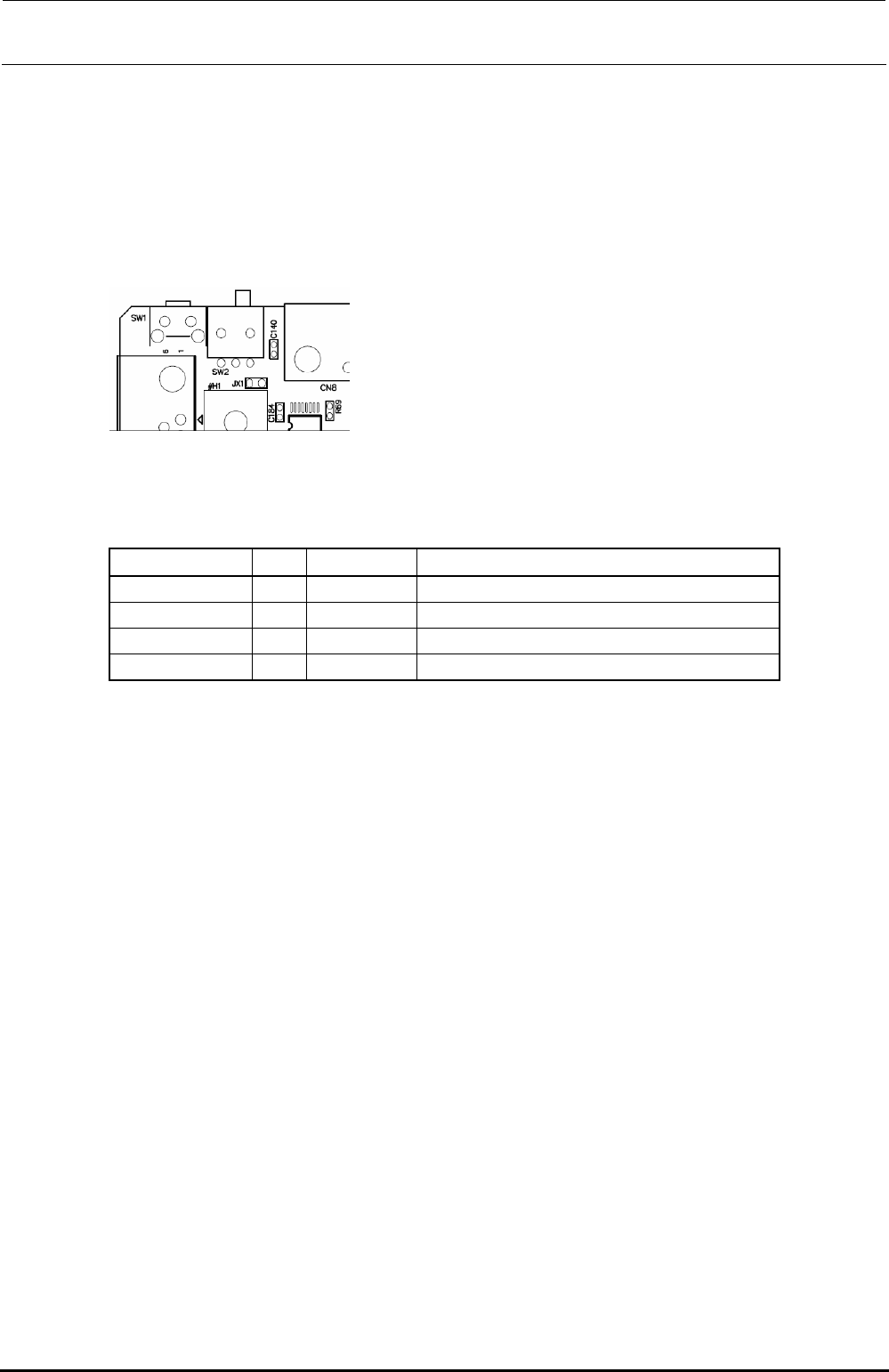
[DIP switch settings]
Always set the slide switch (SW2) as follows.
Figure 13-4-8-1 Slide Switch (SW2)
[Meaning of LED]
There are four LEDs on the board. The following shows the meanings of the indications.
Location No. Color Silk print Indication contents
LD1 Green 12V Lit when 12V is input.
LD3 Red 3.3V Lit when the voltage (3.3V) within the board is correct.
LD4 Red CPU Flashes when the CPU functions correctly.
LD2 Green SYNC Lit when the DVI-D image signal is input.
[Adjustment items after replacement]
There are no particular adjustment items.
Rev. 1.00
FX-3R Maintenance Guide
13-25
[Replacement procedure]
c Before starting the replacement work, always turn OFF the main power, main circuit
breaker, and main switch.
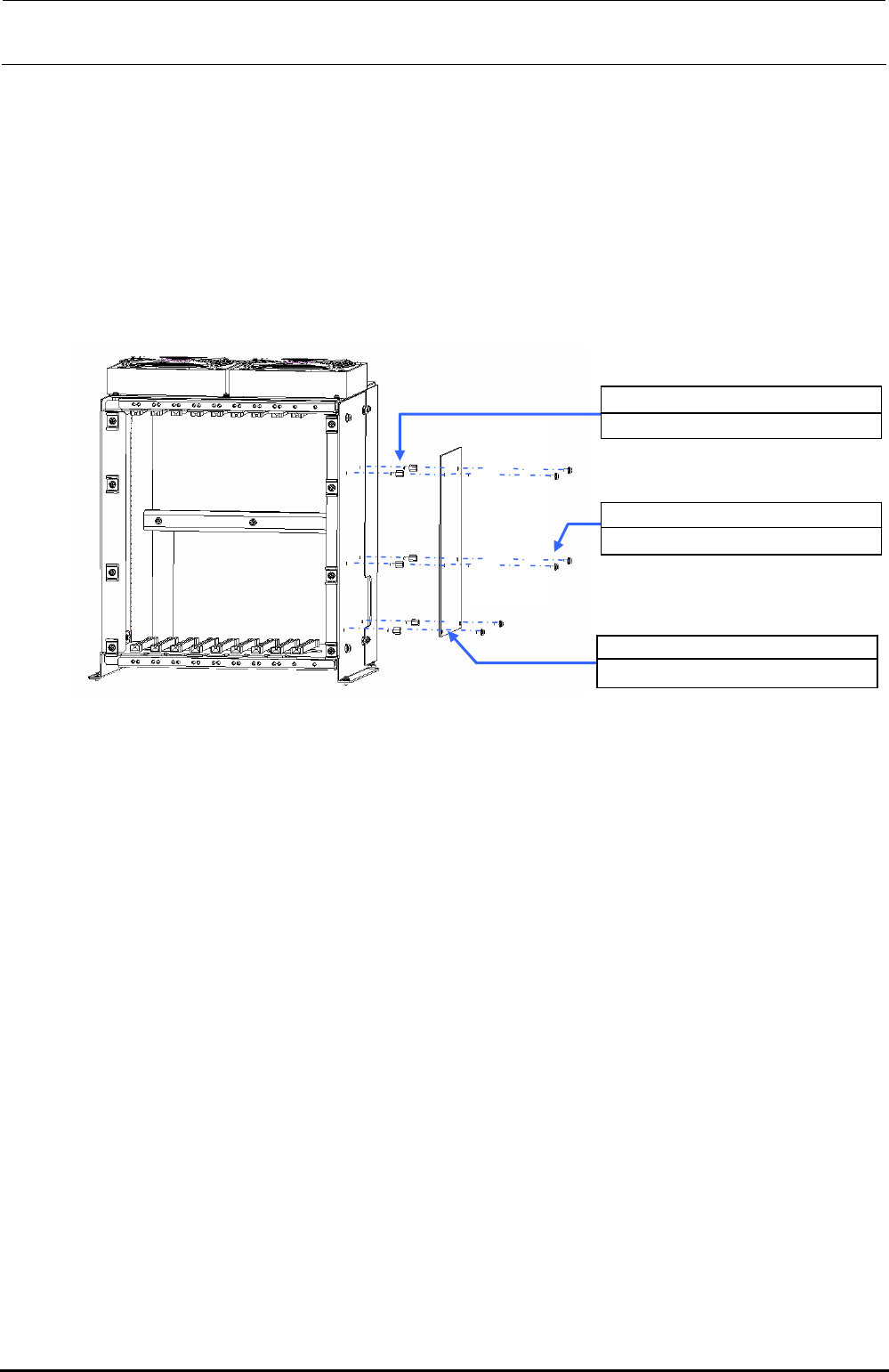
d The SUPERIMPOSE board is located on the right of the control box. Therefore, take out
the control box and replace the SUPERIMPOSE board.
e After the control box has been taken out, remove SL4030691SC (6 pcs.) to detach the
SUPERIMPOSE board.
f Replace the detached SUPERIMPOSE board with a new one and reassemble the parts
and components in the reverse order of disassembly.
HX00354000N ×6
Spacer
40048082
SUPERIMPOSE BOARD
SL4030691SC ×6
SEMS cap bolt M3×6
Figure 13-4-8-2 Control Unit
Rev. 1.00