fx3r.pdf - 第50页
FX-3R Maintenance Guide 4-6 4-5. Adjusting the Focus <Procedure> 1) Mount the OCC focus adjustment jig on the calibration block. 2) Move the OCC camera to a position above the OCC focus adjustment jig. (Manual move…
FX-3R Maintenance Guide
4-5
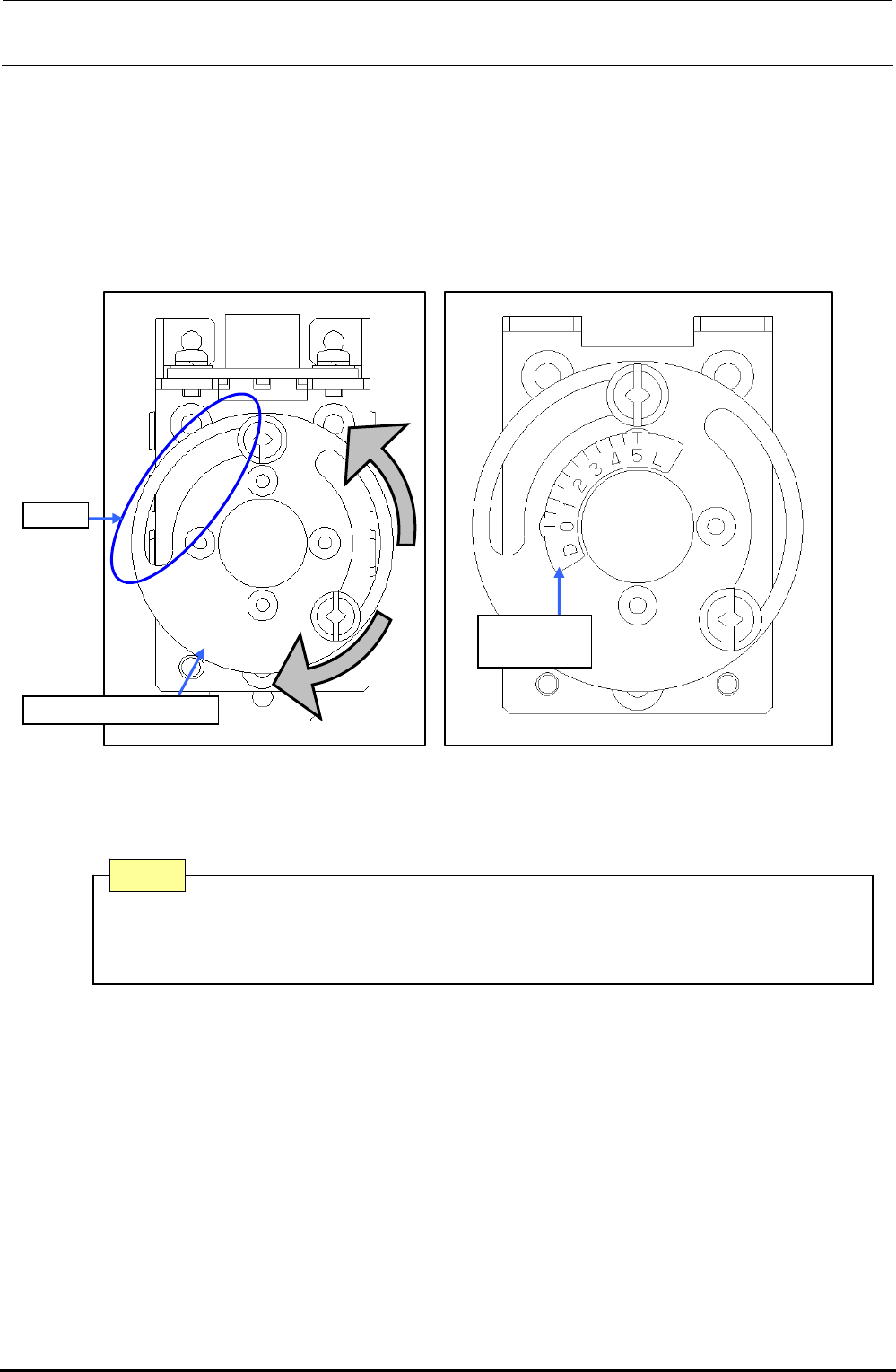
∗ Adjusting the polarizing filter
1) Put a white ceramic board on the calibration block and move the camera above the board.
2) Loosen the setscrew. Turn the light filter U support and secure it when the screen is at the
brightest level.
3) In the brightest status, re-stick the OCC light label as shown in the figure below.
Rev. 1.00
2) 3)
Slit
40015962
OCC label
Light filter U support
Figure 4-4-2 Filter Adjusting Position and Sticking the Light Label
After adjustment, if the slit position of the light filter U support is displaced 90 degrees,
rotate the lens filter 90 degrees and readjust the polarizing filter so that the position of
the slit is the same as the orientation on Figure 4-2-2.
Note
FX-3R Maintenance Guide
4-6
4-5. Adjusting the Focus
<Procedure>
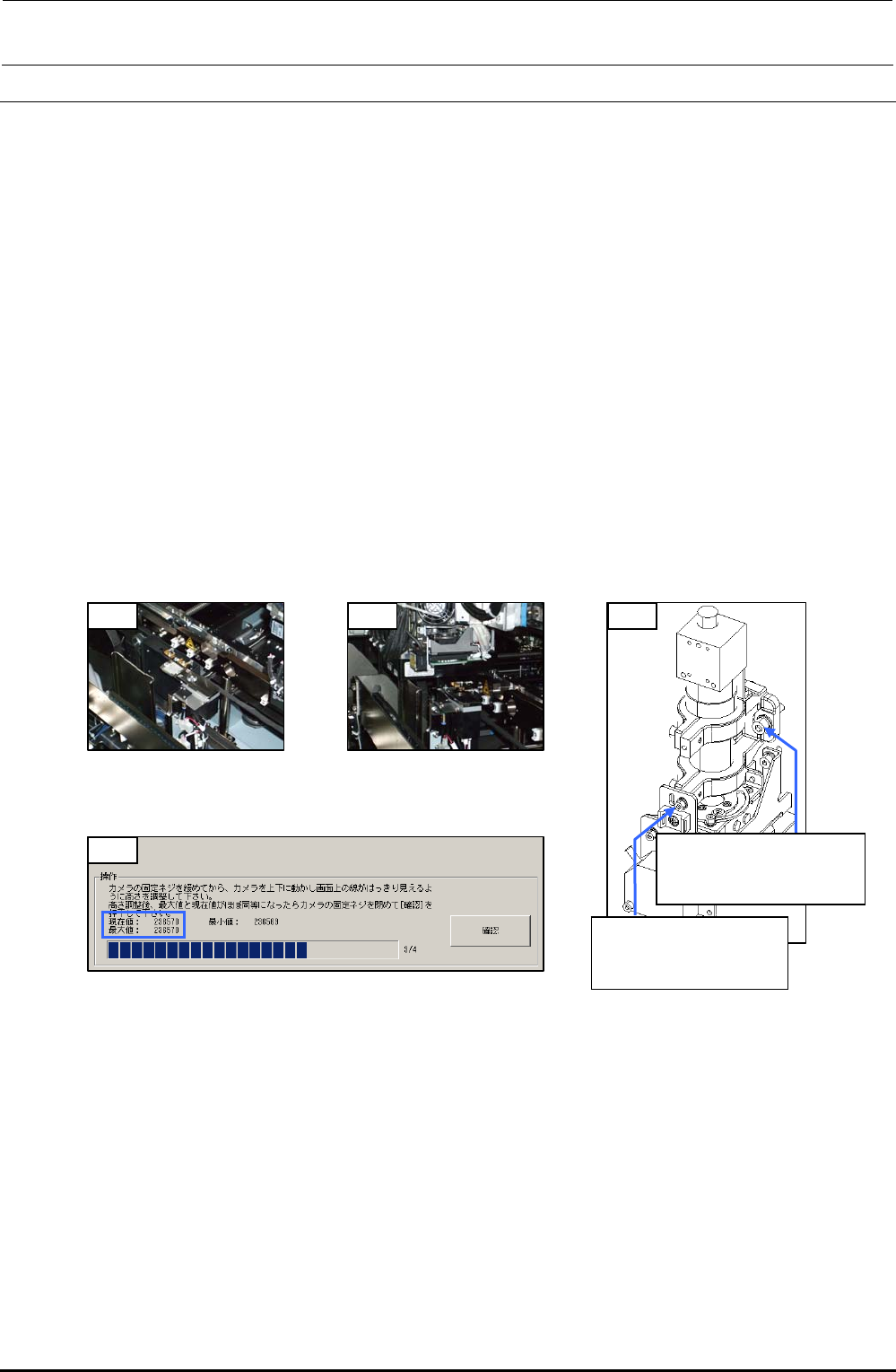
1) Mount the OCC focus adjustment jig on the calibration block.
2) Move the OCC camera to a position above the OCC focus adjustment jig. (Manual
movement)
3) Turn on the light with the standard light selected and start up [MS parameters]-[Check
Adjustment]-[OCC Focus Adjustment]. (See section 5-1. OCC Focus Adjustment, in the MS
parameters.)
4) Loosen the SEMS cap bolts c (×3) and SEMS cap bolt d (×1) of the OCC and gradually
move the OCC up or down.
(Spend about 5 sec. to move from the minimum point to the maximum point or from the
maximum point to the minimum point.)
5) Since the maximum value of the focus status display is determined, adjust the OCC height so
that the maximum value is almost the same as the current value, and then fix the assembly
screws. (If the current value exceeds the maximum value, the maximum value is updated
immediately.)
6) Exit [OCC Focus Adjustment].
1) 2) 4)
c SL6052092TN
SEMS cap bolt with
washer M5×20
d SL6030892TN
SEMS cap bolt with
washer M3×8
5)
Figure 4-5-1
Jig Installation Position
Figure 4-5-2
OCC Focus Adjustment
Position
Figure 4-5-4 MSP (OCC Focus Adjustment)
Figure 4-5-3 Mounting Screws
for Adjustment of
OCC Focus
Rev. 1.00
FX-3R Maintenance Guide
4-7
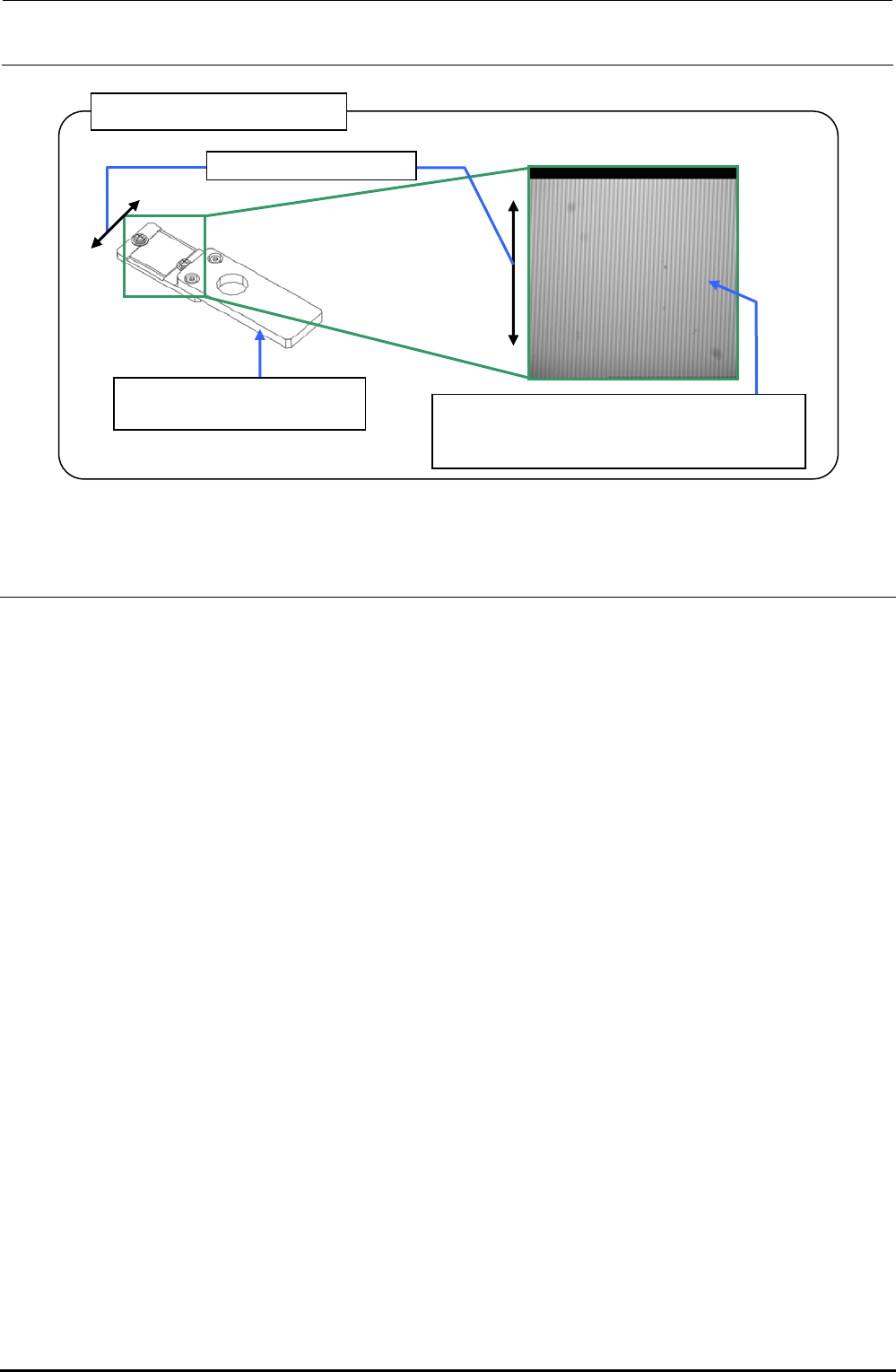
OCC focus adjustment jig
40069017
OCC focus adjustment jig
Set the light value to a level, at which the
vertical lines of the focus adjustment jig can
be seen, to adjust the light quantity.
Line drawing direction
Figure 4-5-5 OCC Focus Adjustment Jig
4-6. Adjusting the OCC Light Quantity
<Procedure>
1) Check that the OCC light goes on with manual control.
2) Carry out "Adjustment of OCC Light" in the MS parameters. (See the section related to OCC
light quantity adjustment in the specifications for the MS parameter operation.)
Rev. 1.00