3OM-1208-011_w.pdf - 第107页
3-20 AIVEDT -ID Image When "Enable" is selected, set one of the following options as an image recognition mode. Disable : The image recognition function is not used. Enable : The image recognition function is u…
3-19
AIVEDT-ID
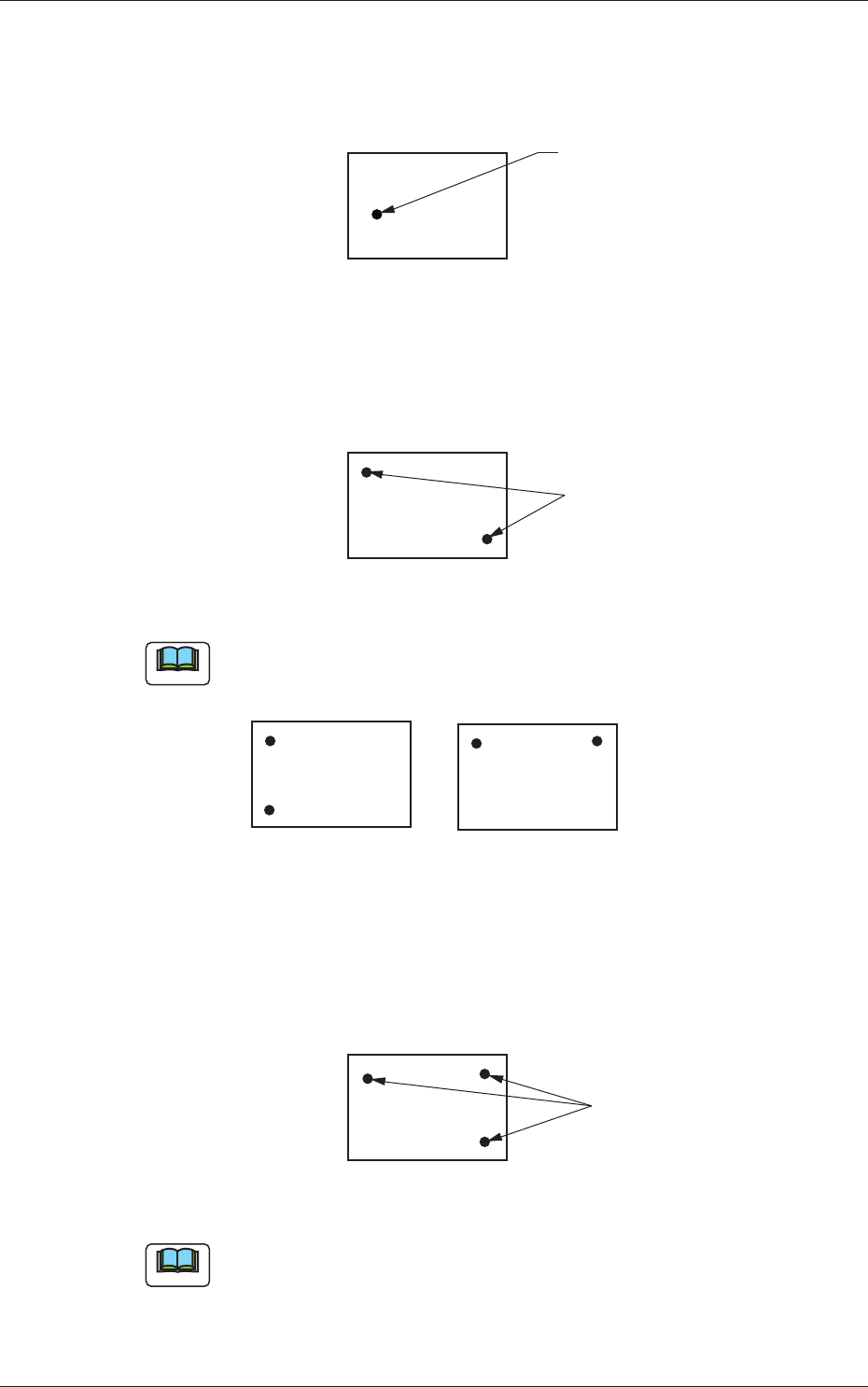
1-Point Recognition
Only the X and Y elements are corrected. The
θ
element (expansion,
etc.) is not corrected.
Fiducial Mark
Fig. 3C16
2-Point Recognition
Specify fiducial mark positions so that one fiducial mark is kept as
diagonally away from the other as possible.
Fiducial Marks
PCB
Fig. 3C17
Note
Avoid making positional relation such as fiducial marks aligned vertically
or horizontally with each other as shown below.
Fig. 3C18
3-Point Recognition
Specify fiducial mark positions so that the triangle are formed by
connecting the three points (three fiducial marks) becomes as large as
possible.
Fiducial Marks
Fig. 3C19
Note
When any two of the three fiducial marks are designated to be positioned
as close as possible to each other, the results of the correction will be
almost the same as "2-Point Recognition".
0606-009
1.2 Operation Data
3-20
AIVEDT-ID
Image
When "Enable" is selected, set one of the following options as an image
recognition mode.
Disable :
The image recognition function is not used.
Enable :
The image recognition function is used.
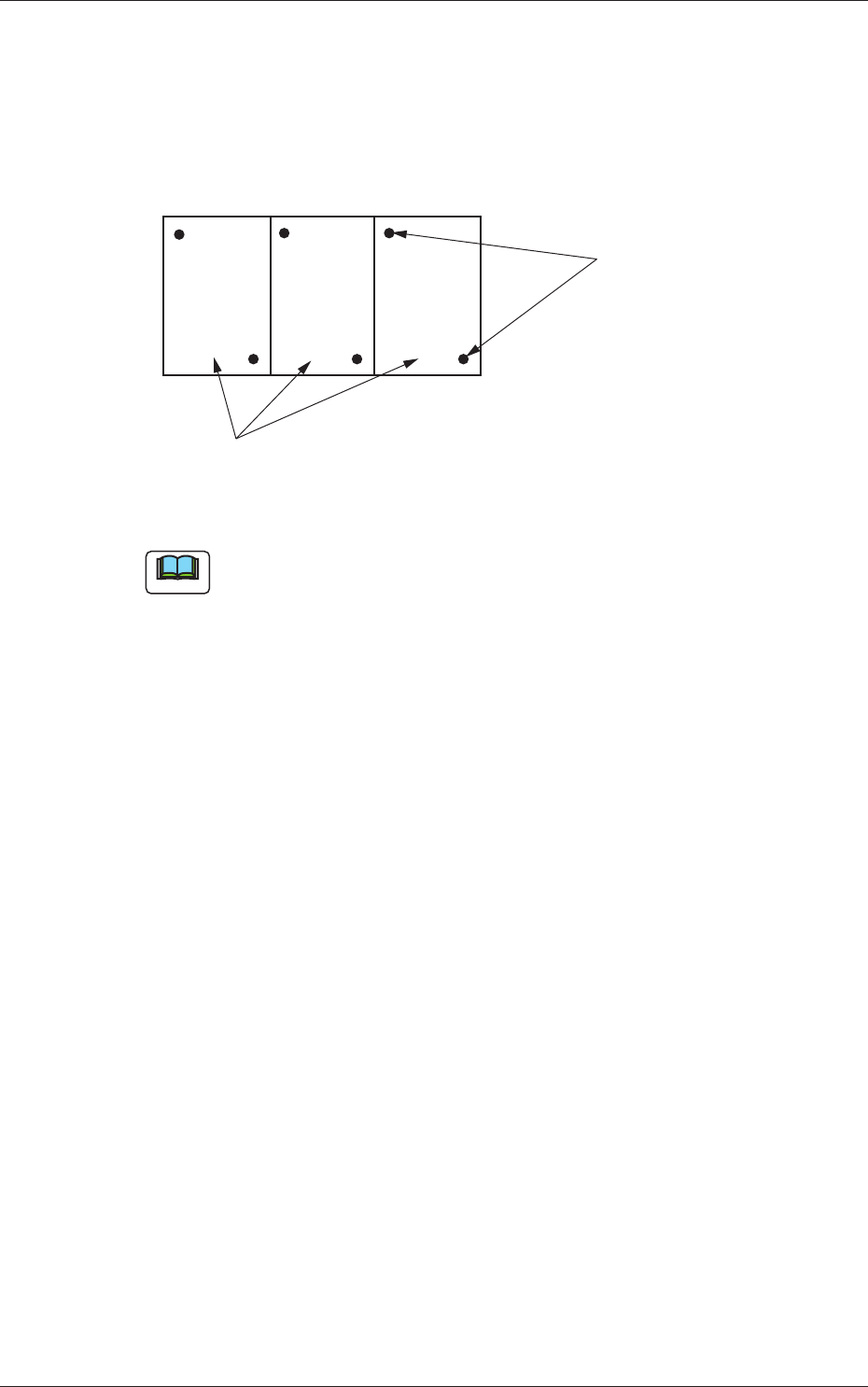
Fiducial Marks
Unit PCB (Multi-Unit PCB)
Fig. 3C20
Note
When the global recognition function is used together with the image
recognition function, both recognizing actions take place but the placement
coordinates are corrected according to the result of the image recognition.
0606-009
1.2 Operation Data
3-21
AIVEDT-ID
local
Select one of the following options to determine whether or not the
fiduci
al mark on each component placement point should be recognized.
Disable :
The local recognition function is not used.
Enable :
The local recognition function is used.
Note
(a) When "Enable" is set in the text box, the deviation of each component
placement point can be corrected.
(b) The coordinates and mark code of a fiducial mark are designated in
the placement data (P-data).
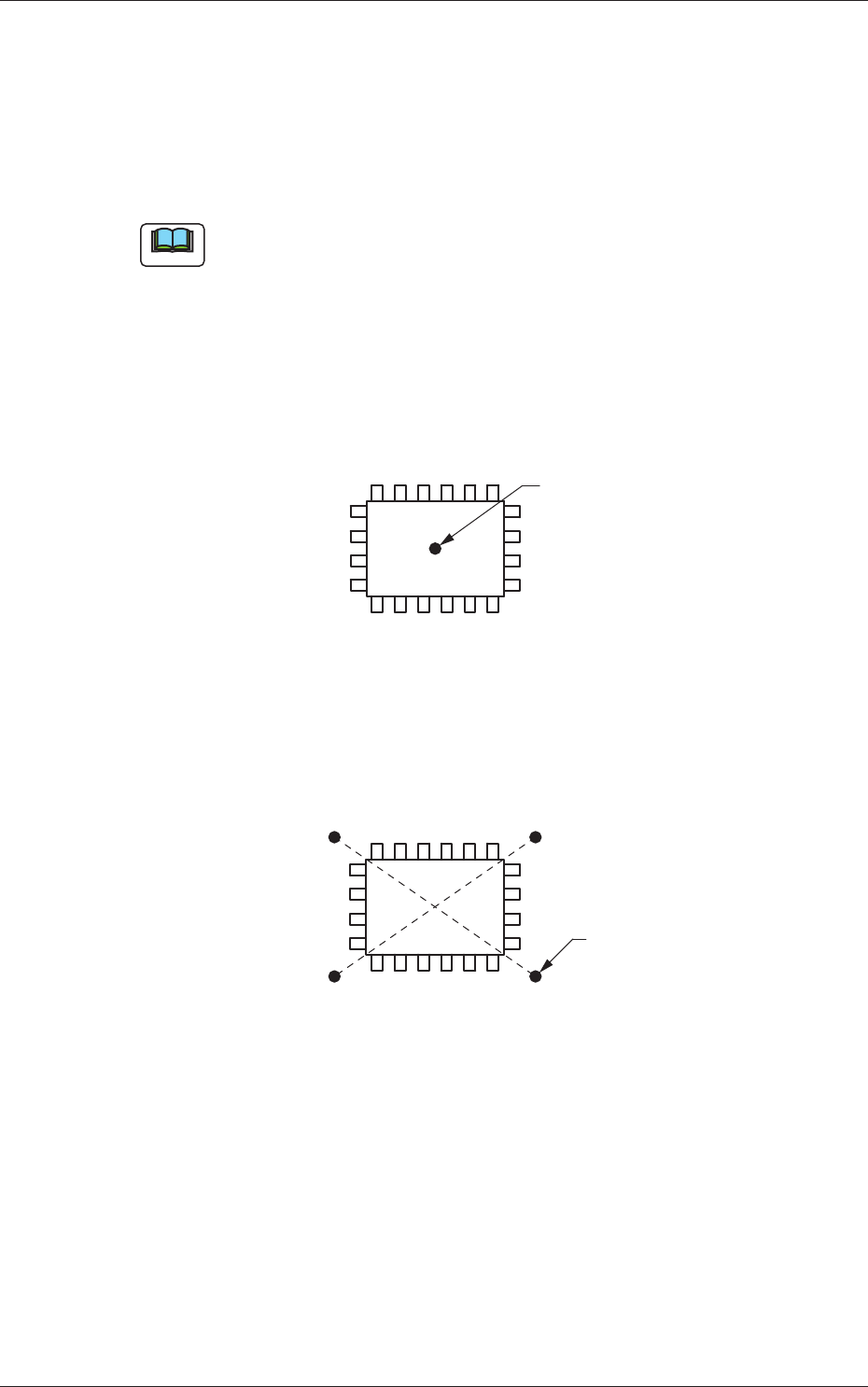
1-Point Recognition :
Put a fiducial mark on the center of component
placement point or a desired point around the
center.
Fiducial Mark
Fig. 3C21
2-Point Recognition :
Put two points (fiducial marks) symmetrically
on both sides of the center of the placement
position. (A-A', B-B')
B'
A'
A
B
Fiducial Marks
Fig. 3C22
0606-009
1.2 Operation Data