YSI_Prog_E.pdf - 第171页
4-11 4 Inspection status 1.4 Character Recognition T his inspection status is used if inspecting differences in parts types or the parts mounting angle for IC parts and so on by recognizing c haracters on parts. Only upp…
4-10
4
Inspection status
8
Perform a step test again.
1. Press the [Step] button at the "Tuning" tab again to perform a step test.
2. Take a note of and check the detection data, and then press the [End] button.
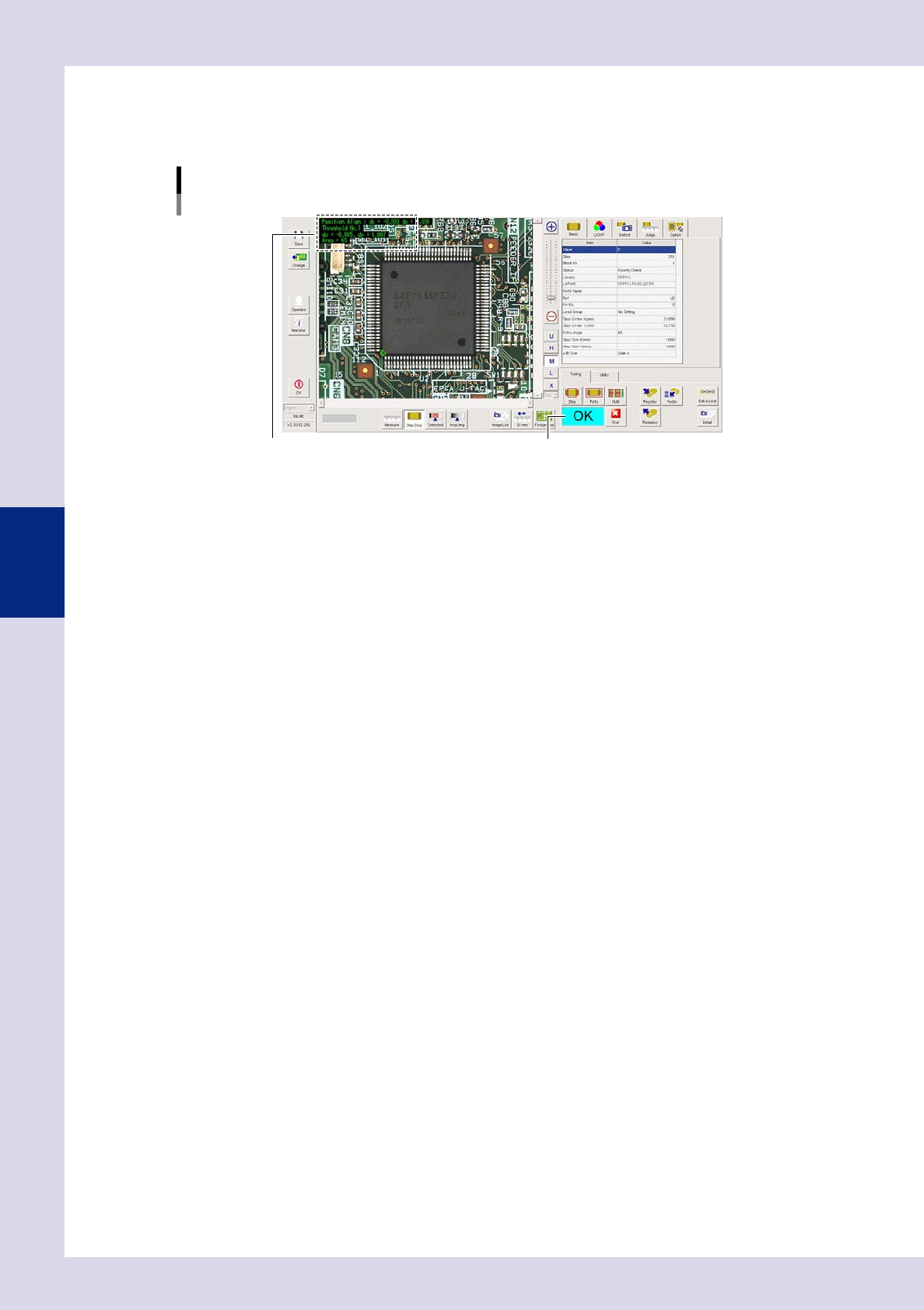
Screen after a step test is finished
Test resultDisplays detected data.
24414-P6-00
Detected data
Threshold No. : Threshold No. used for inspection
dx =, dy = : Amount that the step frame center deviates from the detection area center
Area = : Percentage of the detected area relative to the standard area
3. If the test result is not judged correctly, review all parameters while referring to the detection data.
4-11
4
Inspection status
1.4 Character Recognition
This inspection status is used if inspecting differences in parts types or the parts mounting angle for IC parts
and so on by recognizing characters on parts. Only upper case, alphanumeric characters can be recognized.
1
Make a "step" setting.
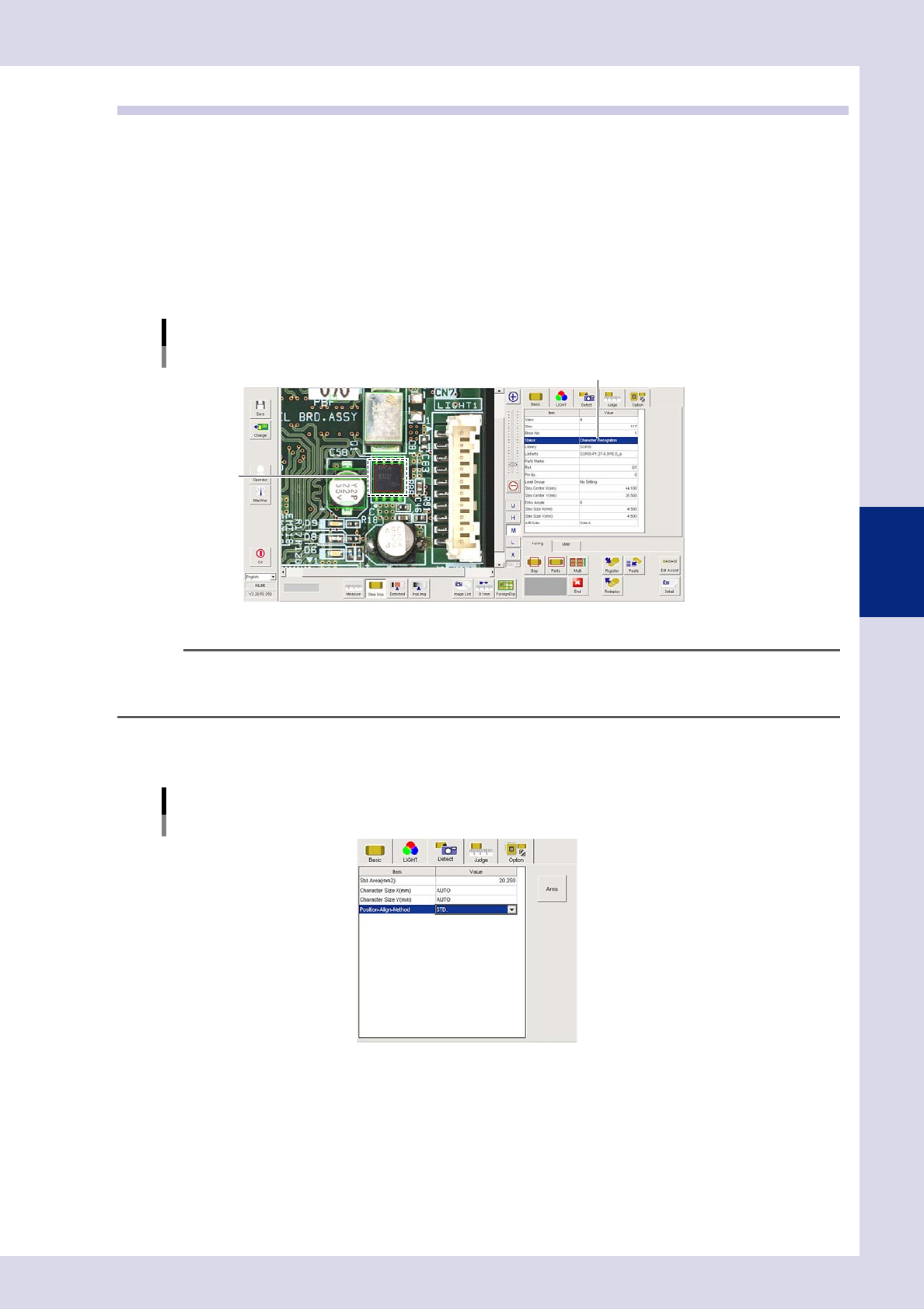
1. Create a step frame.
2. Open the "Basic" tab, and set the "Status" in the basic parameters to "Character Recognition".
3. Open the "LIGHT" tab, select the light sampling type, and set the threshold value to "AUTO" in the
lighting parameters so that characters are visible
Sampling light type reference: Luminance
Status (inspection mode)
Character Recognition
Set to "Character Recognition".
Step frame
24415-P6-00
n
NOTE
By selecting "AUTO" for the threshold value after setting the lighting, a test result can automatically be obtained with
the optimum threshold value. However, the inspection time will take a little longer than when the threshold value is
specified.
2
Set the "Detect" parameters.
Open the "Detect" tab and set the following parameters.
"Detect" parameters
Status: Character Recognition
24416-P6-00
Character Size X, Y (mm)
Set as follows : AUTO
4-12
4
Inspection status
3
Set the "Judge" parameters.
Open the "Judge" tab and set the following parameters.
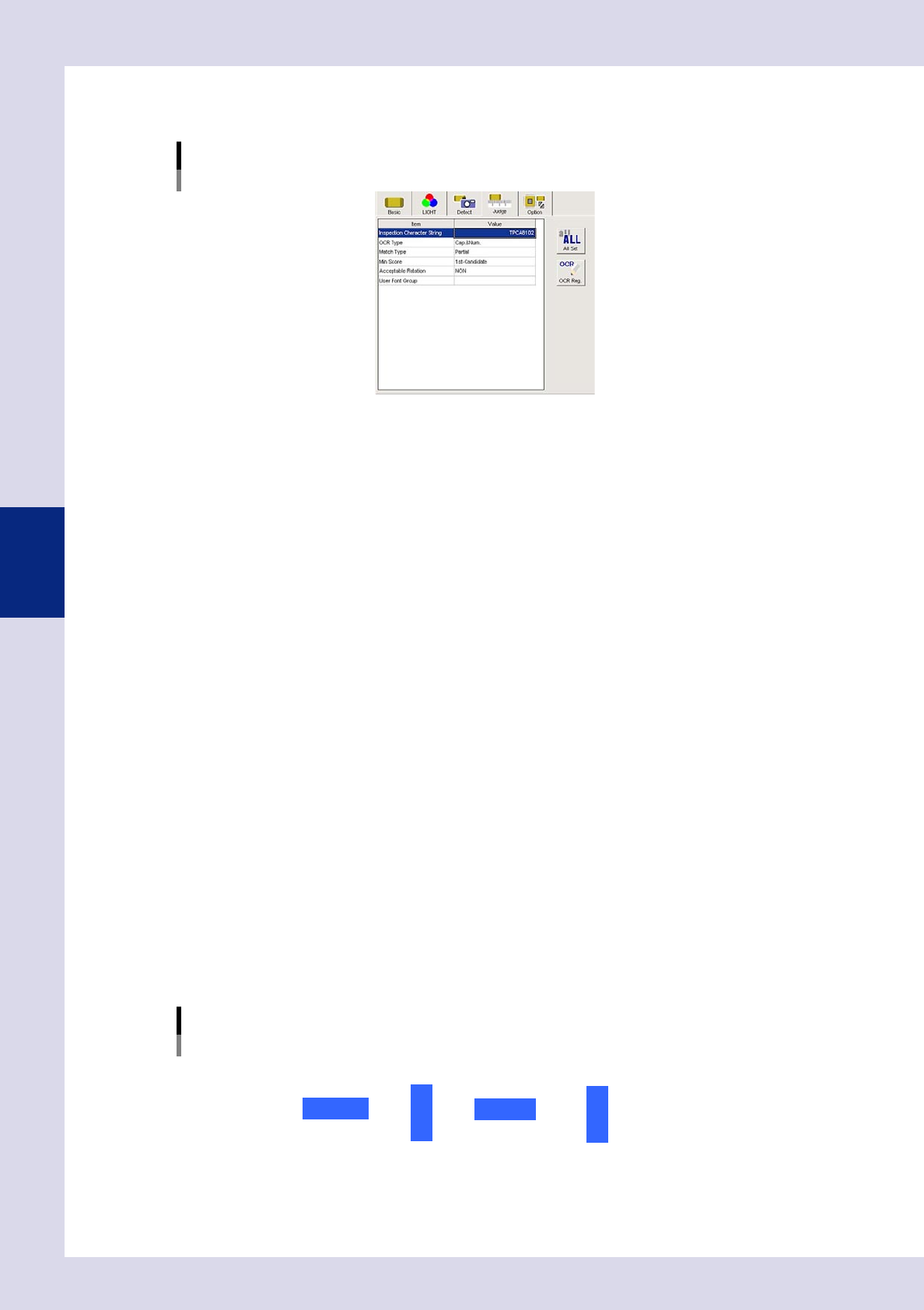
"Judge" parameters
Status: Character Recognition
24417-P6-00
Inspection Character String
Enter the character string to be inspected. Up to thirteen characters can be entered.
OCR Type
Select the appropriate setting from among "Cap&Num", "Cap", and "Num" (Alphanumeric,
Alphabetic, and Numeric) for the character string to be inspected. In the case of alphabetic
characters, only uppercase letters are recognized.
Match Type
Full : This inspects whether the detected character string completely matches the inspection
character string.
Partial : This inspects whether the detected character string contains the inspection character string.
You can enter a partial character string if you want to inspect only specific characters. If, for example,
only wishing to inspect 7 and 9 from a character string of "3793", enter "79" and set to "Partial". An NG
result is judged if unable to recognize the specified character string.
Min Score
If set to "1st candidate", the object with the highest score among the detection candidate characters
will be inspected. If the character print quality is poor, select small values such as 10 or 20 from the
drop-down list.
Acceptable Rotation
Sets whether to inspect the character angle.
NON : Select this setting when only the specified orientation should be judged to be OK
(normal setting).
Permit 180° : Select this setting for components such as chip resistors where 180° rotation presents
no problem.
Permit All : Select this setting for cases where the specified character presence/absence is the
only criterion and the character string angle is not an issue. However, the inspection
time will take a little longer because the image is rotated during image processing.
Set the character recognition angle in "Entry Angle" in the basic parameters. As shown below, this is the
angle rotated counterclockwise from 0°.
1234
0 degrees
90 degrees 180 degrees 270 degrees
1234
1 2 3 4
1234
Character recognition angles
22402-P6-00