YSI_Prog_E.pdf - 第88页
2-17 2 Creating inspection pr ograms M. Shape T ype A selection can be made from the following three shapes. Select from the drop-down list based on the mark being used. Shape type Description Example Circle Select if th…
2-16
2
Creating inspection programs
2.4.1 Basic parameters
Basic parameters
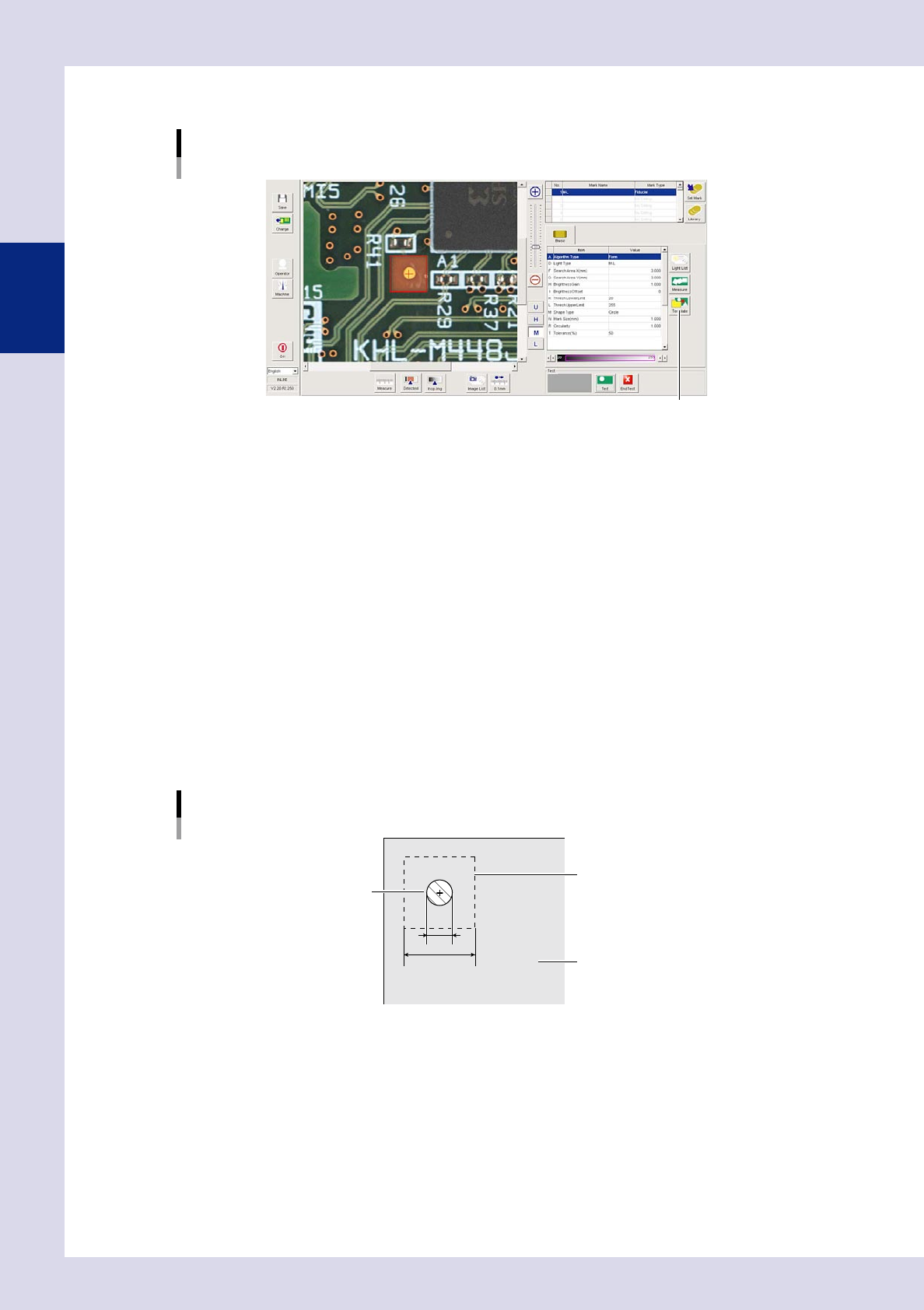
[Template] button
24211-P6-00
A. Algorithm Type
The algorithm type is selected from the following three types. "Form" should normally be selected.
If "Pattern Matching" is set, press the [Template] button, open the [Register Template] screen, and register marks in a
template.
• Pattern Matching
Recognizes the mark based on how closely it matches the image template.
• Form
Recognizes the mark based on the "Surface Type", "Std. Area", Mark Size XY", "Circularity", and "Perimeter" parameters.
• Edge
Recognizes the mark based on the "Surface Type" and "Mark Size" parameters.
D. Light Type
Selects the lighting used to recognize the mark.
F, G. Search Area X, Y (mm)
Sets the size of the area in which to search for the mark. Set the mark outline +3.00 mm as a guideline. For example, if
the mark outline is 1 mm as shown below, enter 4 mm. However, if there is a possibility that patterns (resist, silk, etc.)
other than marks may also be detected, narrow the mark detection range value so that only the mark is detected.
1
4
Mark detection range
Mark
Board
Mark detection range example
23214-P6-00
H. Brightness Gain
Adjust this value to brighten the entire image so that the mark is easily recognized.
I. Brightness Offset
Adjust this value to make the entire image darker so that the mark is enhanced.
K. Thresh Lower Limit, L. Thresh Upper Limit
Sets the upper and lower threshold limits for the brightness with which the mark is shown in red when performing mark
recognition.
2-17
2
Creating inspection programs
M. Shape Type
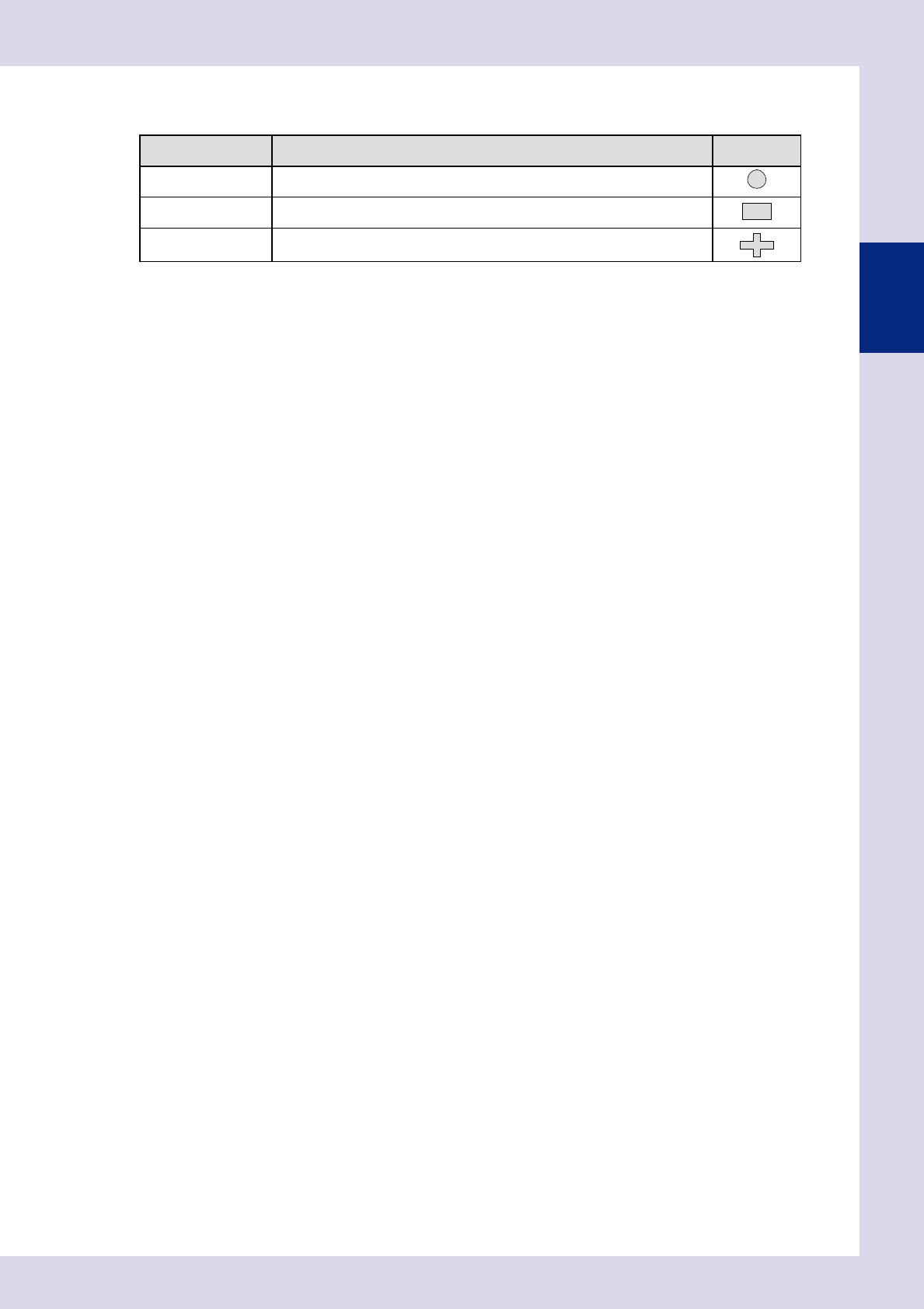
A selection can be made from the following three shapes. Select from the drop-down list based on the mark being used.
Shape type Description Example
Circle Select if the mark shape is round.
Square/Rectangle Select if the mark shape is square or rectangular.
Special
Select if the mark is made up from a single object, and the mark shape is other
than a circle, square, rectangle, or equilateral triangle.
N. Mark Size (mm)
Enter the mark outline dimensions. The dimensions can be entered automatically if unknown. Press the [Measure] button
and enclose the mark by dragging the mouse. The recognized outline dimensions are set and a test is performed.
R. Circularity
Enter the mark circularity.
The circularity can be entered automatically if unknown.
Press the [Measure] button and enclose the mark by dragging the mouse. The recognized circularity is set and a test is
performed.
T. Tolerance (%)
Sets the extent to which the the margin of error for the set mark setting value and actually recognized value is to be
allowed as a percentage.
Reference value: 20%
2-18
2
Creating inspection programs
2.4.2 Fiducial mark settings
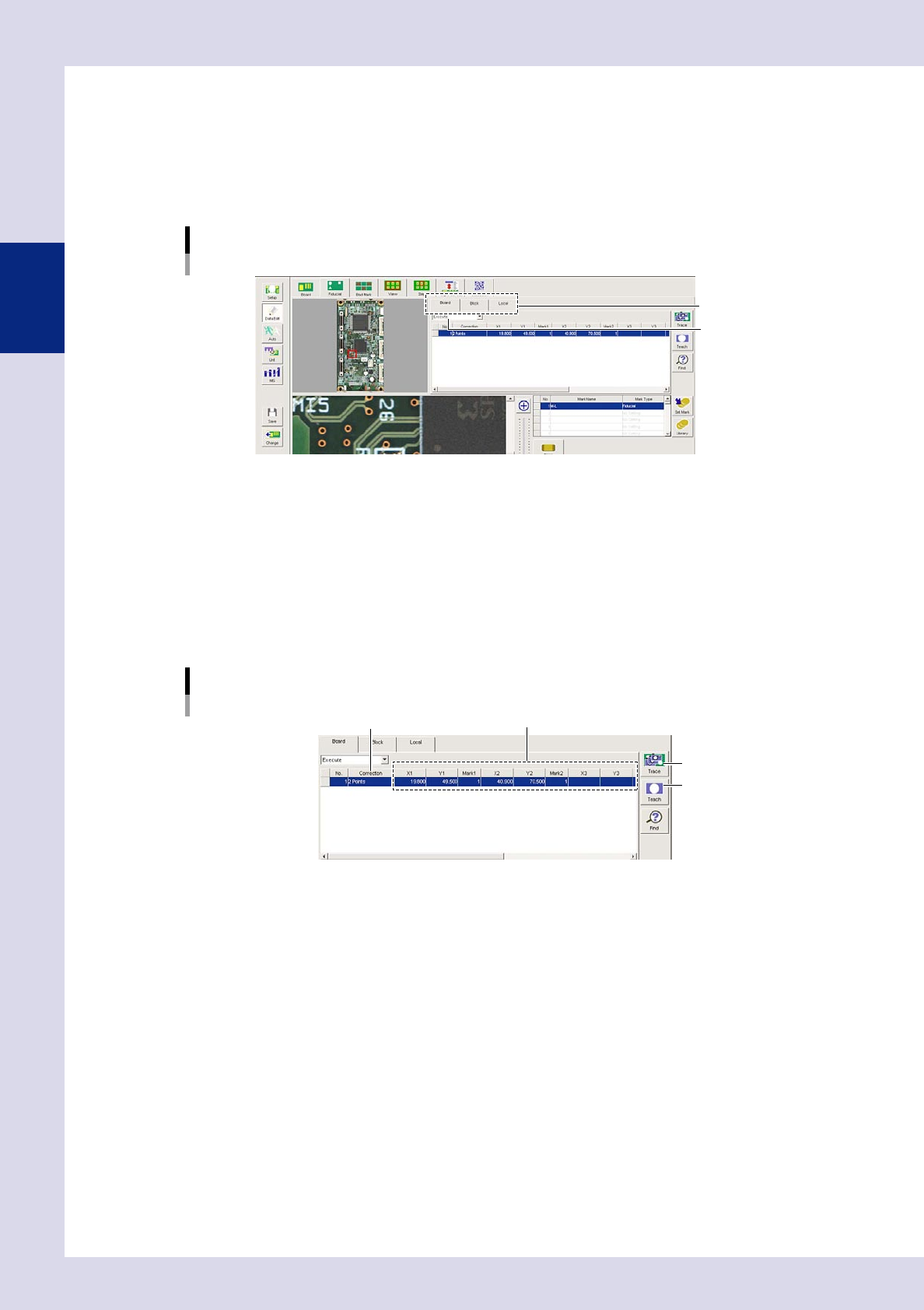
1
Press the [Data Edit] button and open the "Fiducial" tab.
2
Set fiducial marks
Open the tab for which fiducials are to be set, and set the fiducial function to "Execute".
Fiducial mark settings
Select a tab.
Set to "Execute".
24212-P6-00
"Board" tab (board fiducials)
Performs positional correction in board units.
"Block" tab (block fiducials)
Performs positional correction in units of individual boards within multi-board panels.
"Local" tab (local fiducials)
Performs positional correction of arbitrary steps such as for each parts and so on.
3
Set the mark list.
Mark list settings
[Teach] button
Correction method XY coordinates, mark Nos.
[Trace] button
24213-P6-00
Correction
Select from the drop-down list.
Do not correct:
Fiducial positional correction is not performed.
1 Point:
Performs positional correction with one fiducial mark point. Board X and Y direction displacements
are corrected.
2 Points:
Performs positional correction with two fiducial mark points. Board X and Y direction displacements
and tilt are corrected.
3 Points:
Performs positional correction with three fiducial mark points. Board X and Y direction displacements
and tilt are corrected. Used for boards of material (paper phenol, paper) easily subject to expansion
and contraction or warp such as large boards or flexible boards.