KE2040Instruction Manual Ver2.01,REV04.2003.6.25.pdf - 第395页
5 − 32 1) Def ault patterns A def ault patter n is a ball pattern built into the ma chine by default. T he following def ault patter ns are provided. The available default patter ns vary depending on the lead ( ball) pit…
5 − 31
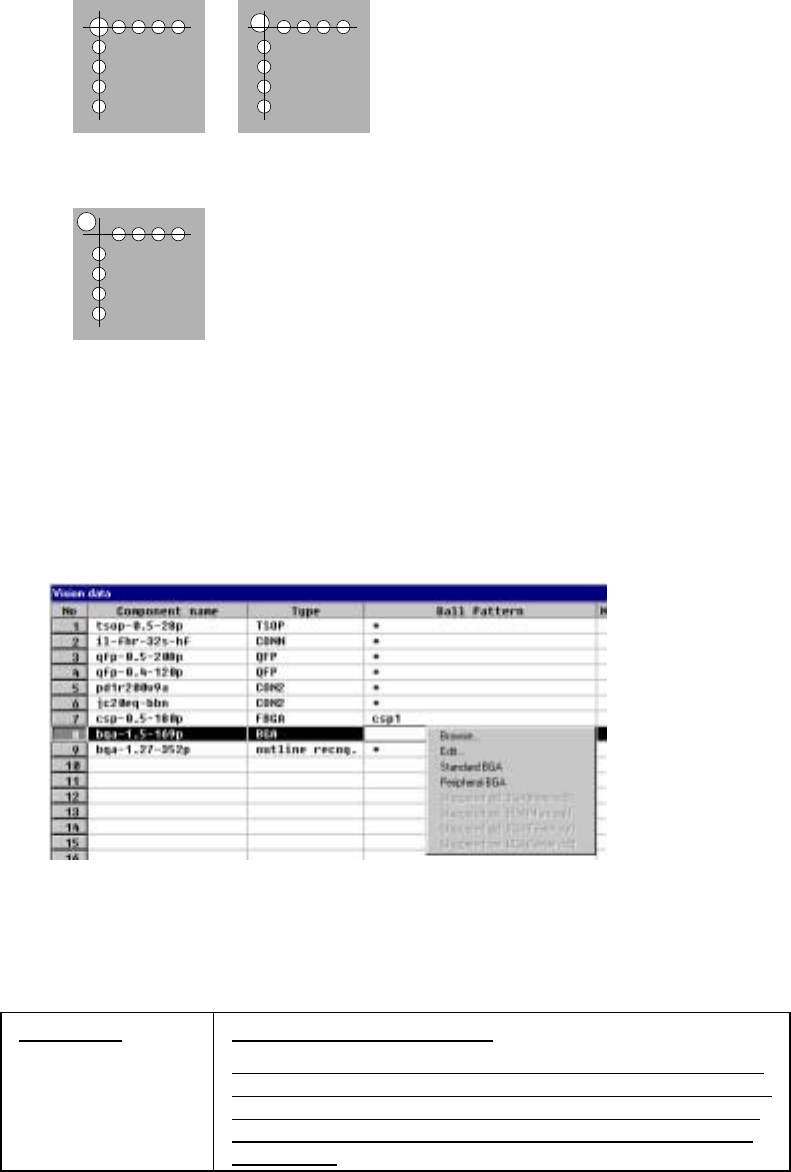
• When index balls are located on the ball grid, the machine handles such a
component as the “Standard” type.
• When an index ball is outside the ball grid, the machine handles such a
component as one of types: “Index mark 1 corner” to “Index mark 4 corner”
⑬ Ball pattern
Set the recognition pattern of a BGA component.
This setting item is available only when you select “All balls” or “All land” at the
“Contrast” setting item.
• When you click this item with the right button, the pop-up menu appears on
the screen as shown below.
Figure 5.2.3.22 BGA component recognition pattern setting
- When you want to use a default pattern, select one from the pop-up
menu shown above.
Ball Pattern Specify the ball pattern name.
If the number of leads (balls) is different from that of the ball
pattern you specified, HLC regards the number of balls of the
specified ball pattern as a valid value to set it to the number
of leads (balls) and the number of missing leads (balls) (all
set to zero).
5 − 32
1) Default patterns
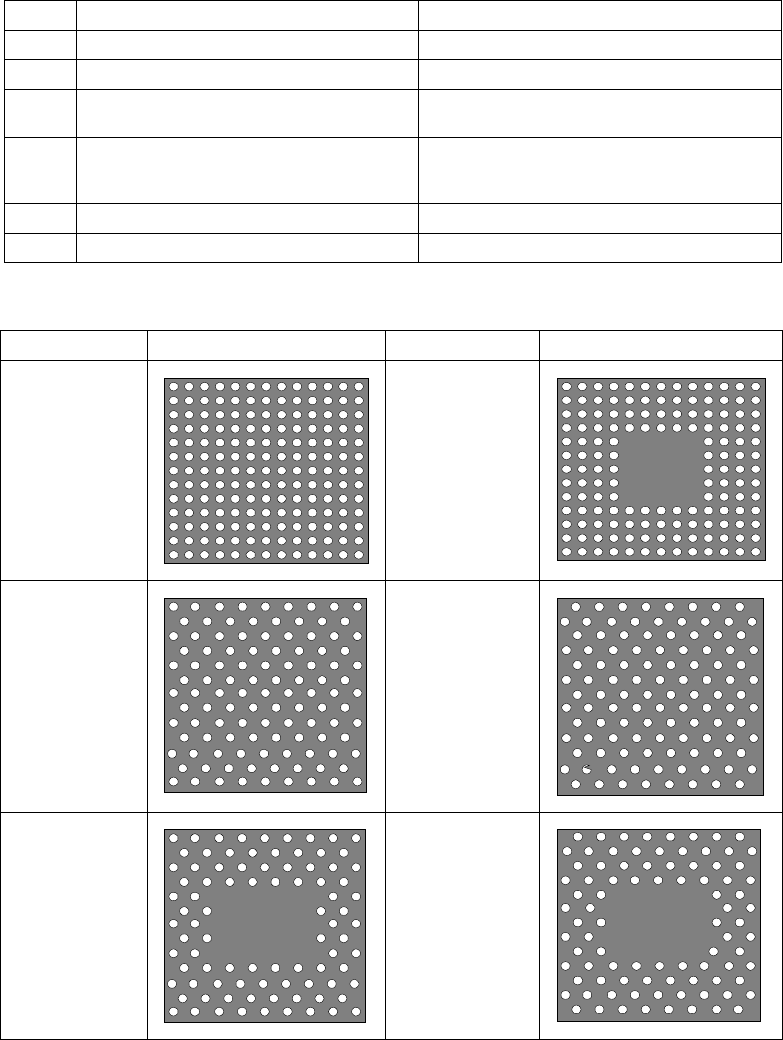
A default pattern is a ball pattern built into the machine by default. The
following default patterns are provided. The available default patterns vary
depending on the lead (ball) pitch you entered.
Type Default pattern Selection conditions (Ball pitch range)
1 Standard BGA 1.00 mm to 1.99 mm
2 Peripheral BGA 1.00 mm to 1.99 mm
3 Staggered std. BGA (More Out)
(More balls are located on the outer frame)
2.00 mm to 3.00 mm
4 Staggered std. BGA (Fewer Out)
(Fewer balls are located on the outer
frame)
2.00 mm to 3.00 mm
5 Staggered per. BGA (More Out) 2.00 mm to 3.00 mm
6 Staggered per. BGA (Fewer Out) 2.00 mm to 3.00 mm
2) Default pattern sample images
Default pattern Sample image Default pattern Sample image
1. Standard
BGA
2. Peripheral
BGA
3. Stagger Std.
BGA
(More OUT)
4. Stagger Std.
BGA
(Fewer OUT)
5. Stagger Per.
BGA
(More OUT)
6. Stagger Per.
BGA
(Fewer OUT)
5 − 33
3) When you select “Browse” on the pop-up menu
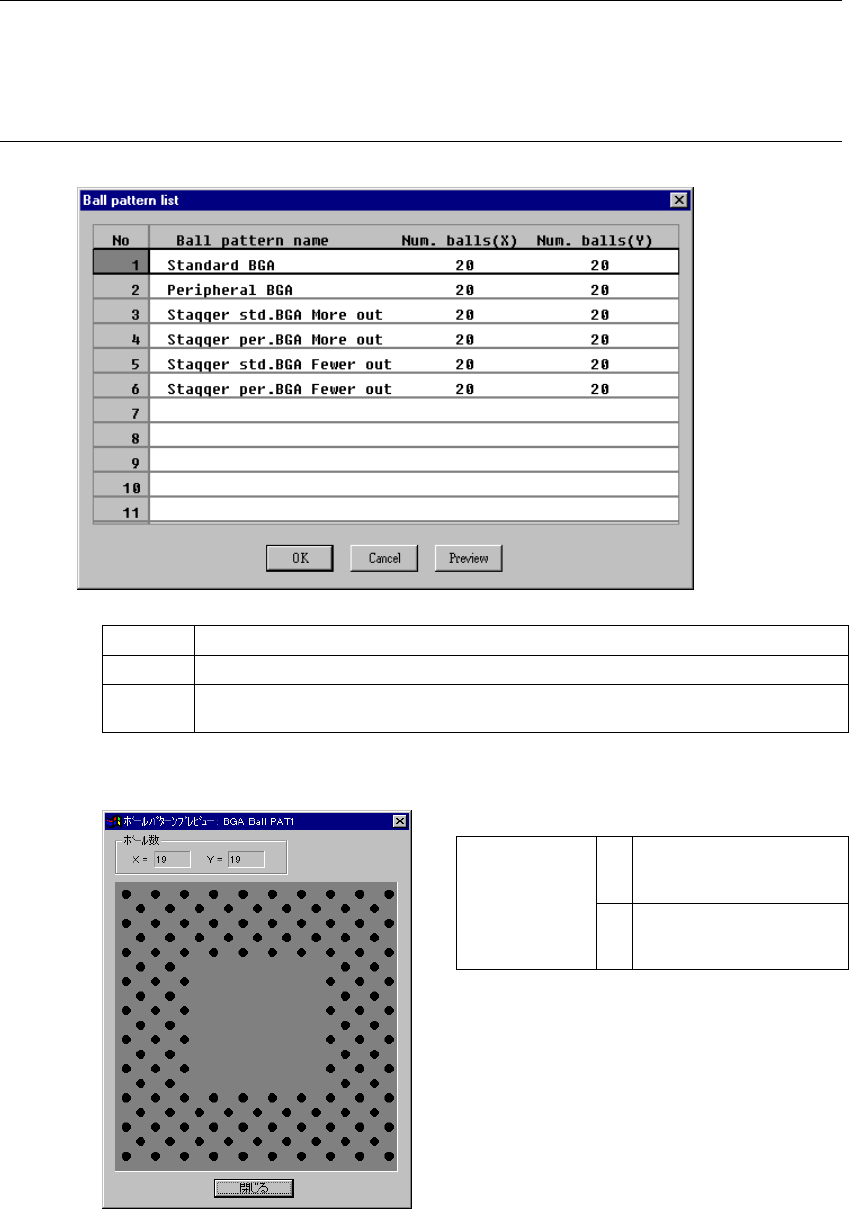
The following “Ball pattern list” dialog box appears on the screen.
[How to set]
In the same manner as when you invoke the database list, double-click a
ball pattern to be set or select a ball pattern, then click the <OK> button.
The confirmation dialog box appears on the screen.
Notes:
①
When you call a ball pattern from the database, call the Component data
(Vision data) on which the ball pattern is set.
②
You cannot directly call a ball pattern only.
OK Sets a ball pattern. After setting the ball pattern, the dialog box shown above closes.
Cancel Cancels setting of a ball pattern, then closes the dialog box.
Preview
This is the ball pattern preview function. When you select a ball pattern and click the
“Preview” command, the selected ball pattern appears on the screen.
• Ball pattern preview dialog example
X Number of ball columns
(Number of balls arranged
in the X direction)
Number of balls
Y Number of ball rows
(Number of balls arranged
in the Y direction)
When you click the <Close> button, the “Ball
pattern list” dialog box reappears on the
screen.