KE2040Instruction Manual Ver2.01,REV04.2003.6.25.pdf - 第773页
10 − 10 10.4.2 Nozzle operation information 10.4.2.1 Operation Informat ion of each nozzle W hen you select the [W indows] command on the m enu bar, t hen the [Oper ation Inf ormation of each nozzle] command on the displ…
10 − 9
When you select the [Tool] command on the menu bar, then the [Reset] command on
the Tool menu while the window above is being displayed on the screen, the following
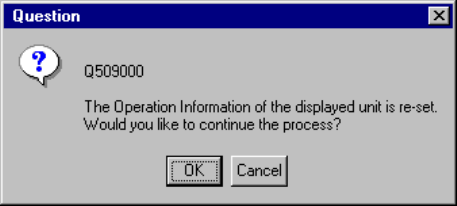
dialog box appears on the screen.
Figure 10.4.1.3 "Operation Information of the desired unit
is reset" Question dialog box
− When you click the <OK> button on the dialog box above, the system resets all of
the machine operation information data.
When you click the <Cancel> button, the system continues displaying the current
data without resetting it.
10 − 10
10.4.2 Nozzle operation information
10.4.2.1 Operation Information of each nozzle
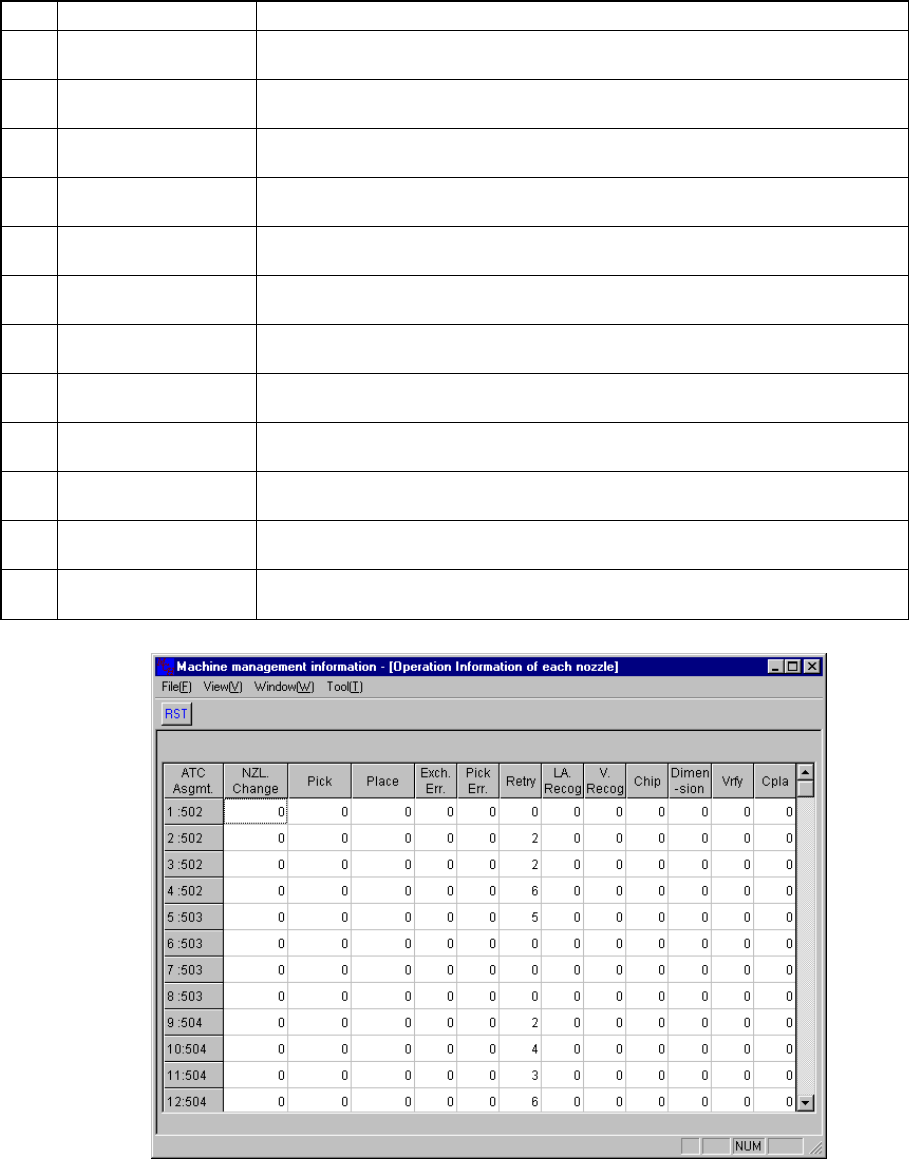
When you select the [Windows] command on the menu bar, then the [Operation
Information of each nozzle] command on the displayed menu, the screen appears as
shown in Figure 10.4.2.1.1.
No. Item Description
1 NZL Change
Counts how many times the nozzle (specified with the ATC number) was
replaced.
2 Pick
Counts how many times the nozzle (specified with the ATC number) picked a
component totally.
3 Place
Counts how many times the nozzle (specified with the ATC number) placed a
component totally.
4 Exch. Err.
Counts how many times a replacement error occurred per a nozzle (specified
with the ATC number).
5 Pick Err.
Counts how many times a pick-up error occurred per a nozzle (specified with
the ATC number).
6 Retry
Counts how many times the nozzle (specified with the ATC number) performed
a retry.
7 LA Recog
Counts how many times an LA recognition error occurred at the nozzle
(specified with the ATC number).
8 V. Recog
Counts how many times a vision recognition error occurred at the nozzle
(specified with the ATC number).
9 Chip
Counts how many times a chip rise error occurred at the nozzle (specified with
the ATC number).
10 Dimension
Counts how many times an odd-shaped component error occurred at the nozzle
(specified with the ATC number).
11 Vrfy
Counts how many times a verify error occurred at the nozzle (specified with the
ATC number).
12 Cpla
Counts how many times a coplanarity error occurred at the nozzle (specified
with the ATC number).
Figure 10.4.2.1.1. Nozzle Operation Information
10 − 11
10.4.2.2 Setting up each item of Nozzle Operation Information
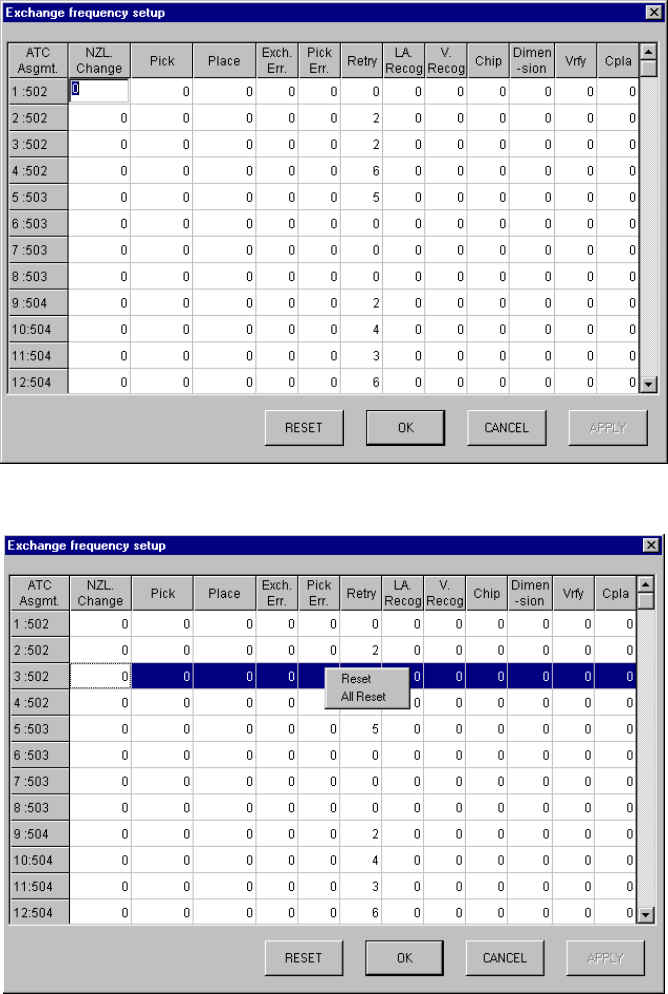
When you select the [Tool] command on the menu bar, the [Exchange frequency
setup] command on the displayed menu, then the [Each nozzle] command, the screen
appears as shown in Figure 10.4.2.2.1.
If you manually change the ATC nozzle assignment, you can change data on each
nozzle.
Figure 10.4.2.2.1 Exchange frequency setup dialog box
Figure 10.4.5.2.2 Exchange frequency setup dialog box