KE2040Instruction Manual Ver2.01,REV04.2003.6.25.pdf - 第92页
3 − 16 3.5.2 Program editing local menu This section describes t he commands t o be used for edit ing a product ion program . Command list T ool bar The f igure below indicates the cont ents of t he tool bar displayed wh…
3 − 15
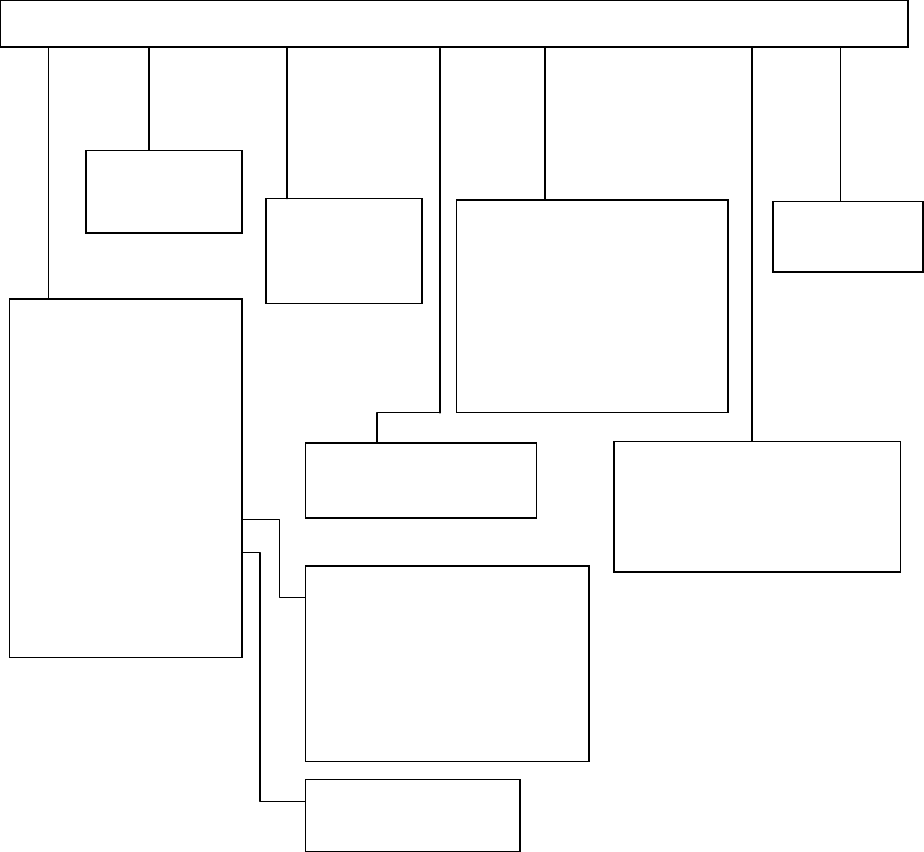
3.5 Menu Organization
3.5.1 Main Menu
Pwb Production
Trial Run
Dry Run
Warming Up
Idle mode
Self-Calibration
Machine Management
information
Mech-Parameter Setting
MS-Parameter Setting
File [F] Editor [E] Production [P] Setup [S] Maintenance [M] Options [O] Help [H]
Machine Set up
Manual Operation
KE-2000 Help
A
bout Programs
Program Editor
Database Editor
New [N] Ctrl + N
Open [O] Ctrl + O
Save [S] Ctrl + S
Save as [A]
File Management [Explorer]
Default Folder
Printer Setup
Print
Control Data Management
Save Machine Data
Save Vision Data
Exit [X]
Change User Group
User Group Environmental Settings
Option Setting
Environment Setting
Production Program List
Retry List
Production Management Data
Machine Management information
Machine Setup Data
Option Setting Data
Control Data File Storage
Data Manager
3 − 16
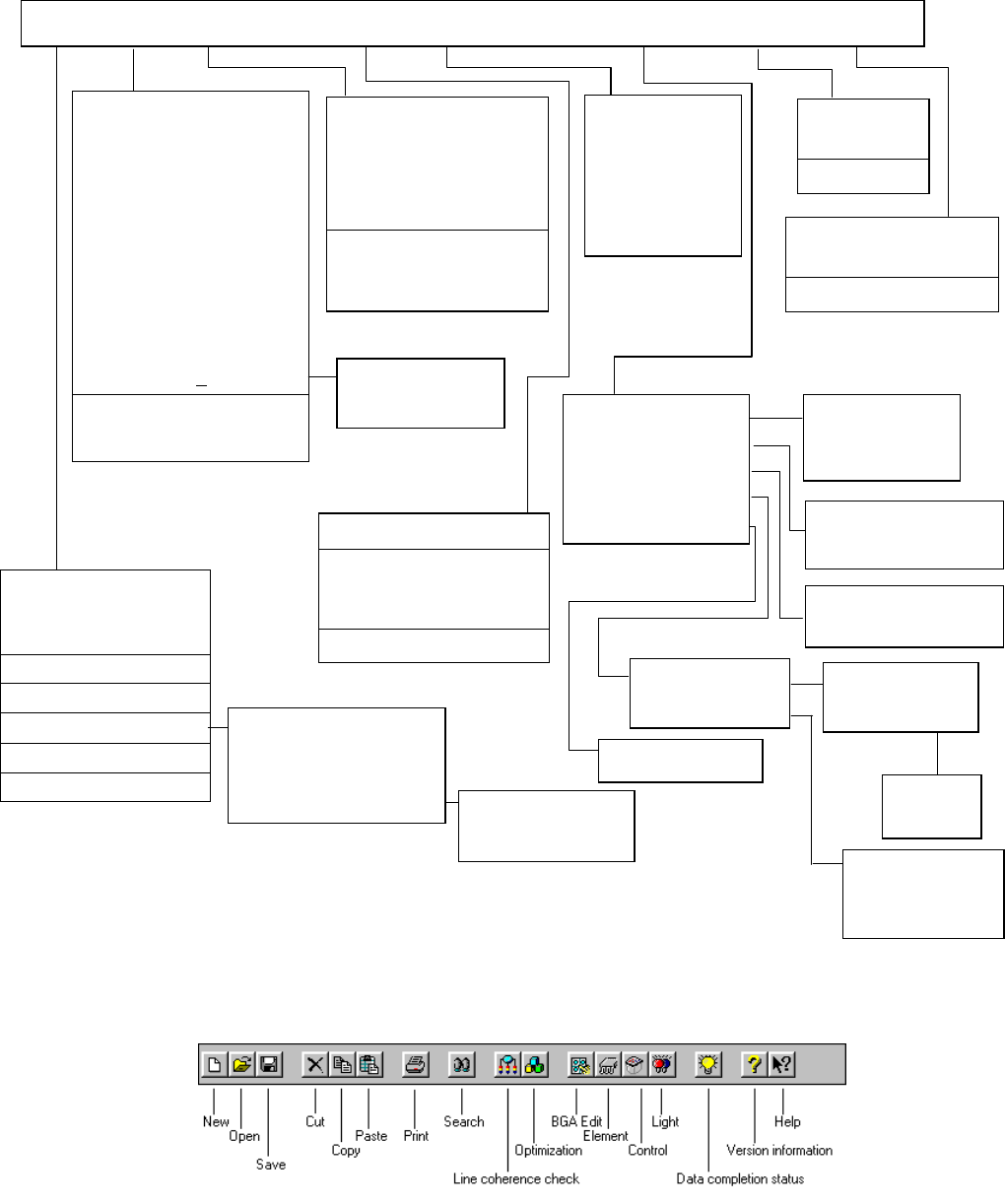
3.5.2 Program editing local menu
This section describes the commands to be used for editing a production program.
Command list
Tool bar
The figure below indicates the contents of the tool bar displayed when you edit a
production program.
PWB data [B]
Placement data [P]
Component data [C]
Pick data [I]
Vision data [V]
Data completion stalus [S]
Station data [E]
Data coherence check [L]
Cut [T] Ctrl + X
Copy [C] Ctrl + C
Paste [P] Ctrl + V
Insert Line [U]
Jump [J] Ctrl + G
Search [S] Ctrl + F
Search the next item [N]F7
Replacement [L]
Cel copy [O] Ctrl +E
Cel Paste [P] Ctrl +R
Change component Name [H]
Update Layers (Y
) >>
Matrix copy [M]
Vision copy [V]
PWB load [L]
PWB eject [E]
A
uto conveyor [A]
Current component [C]
A
ll component [A]
Mark [M] >>
Coordinate
[
C
]
>>
BOC [B]
Feeder Bank [F]
Front [F]
Rear [R]
Place tracking [P]
Pick tracking [I]
Height tracking [H]
Program data [P]
Nozzle Setup [N]
Production information [M]
Optimization [O] >>
Option [O]
Supply quantity [S]
Register [B]
Call list [C]
Re-Search [R]
Command [C]
How to use help [H]
Version information [A]
Transport [T] >>
Measurement [M] >>
Inspection [I] >>
Confirmation [C] >>
Management [A] >>
Optimization [G]
Divided placement Data [P]
Nozzle layout [N]
Component supply count [S]
Status Display [D]
File [F] Edit [E] Data[C] Optimization [O] Display [V] Machine operation [M] Data Base[D] Help [H]
Component form
Component list
Feeder layout
Tool bar
Vision Form
Vision List
Mark Database [M]
New [N] Ctrl + N
Open [O] Ctrl + O
Save [S] Ctrl + S
Save as [A]
File Information [I]
Print [P] >>
Environment setting [C]
Exit [E]
Vision recognition [I]
Coplanarit
y
[C]
A
ll components
Current component
3 − 17
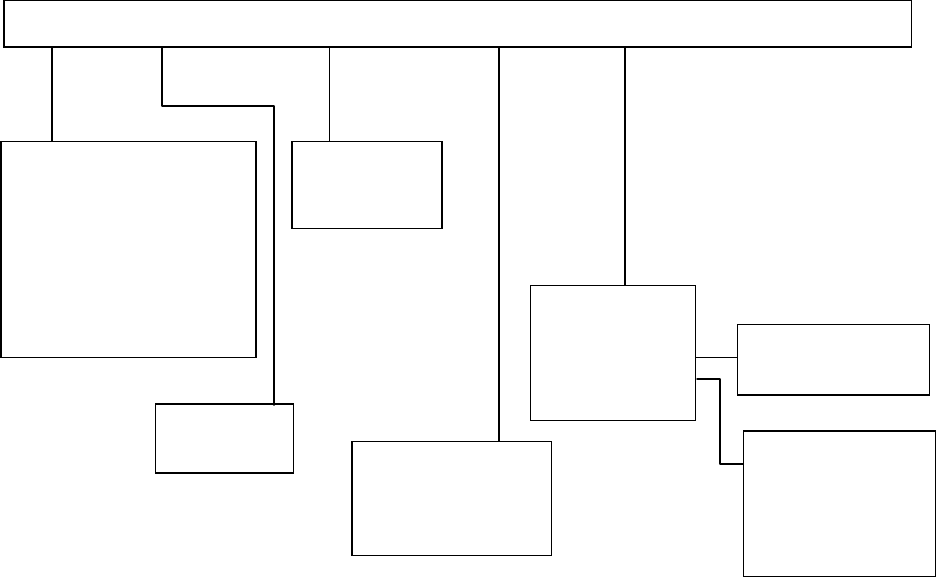
3.5.3 Production local menu
Toolbar [T]
Status Bar [S]
Open [O] Ctrl + O
Over write Save [S] Ctrl + S
Save as [A]
Print [P] Ctrl + P
Print prev [V]
Print set up [R]
Save Machine Data
Exit [X]
PWB production
Trial
Dryrum
Production status
Production Conditions
Management Info
Production Info
Unplaced list
Supplier information
File [F] View [E] Production conditions [P] window [W] Tool [T]
Parts no. set up
Operation option
Retry List
Check
Edit Data
Verify Current check
Verify all check
SOT Current check
SOT all check
Laser check