KE2040Instruction Manual Ver2.01,REV04.2003.6.25.pdf - 第648页
8 − 4 Current set tings of the m enu items " V acuum table" and " Signal light ". Figure 8.1.1. 5 Machine setup initia l screen 5 Current set tings of the m enu items " Signal lig ht " and &…
8 − 3
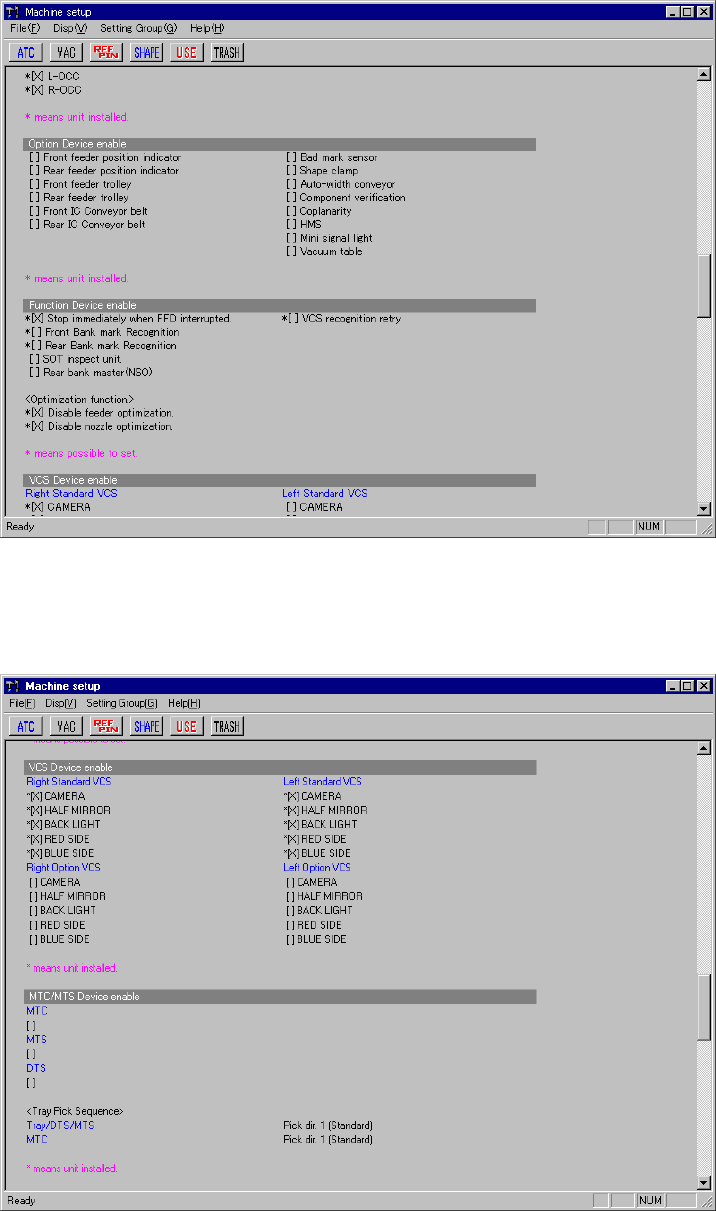
Current settings of the menu items "Option Device enable" and "Function Device
enable".
Figure 8.1.1.3 Machine setup initial screen 3
Current settings of the menu items , "MTC/MTS Device enable" and "HLC
connection".
Figure 8.1.1.4 Machine setup initial screen 4
8 − 4
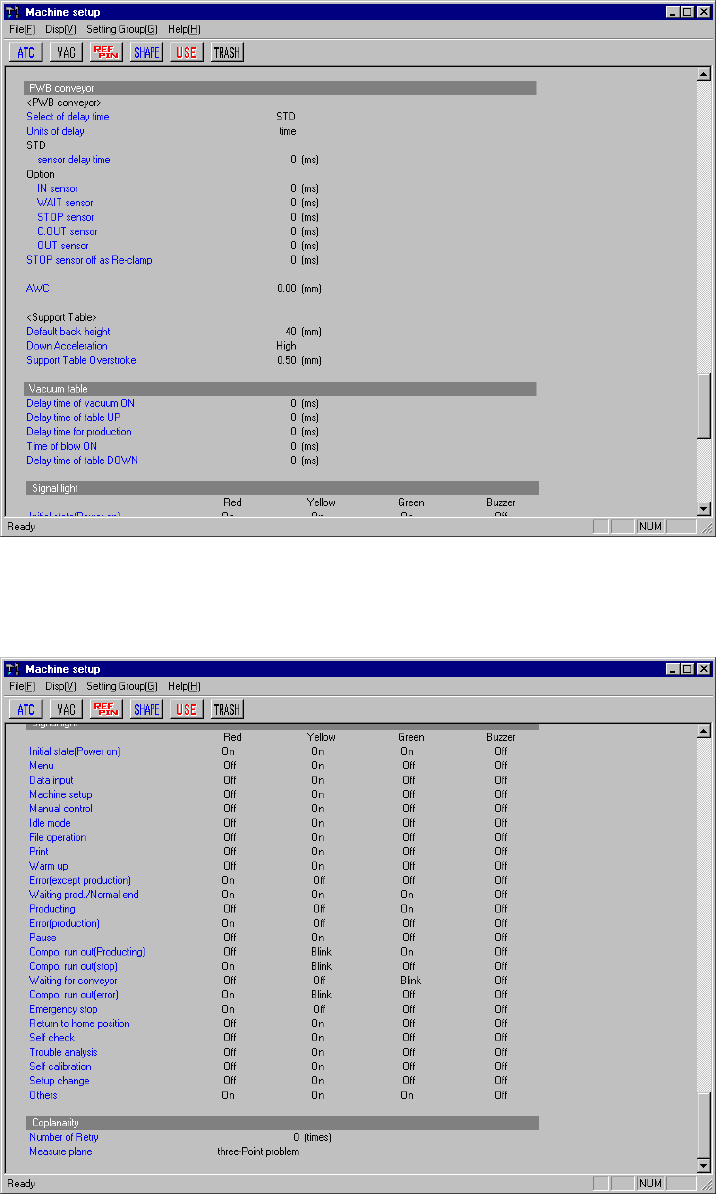
Current settings of the menu items "Vacuum table" and "Signal light".
Figure 8.1.1.5 Machine setup initial screen 5
Current settings of the menu items " Signal light " and "Coplanarity".
Figure 8.1.1.6 Machine setup initial screen 6
− To change the setting of each item select [Setting Group] of the menu bar.
− When you select an item on the Set up group menu, and set the appropriate
parameter, the Machine setup initial screen reappears.
8 − 5
8.2 Menu
8.2.1 File
See Sections 3.6 "File Operations" and 4.2 "File" for the basic operations.
8.2.1.1 Registered nzl. no table
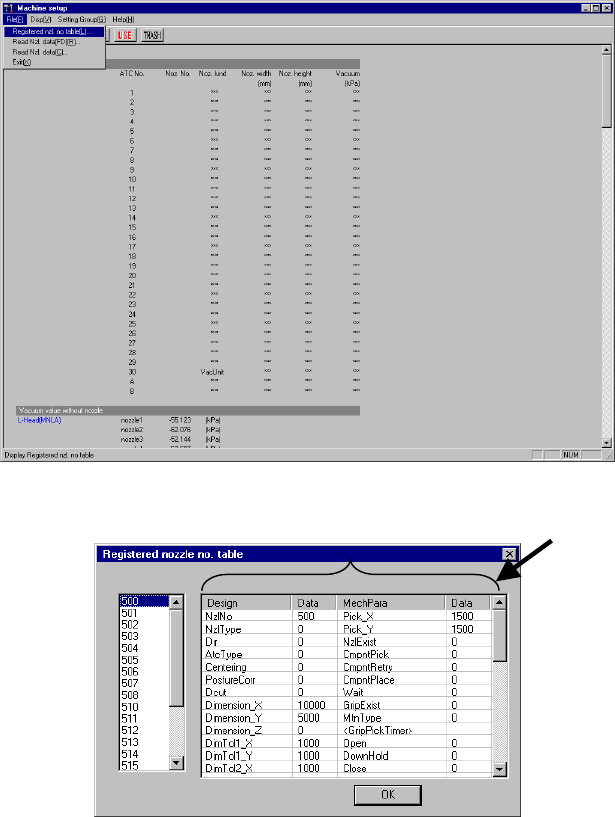
When you select the [Registered nzl. no table] command from the [File] menu,
which is invoked from the menu, bar, the “Registered nozzle no. table” dialog box
appears (see Figure 8.2.1.1.2) on the screen.
The left list box of this dialog box lists the nozzle numbers registered in the nozzle
information.
If the customized nozzle is not registered, only the standard nozzles (whose number
is 500 to 508, or 510 to 517) are displayed on this dialog box.
Data corresponding to the nozzle number that is displayed on the “Registered
nozzle no. table” appears on the right-side nozzle information area.
The left side indicates the values designed for nozzles (Design), while the right side
indicates the mechanical parameter information (MechPara). Those data matches
each entry name stored in a file (NZL*.INI) loaded when the machine reads the
nozzle information from a floppy disk. . (because the system can read data from a
medium other than a floppy disk)
Figure 8.2.1.1.1 “Registered nzl. no. table” menu command
(Screen example when a KE-2020 is used)
Figure 8.2.1.1.2 “Registered nozzle no. table” dialog box