00197975-06_UM_TX-Serie_EN.pdf - 第214页
4 Setting up and commissioning Us er manual SIPLACE TX-Series 4.5 Setting up the placement mac hine From software version 713.0 Edition 01/2020 214 4.5.7.4 Fitting the floor brace (optional) Item no. 00588122-xx F loor b…
User manual SIPLACE TX-Series 4 Setting up and commissioning
From software version 713.0 Edition 01/2020 4.5 Setting up the placement machine
213
4
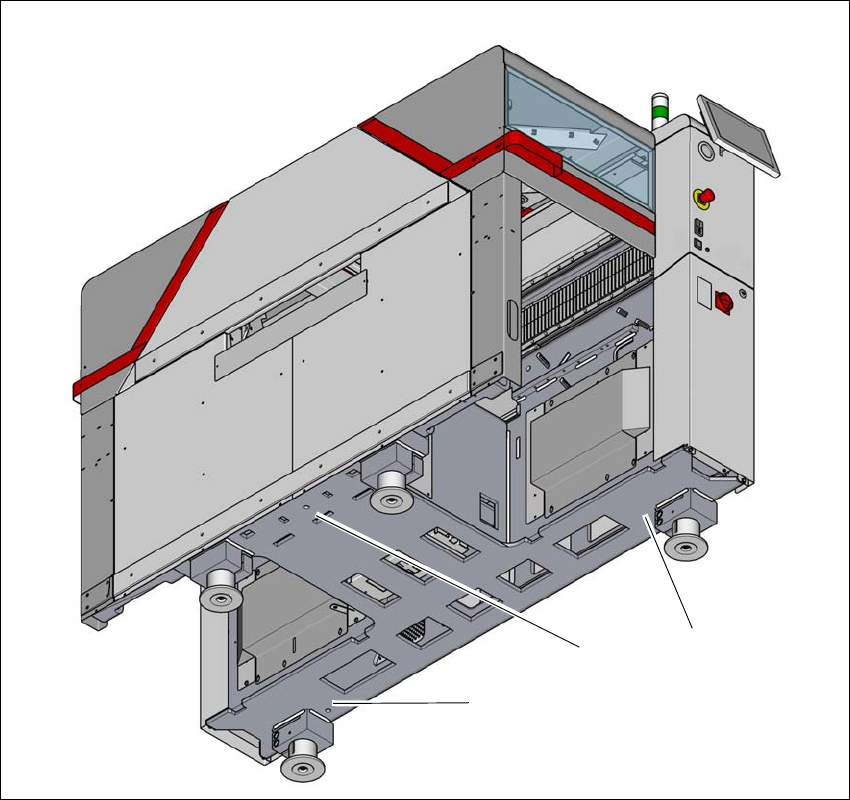
Fig. 4.5 - 7 Contact positions for the air cushion transport system
(1) Three contact points for the air cushion transport system
(1)
(1)
(1)
4 Setting up and commissioning User manual SIPLACE TX-Series
4.5 Setting up the placement machine From software version 713.0 Edition 01/2020
214
4.5.7.4 Fitting the floor brace (optional)
Item no. 00588122-xx Floor brace set for TX
The placement machine can be secured against sliding in the event of strong vibrations (e.g.
earthquakes) with a floor brace, if required.
Fit a floor brace to each placement machine foot.
4
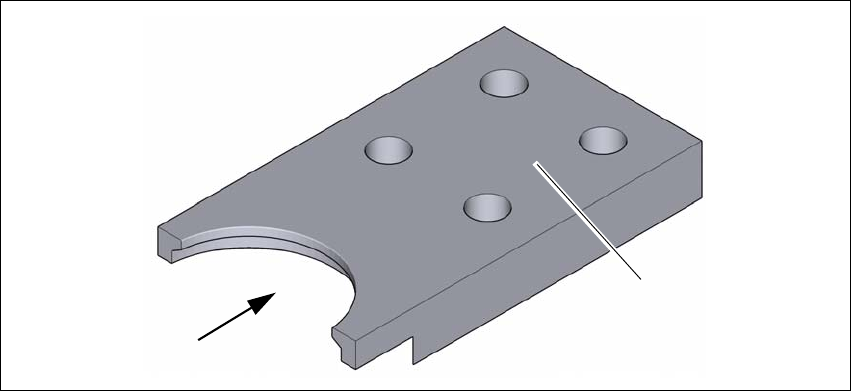
Fig. 4.5 - 8 Floor brace
Place the floor brace (1) over the placement machine foot.
Attach the floor brace to the ground with suitable fixtures, at the four holes (2) provided.
(1)
(2)
User manual SIPLACE TX-Series 4 Setting up and commissioning
From software version 713.0 Edition 01/2020 4.5 Setting up the placement machine
215
4.5.8 Machine foot clearances and the stationary PCB conveyor edges
4.5.8.1 Machine foot clearances
4
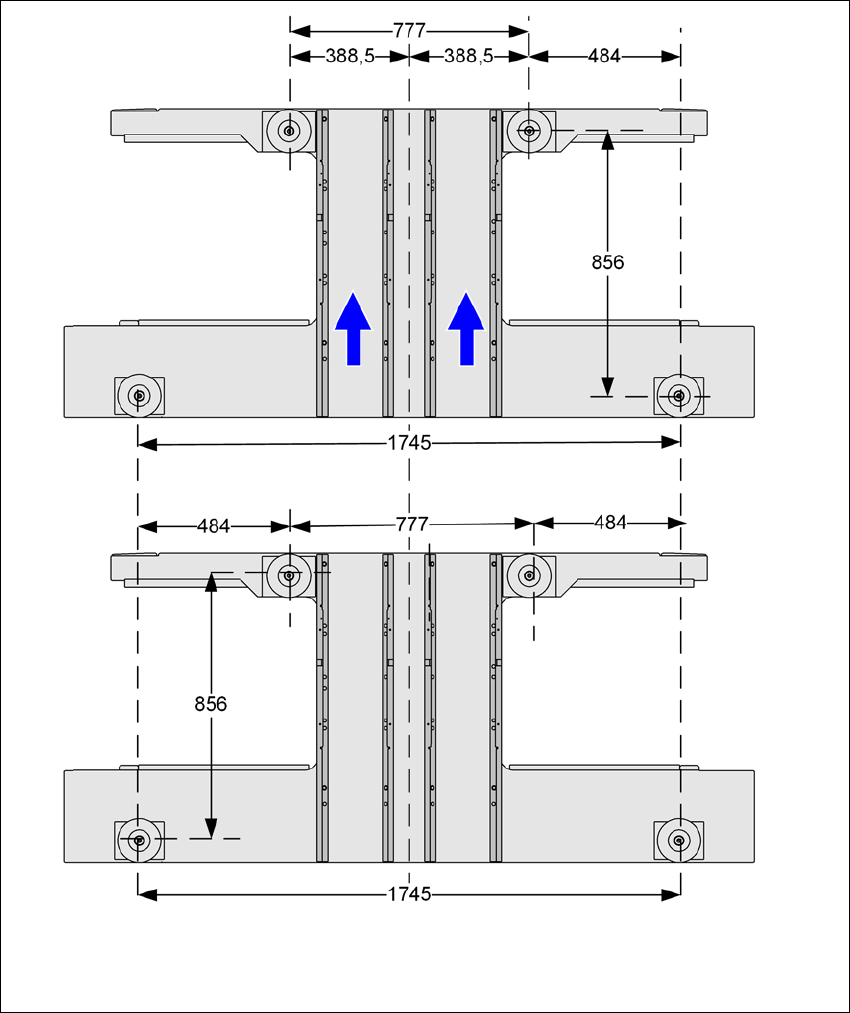
Fig. 4.5 - 9 Machine foot clearances in millimeters