00197975-06_UM_TX-Serie_EN.pdf - 第301页
User manual SIPLACE TX-Series 6 Station extensions From software version 713.0 Edition 01/2020 6.2 Reject plate 301 6.2.2 Configuration If the reject plate has been fitted, it will need to be configu red. 6 Fig. 6.2 - 3 …
6 Station extensions User manual SIPLACE TX-Series
6.2 Reject plate From software version 713.0 Edition 01/2020
300
6.2 Reject plate
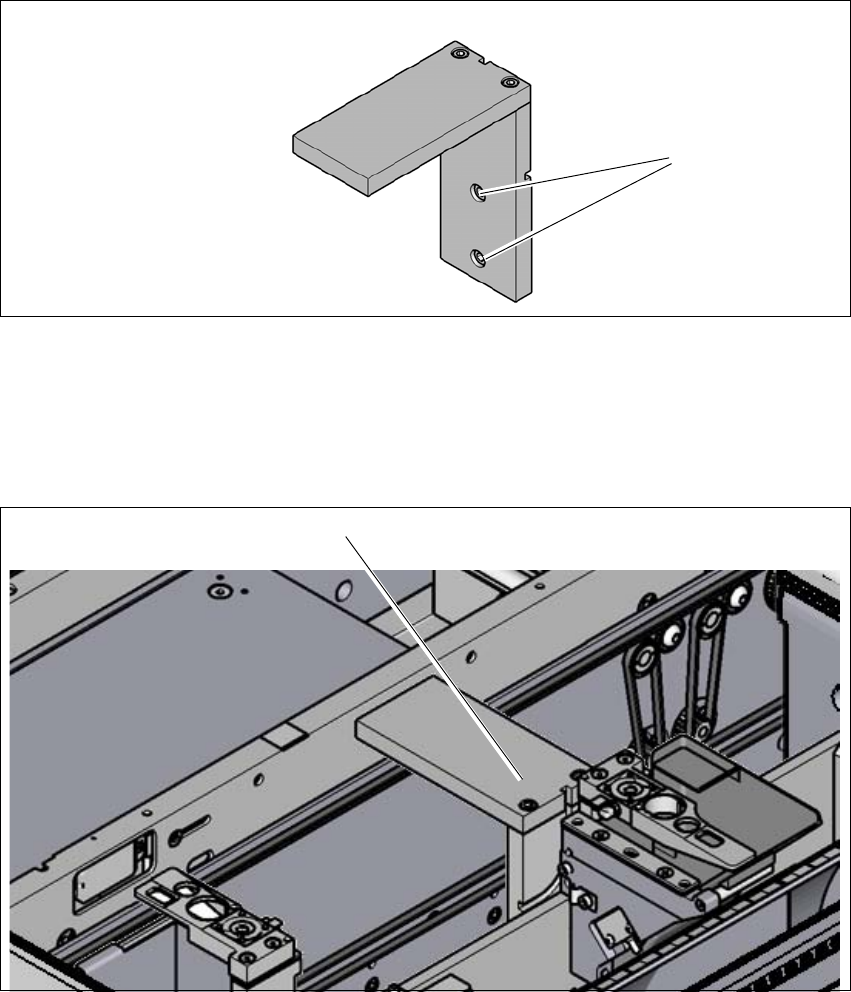
Item no. 03117664-xx Component deposit (reject plate)
If components are recognized as defective by the Vision system, these components will be placed
on the reject plate. The operator can then take these components from there.
6
Fig. 6.2 - 1 Component deposit (reject plate)
(1) Fastening screws
6.2.1 Installation position
6
Fig. 6.2 - 2 Reject plate - installation position
(1) Installation position in the placement machine
(1)
(1)
User manual SIPLACE TX-Series 6 Station extensions
From software version 713.0 Edition 01/2020 6.2 Reject plate
301
6.2.2 Configuration
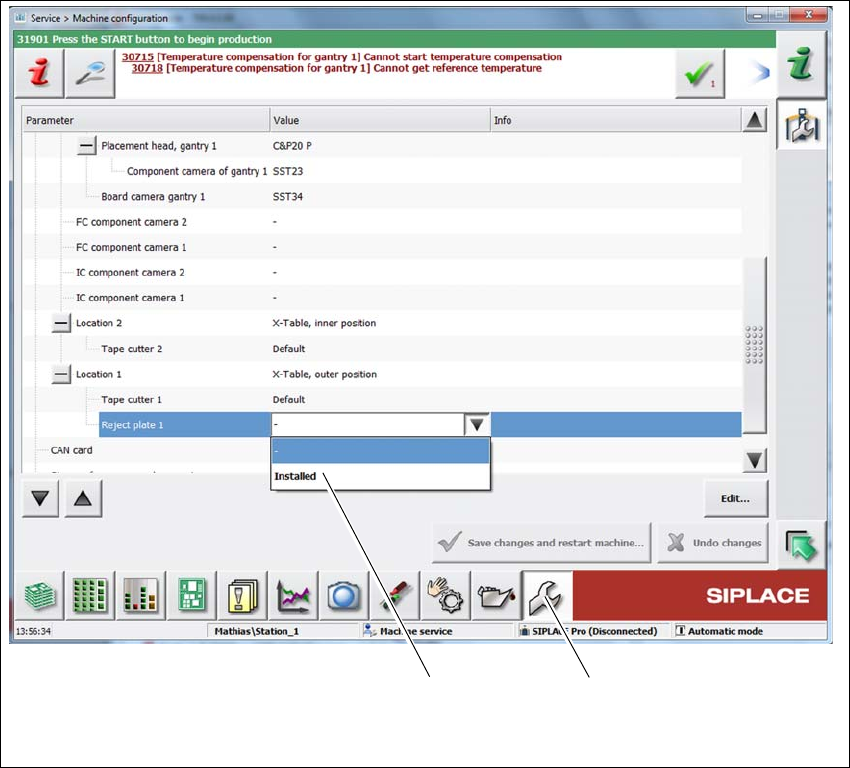
If the reject plate has been fitted, it will need to be configured.
6
Fig. 6.2 - 3 Configuration - reject plate
Select Service (1)
Select the location and then Reject plate => Installed (2).
(2) (1)
6 Station extensions User manual SIPLACE TX-Series
6.3 PCB barcode scanner From software version 713.0 Edition 01/2020
302
6.3 PCB barcode scanner
Item no. 00519882-xx Sick Lector 620 2D barcode reader
6.3.1 Description
The PCB barcode reader is used to automatically record and decode barcodes on PCBs. The
PCB barcode scanners are installed on a special frame on the input side of the first placement
machine on the PCB
conveyor. Depending
on the position of the barcode strips, the barcode scanner can be attached in a few simple
steps so that the strips can be read parallel to or across the PCB transport direction.
When using dual conveyors, four board barcode readers can be retrofitted. These can scan both
the top or bottom of the boards on both conveyor lanes.
The barcode reader is available as a 2D board code reader. This code reader processes barcodes
and matrix codes. Matrix code is primarily used when there is
not enough space for barcode labels.
6.4 Input conveyor and output conveyor extensions
Item no. 00588111-xx Input conveyor extension SIPLACE TX
Item no. 00588110-xx Output conveyor extension SIPLACE TX
Item no. 03166742-xx Input conveyor extension TX280
6.4.1 Description
The input conveyor extension is needed for the barcode reader option.
The output conveyor extension is needed for the JTF-ML 2 option. The output conveyor extension
can also be fitted independently of the JTF-ML 2 option.